zarm-web
Version:
基于 React 的桌面端UI库
89 lines (60 loc) • 2.1 kB
Markdown
<p align="center">
<img width="200" src="https://zarm.design/images/logo.ce68565d.svg">
</p>
<h1 align="center">Zarm-Web</h1>
<div align="center">
众安科技桌面端UI组件库,基于React。
</div>
## Version 版本
- 历史版本:[](https://www.npmjs.org/package/dragon-ui)
[](https://app.fossa.io/projects/git%2Bgithub.com%2FJeromeLin%2Fzarm-web?ref=badge_shield)
- 开发版:暂未发布
## Install 安装
使用npm安装:
```bash
npm install zarm-web --save
```
或者通过cdn引入umd模块:
```html
<link rel="stylesheet" href="https://unpkg.com/zarm-web@latest/dist/zarm-web.min.css">
<script type="text/javascript" src="https://unpkg.com/zarm-web@latest/dist/zarm-web.min.js"></script>
```
## Usage 使用
### 全组件引入
```js
import { Button, Cell } from 'zarm-web';
import 'zarm-web/dist/zarm-web.min.css';
```
### 按需加载
- 方法一(推荐)
> 使用 [babel-plugin-import](https://github.com/ant-design/babel-plugin-import) 自动加载Sass文件
```js
// .babelrc or babel-loader option
{
"plugins": [
['import', {
libraryName: 'zarm-web',
style: true,
}],
]
}
```
```js
import { Button, Cell } from 'zarm-web';
```
- 方法二:
```js
import Button from 'zarm-web/lib/button';
import 'zarm-web/lib/button/style';
```
### 定制主题
通过修改css变量定义达到定制主题的效果
```js
document.documentElement.style.setProperty('--theme-primary', '#108ee9');
```
变量名可参考 [variable.scss](https://github.com/JeromeLin/zarm-web/blob/dev-zarm-web/components/style/themes/variable.scss)
## Changelog 更新日志
[CHANGELOG.md](https://github.com/JeromeLin/zarm-web/blob/dev-zarm-web/CHANGELOG.md)
## License
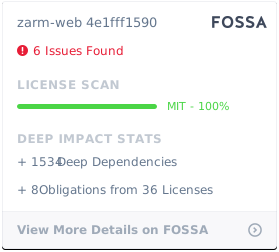
MIT
[](https://app.fossa.io/projects/git%2Bgithub.com%2FJeromeLin%2Fzarm-web?ref=badge_large)