yun-playlist-downloader
Version:
NetEase CloudMusic downloader
140 lines (96 loc) • 5.49 kB
Markdown
# yun-playlist-downloader
网易云音乐 - 歌单 - 下载器
<!-- [](https://travis-ci.org/magicdawn/yun-playlist-downloader) -->
[](https://github.com/magicdawn/yun-playlist-downloader/actions/workflows/ci.yml)
[](https://codecov.io/gh/magicdawn/yun-playlist-downloader)
[](https://www.npmjs.com/package/yun-playlist-downloader)
[](https://www.npmjs.com/package/yun-playlist-downloader)
[](#)
[](#)
## 特性
- [x] 支持歌单 / 专辑 / 电台
- [x] 音质选择
- [x] 下载超时 / 重试
- [x] 再次下载默认跳过已下载部分, 使用 `content-length` 匹配
- [x] 自定义文件名
- [x] 下载进度显示
## 注意
本项目不支持越权使用, VIP 歌曲请开通 VIP 后结合 `--cookie` 使用.
see https://github.com/magicdawn/yun-playlist-downloader/issues/54
## 安装
```sh
# pnpm (recommend)
$ pnpm add -g yun-playlist-downloader
# npm
$ npm i yun-playlist-downloader -g
```
## 使用
```sh
Usage: yun <url> [options]
位置:
url 歌单/专辑的链接 [字符串]
选项:
--retryTimeout 下载超时(分) [数字] [默认值: 3]
--retryTimes 下载重试次数 [数字] [默认值: 3]
--cover 下载封面 [布尔] [默认值: false]
--cookie cookie文件 [字符串] [默认值: "yun.cookie.txt"]
-h, --help 显示帮助信息 [布尔]
-v, --version 显示版本号 [布尔]
-c, --concurrency 同时下载数量 [数字]
-f, --format 文件格式 [字符串]
-q, --quality 音质 [数字]
-s, --skip 对于已存在文件且大小合适则跳过 [布尔]
-p, --progress 是否显示进度条 [布尔]
示例:
yun -c 10 <url> 10首同时下载
yun -f ":singer - :songName.:ext" <url> 下载格式为 "歌手 - 歌名"
帮助 & 文档: https://github.com/magicdawn/yun-playlist-downloader
```
### `--retry-timeout` 重试超时
设置下载超时, 单位为分, 默认 3 分钟
### `--retry-times` 重试次数
设置下载重试次数, 需要与 `--retry-timeout` 搭配使用,默认 3 次
### `--cover` 下载封面
默认不下载
### `--cookie` 已登录 cookie 存放地址
见 [docs/cookie.md](docs/cookie.md)
### `-c, --concurrency` 下载并发
下载并发
### `-f, --format` 自定义文件名
| token | 含义 | 备注 |
| --------------- | -------------------------- | ---------- |
| `:type` | = `album` or `playlist` | |
| `:typeText` | = `专辑` or `列表` | |
| `:name` | 专辑名称 or 播放列表名称 | |
| `:singer` | 歌手名 | |
| `:songName` | 歌名(aka 标题) | |
| `:albumName` | 所属专辑 | |
| `:ext` | 文件后缀,如 `mp3` 不带 `.` | |
| `:index` | `01` , `02` ... `12` | |
| `:rawIndex` | `0` `1` ... `11` | |
| `:programDate` | 电台节目发布日期 | 仅电台可用 |
| `:programOrder` | 数字, 电台第几期 | 仅电台可用 |
- 默认值 = `:name/:singer - :songName.:ext`
- 电台默认 = `:name/:programDate 第:programOrder 期 - :songName.:ext`
### `-q, --quality` 自定义下载音质
| 取值 | 含义 | 备注 |
| ---- | ---------- | ---- |
| 128 | 128kbits/s | |
| 192 | 192kbits/s | |
| 320 | 320kbits/s | 默认 |
### `-s, --skip` 是否跳过下载
- 对于文件已存在, 而且文件大小与要下载的网络文件的 `content-length` 大小一致, 则跳过下载
- 默认启用
- 使用 `--skip false` 关闭该特性
### `-p, --progress` 是否显示进度条
- 默认 `true`, 显示进度条, 使用 `false` 不显示进度条
- 使用了模块 [ascii-progress](https://github.com/bubkoo/ascii-progress), 问题比较多, 比如非 tty, 在控制台输入一些东西进度显示就乱了, 故提供选项关闭该特性
## `.yunrc`
该工具使用了 `rc` 模块, 会去遍历读取 `.yunrc` 配置文件
具体规则见 `rc` 模块 README https://github.com/dominictarr/rc#standards
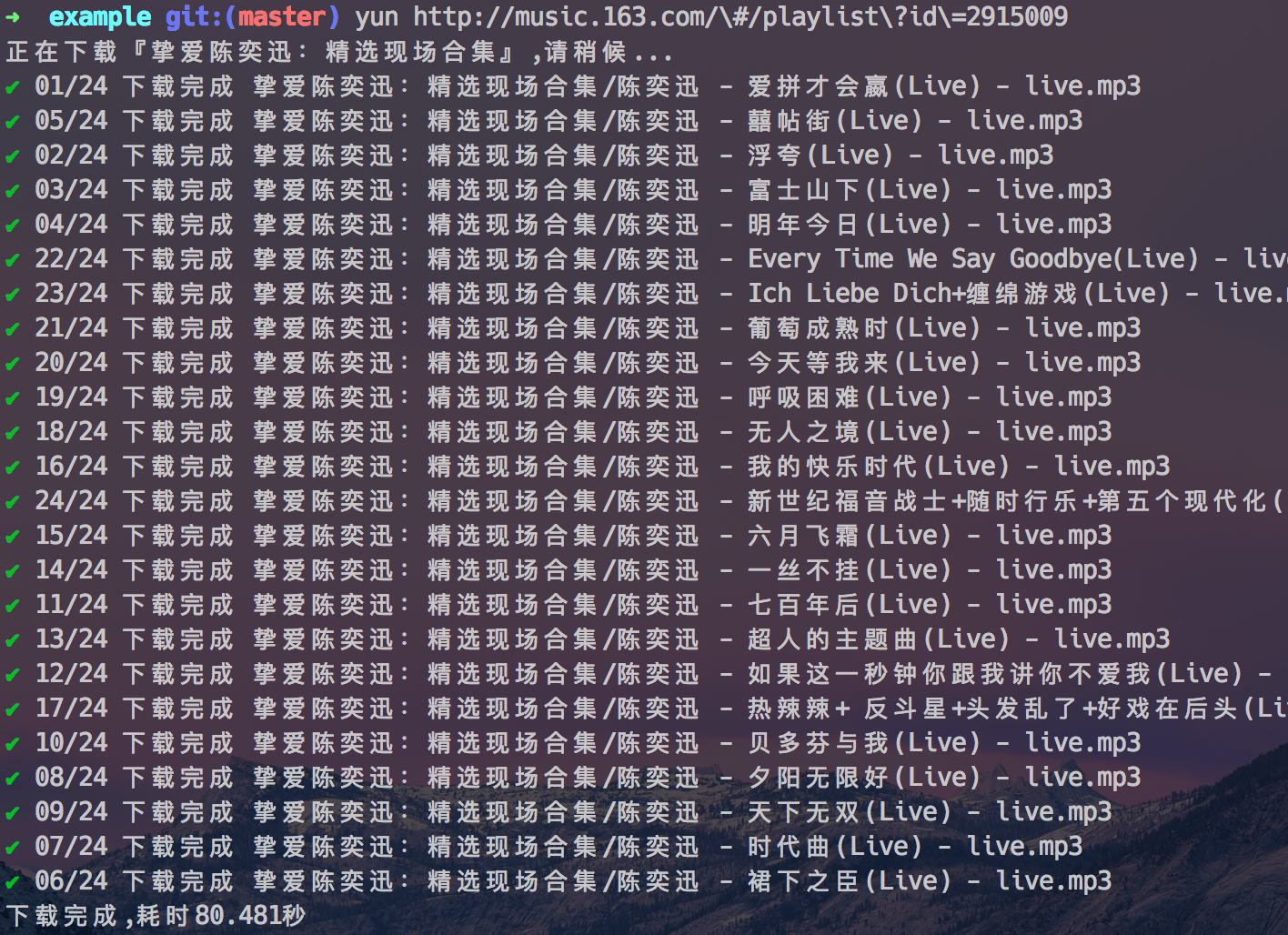
## 截图
## 更新记录
[CHANGELOG.md](CHANGELOG.md)
## License
the MIT License http://magicdawn.mit-license.org