y-durableobjects
Version:
[](https://gyazo.com/e94637740dbb11fc5107b0cd0850326d)
316 lines (226 loc) • 8.2 kB
Markdown
# y-durableobjects
[](https://gyazo.com/e94637740dbb11fc5107b0cd0850326d)
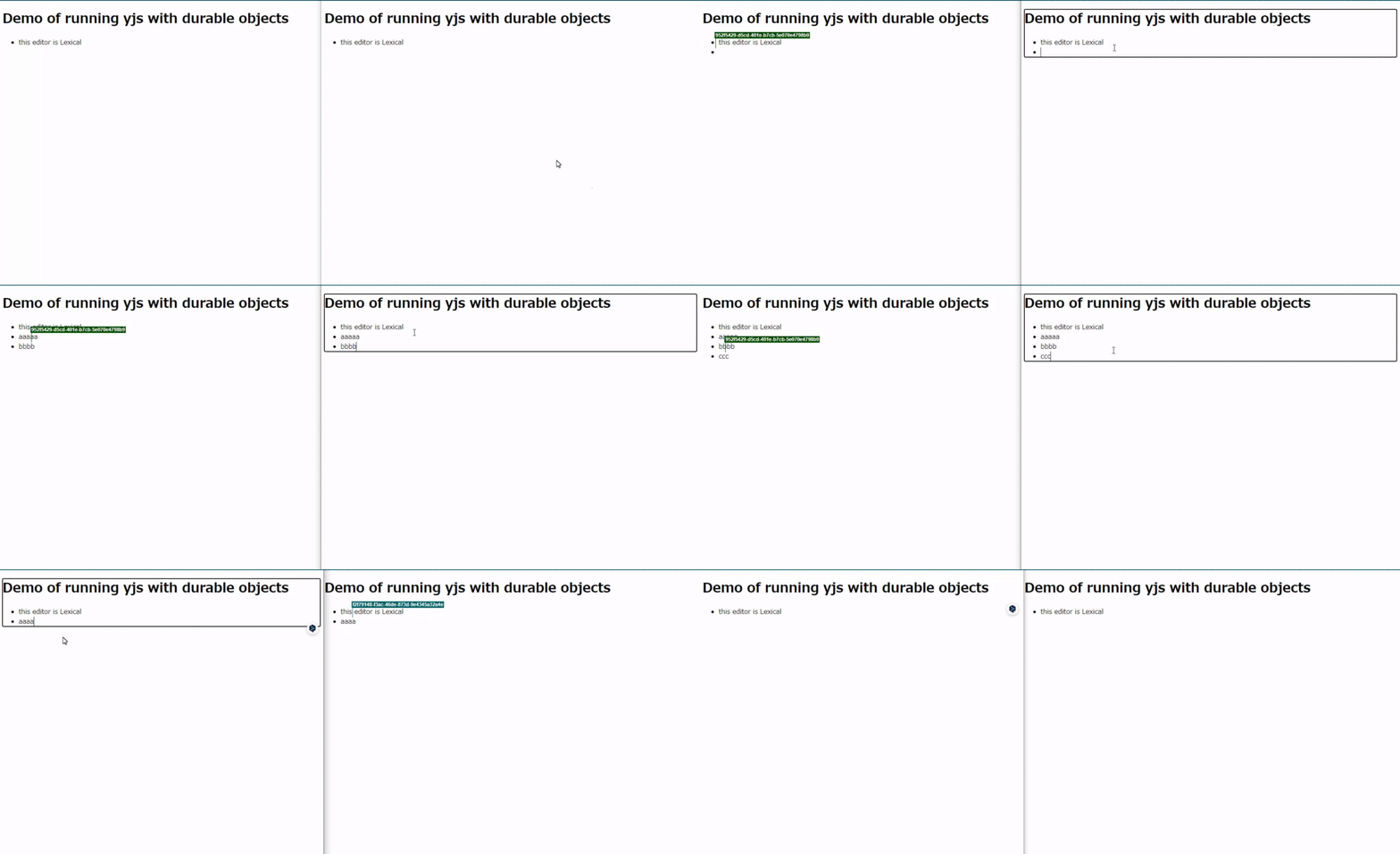
The `y-durableobjects` library is designed to facilitate real-time collaboration in the Cloudflare Workers environment using Yjs and Durable Objects. It provides a straightforward way to integrate Yjs for decentralized, scalable real-time editing features.
## Requirements
- Hono version 4.3 or higher is required.
## Installation
To use `y-durableobjects`, you need to install the package along with `hono`, as it is a peer dependency.
```bash
npm install y-durableobjects hono
```
or using yarn:
```bash
yarn add y-durableobjects hono
```
or pnpm:
```bash
pnpm add y-durableobjects hono
```
### Configuration for Durable Objects
To properly utilize Durable Objects, you need to configure bindings in your `wrangler.toml` file. This involves specifying the name of the Durable Object binding and the class name that represents your Durable Object. For detailed instructions on how to set up your `wrangler.toml` for Durable Objects, including setting up environment variables and additional resources, refer to [Cloudflare's Durable Objects documentation](https://developers.cloudflare.com/durable-objects/get-started/#5-configure-durable-object-bindings).
This configuration ensures that your Cloudflare Worker can correctly instantiate and interact with Durable Objects, allowing `y-durableobjects` to manage real-time collaboration sessions.
```toml
name = "your-worker-name"
main = "src/index.ts"
compatibility_date = "2024-04-05"
account_id = "your-account-id"
workers_dev = true
# Durable Objects binding
[durable_objects]
bindings = [
{ name = "Y_DURABLE_OBJECTS", class_name = "YDurableObjects" }
]
# Durable Objects migrations
[[migrations]]
tag = "v1"
new_classes = ["YDurableObjects"]
```
## Usage
### With Hono shorthand
```typescript
import { Hono } from "hono";
import { YDurableObjects, yRoute } from "y-durableobjects";
type Bindings = {
Y_DURABLE_OBJECTS: DurableObjectNamespace<YDurableObjects<Env>>;
};
type Env = {
Bindings: Bindings;
};
const app = new Hono<Env>();
const route = app.route(
"/editor",
yRoute<Env>((env) => env.Y_DURABLE_OBJECTS),
);
export default route;
export type AppType = typeof route;
export { YDurableObjects };
```
### Without the shorthand
The following example demonstrates how to integrate Hono RPC with `y-durableobjects`. Note that WebSocket connections must be handled via fetch due to the current limitations of JS RPC (see [Cloudflare issue](https://github.com/cloudflare/workerd/issues/2319)):
```typescript
import { Hono } from "hono";
import { YDurableObjects, type YDurableObjectsAppType } from "y-durableobjects";
import { upgrade } from "y-durableobjects/helpers/upgrade";
type Bindings = {
Y_DURABLE_OBJECTS: DurableObjectNamespace<YDurableObjects<Env>>;
};
type Env = {
Bindings: Bindings;
};
const app = new Hono<Env>();
app.get("/editor/:id", upgrade(), async (c) => {
const id = c.env.Y_DURABLE_OBJECTS.idFromName(c.req.param("id"));
const stub = c.env.Y_DURABLE_OBJECTS.get(id);
const url = new URL("/", c.req.url);
const client = hc<YDurableObjectsAppType>(url.toString(), {
fetch: stub.fetch.bind(stub),
});
const res = await client.rooms[":id"].$get(
{ param: { id: c.req.param("id") } },
{ init: { headers: c.req.raw.headers } },
);
return new Response(null, {
webSocket: res.webSocket,
status: res.status,
statusText: res.statusText,
});
});
export default app;
export type AppType = typeof app;
export { YDurableObjects };
```
### JS RPC support
`y-durableobjects` supports JS RPC for fetching and updating YDocs. Below are examples of how to use the `getYDoc` and `updateYDoc` interfaces.
#### getYDoc
This API fetches the state of the YDoc within a Durable Object.
Example usage in Hono:
```typescript
import { Hono } from "hono";
import { YDurableObjects } from "y-durableobjects";
import { fromUint8Array } from "js-base64";
type Bindings = {
Y_DURABLE_OBJECTS: DurableObjectNamespace<YDurableObjects<Env>>;
};
type Env = {
Bindings: Bindings;
};
const app = new Hono<Env>();
app.get("/rooms/:id/state", async (c) => {
const roomId = c.req.param("id");
const id = c.env.Y_DURABLE_OBJECTS.idFromName(roomId);
const stub = c.env.Y_DURABLE_OBJECTS.get(id);
const doc = await stub.getYDoc();
const base64 = fromUint8Array(doc);
return c.json({ doc: base64 }, 200);
});
export default app;
export { YDurableObjects };
```
#### updateYDoc
This API updates the state of the YDoc within a Durable Object.
Example usage in Hono:
```typescript
import { Hono } from "hono";
import { YDurableObjects } from "y-durableobjects";
type Bindings = {
Y_DURABLE_OBJECTS: DurableObjectNamespace<YDurableObjects<Env>>;
};
type Env = {
Bindings: Bindings;
};
const app = new Hono<Env>();
app.post("/rooms/:id/update", async (c) => {
const roomId = c.req.param("id");
const id = c.env.Y_DURABLE_OBJECTS.idFromName(roomId);
const stub = c.env.Y_DURABLE_OBJECTS.get(id);
const buffer = await c.req.arrayBuffer();
const update = new Uint8Array(buffer);
await stub.updateYDoc(update);
return c.json(null, 200);
});
export default app;
export { YDurableObjects };
```
### Extending with JS RPC
By supporting JS RPC, `y-durableobjects` allows for advanced operations through extensions. You can manipulate the protected fields for custom functionality:
Example:
```typescript
import { applyUpdate, encodeStateAsUpdate } from "yjs";
import { YDurableObjects } from "y-durableobjects";
export class CustomDurableObject extends YDurableObjects {
async customMethod() {
// Access and manipulate the YDoc state
const update = new Uint8Array([
/* some update data */
]);
this.doc.update(update);
await this.cleanup();
}
}
```
### Hono RPC support for ClientSide
- Utilizes Hono's WebSocket Helper, making the `$ws` method available in `hono/client` for WebSocket communications.
- For more information on server and client setup, see the [Hono WebSocket Helper documentation](https://hono.dev/helpers/websocket#server-and-client).
#### Server Implementation
##### Using shorthand
```typescript
import { Hono } from "hono";
import { YDurableObjects, yRoute } from "y-durableobjects";
type Bindings = {
Y_DURABLE_OBJECTS: DurableObjectNamespace<YDurableObjects<Env>>;
};
type Env = {
Bindings: Bindings;
};
const app = new Hono<Env>();
const route = app.route(
"/editor",
yRoute<Env>((env) => env.Y_DURABLE_OBJECTS),
);
export default route;
export type AppType = typeof route;
export { YDurableObjects };
```
##### Without shorthand
```typescript
import { Hono } from "hono";
import { YDurableObjects, YDurableObjectsAppType } from "y-durableobjects";
import { upgrade } from "y-durableobjects/helpers/upgrade";
type Bindings = {
Y_DURABLE_OBJECTS: DurableObjectNamespace<YDurableObjects<Env>>;
};
type Env = {
Bindings: Bindings;
};
const app = new Hono<Env>();
app.get("/editor/:id", upgrade(), async (c) => {
const id = c.env.Y_DURABLE_OBJECTS.idFromName(c.req.param("id"));
const stub = c.env.Y_DURABLE_OBJECTS.get(id);
const url = new URL("/", c.req.url);
const client = hc<YDurableObjectsAppType>(url, {
fetch: stub.fetch.bind(stub),
});
const res = await client.rooms[":id"].$get(
{ param: { id: c.req.param("id") } },
{ init: { headers: c.req.raw.headers } },
);
return new Response(null, {
webSocket: res.webSocket,
status: res.status,
statusText: res.statusText,
});
});
export default app;
export type AppType = typeof app;
export { YDurableObjects };
```
#### Client Implementation
To utilize Hono RPC on the client side, you can create a typed client using `hc` from `hono/client`:
```typescript
import { hc } from "hono/client";
import type { AppType } from "./server"; // Adjust the import path as needed
const API_URL = "http://localhost:8787";
export const client = hc<AppType>(API_URL);
const ws = client.editor[":id"].$ws({ param: { id: "example" } });
// ^?const ws: WebSocket
```