xlsx-chart
Version:
MS Excel Charts
230 lines (206 loc) • 4.2 kB
Markdown
# xlsx-chart
Node.js excel chart builder
## Quick start
Install
```bash
npm install xlsx-chart
```
Generate and write chart to file
```js
var XLSXChart = require ("xlsx-chart");
var xlsxChart = new XLSXChart ();
var opts = {
file: "chart.xlsx",
chart: "column",
titles: [
"Title 1",
"Title 2",
"Title 3"
],
fields: [
"Field 1",
"Field 2",
"Field 3",
"Field 4"
],
data: {
"Title 1": {
"Field 1": 5,
"Field 2": 10,
"Field 3": 15,
"Field 4": 20
},
"Title 2": {
"Field 1": 10,
"Field 2": 5,
"Field 3": 20,
"Field 4": 15
},
"Title 3": {
"Field 1": 20,
"Field 2": 15,
"Field 3": 10,
"Field 4": 5
}
}
};
xlsxChart.writeFile (opts, function (err) {
console.log ("File: ", opts.file);
});
```
Generate and download chart data
```js
xlsxChart.generate (opts, function (err, data) {
res.set ({
"Content-Type": "application/vnd.ms-excel",
"Content-Disposition": "attachment; filename=chart.xlsx",
"Content-Length": data.length
});
res.status (200).send (data);
});
```
## Chart types
column, bar, line, area, radar, scatter, pie
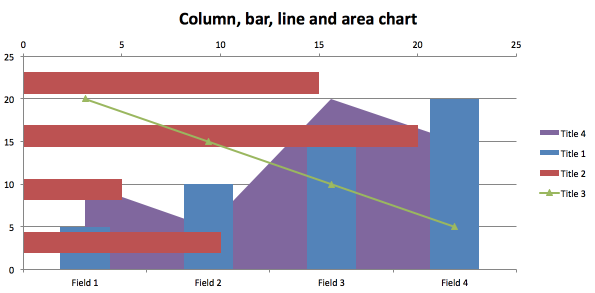
## Mixing
You can mix column, bar, line, area.
## Custom template
Default templates: xlsx-chart/template/*.xlsx
```js
var opts = {
file: "chart.xlsx",
chart: "column",
templatePath: __dirname + "/myColumn.xlsx",
...
};
xlsxChart.writeFile (opts, function (err) {
console.log ("File: ", opts.file);
});
```
## Multiple charts
```js
let fs = require ("fs");
let XLSXChart = require ("xlsx-chart");
let xlsxChart = new XLSXChart ();
let opts = {
charts: [{
chart: "column",
titles: [
"Title 1",
"Title 2",
"Title 3"
],
fields: [
"Field 1",
"Field 2",
"Field 3",
"Field 4"
],
data: {
"Title 1": {
"Field 1": 5,
"Field 2": 10,
"Field 3": 15,
"Field 4": 20
},
"Title 2": {
"Field 1": 10,
"Field 2": 5,
"Field 3": 20,
"Field 4": 15
},
"Title 3": {
"Field 1": 20,
"Field 2": 15,
"Field 3": 10,
"Field 4": 5
}
},
chartTitle: "Title 1"
}, {
chart: "column",
titles: [
"Title 1",
"Title 2",
"Title 3"
],
fields: [
"Field 1",
"Field 2",
"Field 3",
"Field 4"
],
data: {
"Title 1": {
"Field 1": 5,
"Field 2": 10,
"Field 3": 15,
"Field 4": 20
},
"Title 2": {
"Field 1": 10,
"Field 2": 5,
"Field 3": 20,
"Field 4": 15
},
"Title 3": {
"Field 1": 20,
"Field 2": 15,
"Field 3": 10,
"Field 4": 5
}
},
chartTitle: "Title 2"
}, {
chart: "column",
titles: [
"Title 1",
"Title 2",
],
fields: [
"Field 1",
"Field 2",
"Field 3",
],
data: {
"Title 1": {
"Field 1": 15,
"Field 2": 30,
"Field 3": 45,
},
"Title 2": {
"Field 1": 5,
"Field 2": 2,
"Field 3": 10
}
},
chartTitle: "Title 3"
}]
};
xlsxChart.generate (opts, function (err, data) {
fs.writeFileSync ("chart.xlsx", data);
});
```
## Examples
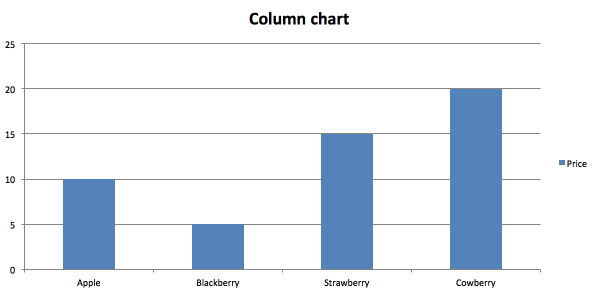
<a href="examples/column.js">column.js</a>
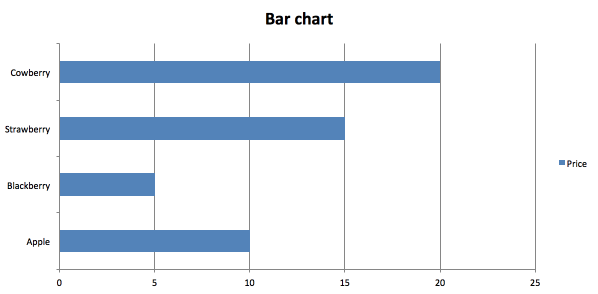
<a href="examples/bar.js">bar.js</a>
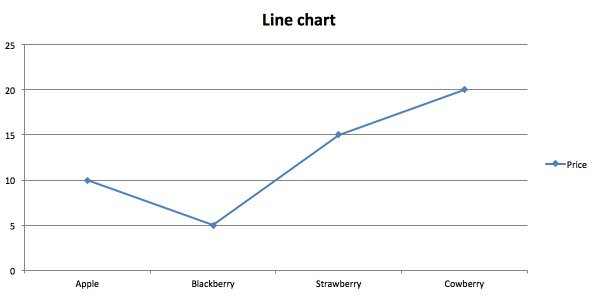
<a href="examples/line.js">line.js</a>
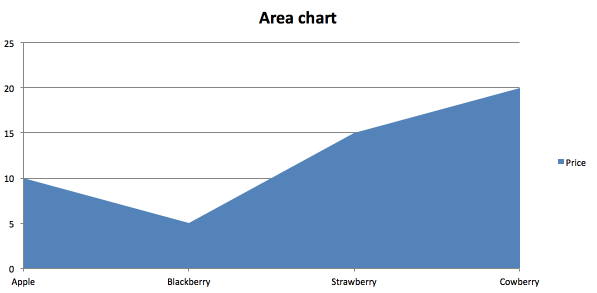
<a href="examples/area.js">area.js</a>
<a href="examples/radar.js">radar.js</a>
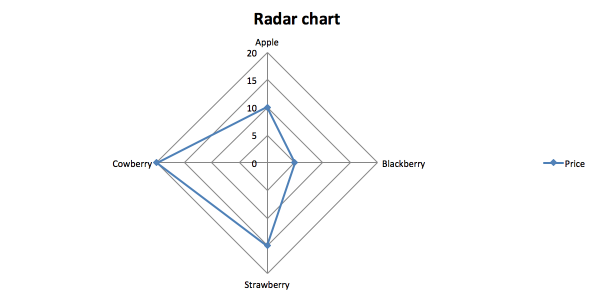
<a href="examples/scatter.js">scatter.js</a>
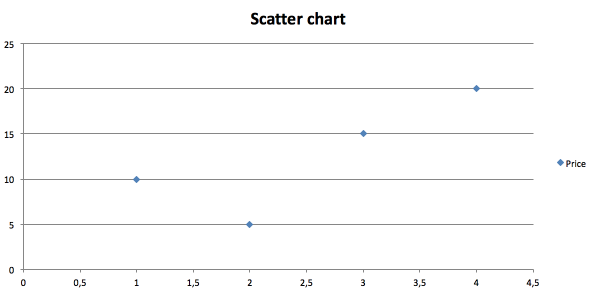
<a href="examples/pie.js">pie.js</a>
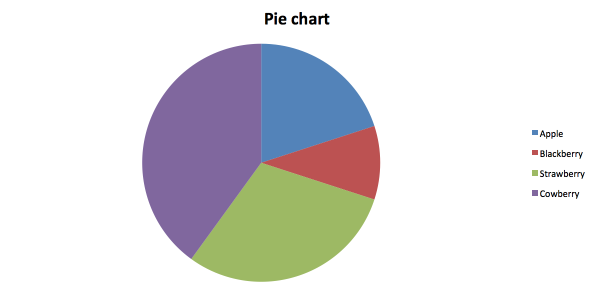
<a href="examples/columnLine.js">columnLine.js</a>
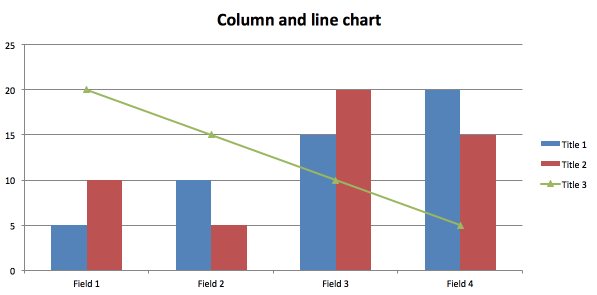
<a href="examples/mix.js">mix.js</a>
## Author
**Dmitriy Samortsev**
+ http://github.com/objectum
## Copyright and license
MIT