writemereadme
Version:
A README Generator using NodeJS and Inquirer.
116 lines (70 loc) • 3.74 kB
Markdown
<h1 align="center">WritemeREADME 🎉 </h1>
<br />
## 👇 Description 👇
A console application to streamline creating readme files for developers. Upon running WritemeREADME, the user is presented with a series of prompts that were created using [inquirer](https://www.npmjs.com/package/inquirer). After completed the application then generates a new [README.md](https://en.wikipedia.org/wiki/README) file in the specified directory (*last prompt*).
The purpose is to make writing a solid README simpler and less time consuming.
## Table of Contents
- [Description](#--description--)
- [Screenshots](#screenshots)
- [Installation](#installation-instructions-)
- [Usage](#usage-)
- [License](#license-)
- [Contributors](#contributors-)
- [Questions](#questions-)
## Installation Instructions 📣
### Download Manually
1) Clone this repo
2) Run <code>npm i</code> in root directory of your project.
### NPM
```
npm install writemeREADME
```
## Usage 🖱️
### Cloned Directory
-Navigate to root directory of writemeREADME in terminal
-Type ```node index.js```
-Answer Prompts
--To test it out you can use <code>`https://loremflickr.com/320/240`</code> to generate random images as placeholders for screenshots section.
-You'll find your generated README in the directory you designated.
-Enjoy 😎
### NPM Install
```
//imports module
const writeme = require('writemereadme')
//calls the function
writeme.init();
```
- Then just use the application
*Alternatively, you can very easily not answer any of the prompts and just let it create a nice template for you to fill out at your leisure.*
## License 🧑🤝🧑

<br />
This application is covered by the BSD_3_Clause license.
## Contributors 🧑🤝🧑
Peter Roto
## Screenshots & Video 📷
| Code Snapshot | Generated Product | Active Screenshot |
|:------------------------------------------------------:|:------------------------------------------------------:|:------------------------------------------------------:|
|<a href="./images/writemeREADME_snippet.png" target="_blank"><img alt="Screenshot of code" src="./images/writemeREADME_snippet.png" width="150" height="150"></a> |<a title="Click for README.md" target="_blank" href="./README.md"><img alt="Screenshot of README file generated with this application" src="./images/README.png" width="150" height="150"></a>|<a href="./images/writemeREADME_Active.png" target="_blank"> <img alt="Screenshot of code" src="./images/writemeREADME_Active.png" width="150" height="150"></a>|
| | | |
### Video
[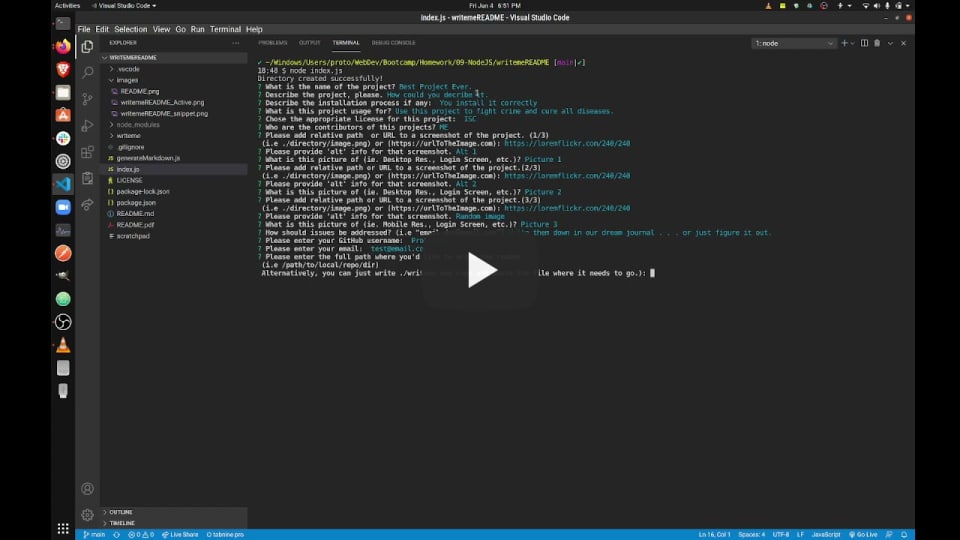](https://youtu.be/Kh4zlCA8oC8 "writemeREADME Demo")
## Questions ❔
For any issues or feedback please email me, find my email address below
(Subject: writemeREADME Support)<br />
<br />
:octocat: Find me on GitHub: [Proto133](https://github.com/Proto133)<br />
<br />
📬 Email me with any questions: peterdroto@gmail.com<br /><br />
----
| 🤯   WHOA!   🤯|
|:----|
|This README was generated with [writemeREADME](https://github.com/proto133/writemeREADME) |
| |