webhook-chatbot
Version:
群聊机器人消息推送,支持钉钉和企业微信
313 lines (260 loc) • 8.62 kB
Markdown
# **Webhook Chatbot**



群聊机器人消息推送,目前支持企业微信和钉钉。(在官方文档的示例上做了一些封装,方便嵌入项目中使用)
## 使用
### 安装
```bash
npm install webhook-chatbot
```
### 快速开始
```js
import { DingRobot, WXRobot } from 'webhook-chatbot'
// 或
// const { DingRobot, WXRobot } from 'webhook-chatbot'
const wxRobot = new WXRobot({
webhook:
'xxx'
})
const ddRobot = new DingRobot({
webhook:
'xxx',
secret: 'xx' // 可选参数
})
```
### 企业微信
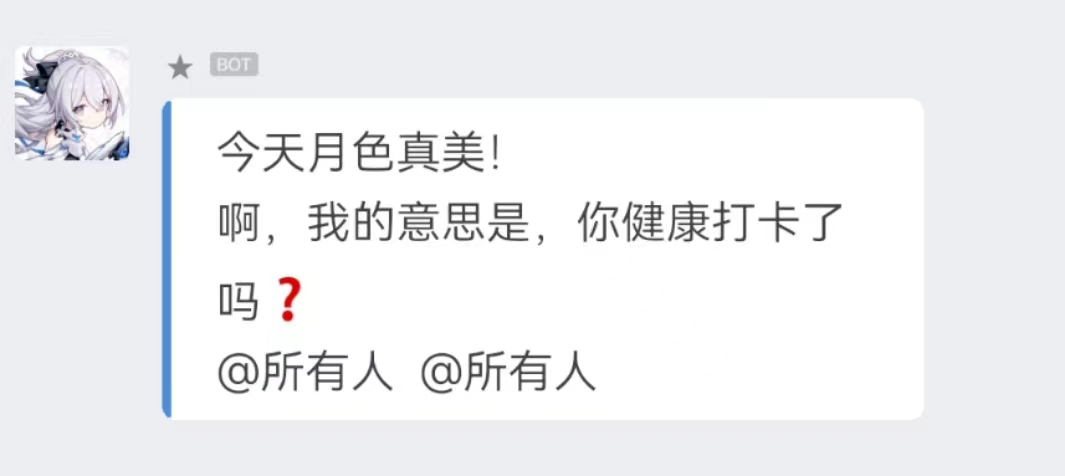
#### 1. 发送文本
```js
const txtRes = await wxRobot.text({
content: '今天月色真美!\n啊,我的意思是,你健康打卡了吗❓'
})
console.log(txtRes)
```
#### 2. 发送 markdown
```js
const mdRes = await wxRobot.markdown({
content: `
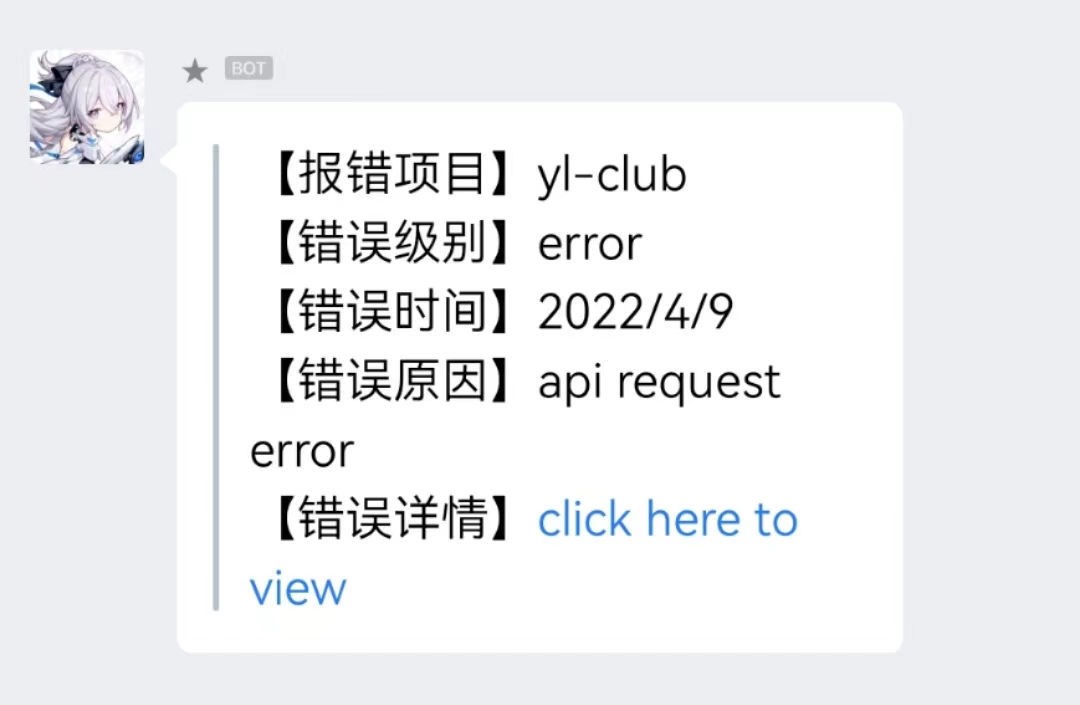
> 【报错项目】yl-club
> 【错误级别】error
> 【错误时间】${new Date().toLocaleDateString()}
> 【错误原因】api request error
> 【错误详情】[click here to view](https://sentry.io/xxx)`
})
console.log(mdRes);
```
#### 3. 发送图片
```js
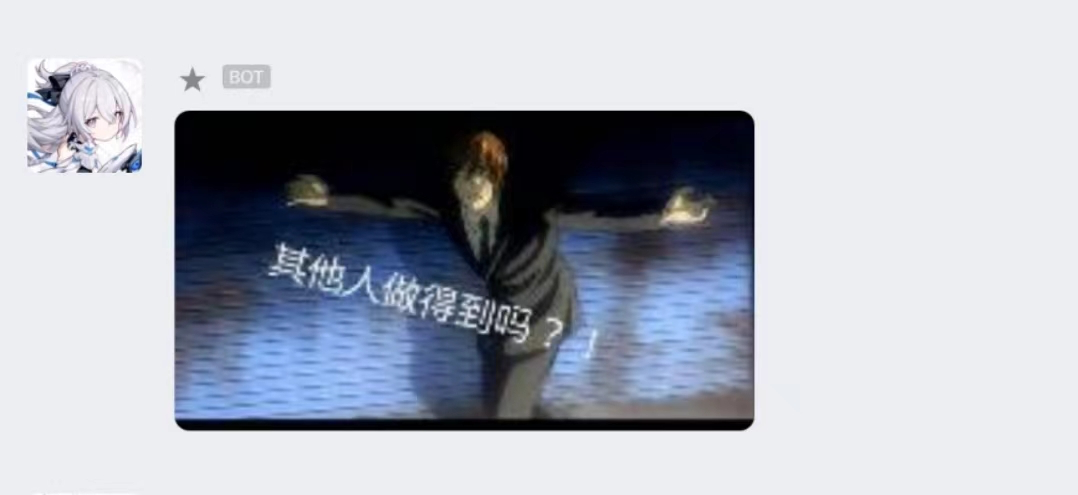
const { md5res, base64 } = formatImg(path.join(__dirname, './assets/img.jpg')) // 需要将图片处理成文档要求的格式
const imgRes = await wxRobot.image({
base64: base64,
md5: md5res
})
console.log(imgRes);
```
#### 4. 发送图文
```js
const res = await wxRobot.news({
articles: [
{
title: '中秋节礼品领取',
description: '今年中秋节公司有豪礼相送',
url: 'www.qq.com',
picurl:
'http://res.mail.qq.com/node/ww/wwopenmng/images/independent/doc/test_pic_msg1.png'
}
]
})
```

#### 5. 发送文件
```js
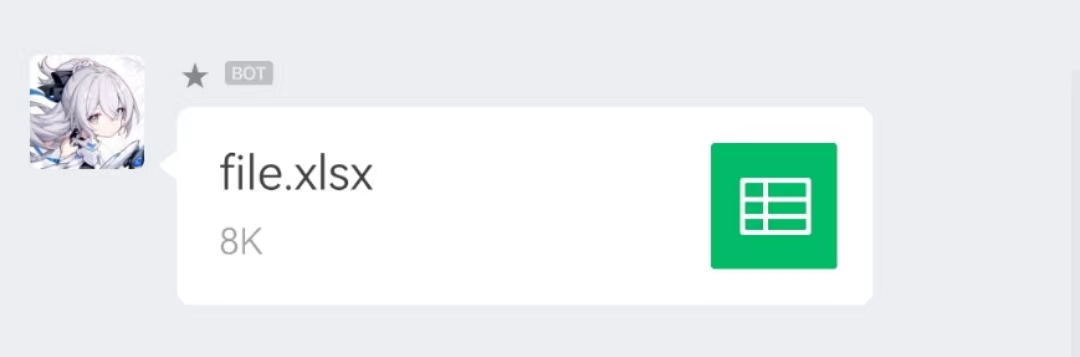
const media_id = await uploadFile( // 需要先调用官方提供的上传文件接口,获得 media_id
path.join(__dirname, './assets/file.xlsx'),
key
)
const fileRes = await wxRobot.file({
media_id
})
console.log(fileRes);
```
#### 6. 其他类型
企业微信机器人还支持模板卡片类型的消息格式,但因为实际使用比较少,就没有对其进行封装,但也还是可以通过保留的 `send` 方法,参照文档进行发送。
具体配置还请参考:https://developer.work.weixin.qq.com/document/path/91770
```js
const cardRes = await wxRobot.send({
msgtype: 'template_card',
template_card: {
card_type: 'text_notice',
source: {
icon_url:
'https://wework.qpic.cn/wwpic/252813_jOfDHtcISzuodLa_1629280209/0',
desc: '企业微信',
desc_color: 0
},
main_title: {
title: '欢迎使用企业微信',
desc: '您的好友正在邀请您加入企业微信'
},
emphasis_content: {
title: '100',
desc: '数据含义'
},
quote_area: {
type: 1,
url: 'https://work.weixin.qq.com/?from=openApi',
appid: 'APPID',
pagepath: 'PAGEPATH',
title: '引用文本标题',
quote_text: 'Jack:企业微信真的很好用~\nBalian:超级好的一款软件!'
},
sub_title_text: '下载企业微信还能抢红包!',
horizontal_content_list: [
{
keyname: '邀请人',
value: '张三'
},
{
keyname: '企微官网',
value: '点击访问',
type: 1,
url: 'https://work.weixin.qq.com/?from=openApi'
},
{
keyname: '企微下载',
value: '企业微信.apk',
type: 2,
media_id: 'MEDIAID'
}
],
jump_list: [
{
type: 1,
url: 'https://work.weixin.qq.com/?from=openApi',
title: '企业微信官网'
},
{
type: 2,
appid: 'APPID',
pagepath: 'PAGEPATH',
title: '跳转小程序'
}
],
card_action: {
type: 1,
url: 'https://work.weixin.qq.com/?from=openApi',
appid: 'APPID',
pagepath: 'PAGEPATH'
}
}
})
console.log(cardRes);
```
### 钉钉
#### 1. 发送文本
```js
const txtRes = await ddRobot.text({
content: '你今天健康打卡了吗❓',
at: {
atMobiles:[
"xxx"
],
atUserIds:[
"xxx"
],
isAtAll: true
},
})
console.log(txtRes)
```

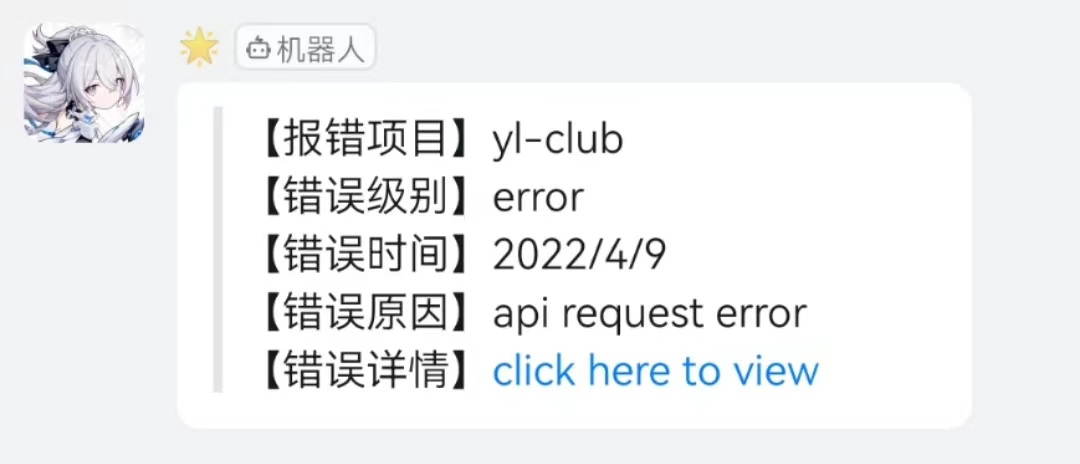
#### 2. 发送 markdown
```js
const mdRes = await ddRobot.markdown({
title: 'From Sentry',
text: `
> 【报错项目】yl-club
>
> 【错误级别】error
>
> 【错误时间】${new Date().toLocaleDateString()}
>
> 【错误原因】api request error
>
> 【错误详情】[click here to view](https://sentry.io/xxx)`
})
console.log(mdRes)
```
#### 3. 发送链接
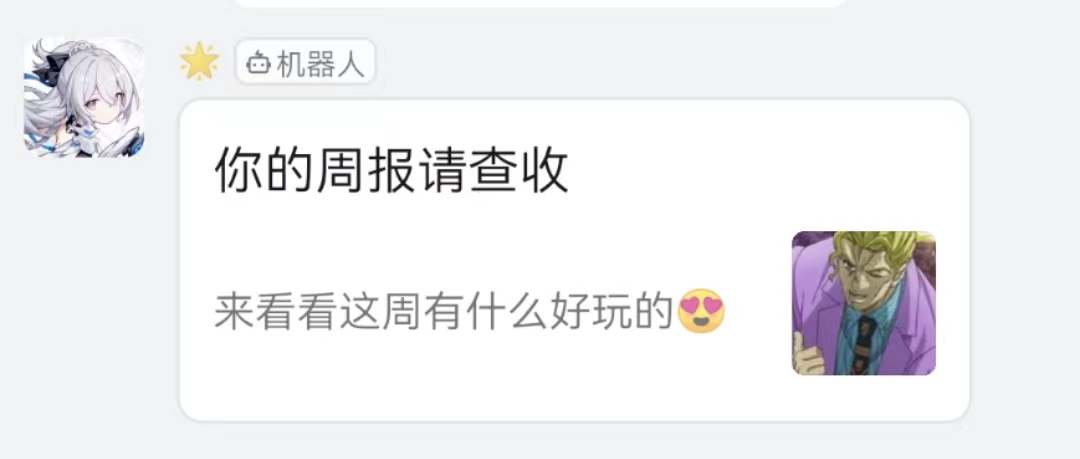
```js
const linkRes = await ddRobot.link({
title: '你的周报请查收',
text: '来看看这周有什么好玩的😍',
messageUrl: 'https://news.ycombinator.com/',
picUrl: 'https://raw.githubusercontent.com/starryeve/figure-bed/master/images/202204091627258.png'
})
console.log(linkRes);
```
#### 4. 发送整体跳转卡片
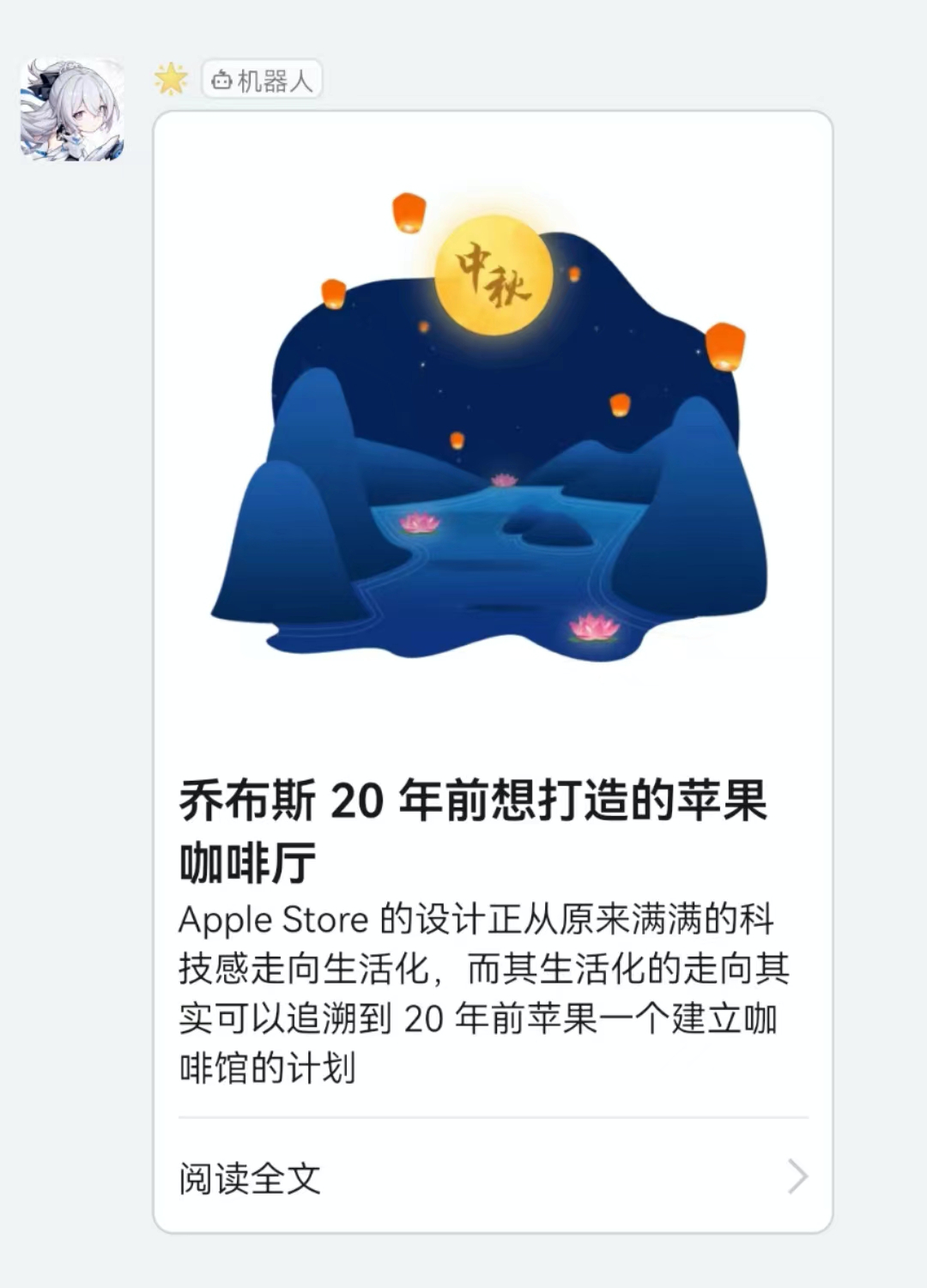
```js
const eCardRes = await ddRobot.entireActionCard({
title: "乔布斯 20 年前想打造一间苹果咖啡厅,而它正是 Apple Store 的前身",
text: `
### 乔布斯 20 年前想打造的苹果咖啡厅
Apple Store 的设计正从原来满满的科技感走向生活化,而其生活化的走向其实可以追溯到 20 年前苹果一个建立咖啡馆的计划`,
btnOrientation: "0",
singleTitle : "阅读全文",
singleURL : "https://www.dingtalk.com/"
})
console.log(eCardRes);
```
#### 5. 发送独立跳转卡片
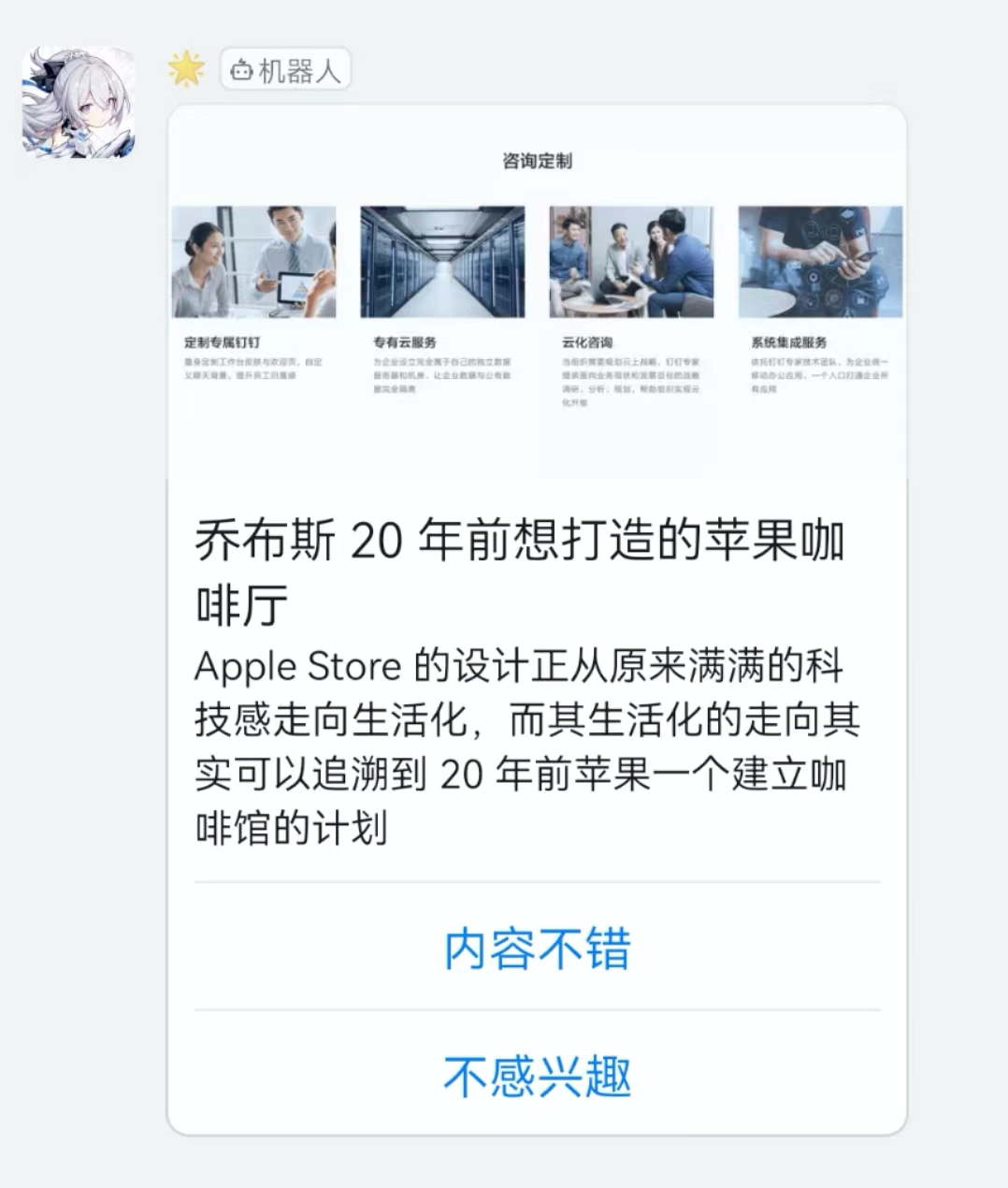
```js
const sCardRes = await ddRobot.singleActionCard({
title: "我 20 年前想打造一间苹果咖啡厅,而它正是 Apple Store 的前身",
text: ` \n\n #### 乔布斯 20 年前想打造的苹果咖啡厅 \n\n Apple Store 的设计正从原来满满的科技感走向生活化,而其生活化的走向其实可以追溯到 20 年前苹果一个建立咖啡馆的计划`,
btnOrientation: "0",
btns: [
{
title: "内容不错",
actionURL: "https://www.dingtalk.com/"
},
{
title: "不感兴趣",
actionURL: "https://www.dingtalk.com/"
}
]
})
console.log(sCardRes);
```
#### 6. 发送信息流卡片
```js
const feedRes = await ddRobot.feedCard({
links: [
{
title: "时代的火车向前开1",
messageURL: "https://www.dingtalk.com/",
picURL: "https://img.alicdn.com/tfs/TB1NwmBEL9TBuNjy1zbXXXpepXa-2400-1218.png"
},
{
title: "时代的火车向前开2",
messageURL: "https://www.dingtalk.com/",
picURL: "https://img.alicdn.com/tfs/TB1NwmBEL9TBuNjy1zbXXXpepXa-2400-1218.png"
}
]
})
console.log(feedRes);
```

## 使用例子参考
[webhook-chatbot examples](https://github.com/starryeve/webhook-chatbot/tree/master/examples)
## 消息格式参照
> [钉钉机器人文档](https://open.dingtalk.com/document/group/message-types-and-data-format) </br> [企业微信机器人文档](https://developer.work.weixin.qq.com/document/path/91770)