webext-base-css
Version:
Extremely minimal stylesheet/setup for Web Extensions’ options pages (also dark mode)
111 lines (81 loc) • 3.86 kB
Markdown
# webext-base-css [![][badge-gzip]][link-npm]
[badge-gzip]: https://img.badgesize.io/fregante/webext-base-css/master/webext-base.css.svg?compression=gzip&label=gzipped
[link-npm]: https://www.npmjs.com/package/webext-base-css
> Extremely minimal "native" stylesheet/setup for Web Extensions’ options pages (also dark mode)
It's meant to look as _native_ as possible, _invisible_. `webext-base-css` is what browsers should offer by default.
Look at the demo [options.html](options.html) for the suggested markup (it's basic and not really enforced.)
| Demo: Chrome with light theme | Firefox with dark theme |
| --- | --- |
| 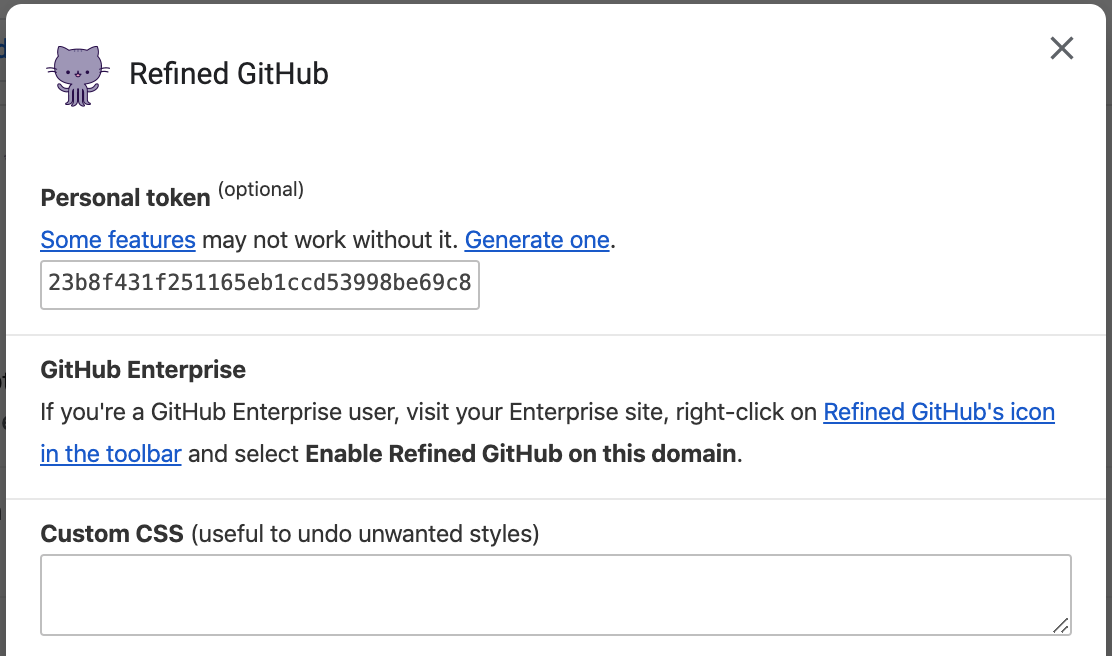 |  |
## Install
[Download the stylesheet](https://raw.githubusercontent.com/fregante/webext-base-css/master/webext-base.css) manually or use npm:
```sh
npm install webext-base-css
```
## Usage
```html
<link rel="stylesheet" href="webext-base.css">
<link rel="stylesheet" href="your-own-stylesheet-if-necessary.css">
```
And in your manifest.json:
```json
{
"options_ui": {
"page": "options.html",
}
}
```
💡 Tip: Also use [webext-options-sync](https://github.com/fregante/webext-options-sync) to manage and autosave your extension's options.
### Usage with a bundler
Depending on how your bundler is configured, you might be able to use one of these to import the module directly from `node_modules`. If you have issues or have a better solution, please send a PR or open an issue.
```html
<!-- From options.html -->
<link rel="stylesheet" href="./node_modules/webext-base-css/webext-base.css">
```
```js
// From options.js
import 'webext-base-css';
```
```css
/* From options.css or .scss */
/* Pick one, it depends on your bundler/config */
@import 'webext-base-css';
@import '~webext-base-css';
@import '~webext-base-css/webext-base.css';
@import 'npm:webext-base-css'; /* Parcel */
@use 'webext-base-css';
```
### Full example
Here's a minimal but full `options.html` example page:
```html
<meta charset="utf-8">
<title>Options</title>
<link rel="stylesheet" href="webext-base.css">
<link rel="stylesheet" href="options.css">
<form>
<p>
<label for="name">Name</label><br>
<input type="text" id="name" name="name" spellcheck="false" autocomplete="off" required/>
</p>
<p>
<label>
<input type="checkbox" name="logging">
Show the features enabled on each page in the console
</label>
</p>
</form>
<script src="options.js"></script>
```
## Extras
There are some extra classes you can use:
- `.text-monospace` ideal for for `<input>` and `<textarea>` to have a monospace font
- `webext-base-css-modal` can be applied to HTML if you have a small options page but don't want to use `options_ui`. See the [what it looks like.](https://github.com/fregante/webext-base-css/pull/21)
## Tips
- Use the `<input size="10">` to define the width of `input` fields, or else they're now set to `100%` by default.
- Use `<link rel="stylesheet" href="chrome://global/skin/in-content/common.css">` if you want to use Firefox's native style, but this means you'll have to handle the inconsistencies between web browsers. This used to be included in <code>webext-base-css</code> v1.
## Related
- [webext-options-sync](https://github.com/fregante/webext-options-sync) - Helps you manage and autosave your extension's options
- [webext-storage-cache](https://github.com/fregante/webext-storage-cache) - Map-like promised cache storage with expiration. Chrome and Firefox
- [Awesome-WebExtensions](https://github.com/fregante/Awesome-WebExtensions) - A curated list of awesome resources for WebExtensions development.
- [More…](https://github.com/fregante/webext-fun)