vuejs-notify
Version:
Vuejs notifications with lots of configurations
148 lines (129 loc) • 4.37 kB
Markdown
# vuejs-notify
Versitile Vue notification plugin
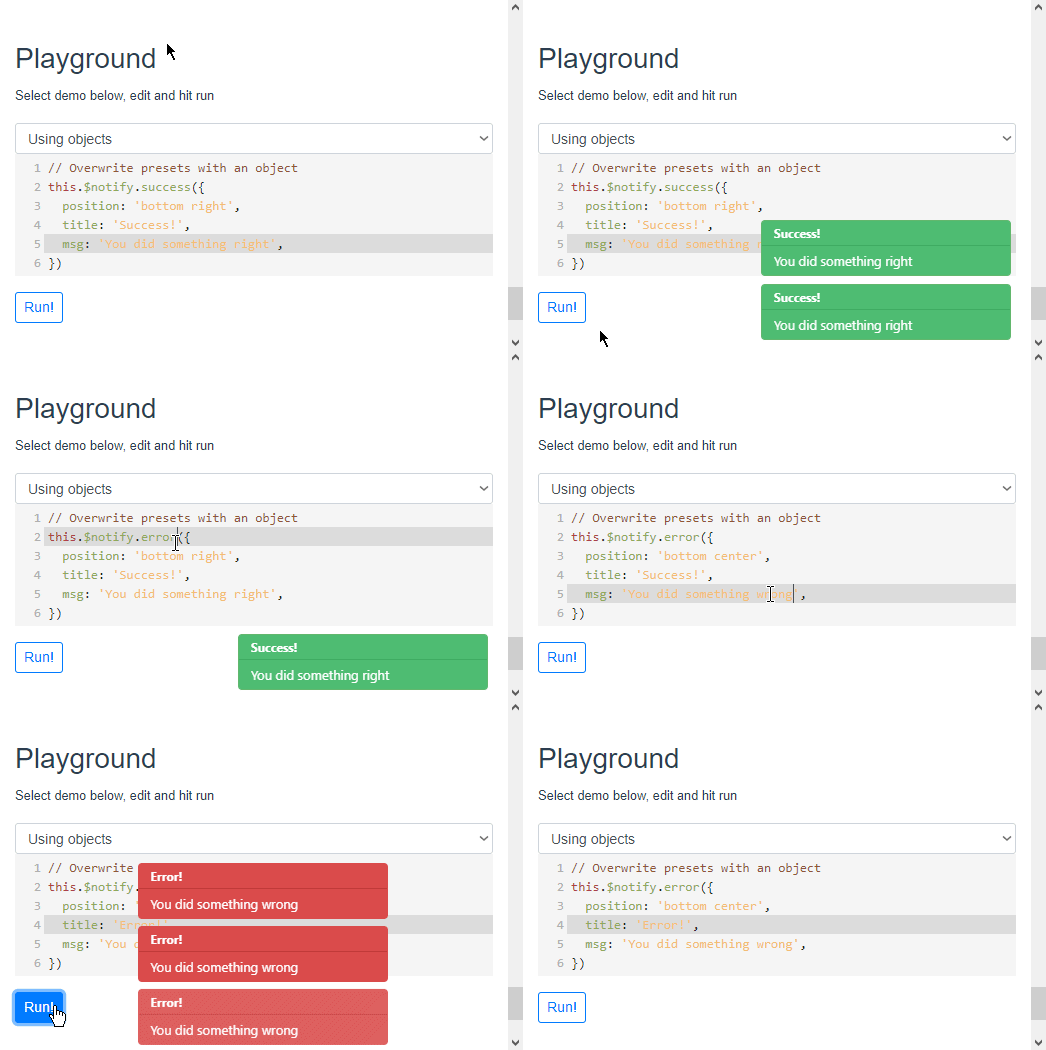
[Try it yourself](https://noxludio.github.io/vuejs-notify/)
[NPM](https://www.npmjs.com/package/vuejs-notify)
[Github](https://github.com/noxludio/vuejs-notify)
## Getting started
Install
```
npm i vuejs-notify --save
```
NOTE: This plugin uses [vue-touch@next](https://github.com/vuejs/vue-touch/tree/next) as a dependency. Make sure you use the same vue-touch branch thorough your app.
Set up
```javascript
import VueNotify from 'vuejs-notify'
Vue.use(VueNotify) // use defaults
Vue.use(VueNotify, {/*...or overwrite them*/})
// All options listed at the end of this README
```
Usage
```javascript
// In components
this.$notify.default('Message')
this.$notify.success({
position: 'bottom right',
title: 'Good job!',
msg: 'Very nicely done',
timeout: 0
})
// All default presets
this.$notify.default
this.$notify.warning
this.$notify.error
this.$notify.success
this.$notify.info
// Use elsewhere
import { notify } from 'vuejs-notify'
notify.default({/* overwrite defaults */})
```
Options
```javascript
// All options are optional
Vue.use(VueNotify, {
max: 100, // Default 60
timeout: 0, // In milliseconds, 0 for never. Default is 6000,
position: 'bottom center', // 'bottom left', 'bottom right', 'top left', 'top center', 'top right',
transition: 450, // Animation speed. Default 330
marginY: 10, // Spacing between notifications
marginX: 20, // Margin on x axis. Used only on left/right alignments
opacity: 0.95, // Default 1
title: 'Title', // Default null
msg: 'Message', // Default null
closeOnClick: true, // Default false
touch: false, // Default true
treshold: 60, // Swipe treshold to close notification. Default 50
component: MyVueComponent, // Your component will be placed after message and before buttons
componentProps: {}, // Your component props
classes: ['my-class'], // Classes for Default preset, gets overwritten by presets
styles: { // these are binded to vue notification
// Number values get 'px' postfix (except opacity)
minWidth: null, // default 250
maxWidth: 'calc(100% - 40px)', // default 350
width: 250 // default null
},
appear: { // Appear animations
'top left':'NotifyFromLeft',
'top right':'NotifyFromRight',
'top center':'NotifyFromTop',
'bottom left':'NotifyFromLeft',
'bottom right':'NotifyFromRight',
'bottom center':'NotifyFromBottom',
},
buttons: [
{
html: '<i class="material-icons">face</i>', // Use for icons or what ever
text: 'Ok',
click(notify){ notify.close(true) }, // close(true) forces close function to finish even when prevented on event
classes: 'my-button-class' // Array, object or string
}
],
// pre-configure presets
presets: {
// presets use default configurations as their base
error: { // default presets are 'error', 'warning', 'success', 'info'
title: 'Error!',
classes: ['my-error'] // default ['error']
},
myPreset: {
classes: ['my-preset'],
position: 'bottom right',
msg: 'My preset'
}
},
events: {
// Array of functions
// First argument is always the notification component
'before-close': [
function(notify) {
// preventClose is checked on close function and reset to false after prevented
// it can only be used synchronoushly
notify.preventClose = true
// to force close use 'close(true)'
}
],
'destroyed': [], // Fired after destroyed
'mounted': [], // Fired after mount
'click': [] // Fired when notify is clicked. Second argument is click event
}
})
```
Events
```javascript
// You can configure events
this.$notify.default({
msg: 'Check console',
events: {
mounted: [ function(notify){ console.log(notify) } ]
}
})
// then is fired on mounted
this.$notify.default('Check console').then( notify => {
console.log(notify)
// you can also set events using the notify component
notify.on('destroyed', function(notify){
console.log('Destroyed')
})
})
```
Check out the [demo](https://noxludio.github.io/vuejs-notify/) for more.