vue3-pagin8
Version:
Vue pagination using beautiful and simple methods
98 lines (77 loc) • 3.73 kB
Markdown
# Vue Pagin8
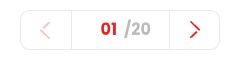


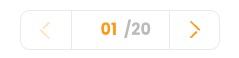
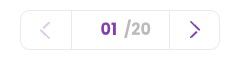



Simple and bautiful Vue 3 pagination component ([Vue 2 Here](https://www.npmjs.com/package/vue-pagin8))
This pagination component can be used by client which changes the page with arrows or input
this project will be completed with new features and more styles in the future.
you can contribute in this project using the github repository.
## Installation
for install vue3-pagin8 you must run the following command in your command-line:
```bash
npm install vue3-pagin8
```
## Demo
You can see demo [Here](https://f4ran.github.io/vue3-pagin8/)
## Import Component-level
You should just import the component and use it.
```html
<template>
<div>
<!-- Your Other Codes -->
<!-- When triggering currentPage event, you should call your backend api to get $event page that shows the selected page by client -->
<Paginate
:initPage="1"
:totalPages="totalPage"
@currentPage="callApiToGetOtherPage($event)"
:color="red"
>
</Paginate>
<!-- Your Other Codes -->
</div>
</template>
<script>
import Paginate from "vue3-pagin8";
export default {
data(){
return{
initPage:1,
totalPages:1, // From backend
}
}
// Your Other Codes
components: {
Paginate,
},
// Your Other Codes
};
</script>
```
## Import Globally
You should just import vue3-pagin8 on main.js file in root directory of your project:
```javascript
import Vue from 'vue'
// Your other imports
import Paginate from 'vue3-pagin8'
// ...
Vue.component('Paginate', Paginate)
// ...
```
## Props and Events
### Props:
| Property | Usage | Accepted Value |
| -------- | -------- | -------- |
| :initPage | Pagination starts with which page | 1,2,3,.. |
| :totalPages | How many pages exist in your document <br> that you are paginating | 1,2,3,..|
| :color | Your selected color depends on your UI |'green','red','orange','blue',<br>'gray','purple','dark'|
<hr>
### Events:
| Event | Usage | Parameters |
| -------- | -------- | -------- |
| @currentPage | This event has been triggered <br> when client changes the page number <br> after it's been triggered you must <br> pass the $event value to the client | @currentPage(yourApiCall($event)) <br> $event shows the page that client selected.
| reset | This event is used in specific cases, when you want to use component in a single page and reset it when v-if changes, you must define ref property (`<Paginate ref="pagin8" />`) for component and access to the function with it. (`this.$refs.pagin8.reset()`) in script part or (`$refs.pagin8.reset()`) in html | null |