vue-willtable
Version:
An editable table component for Vue
283 lines (241 loc) • 7.51 kB
Markdown
# vue-willtable Editable table component
[中文文档](https://github.com/KevinMint55/vue-willtable/blob/master/README.md)
An editable table component for vue,support mutiple shortcut keys,mimic the similar operations in Excel
Demo here: https://demo.willwuwei.com/willtable/
Multi-person real-time online editing table system based on this component:
[website URL](https://castle.willwuwei.com)
[Front-end project URL](https://github.com/KevinMint55/vue-castle)
[Back-end project URL](https://github.com/KevinMint55/node-castle)
## ScreenShot
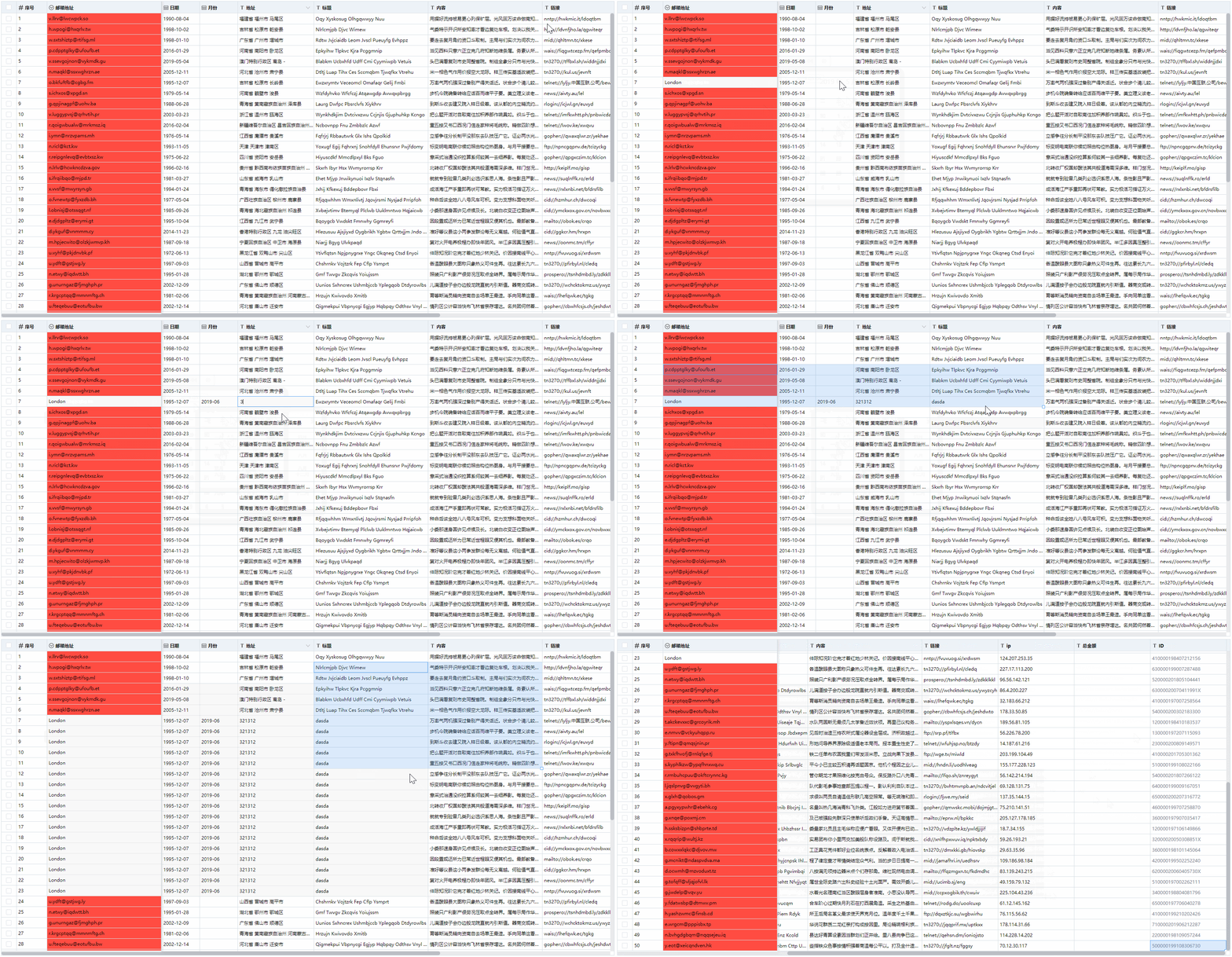
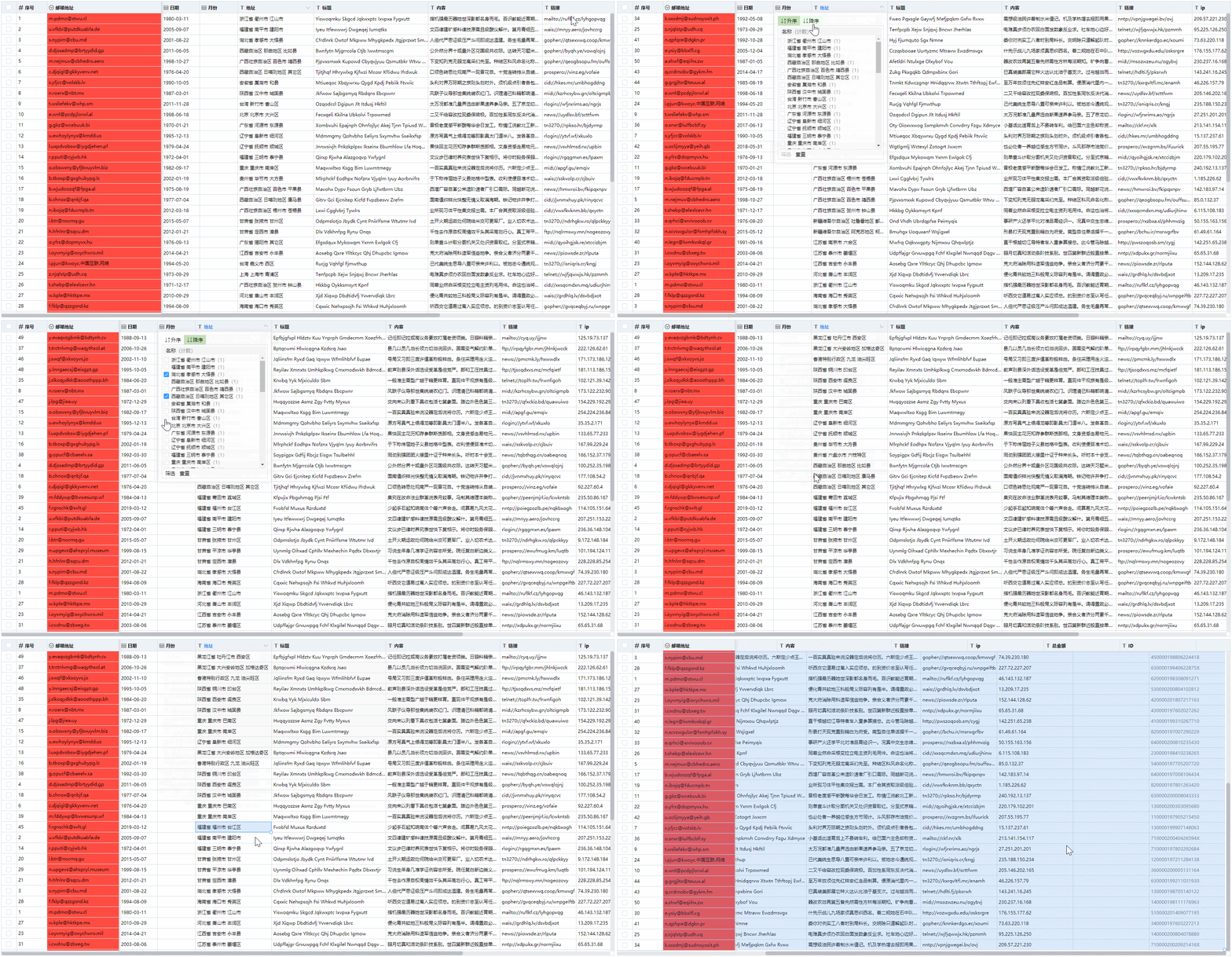
## Features
- Table width adjustment
- Fix table columns
- Data filtering and sorting
- select mutiple rows
- Batch delete, copy and paste
- Can copy and paste with Excel
- Drop down to copy the data
- The table scrolls automatically when multiple cells are selected
- Get the changed data row
- Multiple data type validation
- Support custom rule data verification
- Obtain illegal rows after data verification
- Support undo and redo
- Each cell style and class name can be customized
- Use partial rendering, support the display of larger amounts of data
## Installation
```
npm install vue-willtable --save
```
## Mount
### mount with global
``` javascript
import Vue from 'vue'
import VueWilltable from 'vue-willtable'
// require styles
import 'vue-willtable/dist/vue-willtable.min.css'
Vue.component('VueWilltable', VueWilltable)
```
### mount with component
``` javascript
import VueWilltable from 'vue-willtable'
// require styles
import 'vue-willtable/dist/vue-willtable.min.css'
export default {
components: {
VueWilltable
}
}
```
## Usage
```vue
<template>
<willtable
ref="willtable"
:columns="columns"
v-model="data"
maxHeight="800" />
</template>
<script>
export default {
data() {
return {
columns: [
{
type: 'selection',
width: 40,
fixed: true,
},
{
title: 'Serial number',
key: 'sid',
fixed: true,
type: 'number',
width: 100,
},
{
title: 'name',
key: 'name',
fixed: true,
width: 120,
},
{
title: 'date',
key: 'date',
type: 'date',
width: 100,
},
{
title: 'job',
key: 'email',
width: 300,
type: 'select',
options: [
{
value: 'Front-end web engineer',
label: 'Front-end web engineer',
},
{
value: 'Java engineer',
label: 'Java engineer',
},
{
value: 'Python engineer',
label: 'Python engineer',
},
{
value: 'Php engineer',
label: 'Php engineer',
},
],
},
{
title: 'month',
key: 'month',
type: 'month',
width: 100,
},
{
title: 'address',
key: 'address',
width: 200,
},
{
title: 'title',
key: 'title',
width: 300,
},
{
title: 'content',
key: 'paragraph',
width: 300,
},
{
title: 'link',
key: 'url',
width: 200,
},
{
title: 'ip',
key: 'ip',
width: 200,
validate: (value) => {
const pattern = /((2(5[0-5]|[0-4]\d))|[0-1]?\d{1,2})(\.((2(5[0-5]|[0-4]\d))|[0-1]?\d{1,2})){3}/g;
return pattern.test(value);
},
},
{
title: 'total amount',
key: 'sum',
width: 200,
},
{
title: 'ID',
key: 'id',
width: 200,
},
{
title: 'color',
key: 'color',
width: 200,
},
],
data: [],
},
},
mounted() {
this.getData();
},
methods: {
getData() {
const data = [];
this.$refs.willtable.setData(data);
},
},
};
</script>
```
### Data
this.$refs.willtable call the setData method to update the entire table data, and will reset the historical data records.
this.$refs.willtable call the getData method to get the entire table data.
`v-model`Value-Binding
### Attributes
parameter | Explanation | Type | Optional value | Default value
---|---|---|---|---
columns | Table column configuration description | Array | —— | []
maxHeight | Max height of column | string / number | —— | ——
rowHeight | Height per row | string / number | —— | ——
disabled | Whether to prohibit editing | Boolean | —— | true
showIcon | Whether to display the header icon | Boolean | —— | false
cellStyle | Callback method of cell's style | Function({row, column, rowIndex, columnIndex}) | —— | ——
cellClassName | Callback method of cell's classname | Function({row, column, rowIndex, columnIndex}) | —— | ——
disabledCell | Disable Cells | Function({row, column, rowIndex, columnIndex}) => Boolean | —— | () => false
showAddRow | Display the Add row function | Boolean | —— | false
addRowAndCopy | Copy the previous row when adding a row| Boolean | —— | false
### Events
Event name | Explanation | callback parameter
---|---|---
selection-change | trigger event when the selection changes | selection
### Methods
Name | Explanation | parameter
---|---|---
getData | Return the current table data | ——
setData | set the data and reset the historical data records | data
getChangeData | Get changed rows | ——
getErrorRows | Get data and its index that doesn't pass the verification | ——
addItem | Add a row of data to the bottom | item
addRow | Add a row | rowIndex, copyRow, customData
removeItems | delete, the key is the unique identification attribute of each row, such as id, and the values are the array of the identification attribute | key, values
setCellData | Set the cell data | rowIndex, columnIndex, value
fullscreen | fullscreen | ——
exitFullscreen | Exit fullscreen | ——
### Columns-Attributes
parameter | Explanation | Type | Optional value | Default value
---|---|---|---|---
key | fieldName | String | —— | ——
title | display text | String | —— | ——
width | width | String / Number | —— | ——
type | type | String | selection/number/date/select/month | ——
format | Thousand semicolon format(for number type) | Boolean | —— | true
options | select drop-down options | Array | { value: 'value', label: 'text' } | ——
fixed | Whether fixed on the left | Boolean | —— | false
action | Whether to enable filtering and sorting | Boolean | —— | false
disabled | Whether to disable editing | Boolean | —— | false
noVerify | Whether to disable verification | Boolean | —— | false
validate | self-defined verification | Function(value) | —— | ——
customInput | Custom input | Function({ row, column, rowIndex, columnIndex, value }) | —— | ——
### Shortcut
Shortcut keys | Explanation
---|---
Arrow key | Move the edit box
Ctrl + C | Paste
Ctrl + V | Copy
Ctrl + A | Select all cells
Ctrl + Z | Undo
Ctrl + Y | Redo
Enter | Cell editing / complete cell editing
Delete、Backspace | Delete
## Author
[WillWu](https://www.willwuwei.com)