vue-notificationx
Version:
Vue notification
142 lines (113 loc) • 3.89 kB
Markdown
# Vue Notification Package
## Install the package
`yarn add vue-js-notifications`
or
`npm install vue-js-notifications`
## 1. Setup the package
```javascript
import Vue from 'vue'
import VueNotify from 'vue-js-notifications'
Vue.use(VueNotify, {
position: 'top-center',
style: 'info',
timeout: 3000
})
// On this stage you define your default options, you also can skip them
Vue.use(VueNotify)
```
## 2. Add `<Notify></Notify>` component inside your vue instance
```html
<body>
<div id="app">
<App></App>
<Notify></Notify>
</div>
<script src="bundle.js"></script>
</body>
```
## 3. Use `$notify` to notify
```html
<template>
<button @click="notify()">dark style</button>
</template>
```
```js
<script>
export default {
methods: {
notify(position, style, timeout) {
this.$notify('Hello world', {
timeout: 3000,
position: 'top-center',
style: 'basic'
})
// or you can use it without options
// in that case default options set above would be applied
this.$notify('Hello world')
}
}
}
</script>
```
<!--
## 4. Optionally you can use it inside your vuex store
### Setup
```js
import VueNotify, { NotificationVuexPlugin } from './../src/index.js'
Vue.use(VueNotify)
const store = new Vuex.Store({
plugins: [NotificationVuexPlugin],
actions: {
callNotifyFromVuex() {
// this method REQUIRES plugin
this.$notify('notification sent from store prototype function')
},
callNotifyFromVuex() {
// this method DOES NOT REQUIRE plugin as it calls using vue instance
this._vm.$notify('notification from store')
}
}
})
new Vue({
store,
el: '#app',
components: {
App
}
})
```
-->
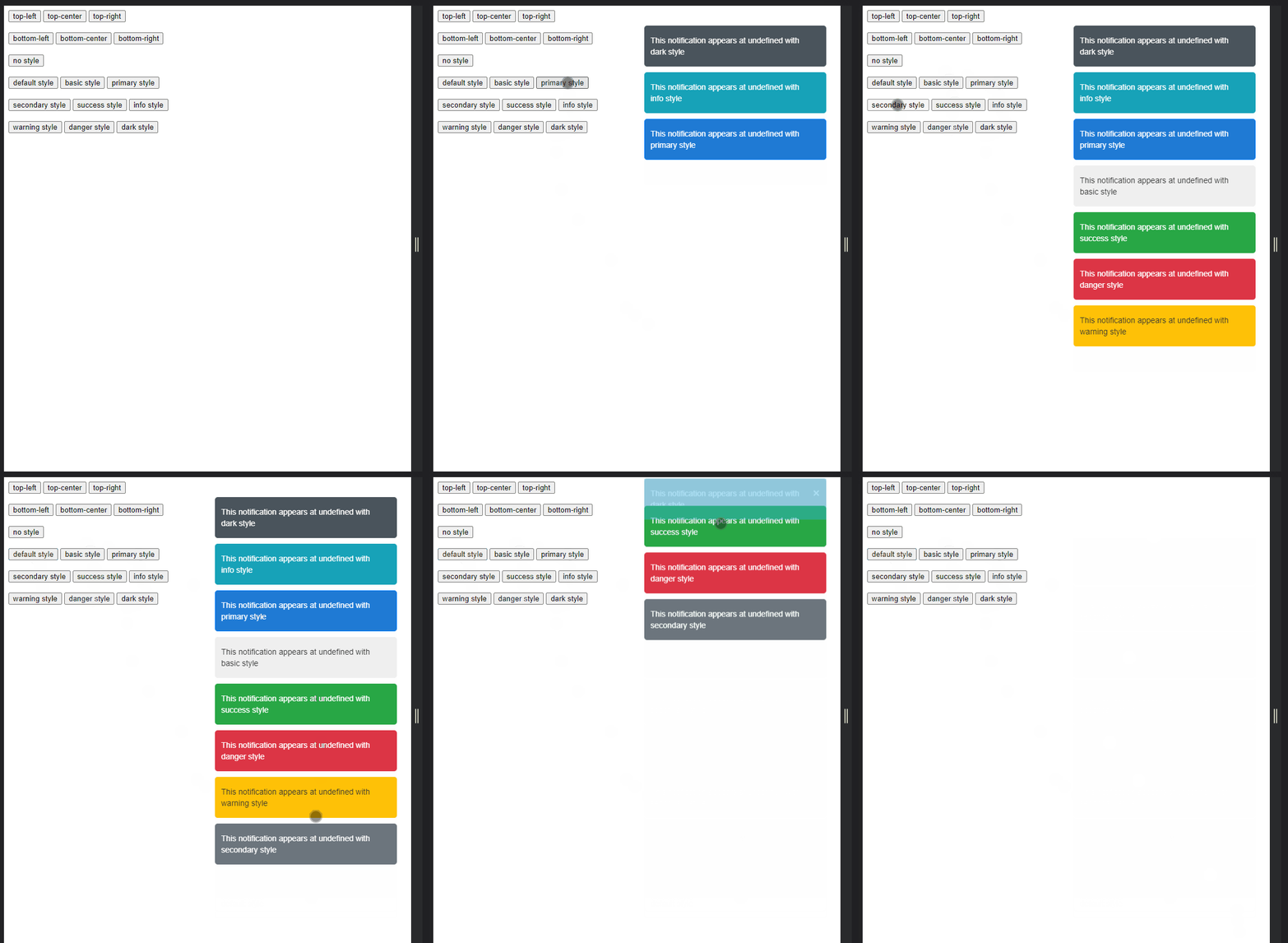
## Reference
` Vue.use(VueNotify, options{})`
### **position**
* Type: `string`
* Default: `'top-center'`
* Availible options:
`'top-center'` | `'top-left'` | `'top-right'`
`'bottom-left'` | `'bottom-center'` | `'bottom-right'`
* NOTE _Options are intentionally explicit to avoid confusion for new developers and legacy support, so there are no shorthand syntax like `'tc'` for `'top-center'`_
### **style**
* Type: `string`
* Default: `'basic'`
* Availible options:
`'default'` | `'basic'`
`'primary'` | `'secondary'`
`'success'` | `'info'` | `'warning'`
`'danger'` | `'dark'` | `'danger-light'`
* NOTE: _Notification styles closely represent Bootstrap style naming for consistansy sake, their colors also something in between older and newer version of Bootstrap_
### **timeout**
* Type: `number`
* Default: `3000`
* Availible options: Any int
* NOTE: _Currently you can input any integer, there are no restrictions which maybe produce errors_
## NOTEs / TODOs / Rodemap
* User defined class style name to replace `.notification` since its more powerfull to use `sass` instead of styled components or class/style bindings.
* User defined `Vue.prototype.$notify` name
* Tests with all positions, styles, screen resolutions
* Multiple style types: UIkit like / Material like
* New settings: `name` for custom plugin name, `width`,
_Currently, this pkg works correctly and I have 0 problems with it, but that doesn't mean you will have 0 problems as well._
_Problem is this pkg is not tested, only manually._
_I'm working hard to optimize every aspect of this pkg, but it still may produce some unexpected behaviour_
_If you have any suggestion, or a problem with this pkg, feel free to create an issue and i'd be right on fixing it_