vue-next-directive
Version:
220 lines (152 loc) • 5.12 kB
Markdown
基于 Vue3 的自定义指令库,目前包含的指令:
- loading (加载中...)
- lazy (图片懒加载)
- debounceInput (防抖输入指令,处理中文输入)
- yarn add vue-next-directive
- npm i vue-next-directive
- ...
1. 项目入口文件
```js
// ...
import v3Directives from 'vue-next-directive'
// ...
createApp(App).use(v3Directives)
// ...
```
然后就可以在任何一个vue组件中使用
1. 简单粗暴
```js
// loading
import Loading from 'vue-next-directive/lib/directives/loading/index'
createApp(App)..directive('loading', Loading)
// lazy
import Lazy from 'vue-next-directive/lib/directives/lazy/index'
createApp(App).use(Lazy, { name: 'lazy' })
```
2. 借助 vite-plugin-importer 插件
- 安装插件
- npm install vite-plugin-importer -D
- yarn add vite-plugin-importer -D
- vite.config.js
```js
import usePluginImport from 'vite-plugin-importer'
export default defineConfig({
// ...
plugin: [
// ...
usePluginImport({
libraryName: 'vue-next-directive',
customName: (name, file) => `vue-next-directive/lib/directives/${name.toLowerCase()}/index`,
style: name => {
const needcss = ['loading']
const names = name.split('/')
const fileName = names[names.length - 2]
return needcss.includes(fileName) ? `vue-next-directive/lib/assets/${fileName}.css` : ''
}, // 会自动引入组件的css
// style: () => '' 不会自动引入组件的css
})
// ...
]
// ...
})
```
- 然后你就可以这样使用
```js
import { Loading } from 'vue-next-directive'
import { Lazy } from 'vue-next-directive'
```
```vue
<template>
<div v-loading:loading.doublesize="loading" style="height: 300px"></div>
<div>
<div class="aaa">
<img v-lazy="img1" src="" alt="" />
</div>
<div class="aaa">
<img v-lazy="img2" src="" alt="" />
</div>
<div class="aaa">
<img v-lazy="img3" src="" alt="" />
</div>
<div class="aaa">
<img v-lazy="img4" src="" alt="" />
</div>
</div>
</template>
<script setup lang="ts">
import { ref } from 'vue'
const loading = ref(true)
const img1 = ref('https://img0.baidu.com/it/u=1674332027,2650649314&fm=253&fmt=auto&app=138&f=JPEG?w=550&h=377')
const img2 = ref('https://img0.baidu.com/it/u=1674332027,2650649314&fm=253&fmt=auto&app=138&f=JPEG?w=550&h=377')
const img3 = ref('https://img0.baidu.com/it/u=1674332027,2650649314&fm=253&fmt=auto&app=138&f=JPEG?w=550&h=377')
const img4 = ref('https://img0.baidu.com/it/u=1674332027,2650649314&fm=253&fmt=auto&app=138&f=JPEG?w=550&h=377')
</script>
<style lang="scss">
@import url('vue-next-directive/lib/assets/loading.css');
.aaa {
height: 500px;
width: 100%;
margin: 300px 0;
}
</style>
```
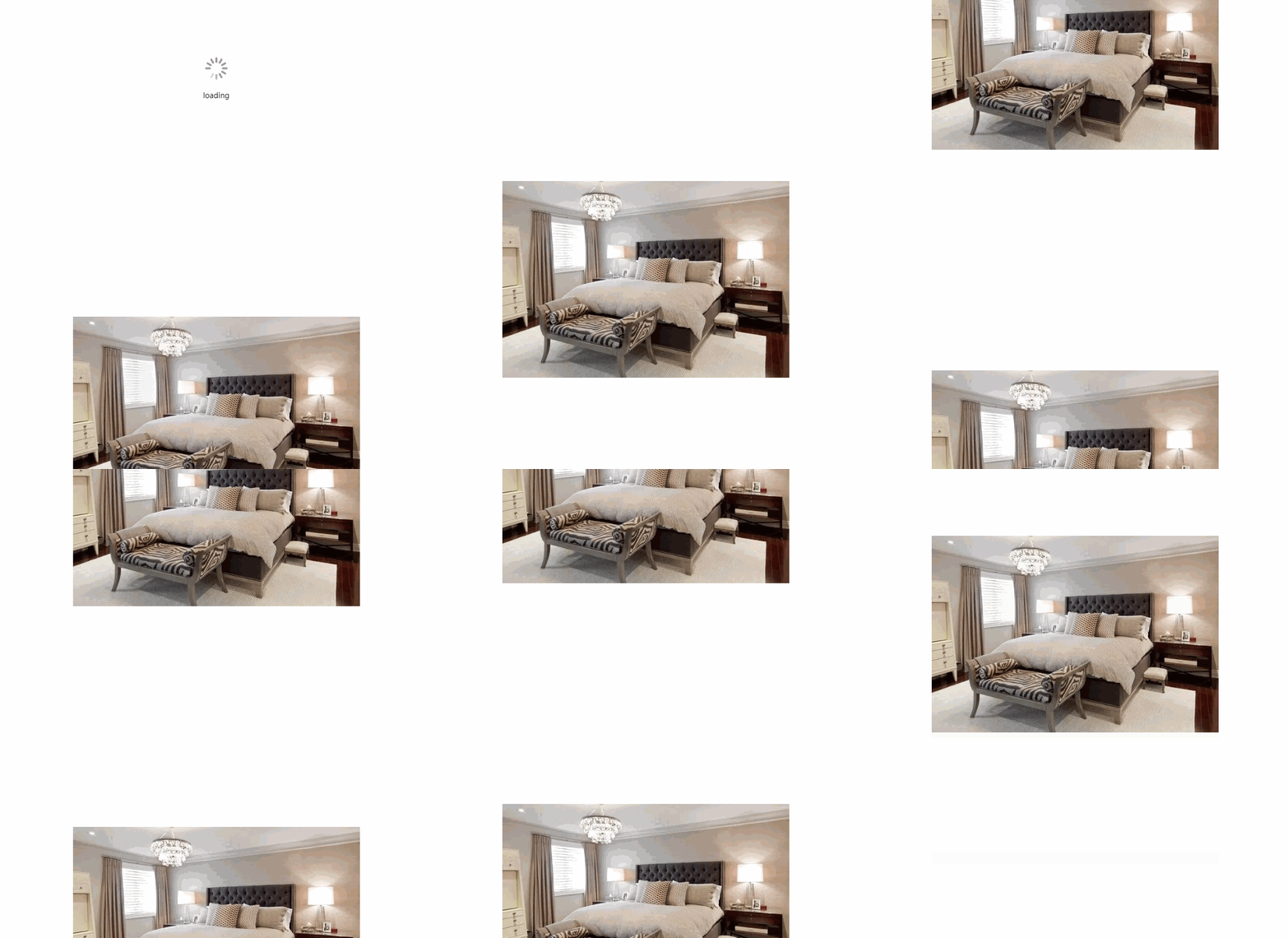
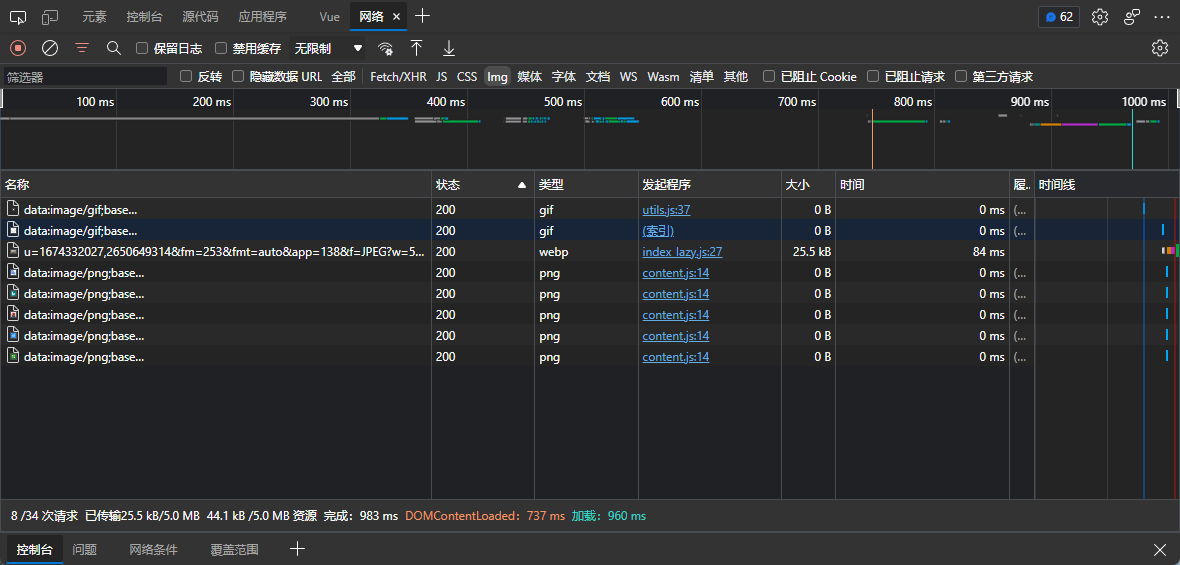
network 中图片请求只有一次,因为四张图片url都一样,因此后面都读缓存
[](https://imgtu.com/i/jVtMAe)
```vue
<template>
<input v-model="val" v-debounceInput:600="onInput" />
<!-- <input v-model="val" @input="onInput" /> 普通的input -->
<ul>
<li v-for="item in showArr" :key="item">{{ item }}</li>
</ul>
</template>
<script setup lang="ts">
import { computed, ref } from 'vue'
const val = ref('')
const arr = ref(['Cabbage', 'Turnip', 'Radish', 'Carrot', '哈哈', '呵呵', '嘻嘻'])
const showArr = ref([])
showArr.value.push(...arr.value)
function onInput(e: Event) {
console.log('onInput function call', 'val:' + val.value)
showArr.value = arr.value.filter(item => item.toLowerCase().includes(val.value))
}
</script>
```
- 普通的input效果:

- 使用防抖指令效果:

- [vue3指令](https://staging-cn.vuejs.org/guide/reusability/custom-directives.html)
- v-loading:loading="loading" :后面的loading(指令参数),将作为图标下方的文字展示
- v-loading.doublesize="loading" 'doublesize'修饰符将loading图标的宽高都 * 2
- v-loading:aaa.doublesize="loading" 自定义文字为aaa, 图标宽高 * 2展示
```js
// ...
import { Lazyplugin } from 'vue-next-directive'
// ...
createApp(App).use(Lazyplugin, { name: 'lazy', loading: '默认不加载时显示的图片链接', error: '加载失败时显示的图片链接' })
```
```js
export interface LazyOption {
name?: string // 自定义指令名, v-后面的, 默认lazy
loading?: string // 不加载时显示的图片链接 可选
error?: string // 加载失败时显示的图片链接 可选
}
```
- v-debounceInput:600="onInput" 600将作为防抖时长(默认600,单位ms),onInput是input事件执行函数