vue-multi-number-input
Version:
Input component for separating the input one by one character. for the web built with Vue 2.x.
158 lines (133 loc) • 3.14 kB
Markdown
# vue-multi-number-input
> Input component for separating the input one by one character.
> for the web built with Vue 2.x.
> This library was remade based on [vue-otp-input](https://github.com/bachdgvn/vue-otp-input).
<!-- 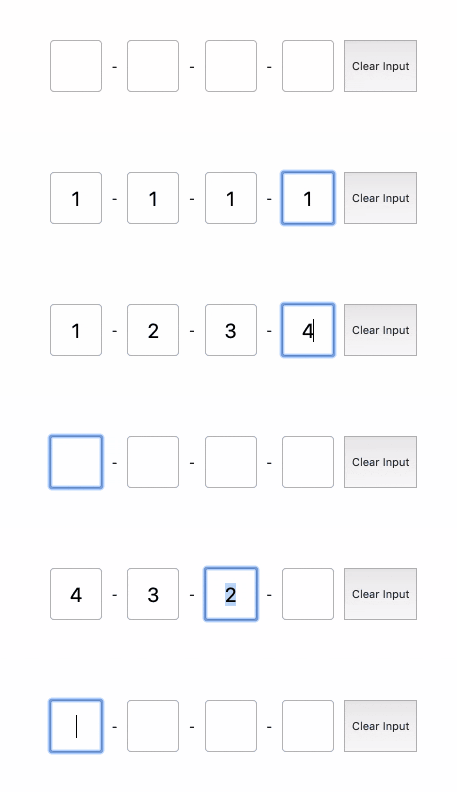 -->
[Live Demo](https://codesandbox.io/s/pedantic-archimedes-e4f8l)
## Installation
To install the latest stable version:
```
npm i vue-multi-number-input
```
Import:
```javascript
import VueMultiNumberInput from "vue-multi-number-input";
Vue.component("MultiNumberInput", VueMultiNumberInput);
```
Code example:
```vue
<template>
<div style="display: flex; flex-direction: row;">
<MultiNumberInput
ref="multiNumberInput"
:should-auto-focus="true"
:num-inputs="6"
:input-wrapper-style="{
border: '1px solid #ECECED'
}"
:input-active-wrapper-style="{
border: '1px solid #FFA500',
color: '#FFA500'
}"
@on-change="handleOnChange"
@on-complete="handleOnComplete"
>
<template slot="separator">
<span>-</span>
</template>
</MultiNumberInput>
<button @click="handleClearInput()">Clear Input</button>
</div>
</template>
<script>
export default {
name: 'App',
methods: {
handleOnComplete(value) {
console.log('MultiNumberInput completed: ', value);
},
handleOnChange(value) {
console.log('MultiNumberInput changed: ', value);
},
handleClearInput() {
this.$refs.multiNumberInput.clearInput();
},
},
};
</script>
```
## Props
<table>
<tr>
<th>Name<br></th>
<th>Type</th>
<th>Required</th>
<th>Default</th>
<th>Description</th>
</tr>
<tr>
<td>num-inputs</td>
<td>number</td>
<td><strong>true</strong></td>
<td>4</td>
<td>Number of inputs to be rendered.</td>
</tr>
<tr>
<td>input-wrapper-style</td>
<td>Object</td>
<td>false</td>
<td>none</td>
<td>Style applied passed to each input.</td>
</tr>
<tr>
<td>input-active-wrapper-style</td>
<td>Object</td>
<td>false</td>
<td>none</td>
<td>Style applied passed to each actived input.</td>
</tr>
<tr>
<td>should-auto-focus</td>
<td>boolean</td>
<td>false</td>
<td>false</td>
<td>Auto focuses input on inital page load.</td>
</tr>
</table>
## Methods
<table>
<tr>
<th>Name<br></th>
<th>Description</th>
</tr>
<tr>
<td>clearInput()</td>
<td>Use with $refs for clearing all number inputs, see code example section.</td>
</tr>
</table>
## Events
<table>
<tr>
<th>Name<br></th>
<th>Description</th>
</tr>
<tr>
<td>on-change</td>
<td>Return MultiNumberString code was changing when we made a change in inputs.</td>
</tr>
<tr>
<td>on-complete</td>
<td>Return MultiNumberString code typed in inputs.</td>
</tr>
</table>
## Slot
<table>
<tr>
<th>Name<br></th>
<th>Description</th>
</tr>
<tr>
<td>separator</td>
<td>Slot to be inserted between input and input</td>
</tr>
</table>