vue-languages-dropdown
Version:
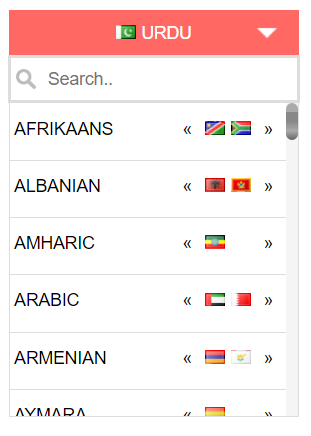
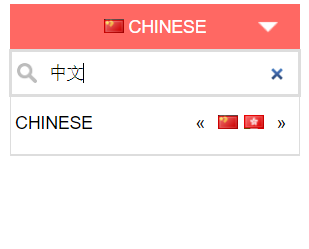
Vue Languages dropdown component with search functionality
78 lines (60 loc) • 2.92 kB
Markdown
# vue-languages-dropdown
> Vue2 Languages dropdown component with search functionality
[](https://badge.fury.io/js/vue-languages-dropdown)
## Installation
```bash
npm install vue-languages-dropdown --save
yarn add vue-languages-dropdown
```
## Usage
```javascript
import LanguagesDropdown from 'vue-languages-dropdown'
var app = new Vue({
el: '#app',
components:{
'languages-dropdown' : LanguagesDropdown
},
data: {
selectedLang : "en",
selectedList : ['en','ur','ar']
},
methods: {
optionSelected: function (data) {
console.log(data)
}
}
});
```
# Html
```html
<languages-dropdown selected="ur" :selected-languages="selectedList" v-on:change="optionSelected"></languages-dropdown>
```
# Props
| Name | Type | Default | Description
|-----|:----------|:------|:----------
| selected | String | ur | Language ISO2 code, to show default selected language
| show-search-input | Boolean | true | true or false value to show the search input in the dropdown
| btn-bg-color | String | #ed4c46 | hex color code for the top button background
| btn-font-color | String | #fff | hex color code for the top button font color
| display-text | String | name | pass `name` or `native` value to show in the list, if you pass the `native`; languages list will be displayed in native text.
| selected-languages | Array | All world languages | If you don't want to display all languages and want to display only required languages then you can use this prop. Pass the ISO2 LANGUAGE code (*not country ISO2 Code*) in an array. Example is given in code snippet.
| show-selected-native | Boolean | false | Display the selected language in top bar in `native` language if passed true
# Methods
This plugin emits an event on change, so that you can get the data upon language change. This will emit a data object on change
You can bind this method on change as
```javascript
v-on:change="yourMethodName"
```
as shown in above example.
You will receive the following data on language change event.
| Name | Description
|-----|:----------
| code | Language ISO2 code
| name | Language name in English
| native | Language name in native language text
| countries | An array of containing ISO2 codes of countries in which selected language is spoken
# Credits & Highlights
The flags sprite image and css taken from
[flag-sprite.com](https://www.flag-sprites.com/)