vue-games
Version:
[](https://badge.fury.io/js/vue-games) [](https://github.com/apertureless/vue-chartjs/blob/master/LICENSE.txt)
105 lines (79 loc) • 4.04 kB
Markdown
[](https://badge.fury.io/js/vue-games)
[](https://github.com/apertureless/vue-chartjs/blob/master/LICENSE.txt)
# vue-games
Different word games mades as separated components to be reused.
This npm package allows you to include this components in your vue application.\
You can check a demo online [here](https://josefinaestevez.github.io/vue-games/) :)
## Installation
```bash
npm install --save vue-games
```
Every component will have a default array with some words to play. Will show a play again button every time a game is ended, you can choose not showing it by sending `showPlayAgain` value in false. By default, language is english for some messages. Its posible to change default language (only to spanish for now).
## Hangman Game
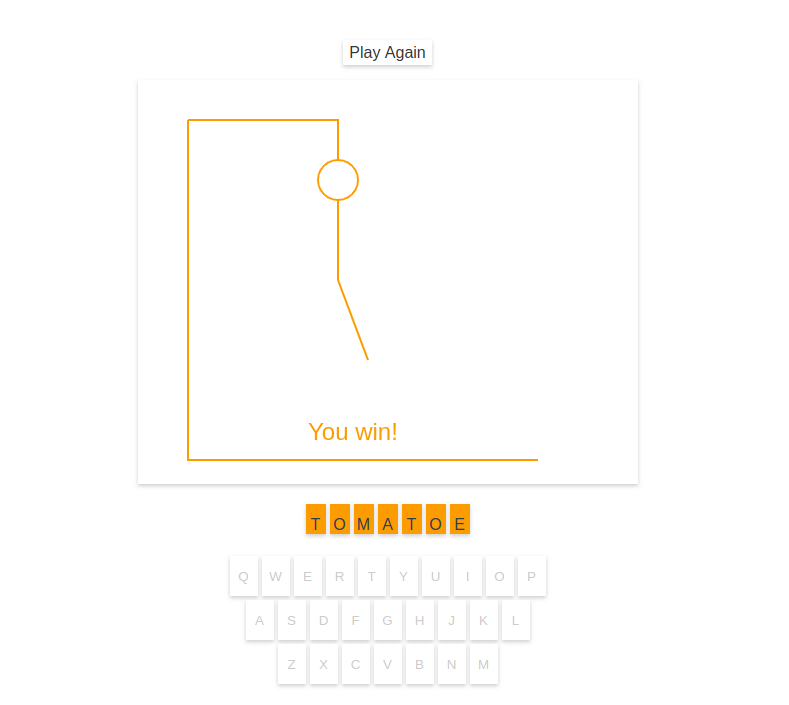
```html
<template>
<hangman-game />
</template>
<script>
import 'vue-games'
</script>
```
#### Properties
| Property | Type | Default Value | Valid Values |
| :--- | :----: | ---: | ---: |
| words | Array | `['Pear', 'Apple', 'Tomatoe', 'Blackberry', 'Strawberry'] `| |
| showPlayAgain | Boolean | `true` | |
| lang | String | `EN` |`['EN', 'ES']`|
Every time a game ends this component will emit `gameFinished` with the current word, and a boolean value telling if the playes has won or has lost.
### Usage example:
Lets say we are spanish speakers, so we want to change default values:
```html
<template>
<hangman-game
:words="words"
:show-play-again="false"
:lang="ES"
@gameFinished="gameFinished"
/>
</template>
<script>
import 'vue-games'
export default {
data () {
return {
words: ['Pera', 'Manzana', 'Tomate', 'Cereza', 'Frutilla'],
}
},
methods: {
gameFinished: function (word, lose) {
console.log('game finished!!!')
console.log('user was guessing word:', word)
console.log('she/he/it lost?', lose)
}
}
}
</script>
```
## Crossword Game
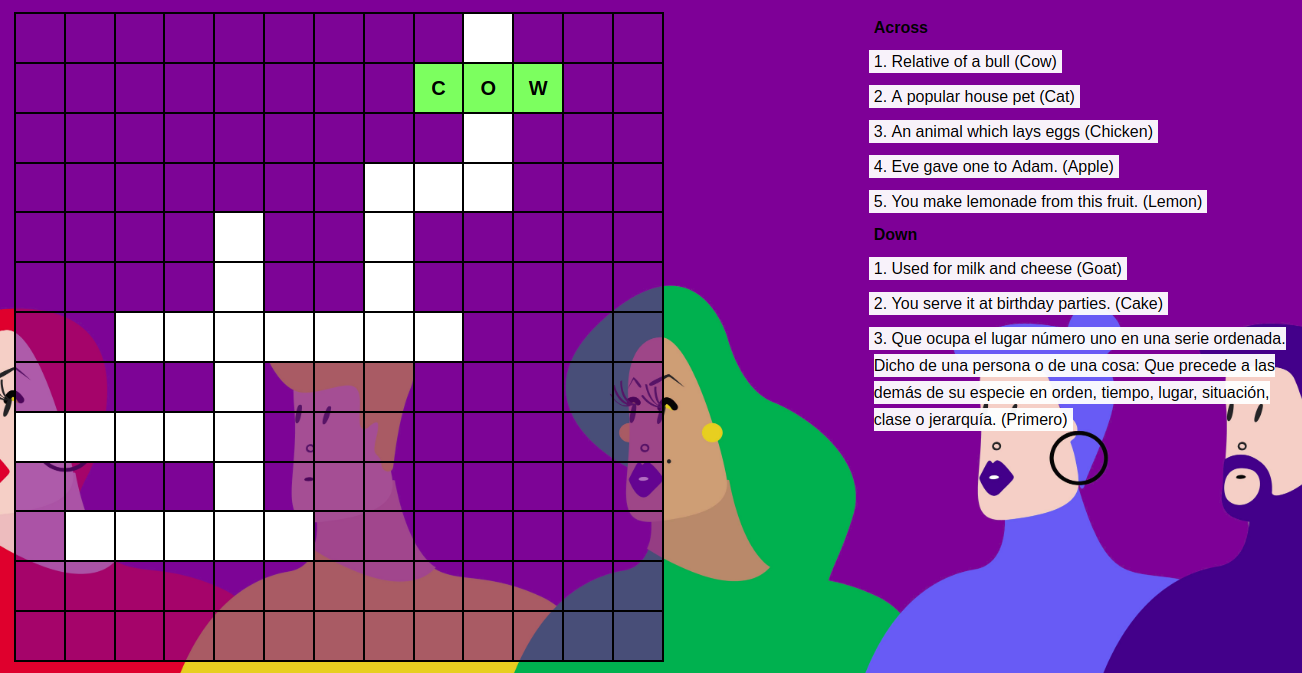
```html
<template>
<crossword-game />
</template>
<script>
import 'vue-games'
</script>
```
#### Properties
| Property | Type | Default Value | Valid Values |
| :--- | :----: | ---: | ---: |
| words | Array | `[{'word': 'Coffee','description': 'Many people drink it in the morning with milk or cream.'},{'word': 'Tea','description': "British people drink it at 5 o' clock."}] ` | |
| showPlayAgain | Boolean | `true` | |
| lang | String | `EN` |`['EN', 'ES']`|
- To create and publish this library I've followed this tutorial: https://medium.com/justfrontendthings/how-to-create-and-publish-your-own-vuejs-component-library-on-npm-using-vue-cli-28e60943eed3
- To create Hangman game I've started from this code: https://github.com/joebeachjoebeach/hangman
- I've followed this steps to create Crossword game's html & css structure: https://www.sitepoint.com/how-built-pure-css-crossword-puzzle/
## License
This software is distributed under [MIT license](LICENSE.txt).
<a href="https://www.buymeacoffee.com/wbOcFgG" target="_blank"><img src="https://www.buymeacoffee.com/assets/img/custom_images/purple_img.png" alt="Buy Me A Coffee" style="height: auto !important;width: auto !important;" ></a>