vue-email-dropdown
Version:
A Vue component for autocomplete email domains
171 lines (139 loc) • 3.89 kB
Markdown
# vue-email-dropdown
A Vue component for autocomplete email domains
[](https://travis-ci.org/DannyFeliz/vue-email-dropdown)
[<img src="https://img.shields.io/npm/dt/vue-email-dropdown.svg">](https://www.npmjs.com/package/vue-email-dropdown)
[<img src="https://img.shields.io/npm/v/vue-email-dropdown.svg">](https://www.npmjs.com/package/vue-email-dropdown)
# Features
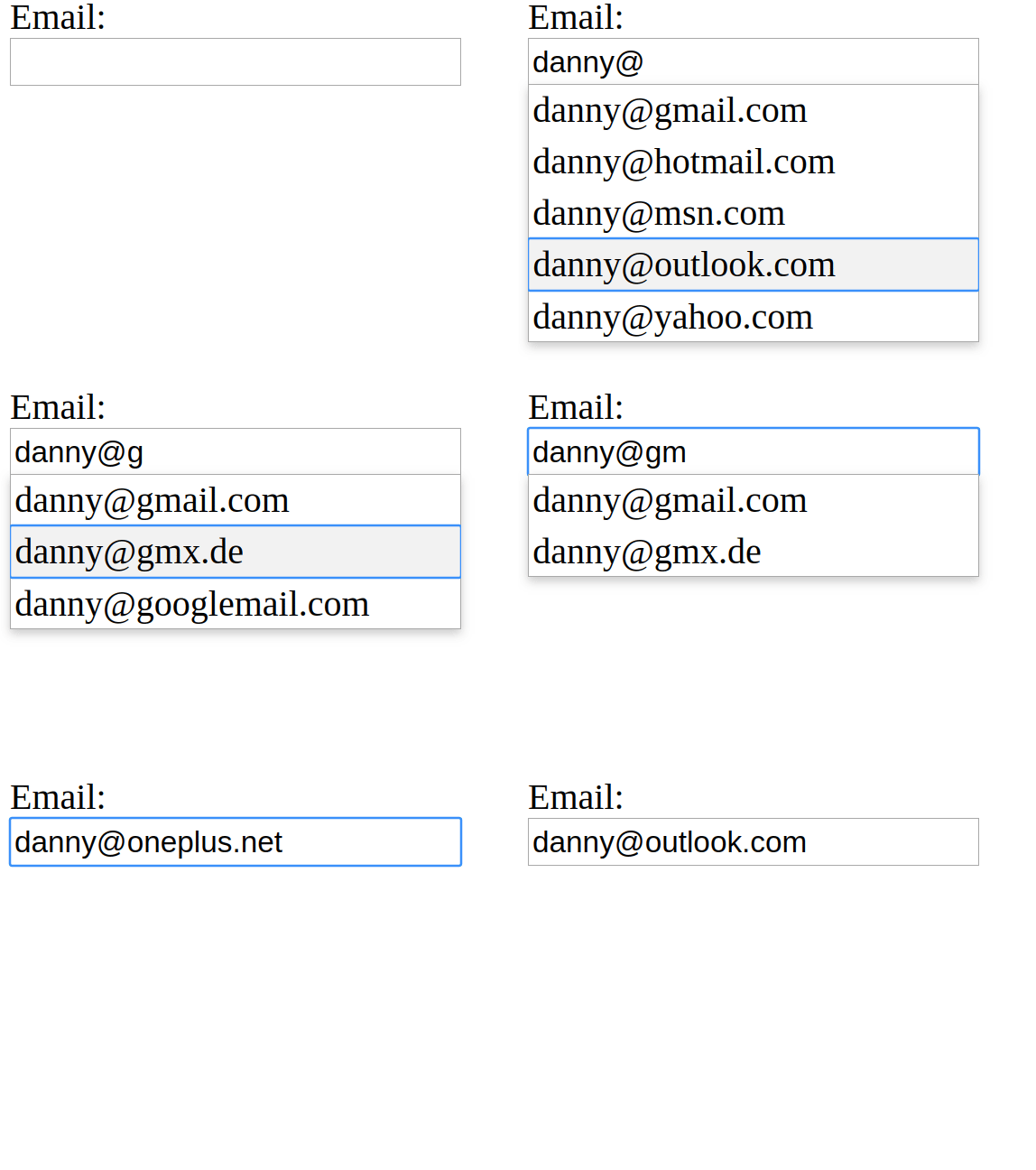
- Allows passing a list of domains to be used in for the suggestions.
- Allows passing a list of default domains that are going to be used when type `@`.
- Closes the list by pressing <kbd>Esc</kbd>.
- Allows the navigate the list by pressing <kbd>Up</kbd> / <kbd>Down</kbd>.
- Closes the list on click outside.
- Allows configuring the list size.
# Demo
[](https://codesandbox.io/s/vue-template-lrkul?fontsize=14)
# Props
<table>
<thead>
<tr>
<th>Prop</th>
<th>Type</th>
<th>Required</th>
<th>Default</th>
<th>Description</th>
</tr>
</thead>
<tbody>
<tr>
<td>domains</td>
<td>Array</td>
<td>True</td>
<td>-</td>
<td>All domains that should be used to make a domain suggestions.</td>
</tr>
<tr>
<td>defaultDomains</td>
<td>Array</td>
<td>False</td>
<td>[]</td>
<td>Default domains that should be displayed once `@` is typed.</td>
</tr>
<tr>
<td>initialValue</td>
<td>String</td>
<td>False</td>
<td>""</td>
<td>Initial value for the email field.</td>
</tr>
<tr>
<td>maxSuggestions</td>
<td>Number</td>
<td>False</td>
<td>4</td>
<td>How many domain suggestions should displayed.</td>
</tr>
<tr>
<td>closeOnClickOutside</td>
<td>Boolean</td>
<td>False</td>
<td>true</td>
<td>Hide the suggestion list if you click outside the list.</td>
</tr>
<tr>
<td>inputClasses</td>
<td>String|Array|Object</td>
<td>False</td>
<td>""</td>
<td>Classes that will be apply to the email field.</td>
</tr>
</tbody>
</table>
## Installation
```bash
npm install vue-email-dropdown --save
# or with yarn
yarn add vue-email-dropdown
```
## Usage
```vue
<template>
<EmailDropdown :domains="domains" :defaultDomains="defaultDomains" />
</template>
<script>
// Import package
import EmailDropdown from "vue-email-dropdown";
// Import styles
import "vue-email-dropdown/dist/vue-email-dropdown.css";
export default {
components: {
EmailDropdown
},
data() {
return {
domains: [
"yourcompany.com",
"google.com",
"gmx.de",
"googlemail.com",
"hotmail.fr",
"hotmail.it",
"web.de",
"yahoo.co.in",
"yahoo.com",
"yahoo.in"
],
defaultDomains: ["gmail.com", "hotmail.com", "msn.com", "outlook.com", "yahoo.com"]
};
}
};
</script>
```
## Development setup
```
npm install
```
### Compiles and hot-reloads for development
```
npm run serve
```
### Compiles and minifies for production
```
npm run build
```
### Run your unit tests
```
npm run test
```
### Lints and fixes files
```
npm run lint
```
### Customize configuration
See [Configuration Reference](https://cli.vuejs.org/config/).
# Contributing
1. Fork it (<https://github.com/dannyfeliz/vue-email-dropdown/fork>)
2. Create your feature branch (`git checkout -b feature/fooBar`)
3. Commit your changes (`git commit -am 'Add some fooBar'`)
4. Push to the branch (`git push origin feature/fooBar`)
5. Create a new Pull Request