vue-draggable-cal
Version:
A datepicker Vue component. Compatible with Vue 2.x
144 lines (105 loc) • 5.22 kB
Markdown
# DraggableCal
A datepicker Vue component. Compatible with Vue 2.x
- [Demo](#demo)
- [Install](#install)
- [Usage](#usage)
- [Available Languages](#available-languages)
- [Dev & Build](#dev-&-build)
- [Licence](#licence)
- [Thanks](#thanks)
## Demo
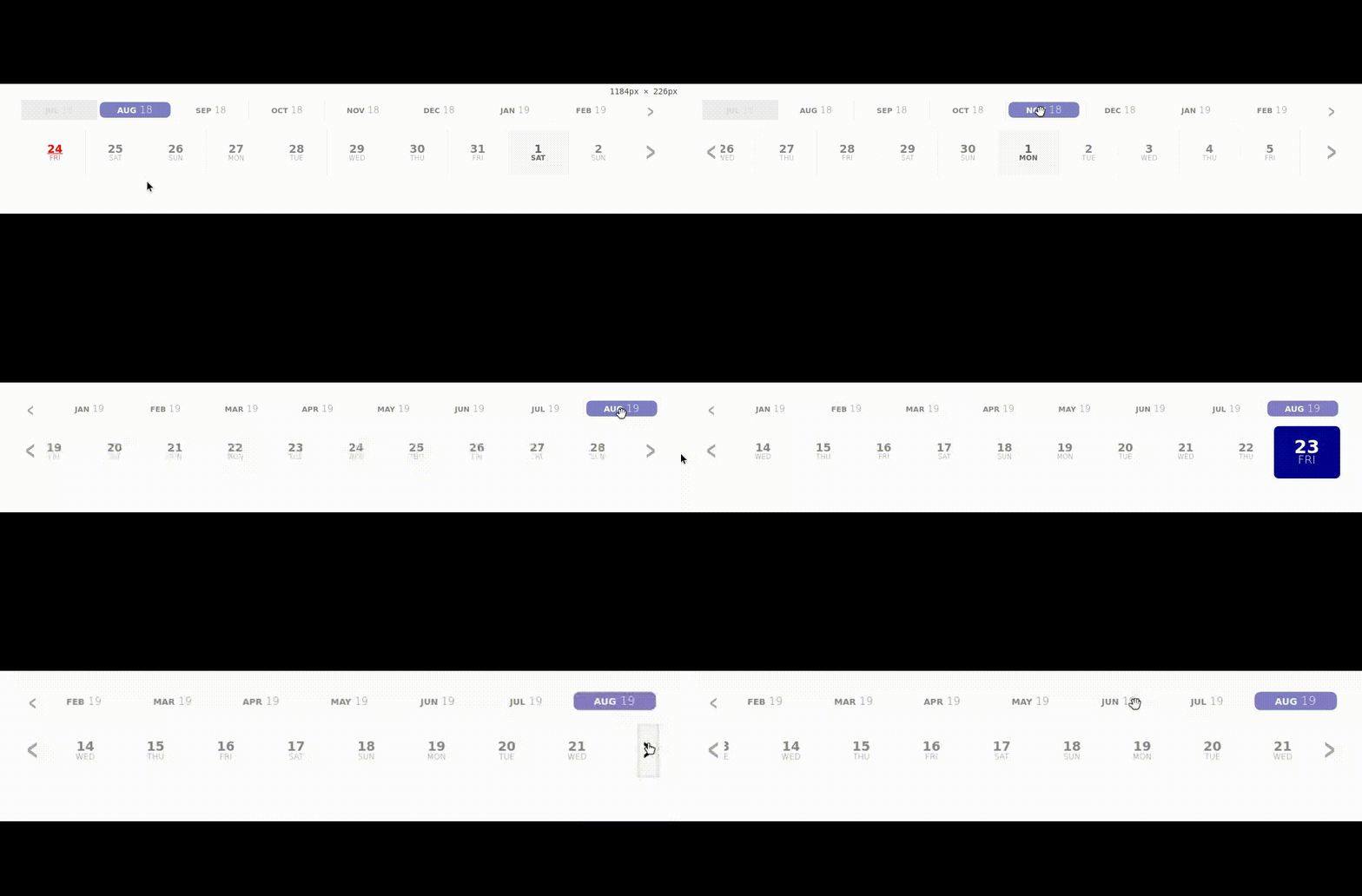
To view a demo online: [demo](https://liloow.github.io/vue-draggableCal/demo/)
To view demo examples locally clone the repo and run `npm i && npm serve --open App.vue`
## What the future holds
I am planning to add a few more customizations props in the near future, but I don't let my lack of imagination/creativity stop yours ! I strongly encourage you ton open Issues or pull requests if you have any ideas/needs that you'd like to see added to the component !
- [ ] Add more languages
- [ ] Add props for easy custom styling
- [x] ~~Add the possibility to append years as well~~
- [ ] Optimize the Array of days rendered
## Install
```bash
npm i vue-draggable-cal --save
```
or
```bash
yarn add vue-draggable-cal
```
```javascript
import DraggableCal from 'vue-draggable-cal';
export default {
// ...
components: {
DraggableCal,
},
// ...
};
```
Or use directly from a CDN
```html
<div id="app">
<DraggableCal></DraggableCal>
</div>
<script src="https://unpkg.com/vue"></script>
<script src="https://unpkg.com/vue-draggable-cal"></script>
<script>
new Vue({
el: '#app',
components: {
DraggableCal,
}
})
</script>
```
## Usage
```html
<draggable-cal></draggable-cal>
<!-- OR -->
<DraggableCal></DraggableCal>
```
Emits events
```html
<DraggableCal @selectedDate="doSomething($event)"></DraggableCal>
```
## Available props
| Prop | Type | Default | Description |
| :-------------- | :------ | :------ | :-------------------------------------------------------------------------------------------------------------------- |
| days | Number | 365 | Number of days to append |
| months | Number | 12 | Numbers of months to append (has precedence over `days` if custom set) |
| years | Number | 0 | Number of years to append and enable year mode (see [Demo](#demo) ) |
| prependedYears | Number | 0 | Number of years to preppend. **Note:** this prop is ignored if years is not set |
| prependedMonths | Number | 1 | Number of month to preppend |
| disabledWeekDays| Object | {} | Disable a specific week day by setting it's day number to true. ie. `{0: true}` will disable sundays |
| disabledDates | Array | [] | Disable a specific date. Format of the day should be a string `YYYY-MM-DD` ie. `['2018-01-01']` |
| pastIsDisabled | Boolean | true | Allows the selection of alreay past days and predend the days of `prepended` months |
| fullMonths | Boolean | false | Weither or not to always use complete months (i.e. `days=1` if set to `true` the whole month is going to be appended) |
| accentColor | String | #00008b | Set the accent color (`HEX` or `CSS color names`) |
| lang | String | EN | Language (see available in [Transations](#Translation)) |
## Events
These events are emitted on actions in the datepicker
| Event | Output | Description |
| :----------- | :----- | :-------------------------------------------------------------------------------------------------------------------------------------------------------------------------------------------- |
| selectedDate | Object | A date has been selected. It outputs an object : `formatedDate`: String of the date and`raw`: An array of [YYYY, MM, DD] that can be used to build the date object via `Date.UTC(YYYY,MM,DD)` |
| dateCleared | null | The previously selected date has been unselected by the user |
## Available languages
| Abbr | Language | |
| ---- | -------- | --------- |
| EN | English | _Default_ |
| FR | French | |
## Dev & Build
**Dev server**
```bash
yarn serve # Or npm run serve
```
**Build App**
```bash
yarn build # Or npm run build
```
**Build Lib**
```bash
yarn bundle # Or npm run bundle
```
## License
MIT
## Thanks
Credits to [@webAngelo](https://github.com/webangelo) for his range-calendar from which this is highly inspired.