vue-advanced-cropper
Version:
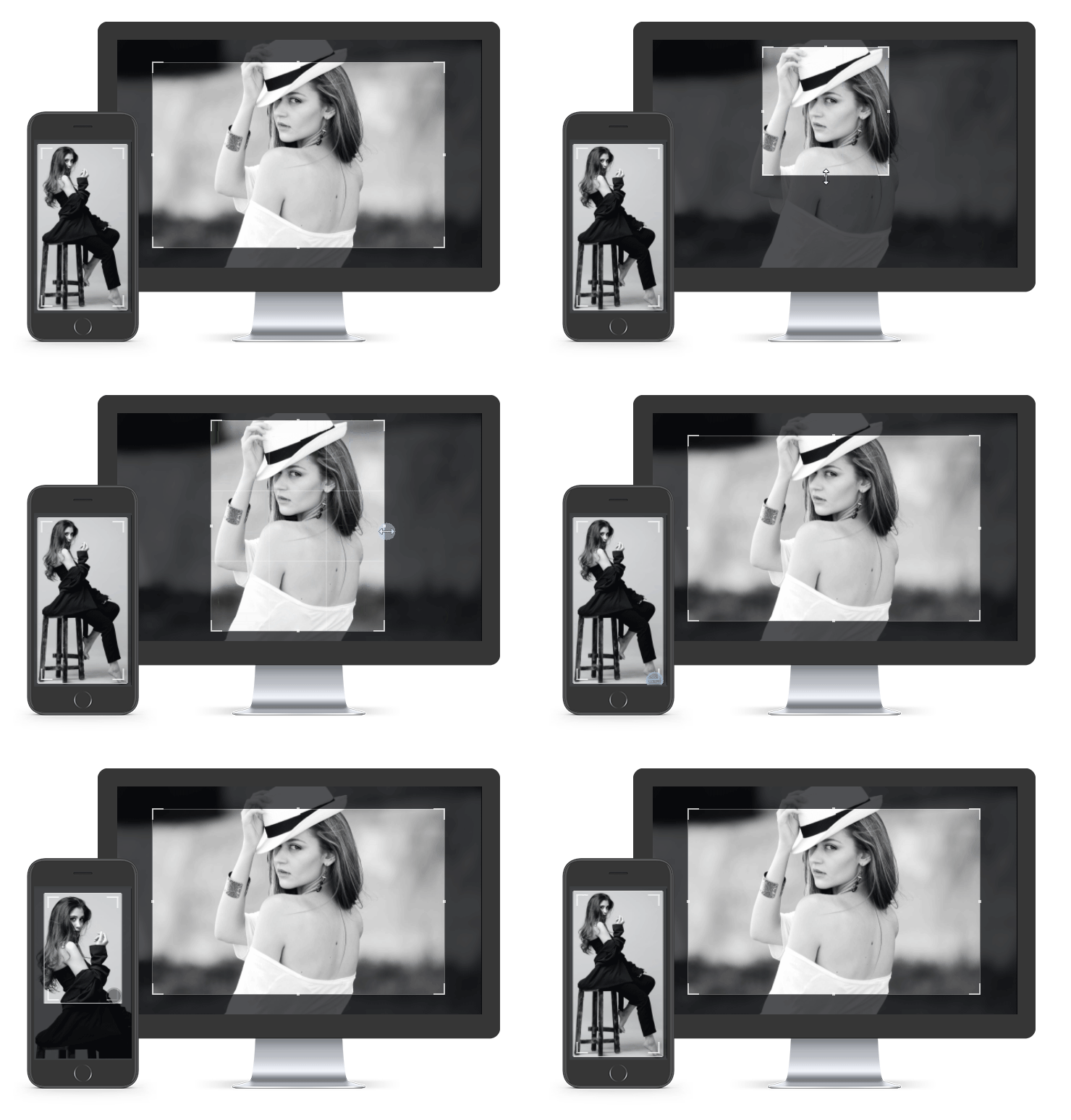
The advanced library to create your own croppers suited for any website design
129 lines (105 loc) • 7.13 kB
Markdown
# Vue Advanced Cropper
> The advanced library that gives you opportunity to create your own croppers suited for any website design
[Documentation](https://norserium.github.io/vue-advanced-cropper/) / [Examples](https://norserium.github.io/vue-advanced-cropper/tutorials/recipes.html) / [Sandbox](https://codesandbox.io/s/vue-avanced-cropper-basic-jfy5w)
[](https://www.npmjs.com/package/vue-advanced-cropper)
> **WARNING**: This library is in beta test stage. API can be changed in the future.
## Install
```bash
npm install --save vue-advanced-cropper
```
```bash
yarn add vue-advanced-cropper
```
If you would to use CDN read the corresponding [documentation section](https://norserium.github.io/vue-advanced-cropper/introduction/getting-started.html#using-cdn)
## Usage
```js
import Vue from 'vue'
import { Cropper } from 'vue-advanced-cropper'
new Vue({
el: '#app',
data: {
img: 'https://images.pexels.com/photos/226746/pexels-photo-226746.jpeg'
},
methods: {
change({coordinates, canvas}) {
console.log(coordinates, canvas)
}
},
components: {
Cropper
}
})
```
```html
<div id="app">
<cropper
classname="cropper"
:src="img"
:stencilProps="{
aspectRatio: 10/12
}"
@change="change"
></cropper>
</div>
```
```
/*
Maybe you need to set the limits for the cropper sizes or its container sizes
otherwise a cropping image will try to fill all available space
*/
.cropper {
height: 600px;
background: #DDD;
}
```
## Cropper
| Prop | Type | Description | Default
| ---------------------- | ------------------ | -------------------------------------------------------------- | ---------------
| src | `String` | The cropping image (link / base64) |
| stencilComponent | `String`, `Object` | The stencil component | `RectangleStencil`
| stencilProps | `Object` | The props for the stencil component | `{}`
| classname | `String` | The optional classname for the root cropper block |
| imageClassname | `String` | The optional classname for the cropping image |
| areaClassname | `String` | The optional classname for the area. |
| backgroundClassname | `String` | The optional classname for the background under the image |
| debounce | `String`, `Number` | The time before change event will be emitted after changes (ms)| `500`
| canvas | `Boolean` | The flag that indicates if canvas should be used | `true`
| minWidth | `String`, `Number` | The minimum width of the stencil (percents) | `10`
| minHeight | `String`, `Number` | The minimum height of the stencil (percents) | `10`
| maxWidth | `String`, `Number` | The maximum width of the stencil (percents) | `10`
| maxHeight | `String`, `Number` | The maximum height of the stencil (percents) | `10`
| checkOrientation | `Boolean` | Check if EXIF orientation should be checked | `true`
| touchMove | `Boolean` | Check if image should be dragged by a touch | `true`
| touchResize | `Boolean` | Check if image should be resized by a pinch gesture | `true`
| mouseMove | `Boolean` | Check if image should be dragged by a mouse | `true`
| wheelResize | `Boolean` | Check if image should be resized by a mouse wheel | `true`
| imageRestriction | `String` | Set restrictions for image position ('area', 'stencil', 'none')| `core.move`
| defaultSize | `Function` | The function that returns the default size of the stencil | `core.defaultSize`
| defaultPosition | `Function` | The function that returns the default position of the stencil | `core.defaultPosition`
| restrictions | `Function` | The function that returns the restrictions object | `core.percentRestrictions`
| areaSize | `Function` | The function that determines the area size | `core.areaSize`
| resizeAlgorithm | `Function` | The function that determines the resize algorithm | `core.resize`
| moveAlgorithm | `Function` | The function that determines the move algorithm | `core.move`
| Event | Description
| ---------------------- | --------------------------------------------------------------
| change | Invoked on changing of a stencil position / size, after mounting the component and on an image changing
| ready | Invoked on success of an image loading
| error | Invoked on error of an image loading
## RectangleStencil
| Prop | Type | Description | Default
| ---------------------- | ------------------- | -------------------------------------------------------------- | ---------------
| aspectRatio | `Number`, `String`, | The aspect ratio |
| minAspectRatio | `Number`, `String`, | The minimum aspect ratio |
| maxAspectRatio | `Number`, `String`, | The maximum aspect ratio |
| classname | `String`, | The classname for root block of the stencil component |
| previewClassname | `String`, | The classname for the preview component |
| boundingBoxClassname | `String`, | The classname for the bouding box component |
| handlerComponent | `String`,`Object` | The handler component |
| handlers | `Object`, | The object of handlers that should be visible or hidden. |
| handlersClassnames | `Object`, | The object of custom handler classnames |
| lineComponent | `String`,`Object` | The handler component |
| lines | `Object`, | The object of lines that should be visible or hidden. |
| linesClassnames | `Object`, | The object of custom line classnames |
## License
The source code of this library is licensed under MIT, the documentation and photos are belong to their respective owners.