v-year-calendar
Version:
Official Vue.js wrapper for the year-calendar widget
117 lines (91 loc) • 5.89 kB
Markdown
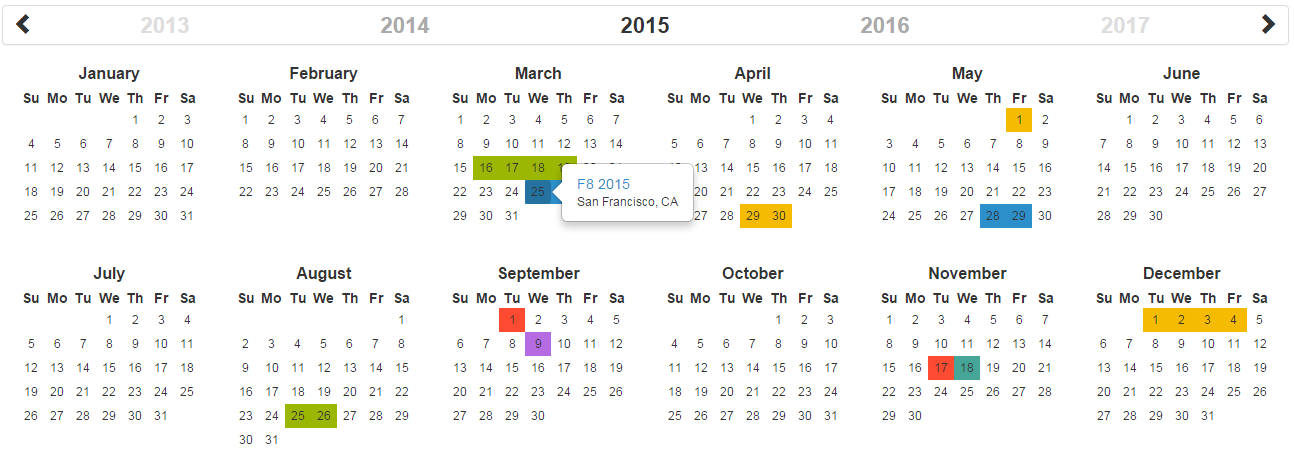
Official Vue.js wrapper for the year-calendar widget. https://year-calendar.github.io/
[](https://circleci.com/gh/year-calendar/v-year-calendar/tree/master)
[](https://www.npmjs.com/package/v-year-calendar)
This library is also available for:
[](https://github.com/year-calendar/js-year-calendar)
[](https://github.com/year-calendar/rc-year-calendar)
You can get the widget using the following methods:
- From the [GitHub repository](https://github.com/year-calendar/v-year-calendar/releases)
- From the Node package manager, using the following command: `npm install v-year-calendar`
- From Yarn, using the following command: `yarn add v-year-calendar`
- From the CDN, using the following script: `<script src="https://unpkg.com/v-year-calendar@latest/dist/v-year-calendar.umd.min.js"></script>`
You can create a calendar using the following javascript code :
```
<template>
<Calendar></Calendar>
</template>
<script>
import Calendar from 'v-year-calendar';
export default {
components: {
Calendar
}
}
</script>
```
You can specify props to customize the calendar:
```
<template>
<Calendar render-style="background" :min-date="new Date()"></Calendar>
</template>
```
| Option name | Description | Type | Default value |
| ----------- | ----------- | ---- | ------------- |
| allow-overlap | Specifies whether the user can select a range which overlapping an other element present in the datasource. | boolean | `true` |
| always-half-day | Specifies whether the beginning and the end of each range should be displayed as half selected day. | boolean | `false` |
| context-menu-items | Specifies the items of the default context menu. | array | `[]` |
| custom-day-renderer | Specify a custom renderer for data source. Works only with the style set to "custom". This function is called duringender for each day containing at least one event. | Render function | `null` |
| custom-data-source-renderer | Specify a custom renderer for days. This function is called during render for each day. | Render function | `null` |
| data-source | The elements that must be displayed on the calendar. | array or function | `[]` |
| disabled-days | The days that must be displayed as disabled. | array | `[]` |
| disabled-week-days | The days of the week that must be displayed as disabled (0 for Sunday, 1 for Monday, etc.). | array | `[]` |
| display-disabled-data-source | Specifies whether the data source must be rendered on disabled days. | boolean | `false` |
| display-header | Specifies whether the calendar header is displayed. | boolean | `true` |
| display-week-number | Specifies whether the weeks number are displayed. | boolean | `false` |
| enable-context-menu | Specifies whether the default context menu must be displayed when right clicking on a day. | boolean | `false` |
| enable-range-selection | Specifies whether the range selection is enabled. | boolean | `false` |
| hidden-week-days | The days of the week that must not be displayed (0 for Sunday, 1 for Monday, etc.). | array | `[]` |
| language | The language/culture used for calendar rendering. | String | `en` |
| loading-template | A custom loading template | String | `null` |
| max-date | The date until which days are enabled. | Date | `null` |
| min-date | The date from which days are enabled. | Date | `null` |
| round-range-limits | Specifies whether the beginning and the end of each range should be displayed as rounded cells. | boolean | `false` |
| style | Specifies the style used for displaying datasource ("background", "border" or "custom"). | string | `border` |
| week-start | The starting day of the week. This option overrides the parameter define in the language file. | number | `0` |
| year | The year displayed by the calendar. | number | Current year |
## Available events
| Event name | Description | Parameter |
| ---------- | ----------- | --------- |
| click-day | Function fired when a day is clicked. | `{ date, events }` |
| day-context-menu | Function fired when a day is right clicked. | `{ date, events }` |
| mouse-on-day | Function fired when the mouse enter on a day. | `{ date, events }` |
| mouse-out-day | Function fired when the mouse leaves a day. | `{ date, events }` |
| render-end | Function fired when the calendar rendering is ended. | `{ currentYear }` |
| select-range | Function fired when a date range is selected. | `{ startDate, endDate }` |
| year-changed | Function fired when the visible year of the calendar is changed. | `{ currentYear }` |
If you want to use the calendar in a different language, you should import the locale file corresponding to the language you want to use, and then set the `language` prop of the calendar:
```
import Calendar from 'v-year-calendar';
import 'v-year-calendar/locales/v-year-calendar.fr';
```
OR
```
<script src="https://unpkg.com/v-year-calendar@latest/dist/v-year-calendar.umd.min.js"></script>
<script src="https://unpkg.com/v-year-calendar@latest/locales/v-year-calendar.fr.js"></script>
```
Then
```
<template>
<Calendar language="fr"></Calendar>
</template>
```
The list of available languages is available [here](https://github.com/year-calendar/js-year-calendar/tree/master/locales)
Check the [examples](https://year-calendar.github.io/v-year-calendar/examples) page to discover all the functionalities.