usb-paint
Version:
A universal, simple, and beautiful hand-drawn style painting tool, USB-Paint. It can be introduced and used in any front-end framework or page.
190 lines (148 loc) • 8.59 kB
Markdown
[English](./README_EN.md) | 简体中文
# USB-Paint
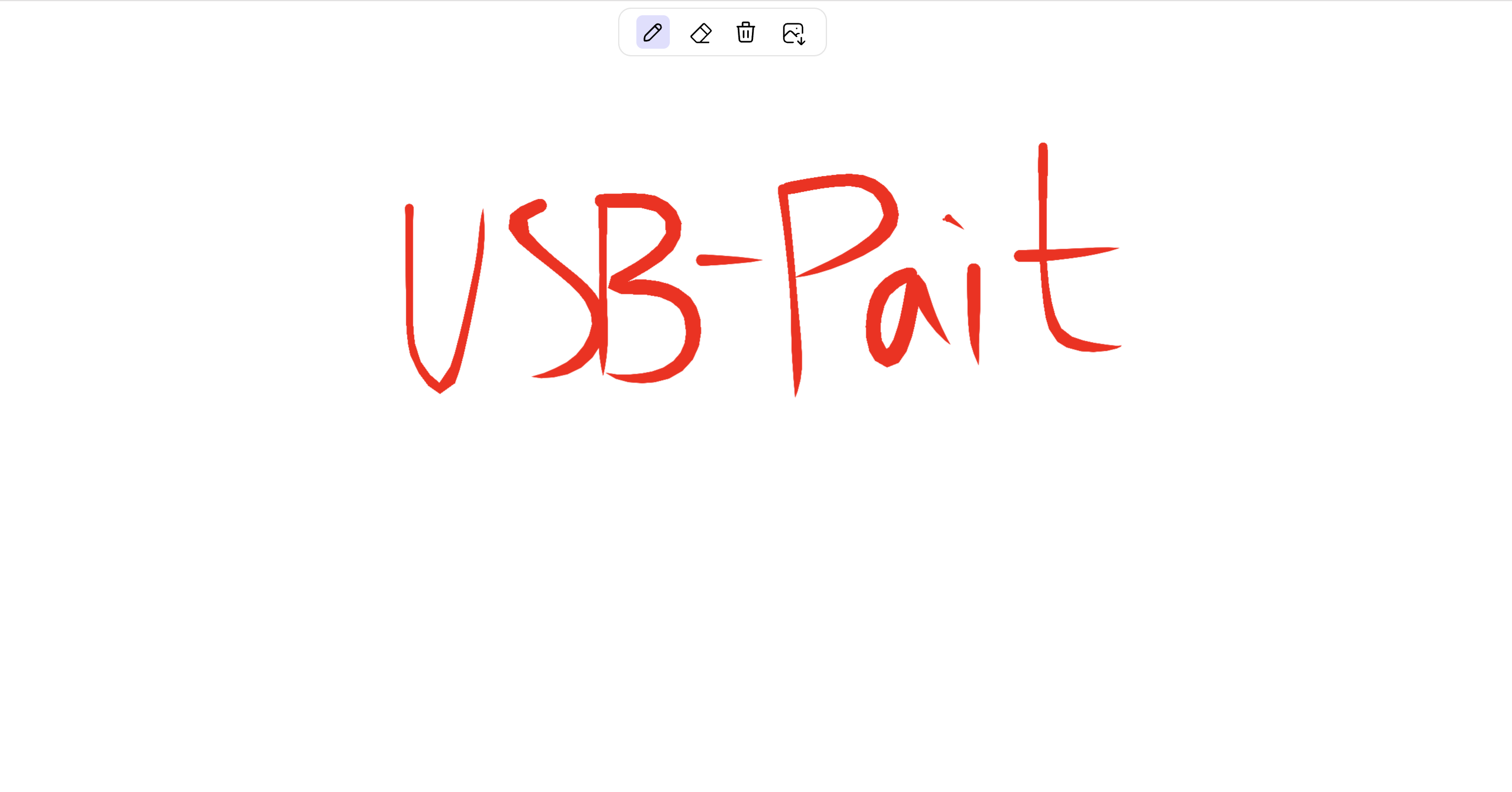
一个通用的(**Universal**)、简洁的(**Simple**)、美观的(**Beautiful**) **手绘风格**的绘画工具组件—**USB-Paint**。
你也可以将它理解为一个即插即用的绘画面板工具,就像无处不在的**USB**接口一样,任何前端项目(原生html、Vue、React、Svelte、Angular)都可以快速引入使用。
# 特性
- **Universal**:支持多种前端框架,如原生html、Vue、React、Svelte、Angular
- **Simple**:简洁的页面结构,没有复杂的样式,没有复杂的逻辑
- **Beautiful**:美观的UI设计,支持多颜色/样式配置,支持自定义
- 手绘风格
- 支持多种画笔工具,画笔、橡皮擦、清除、导出图片等
# 安装 & 使用
## 方法一:使用 npm/yarn(推荐)
### 安装
```node
npm install usb-paint
```
```node
yarn add usb-paint
```
### 使用
**注意**:在框架中使用时,需要确保dom已经加载了才能使用,比如在Vue中需要中**onMounted**或者之后的生命周期中实例化使用
```js
import USBPaint from "usb-paint";
new USBPaint({
target: document.querySelector("#root"),
});
```
## 方法二:使用 CDN 直接插入到 HTML
```html
<script src="https://cdn.jsdelivr.net/npm/usb-paint@latest/dist/usbpaint.iife.js" type="text/javascript"></script>
<script>
let a = new USBPaint({
target: document.querySelector("#root"),
});
</script>
```
##### 可用的 CDN:
# 参数详情
## 参数案例
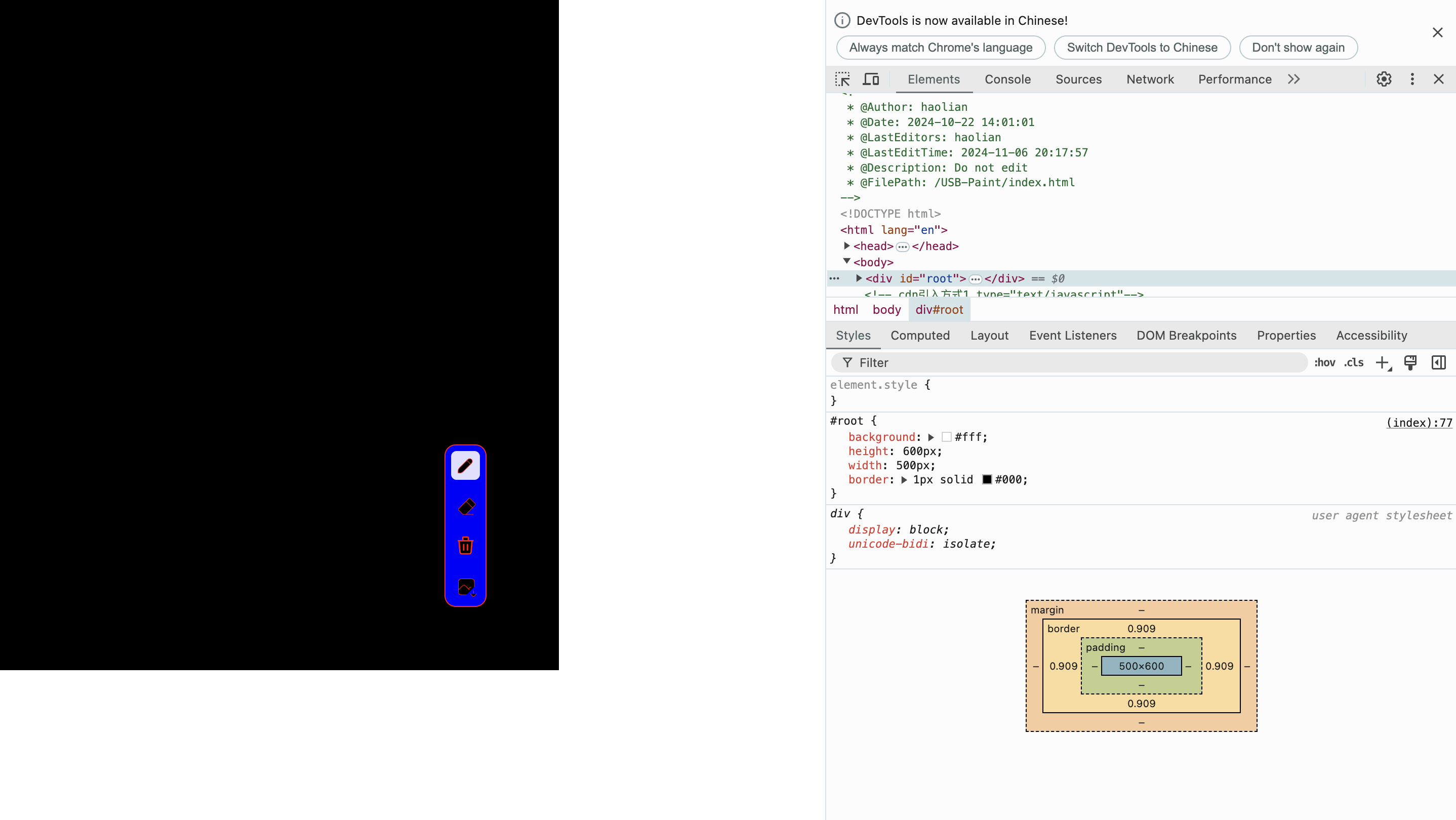
```js
import USBPaint from "usb-paint";
new USBPaint({
target: document.querySelector("#root"),
lineOptions: {
lineWidth: 8,
lineColor: "red",
lineAlpha: 1,
lineSmooth: 1,
lineThin: 0.6,
lineStream: 1,
lineStart: 0,
lineEnd: 80,
},
showTools: true,
toolsConfig: {
tools: "all", // ["eraser", "paint", "trash", "export" ],
position: {
x: 400,
y: 400,
direction: "column", // column row
},
iconsConfig: {
size: 20,
width: 0.5,
color: "red",
fill: "black",
},
backgroud: {
color: "blue",
border: "1px solid red",
radius: 10,
},
},
background: "black",
});
```
## 一级参数
| 参数 | 必须 | 类型 | 默认值 | 说明 |
| ----------- | ---- | --------------- | ------------ | ----------------------------------------------------------- |
| target | 否 | HTMLElement | body元素 | 目标容器,可以是DOM元素,也可以是CSS选择器 |
| lineOptions | 否 | LineOptionsType | (下有详情) | 画笔线条配置 |
| showTools | 否 | boolean | false | 是否展示工具栏 |
| toolsConfig | 否 | ToolsConfigType | (下有详情) | showTools为true时生效,展示的工具栏配置 |
| background | 否 | string | - | 默认透明颜色,可以传入Hex/RGB/HSL/HSB/颜色名(如red)的颜色值 |
## 二级参数
### LineOptionsType
| 参数 | 必须 | 类型 | 默认值 | 说明 |
| ---------- | ---- | ------ | ------ | ----------------------------------------------------------- |
| lineWidth | 否 | number | 4 | 画笔线条宽度 |
| lineColor | 否 | string | #000 | 画笔线条颜色,可以传入Hex/RGB/HSL/HSB/颜色名(如red)的颜色值 |
| lineAlpha | 否 | number | 1 | 画笔线条透明度 |
| lineSmooth | 否 | number | 1 | 画笔线条边缘的柔化程度 |
| lineThin | 否 | number | 0.6 | 画笔压力对笔画大小的影响。 |
| lineStream | 否 | number | 1 | 简化笔画的程度。 |
| lineStart | 否 | number | 0~100 | 线路起点的锥度。 |
| lineEnd | 否 | number | 0~100 | 线路末端的锥度选项。 |
### ToolsConfigType
| 参数 | 必须 | 类型 | 默认值 | 说明 |
| ----------- | ---- | --------------- | ------ | --------------------------------------------------------------------------------------------------------- |
| tools | 否 | string/ array | all | 工具栏工具,可以传入["eraser", "paint", "trash", "export"]中任意几个的组合,"[]"不展示工具栏,"all"(全部) |
| position | 否 | string/AxisType | top | 工具栏位置,可以传入"left"/"right"/"top"/"bottom",也可以传AxisType定位数据(下面详解) |
| iconsConfig | 否 | object | - | 工具栏图标配置 |
| backgroud | 否 | object | - | 工具栏背景配置 |
## 三级参数
### toolsConfig.position(AxisType)
| 参数 | 必须 | 类型 | 默认值 | 说明 |
| --------- | ---- | ------ | ------ | ------------------- |
| x | 是 | number | - | 横坐标px |
| y | 是 | number | - | 纵坐标px |
| direction | 是 | string | - | 排列方向 row/column |
### toolsConfig.iconsConfig
| 参数 | 必须 | 类型 | 默认值 | 说明 |
| ----- | ---- | ------ | ------ | ----------------------------------------------------------------------------------- |
| size | 否 | number | 20 | 图标大小px |
| width | 否 | number | 1.25 | 图标线条宽度 |
| color | 否 | string | #000 | 图标线条颜色,可以传入Hex/RGB/HSL/HSB/颜色名(如red)的颜色值 |
| fill | 否 | string | none | 图标内部填充颜色,可以传入Hex/RGB/HSL/HSB/颜色名(如red)的颜色值,默认"none",不填充 |
### toolsConfig.backgroud
| 参数 | 必须 | 类型 | 默认值 | 说明 |
| ------ | ---- | ------ | ------------------------- | ------------------------------------------------------- |
| color | 否 | string | #fff | 背景颜色,可以传入Hex/RGB/HSL/HSB/颜色名(如red)的颜色值 |
| border | 否 | string | 1px solid rgba(0,0,0,0.1) | 边框(css) |
| radius | 否 | number | 10 | 圆角 |
# 事件调用
| 事件名 | 说明 | 返回数据 |
| ------------- | ----------------------------------------------------------------------------- | -------- |
| exportToImage | 导出图片数据 | base64 |
| eraserTool | 橡皮擦 | - |
| freeDrawTool | 绘画 | - |
| clearTool | 清除 | - |
| isPaint | 是否已经绘画了(clearTool后为未绘画状态,只要动过笔eraserTool后也是绘画了状态) | boolean |
## 事件调用案例
```js
import USBPaint from "usb-paint";
const usbPaint = new USBPaint();
// 主动触发导出图片
usbPaint.exportToImage();
// 主动触发使用橡皮擦功能
usbPaint.eraserTool();
// 主动触发使用绘画功能
usbPaint.freeDrawTool();
// 主动触发使用画布清除功能
usbPaint.clearTool();
// 主动获取是否已经绘画了功能
usbPaint.isPaint();
```