uni-classification
Version:
uni-app 分类组件
173 lines (126 loc) • 5.06 kB
Markdown
# uni-classification
## 介绍
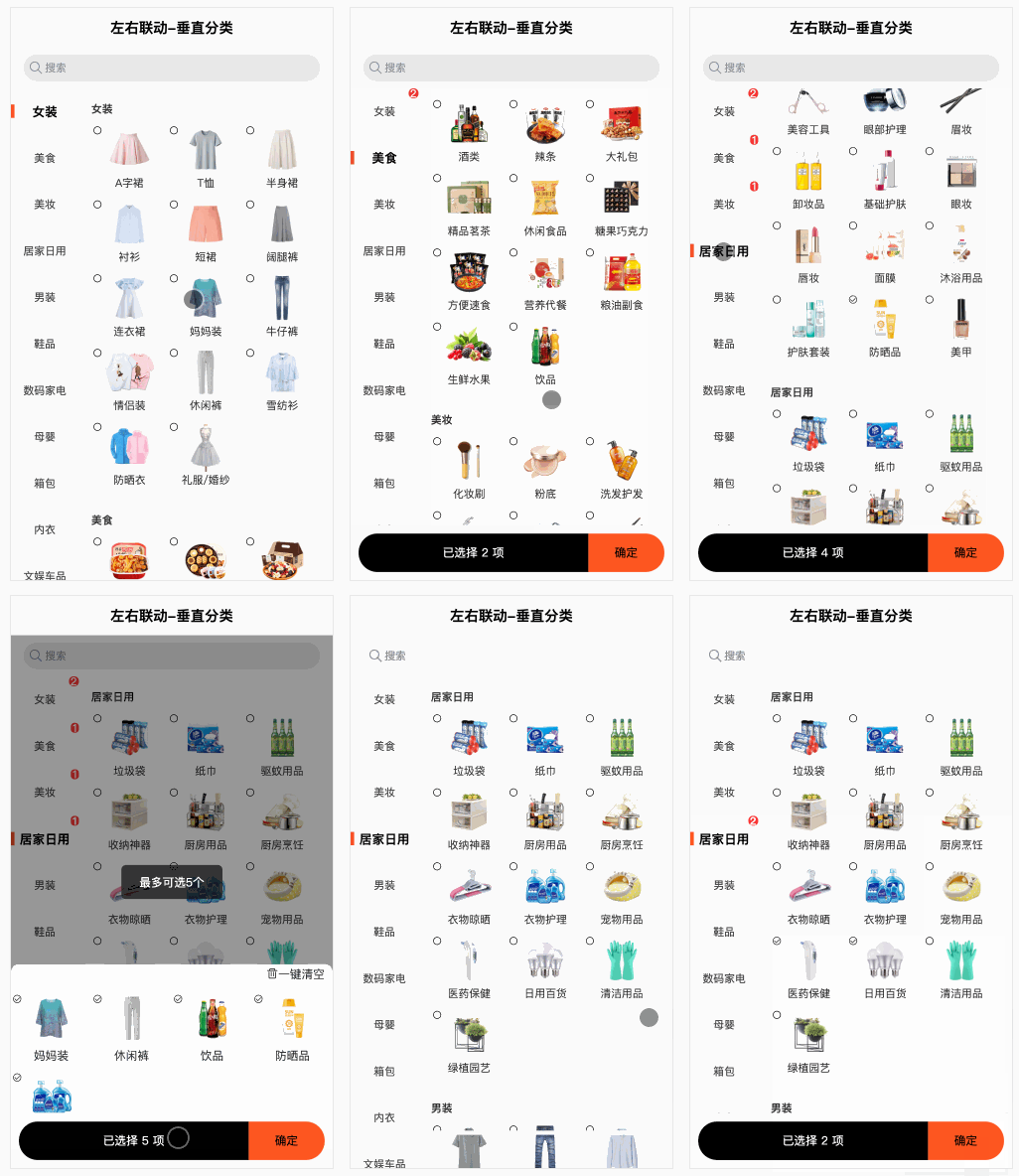
1. 本组件为分类组件
2. 本组件数据为一次性传入,不支持分页
3. 本组件数据结构如下:
```json
[
{
"name": "女装",
"foods": [
{
"name": "A字裙",
"key": "1",
"icon": "https://cdn.uviewui.com/uview/common/classify/1/1.jpg"
},
{
"name": "T恤",
"key": "2",
"icon": "https://cdn.uviewui.com/uview/common/classify/1/2.jpg"
}
]
},
{
"name": "美食",
"foods": [
{
"name": "火锅",
"key": "15",
"icon": "https://cdn.uviewui.com/uview/common/classify/2/1.jpg"
},
{
"name": "糕点饼干",
"key": "16",
"icon": "https://cdn.uviewui.com/uview/common/classify/2/2.jpg"
}
]
}
]
```
## 平台差异说明
| H5 | 微信小程序 | 支付宝小程序 | 百度小程序 | 头条小程序 |
| ---- | ---------- | ------------ | ---------- | ---------- |
| √ | √ | √ | √ | √ |
## 使用方式
### 安装
```bash
npm i uni-classification
```
### 引入
```
import Classify from uni-classification
```
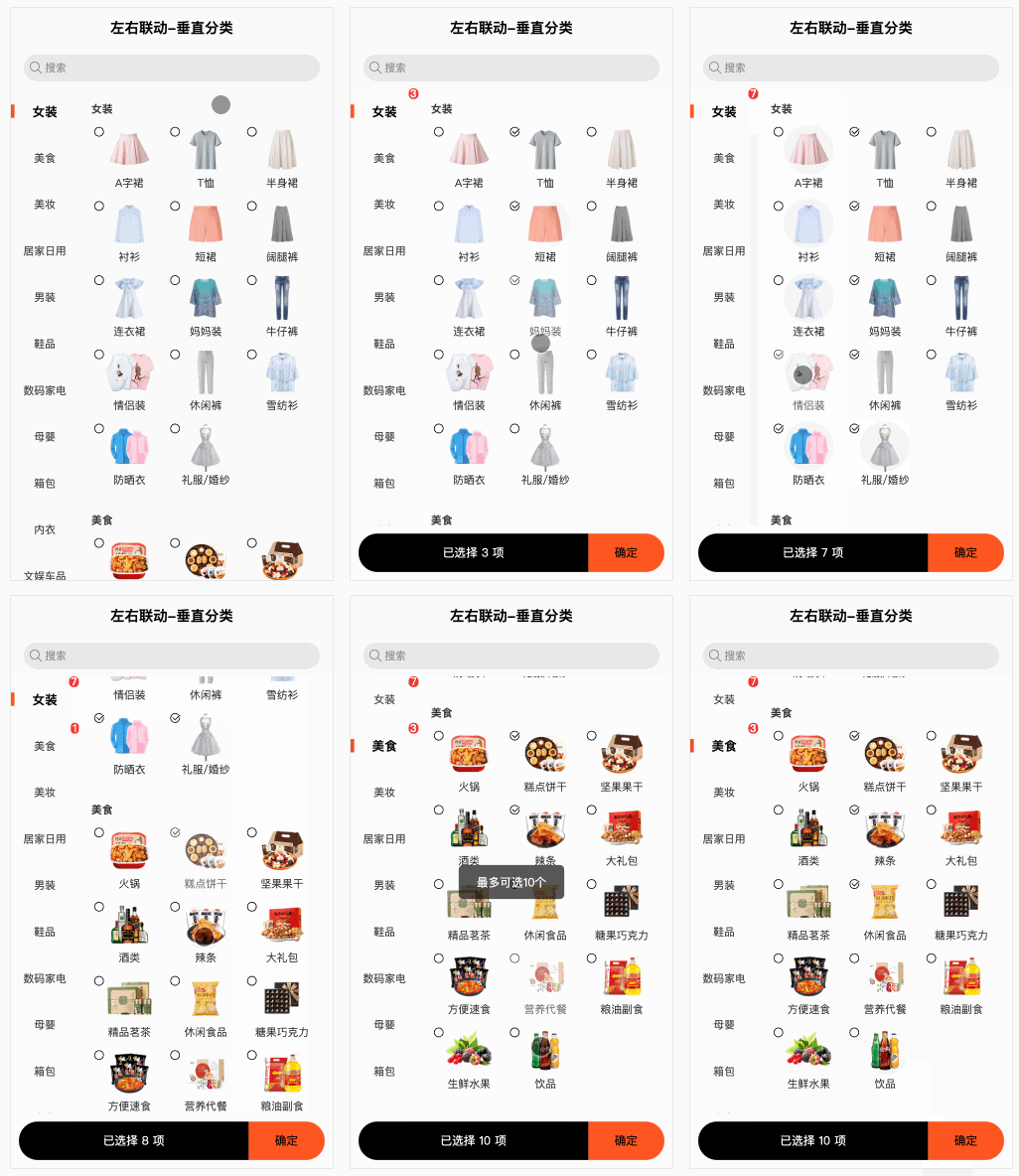
### 基本使用
```vue
<Classify
:classifyData="classifyData"
mode="multiple" // 多选
max="10"
childrenKeyName="foods"
childValueKeyName="key"
/>
```
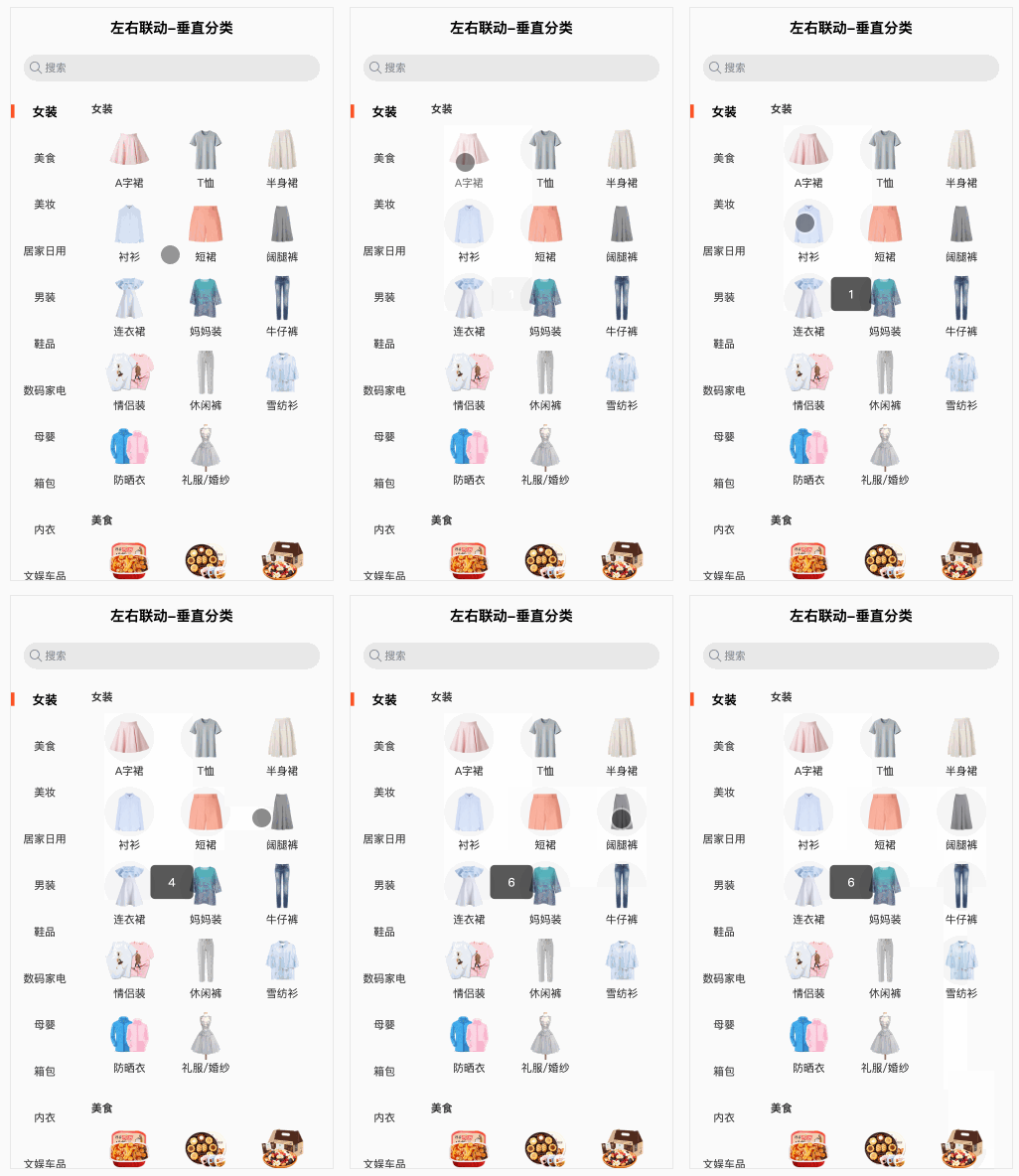
### 单选
```vue
<Classify
:classifyData="classifyData"
childrenKeyName="foods"
childValueKeyName="key"
@change="onChange"
/>
```
```vue
onChange(value, row) {
console.log(value, row);
uni.showToast({
title: value,
icon: 'none'
})
}
```
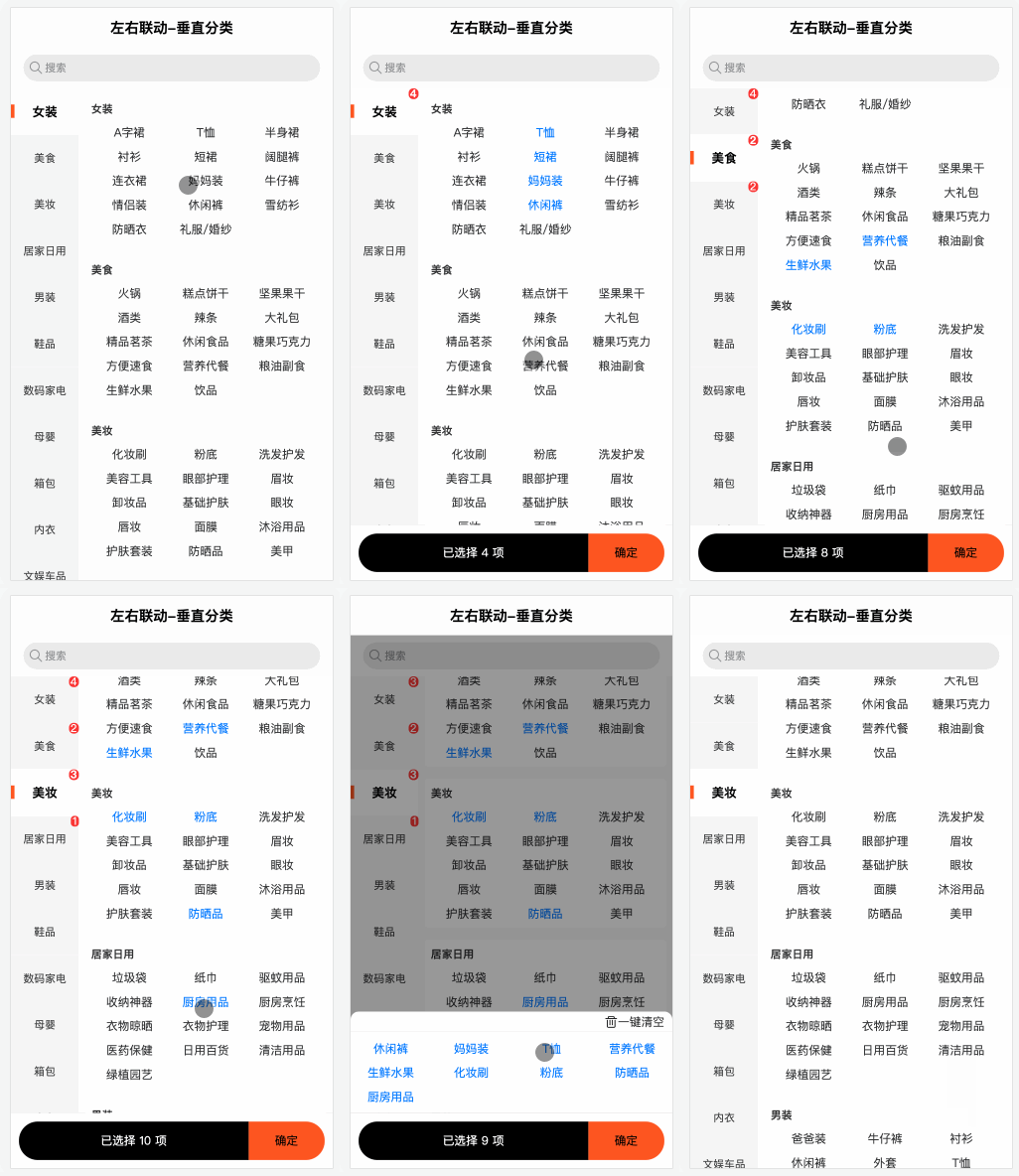
### 自定义右侧子分类插槽
```vue
<Classify
:classifyData="classifyData"
class="classify"
mode="multiple"
max="10"
childrenKeyName="foods"
childValueKeyName="key"
>
<template v-slot:classify-kids="{ row }">
<view class="row-kids" :class="{ active: row.checked }">{{ row.name }}</view>
</template>
</Classify>
```
### 样式
可通过`::v-deep`修改css
## API
### Props
| 属性 | 说明 | 默认值 | 类型 | 可选值 |
| :---------------- | :-------------------------------- | -------- | :------------- | -------------------------- |
| classifyData | 分类数据源 | | Array | |
| mode | 多选单选 | 单选 | String | `multiple` |
| menuLabelKeyName | 菜单要显示的字段 | name | String | |
| menuValueKeyName | 菜单主键键名 | id | String | |
| childrenKeyName | 右侧子分类字段 | children | String | |
| childLabelKeyName | 右侧子分类要显示的字段 | name | String | |
| childValueKeyName | 右侧子分类主键键名 | id | String | |
| iconKeyName | 右侧子分类icon键名 | icon | String | |
| max | 最多可选择数量,只在多选时有效 | 999 | Number\|String | |
| lang | 多选时,超过max值时的提示语国际化 | zh | String | zh<br />en<br />es<br />ja |
| placeholder | 搜索区域placeholder | 搜索 | String | |
### Slot
| name | 说明 |
| :------------------ | :--------------------------------------------------- |
| classify-kids | 右侧分类子节点 |
| popup-classify-kids | 弹出层中分类子节点,默认取 classify-kids 传入的VNode |
| empty | 搜索值为空时 |
### Events
| 事件名 | 说明 | 回调参数 |
| :----- | :----------------------------------------------------------- | :------------------------------------------------------- |
| change | 单选时可通过change事件获取返回值<br />多选时需要通过点击确定按钮获取change事件返回值 | value:目前的选中选项主键值<br />row:目前的选中选项数据 |