ultimate-react-form-builder
Version:
a simple form builder for React applications
101 lines (73 loc) • 3.87 kB
Markdown
# Ultimate React Form Builder
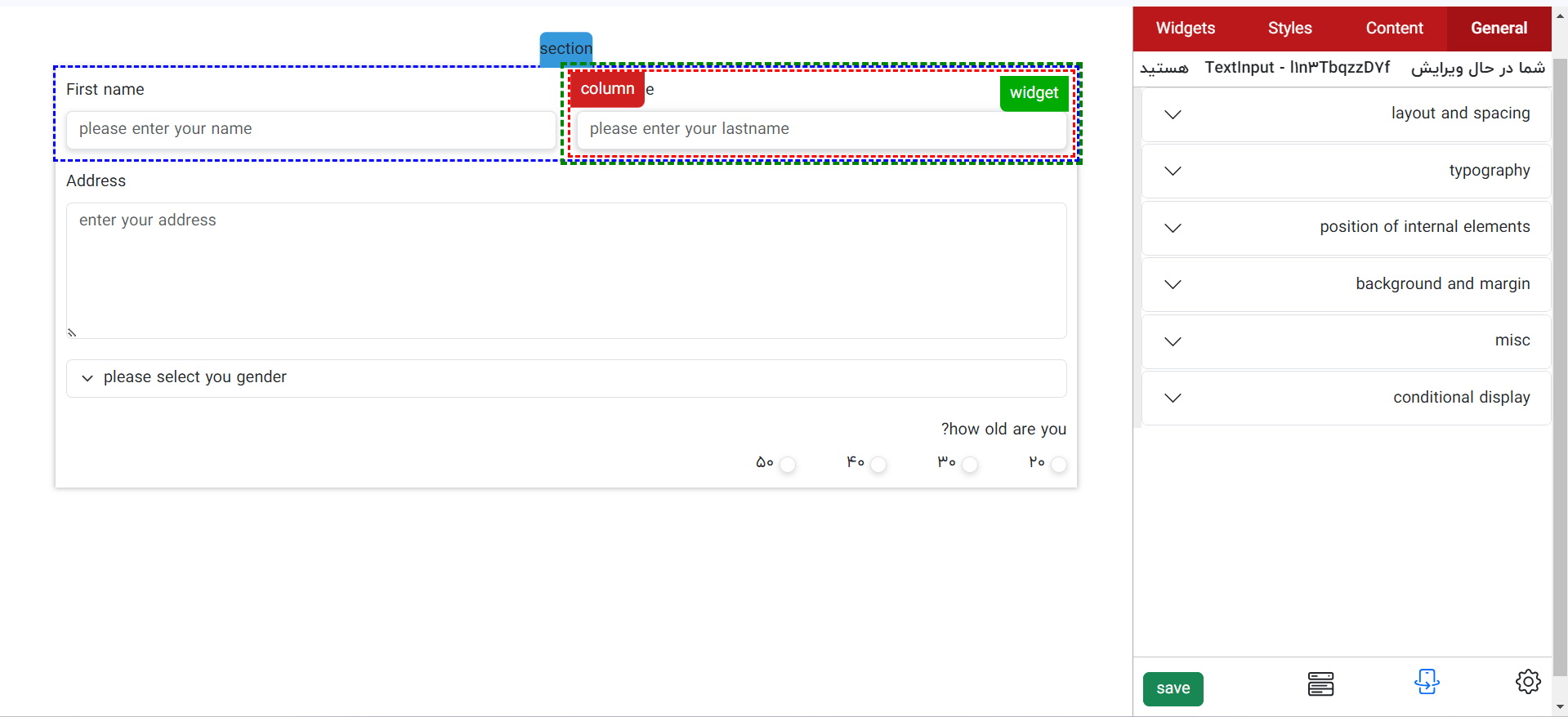
`ultimate-react-form-builder` is a React component designed to simplify the creation of complex forms by providing a drag-and-drop interface for building and managing form structures.
To render the form for the client_user, you need to use [`ultimate-react-form-renderer`](https://www.npmjs.com/package/ultimate-react-form-renderer) Package.
## Demo
Check out a live demo of the form builder:
[Ultimate React Form Builder Demo](https://ultimate-react-form-builder-demo.s3-website.ir-thr-at1.arvanstorage.ir/)
## Installation
To install the package, use npm or yarn:
```bash
npm install ultimate-react-form-builder
```
or
```bash
yarn add ultimate-react-form-builder
```
## Usage
Here's a basic example of how to use the `PageBuilder` component in your application:
```tsx
import React from 'react';
import PageBuilder from 'ultimate-react-form-builder';
function App() {
return (
<PageBuilder
handel_save_fn={(tree) => console.log(tree)}
data={null}
show_alert={true}
console_log={false}
/>
);
}
export default App;
```
### Props
| Prop | Type | Required | Description |
| ---------------- | ----------------------------- | -------- | -------------------------------------------------------------------------------- |
| `handel_save_fn` | `(tree: node_model) => any` | Yes | Callback function to handle the saved form tree |
| `data` | `string \| null \| undefined` | No | Pre-existing data to populate the form (must be a JSON stringified `node_model`) |
| `show_alert` | `boolean` | No | If `true`, enables alert popups for debugging |
| `console_log` | `boolean` | No | If `true`, logs output to the console for debugging |
### `handel_save_fn`
The `handel_save_fn` prop is a required function that will be called when the form is saved. The function receives the form structure (`tree`) as its argument. You can use this to manage the form data, such as sending it to an API or storing it in state.
### `data`
The `data` prop allows you to load an existing form structure into the `PageBuilder`. The data should be a JSON stringified representation of the `node_model`. This is optional and defaults to `null`.
### `show_alert`
If `show_alert` is set to `true`, the component will show alerts for debugging purposes. This is useful when building forms to track behavior in real time.
### `console_log`
When `console_log` is `true`, the component will log form-building actions to the browser console for debugging purposes. This is helpful during development to track what's happening internally.
## How to use in non react environment?
```html
<!DOCTYPE html>
<html lang="en">
<head>
<meta charset="UTF-8" />
<meta name="viewport" content="width=device-width, initial-scale=1.0" />
<title>React Package Test</title>
<script src="https://unpkg.com/react@18/umd/react.production.min.js"></script>
<script src="https://unpkg.com/react-dom@18/umd/react-dom.production.min.js"></script>
<script src="https://unpkg.com/ultimate-react-form-builder/dist/index.js"></script>
</head>
<body>
<div id="root">root</div>
<script>
const props = {
handel_save_fn: (tree) => console.log(tree),
};
const PageBuilder = UltimateReactFormBuilder.PageBuilder;
const root = ReactDOM.createRoot(document.getElementById('root'));
root.render(React.createElement(PageBuilder, props));
</script>
</body>
</html>
```