tymonial
Version:
A intuitive UI library which ease the process of collecting and viewing users feedbacks within yourt web applications.
73 lines (51 loc) • 2.81 kB
Markdown
## Tymonial
A intuitive UI `library` which ease the process of `collecting` and `viewing` users `feedbacks` within yourt web applications.
Easily collect feedbacks from your `clients`, `Friends` & `Families` and display them nicely within your application.
<center>





</center>
### Getting Started.
> Check out the web application [tymonial-app](htps://github.com)
- Simply copy the `javascript` and `css` tags below
## Javascript ( Vanilla )
```html
<!-- Tymonial CSS -->
<link rel="stylesheet" href="https://unpkg.com/tymonial/lib/css/tymonial.css" />
<!-- Tymonial Javascript -->
<script type="text/javascript" src="https://unpkg.com/tymonial@^1.8.0/lib/tymonial.js"></script>
```
## Javascript ( React )
> COMING SOON!!!!
- Initialize Tymonial
Initialize tymonial `Object` within a new `<script>` tag before the closing `</body>` tag in your `.html` file.
```js
new Tymonial({
element: ".example-cont",
user_id: "fa54431c-47e3-443e-907f-65c7e2489344",
template_id: "temp_c112ad",
heading: "My Feedbacks.",
tymonialBgColor: "#ccc",
subheadingColor: "#000",
headingColor:"#777",
cardBgColor: "#fff",
cardBodyTextColor:"#777",
cardUsernameTextColor: "#000",
cardRatingColor: "#fd336d",
controlsBgColor: "#fff",
controlsColor: "#000"
})
.init()
```
### Tymonial Params.
Tymonial requires that yiou provide a `proper` and `valid` parameters when initializing it. Below shows and explains what each paramenters does.
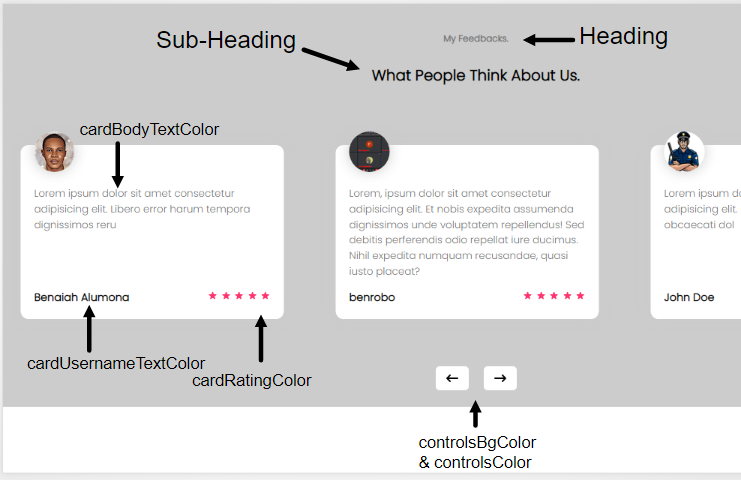
- `element` : A valid `HTML` elements.
- `user_id` : A `UUID` which was generated when you successfully registered. This can be found within your tymonial `Settings` page.
- `template_id` : This contain your template ID which looks like `temp_xxxxxx` for every template created.
> If you dont have an account, [Create One Here](https://tymonial.vercel.app)
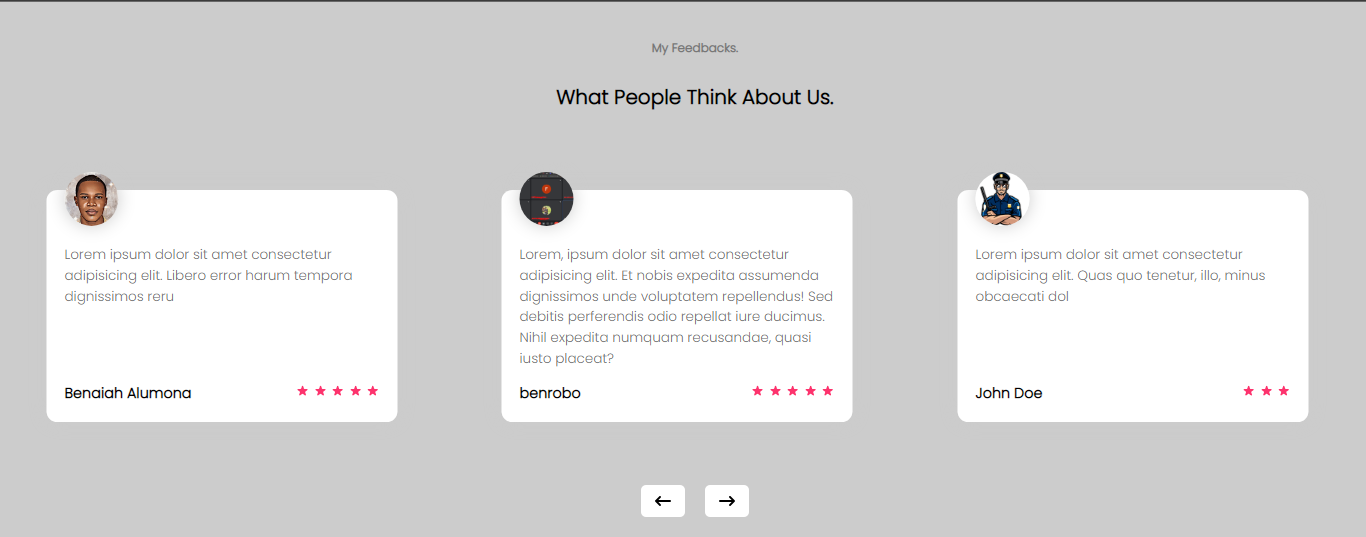
The result should look like the picture below if done properly.