tweakpane-plugin-inputs
Version:
Input plugins for Tweakpane
76 lines (58 loc) • 3.42 kB
Markdown
Helpful inputs for [Tweakpane](https://tweakpane.github.io/docs/) GUI. Made by [@tallneil](https://tallneil.io/), with thanks to [@cocopon](https://github.com/cocopon), the creator of Tweakpane.
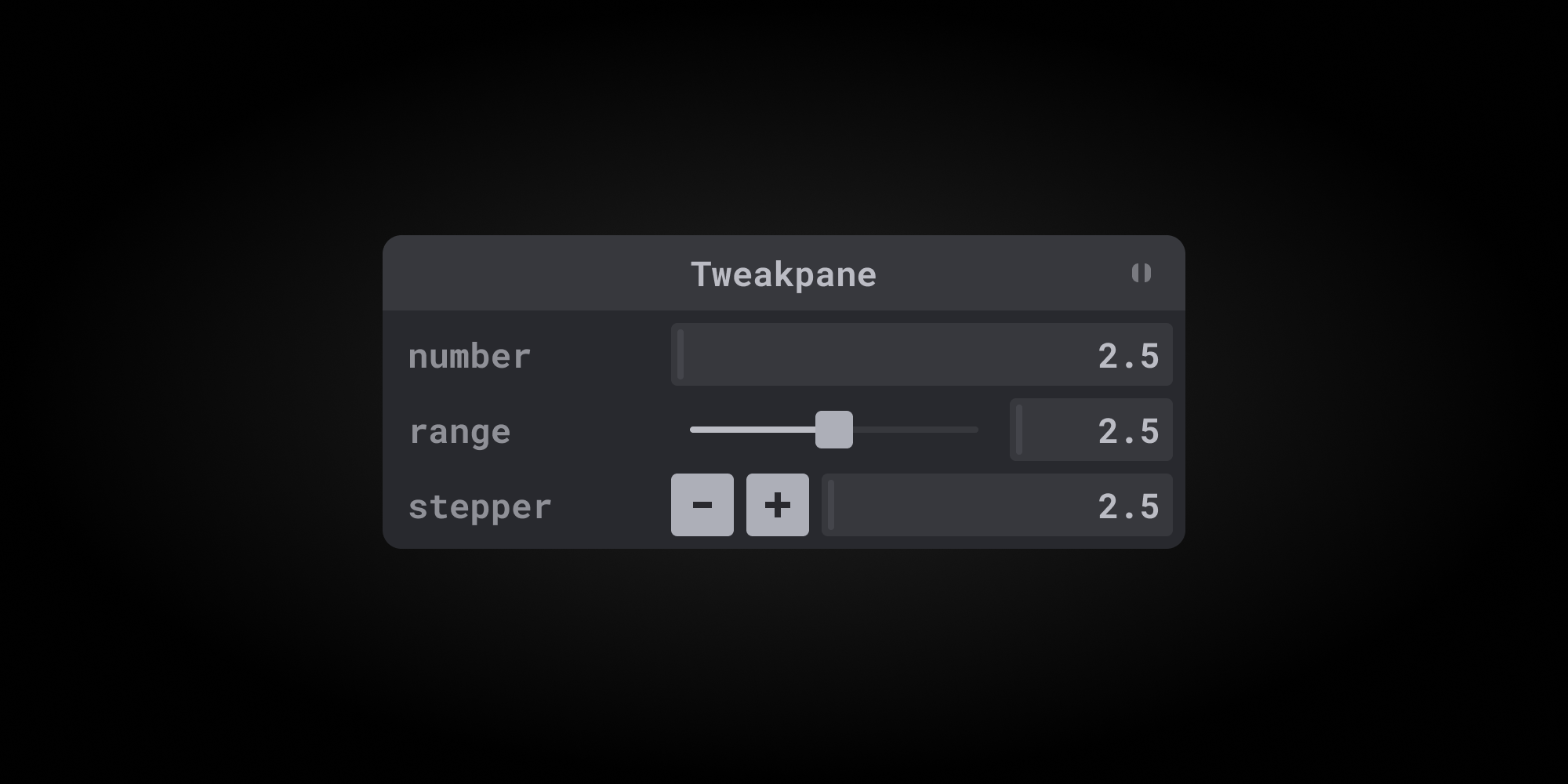

The stepper input in this package is an alternative to the Tweakpane default [number input](https://tweakpane.github.io/docs/input-bindings/#number) and [number range input](https://tweakpane.github.io/docs/input-bindings/#number_range).
* Use the `-` and `+` buttons to decrement or increment the value by `step`
* Optional `min`, `max`, and `step` params (`step` defaults to `1`)
* Support for existing Tweakpane `number input` features, including `point and slide`.
The Tweakpane range (slider) input has a great interface, but it isn't ideal for precision. Referencing the [MDN web docs](https://developer.mozilla.org/en-US/docs/Web/HTML/Element/input/range), a range input "should only be used if the control's exact value isn't important." The stepper input in this package provides an interface that is better suited for setting precise values.
### Bounds
The range input requires both `min` and `max` values, but the stepper input requires neither. This makes the stepper useful for properties that have no bounds, only one bound, or both loewr and upper bounds.
Consider the many CSS properties such as `border-radius` and `stroke-width` that require non-negative values. This tells us to set `min` to `0`, but what about `max`? If I want to use a range input, I'd have to give `max` some arbitrary value, or instead I could use a stepper input with no `max`.
## Toggle input

Coming soon!
## Installation
### [CDN →](https://www.jsdelivr.com/package/npm/tweakpane-plugin-inputs)
```html
<script type="module">
import {Pane} from 'https://cdn.jsdelivr.net/npm/tweakpane/dist/tweakpane.min.js';
import * as TweakpanePluginInputs from 'https://cdn.jsdelivr.net/npm/tweakpane-plugin-inputs/dist/tweakpane-plugin-inputs.min.js';
</script>
```
```bash
npm i tweakpane
npm i tweakpane-plugin-inputs
```
```js
import {Pane} from 'tweakpane';
import * as TweakpanePluginInputs from 'tweakpane-plugin-inputs';
```
```js
// import Tweakpane and this plugin using CDN links
import {Pane} from 'https://cdn.jsdelivr.net/npm/tweakpane/dist/tweakpane.min.js';
import * as TweakpanePluginInputs from 'https://cdn.jsdelivr.net/npm/tweakpane-plugin-inputs/dist/tweakpane-plugin-inputs.min.js';
// make a new pane and register the plugin
const pane = new Pane();
pane.registerPlugin(TweakpanePluginInputs);
// set params you want to tweak
const params = {
prop: 2.5,
};
// make a stepper input and bind it to a param
pane.addBinding(params, 'prop', {
view: 'stepper',
min: 0.5,
max: 3,
step: 0.5,
}).on('change', newValue => {updateValue(newValue.value)});
function updateValue(v) {
// do something with the new value
}
```