threex.videotexture
Version:
three.js helper to display video texture
125 lines (98 loc) • 4.71 kB
Markdown
threex.videotexture
===================
threex.videotexture is a [threex game extension for three.js](http://www.threejsgames.com/extensions/).
It provides help to handle videos in texture.
It is possible to put html5 ```<video>``` output in texture with ```threex.videotexture.js```.
You can even put the webcam in a texture with ```threex.webcamtexture.js```.
It is cool if you want to make a tv screen in your game, You can easily use this extension. You pick the video to play and you are ready to go.
The screen surface will use your video texture making it look like a TV set.
If you need it, you can try ```threex.audiovideotexture.js``` where the
video is mapped on the texture and additionnally the sound of the video
is handled via
[web audio API](https://dvcs.w3.org/hg/audio/raw-file/tip/webaudio/specification.html).
Thus you can have localized sound, which is neat in the 3d environment.
Show Don't Tell
===============
* Here is a [videotexture example](http://jeromeetienne.github.io/threex.videotexture/examples/videotexture.html) and its [source](https://github.com/jeromeetienne/threex.videotexture/blob/master/examples/videotexture.html).
It read the video from a file via video dom element and display it in a texture
* Here is a [audio/video texture example with WebAudio API](http://jeromeetienne.github.io/threex.videotexture/examples/audiovideotexture.html)and its [source](https://github.com/jeromeetienne/threex.videotexture/blob/master/examples/audiovideotexture.html).
It shows how to plug the video sound into the WebAudio API because you get localised sounds.
This is particularly useful in 3D.
"Audio/Video" texture is a texture where the sound comes from the object3d on which
the texture is mapped.
* Here is another [webcam example](http://jeromeetienne.github.io/threex.videotexture/examples/webcamtexture.html) and its [source](https://github.com/jeromeetienne/threex.videotexture/blob/master/examples/webcamtexture.html).
It reads the webcam thru getUserMedia and put it in a texture.
A Screenshot
============
[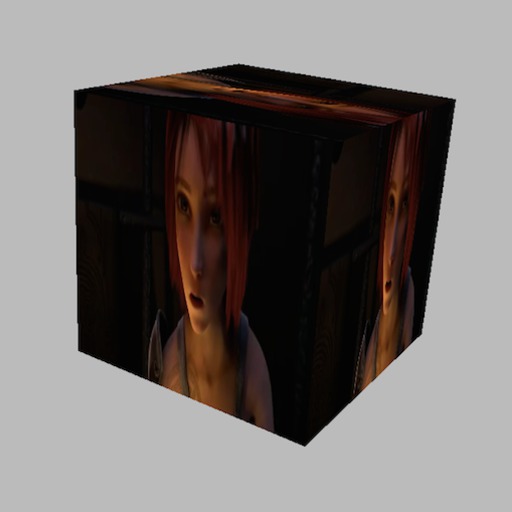](http://jeromeetienne.github.io/threex.videotexture/examples/videotexture.html)
How To Install It
=================
You can install it manually. Just do
```html
<script src='threex.videotexture.js'></script>
```
You can install with [bower](http://bower.io/).
```bash
bower install threex.videotexture
```
then you add that in your html
```html
<script src="bower_components/threex.videotexture/threex.videotexture.js"></script>
```
How To Use it
=============
## threex.videotexture.js
First you instanciate the texture itself
```javascript
// create the videoTexture
var videoTexture= new THREEx.VideoTexture('videos/sintel.ogv')
updateFcts.push(function(delta, now){
// to update the texture are every frame
videoTexture.update(delta, now)
})
```
Then you use it in a mesh like this.
```javascript
// use the texture in a THREE.Mesh
var geometry = new THREE.CubeGeometry(1,1,1);
var material = new THREE.MeshBasicMaterial({
map : videoTexture.texture
});
var mesh = new THREE.Mesh( geometry, material );
scene.add( mesh );
```
Here is the detailled API:
* ```videoTexture.video```: the video dom element from which the video is used
* ```videoTexture.texture```: the generated ```THREE.Texture```
* ```videoTexture.update(delta, now)```: update the texture from the video element
* ```videoTexture.destroy()```: destroy the object
## threex.webcamtexture.js
It will read the webcam using
[getUserMedia](https://developer.mozilla.org/en-US/docs/Web/API/Navigator.getUserMedia).
The browser
will likely ask for permissions to the users.
Let's see how to use it. You instanciate the texture itself.
```javascript
var webcamTexture = new THREEx.WebcamTexture()
updateFcts.push(function(delta, now){
// to update the texture are every frame
webcamTexture.update(delta, now)
})
```
Then you use it in a mesh
```javascript
// use the texture in a THREE.Mesh
var geometry = new THREE.CubeGeometry(1,1,1);
var material = new THREE.MeshBasicMaterial({
map : videoTexture.texture
});
var mesh = new THREE.Mesh( geometry, material );
scene.add( mesh );
```
Here is the detailled API:
* ```videoTexture.video```: the video dom element from which the video is used
* ```videoTexture.texture```: the generated ```THREE.Texture```
* ```videoTexture.update(delta, now)```: update the texture from the video element
* ```videoTexture.destroy()```: destroy the object
* ```THREEx.WebcamTexture.available```: true if ```getUserMedia``` is available on this
browser, false otherwise.