text-to-audio-converter
Version:
This Node.js package is open source and uses ElevenLabs' Text to Speech API.
109 lines (67 loc) • 3.96 kB
Markdown

## How to Use
### 1. **Login to Eleven Labs**
- Go to the Eleven Labs website: [Eleven Labs](https://elevenlabs.io/)
- If you already have an account, log in with your credentials.
- If you don't have an account, you’ll need to sign up by creating a new account.
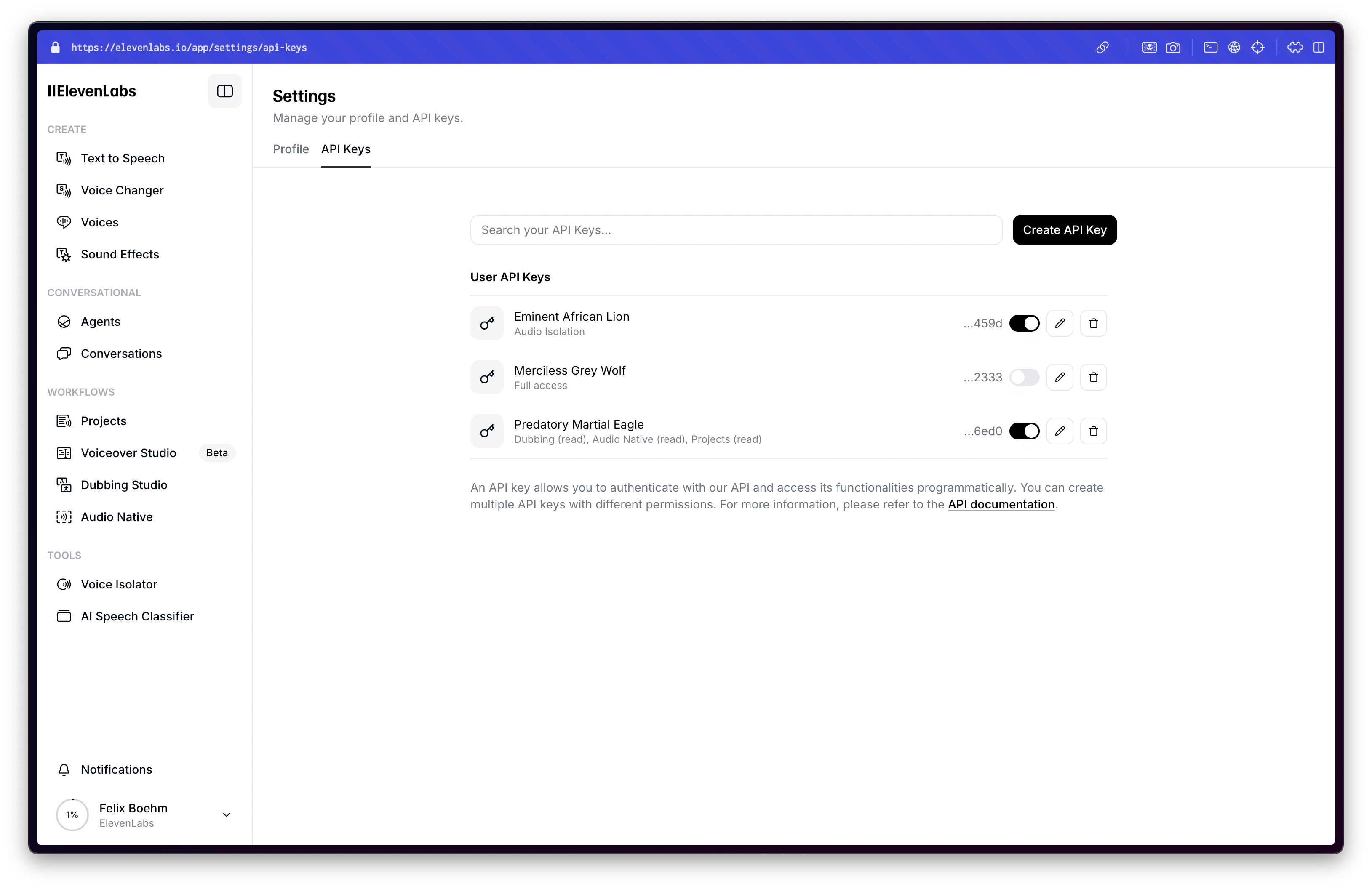
### 2. **Get Your API Key**
After logging in:
- Navigate to the **Dashboard** or **API section** (you may find it under your profile or in a developer section).
- You should find an option to **generate an API key**.
- Copy the generated API key (this key will be used in your code).
## Dashboard Login Screenshot
## Demo
https://elevenlabs.io/app/speech-synthesis/text-to-speech
# Eleven Labs Text-to-Speech API Node.js Package
This open-source Node.js package provides a simple and efficient way to interact with the Eleven Labs Text-to-Speech API. It enables seamless integration of advanced text-to-speech functionality into your applications, making it easier to generate high-quality audio from text.
## Installation
Install text-to-speech with npm
```bash
npm install text-to-audio-converter
```
## Usage/Examples
```javascript
import { setApiKey } from 'text-to-audio-converter';
// Set your API key for Eleven Labs Text-to-Speech
setApiKey('your_api_key_here');
```
```javascript
import { textToSpeech } from 'text-to-audio-converter';
// Generate speech from text
textToSpeech("Voice_id", "Hello, world!", "eleven_multilingual_v2", "customPath")
.then(async (res) => {
console.log("Audio file saved at:", res); // Path to the generated audio file
})
.catch((err) => {
console.error("Error:", err);
});
```
```javascript
import { VoiceListing } from 'text-to-audio-converter';
// Retrieve available voice listings
VoiceListing()
.then((voices) => {
console.log("Available Voices:", voices);
})
.catch((err) => {
console.error("Error fetching voice listings:", err);
});
```
## Features
- **Text-to-Speech Conversion**: Easily generate high-quality audio from text using the Eleven Labs API.
- **Voice Listing**: Retrieve and explore all available voices for text-to-speech generation, enabling customizable experiences.
# Hi, I'm Vipin Singh! 👋
## 🔗 Links
[](https://vsingh-portfolio.netlify.app/)[](https://www.linkedin.com/in/vipinstack/)[](https://x.com/VipinCh18728797)
## 🚀 About Me
I'm a passionate **Full Stack Developer** with **3 years of experience** specializing in building high-performance web applications. I focus on both **frontend** and **backend** development, using modern technologies and best practices to deliver seamless, user-friendly experiences.
I’ve created this package to help developers like you integrate **text-to-speech functionality** with ease, utilizing the **Eleven Labs API**.
### Skills & Expertise:
- **Frontend Development**: JavaScript, React.js, Next.js, TypeScript, HTML, CSS, Redux
- **Backend Development**: Node.js, NestJS, MySQL, MongoDB, Redis, Microservices
- **DevOps & Tools**: Docker, System Design, Debugging
- **Specializations**: Web Application Development, API Design, Performance Optimization
I'm dedicated to crafting **scalable**, **maintainable**, and **innovative** solutions that enhance user experience and improve application performance.
## Authors
- [@Vipinstack](https://github.com/Vipinstack)