temject
Version:
template + injection = temject
246 lines (181 loc) • 6.61 kB
Markdown
# temject
`template` + `injection` = `temject`
```
'Hello, {{name:pascal}}! Today is {{__date}}'
--> "Hello, World! Today is 2018-12-04"
```
[](https://travis-ci.org/mick-whats/temject)
[](https://ci.appveyor.com/project/mick-whats/temject/branch/master)
[](https://app.fossa.io/projects/git%2Bgithub.com%2Fmick-whats%2Ftemject?ref=badge_shield)
> [lukeed/templite: Lightweight templating in 150 bytes](https://github.com/lukeed/templite)
>
> Allows you to denote dynamic portions of a string using double curly brackets ({{ example }}) & then replace them with matching values from your data source.
>
> You may attach an Object or an Array as your data source, which means you may use the object's keys or the array's indices to assign values.
>
> Lastly, you may use dot-notated paths to access (deeply) nested values; eg: foo.bar.baz, 0.0.0, or foo.0.1.bar.
```js
templite('Hello, {{name}}!', { name: 'world' });
//=> Hello, world!
```
`temject`は`templite`の機能を備えています。加えて以下の機能があります。
- テンプレート文字列をパスカルケースやスネークケース等に変換できます
- テンプレート文字列をdatetime(実行時の日付や時刻)に変換できます
> [blakeembrey/change\-case](https://github.com/blakeembrey/change-case)
>
> Convert strings between camelCase, PascalCase, Title Case, snake_case, lowercase, UPPERCASE, CONSTANT_CASE and more.
```js
const x = 'Hello, {{name:pascal}}! Today is {{__date}}'
const y = { name: 'world' }
temject(x, y)
// -> "Hello, World! Today is 2018-12-04"
```
## install
```sh
npm install --save temject
```
## Usage
```js
const { temject } = require('temject')
const x = `
// createdAt: {{__date}}
// path/to/MyProject/{{name}}.js
class {{name:pascal}} {}`
const y = { name: 'myFunction' }
temject(x, y)
// ->
/*
// createdAt: 2018-12-04
// path/to/MyProject/myFunction.js
class MyFunction {}
*/
```
## API - templite
templite本来のapiは以下を参照願います。
(`templite`の部分を`temject`に変えるのをお忘れなく)
> [templite: API](https://github.com/lukeed/templite#api)
Do not forget to change the `templite` part to` temject`.
## API - temject original
### temject(input, values)
下記の`keyValueInjector`と`dateTimeInjector`をまとめて実行します。特に分ける必要がなければこの関数だけでtemjectの機能は網羅しています。
```js
// example
const { temject } = require('temject')
const x = 'Hello, {{name:pascal}}! Today is {{__date}}'
const y = { name: 'world' }
// -> ' "Hello, World! Today is 2018-12-04"
```
### keyValueInjector(input, values)
`templite`の機能はそのまま使えます。さらに`change-case`関数で変換する機能を加えています
テンプレート文字列を`:`で区切ると変換関数を指定できます。例えばパスカルケースに変換するには`{{name:pascal}}`とします。
You can specify a conversion function by separating the template string with `:`. For example, to convert it to a Pascal case, we use `{{name:pascal}}`.
```js
// example
'Hello, {{name:pascal}}!'
```
変換関数はchange-caseモジュールを使っています。以下の関数名を指定できます。
The conversion function uses the change-case module. The following function names can be specified.
[change\-case: usage](https://github.com/blakeembrey/change-case#usage)
```sh
camel
constant
dot
header
isLower
isUpper
lower
lcFirst
no
param
pascal
path
sentence
snake
swap
title
upper
ucFirst
```
Example
```js
temject('{{key: camel}}', { key: 'helloWorld' })
/* change the first argument
{{key: camel}} : helloWorld
{{key: constant}} : HELLO_WORLD
{{key: dot}} : hello.world
{{key: header}} : Hello-World
{{key: isLower}} : false
{{key: isUpper}} : false
{{key: lower}} : helloworld
{{key: lcFirst}} : helloWorld
{{key: no}} : hello world
{{key: param}} : hello-world
{{key: pascal}} : HelloWorld
{{key: path}} : hello/world
{{key: sentence}} : Hello world
{{key: snake}} : hello_world
{{key: swap}} : HELLOwORLD
{{key: title}} : Hello World
{{key: upper}} : HELLOWORLD
{{key: ucFirst}} : HelloWorld
*/
```
```js
// example
const {keyValueInjector} = require('temject')
keyValueInjector('Hello, {{name:pascal}}!', {name: 'mick'})
// -> Hello, Mick!
```
### dateTimeInjector(input)
テンプレート文字列内部の先頭を`__`(アンダースコア2つ)で始めるとdatetimeを注入できます。
You can inject a datetime by beginning the inside of the template string with `__` (two underscores).
以下の文字列で日付が注入できます。
You can inject dates with the following strings:
```js
'{{__date}}'
```
他にも以下の日付形式が使用できます。
The following date formats can be used.
```js
{{__year}} 2018
{{__date}} 2018-12-04
{{__Date}} 2018/12/04
{{__datetime}} 2018-12-04 20:05:24
{{__Datetime}} 2018/12/04 20:05:24
{{__month}} 2018-12
{{__Month}} 2018/12
```
また、
[date\-and\-time](https://github.com/knowledgecode/date-and-time/blob/master/README.md#formatdateobj-formatstring-utc)のformatが使用できます。
You can also use [date\-and\-time](https://github.com/knowledgecode/date-and-time/blob/master/README.md#formatdateobj-formatstring-utc) format.
```js
{{__ddd MMM DD YYYY}} : Tue Dec 04 2018
{{__hh:mm A [GMT]Z}} : 08:21 p.m. GMT+0900
Today is {{__dddd}} : Today is Tuesday
```
おまけ機能ですが、簡単なhashも生成できます
```js
{{__hash8}} : 3mwe4xGQ
{{__hash16}} : VaAv3mwe4xGQj1qB
{{__hash24}} : dLy0VaAv3mwe4xGQj1qBrKM4
```
```js
// example
const { dateTimeInjector } = require('temject')
dateTimeInjector('{{0:camel}}{{0:pascal}}{{0:dot}}', ['toDo'])
// -> 'toDoToDoto.do'
```
### expressions(input)
template内全ての`key`を取得します。
重複は省かれます。
```js
const {expressions} = require('temject');
const str = '{{name}}{{name:pascal}}{{age}}'
expressions(str)
// -> [ 'name', 'age' ]
expressions(str, { ignore: ['name'] })
// -> [ 'age' ]
```
## License
MIT © mick-whats
[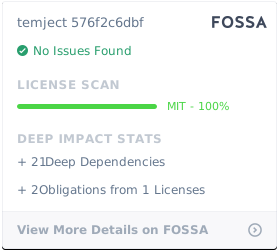](https://app.fossa.io/projects/git%2Bgithub.com%2Fmick-whats%2Ftemject?ref=badge_large)