telegram-badge
Version:
Generate Telegram group member count badges for GitHub README
258 lines (188 loc) • 10.8 kB
Markdown
# Telegramグループバッジジェネレーター
[🇷🇺 Русский](README.ru.md) | [🇺🇸 English](README.md) | [🇨🇳 中文](README.zh.md) | [🇹🇭 ไทย](README.th.md) | [🇸🇦 العربية](README.ar.md) | [🇯🇵 日本語](README.ja.md) | [🇰🇷 한국어](README.ko.md)
[](https://github.com/chatman-media/telegram-badge/actions)
[](https://github.com/chatman-media/telegram-badge/actions)
[](https://www.npmjs.com/package/telegram-badge)
[](https://jsr.io/@chatman-media/telegram-badge)
[](https://bundlephobia.com/package/telegram-badge)
[](https://www.typescriptlang.org/)
[](https://opensource.org/licenses/MIT)
[](https://github.com/chatman-media/telegram-badge)
[](https://dev.to/chatman-media/show-your-telegram-group-member-count-in-github-readme-46pl)
[](https://x.com/chatman_media/status/1947399700795244694)
このプロジェクトは、Telegramグループの現在のメンバー数を表示するSVGバッジを生成します。GitHubのREADMEファイルやウェブサイトでコミュニティの活動を表示するのに最適です。
## 🚀 クイックスタート
URLパラメータを使用して、任意のTelegramチャンネルまたはグループのバッジを生成するだけです:
```
https://telegram-badge.vercel.app/api/telegram-badge?channelId=@your_channel
```

---
## 📦 技術スタック
- Node.js / TypeScript
- Telegram Bot API
- Vercel(サーバーレスAPI)
- Jest(テスト用)
---
## 🧩 使用方法
### プライマリ方法:URLパラメータ(セットアップ不要!)
Telegramチャンネル/グループIDをURLに追加するだけです:
```markdown

```
それだけ!デプロイも、ボットトークンの設定も不要です。
### 代替方法:セルフホストデプロイメント
独自のインスタンスをホストしたい上級ユーザーの場合:
#### 1. 前提条件
- Telegramボットトークン([@BotFather](https://t.me/botfather)経由で作成)
- Vercelアカウント(または任意のNode.jsホスティング)
#### 2. Vercelへのデプロイ
[](https://vercel.com/new/clone?repository-url=https%3A%2F%2Fgithub.com%2Fchatman-media%2Ftelegram-badge)
環境変数を設定:
- `BOT_TOKEN`:Telegramボットトークン
- `CHAT_ID`:デフォルトチャットID(URLパラメータを使用する場合はオプション)
#### 3. ローカル開発
```bash
git clone https://github.com/chatman-media/telegram-badge.git
cd telegram-badge
npm install
# .envファイルを作成
echo "BOT_TOKEN=your_bot_token" > .env
echo "CHAT_ID=@your_channel" >> .env
npm run dev
```
### 🎨 スタイリングパラメータ
以下のパラメータを使用してバッジの外観をカスタマイズできます:
| パラメータ | 説明 | デフォルト値 |
|-----------|-------------|---------------|
| `channelId` | TelegramチャットIDまたはユーザー名(例:`@timelinestudiochat`) | 環境変数から |
| `style` | バッジスタイル | `flat` |
| `label` | ラベルテキスト | `Telegram` |
| `color` | メインバッジカラー | `2AABEE`(Telegramカラー) |
| `labelColor` | ラベルカラー | `555555` |
| `logo` | Telegramロゴを表示 | `true` |
#### 利用可能なスタイル:
- `flat` - フラットスタイル(デフォルト)
- `plastic` - グラデーション付きプラスチックスタイル
- `flat-square` - 角丸なしフラットスタイル
- `for-the-badge` - 大文字付きワイドスタイル
- `social` - GitHubソーシャルスタイル
#### 使用例:
標準バッジ(フラットスタイル):
```
https://telegram-badge.vercel.app/api/telegram-badge?channelId=@your_channel
```

プラスチックスタイルバッジ:
```
https://telegram-badge.vercel.app/api/telegram-badge?channelId=@your_channel&style=plastic
```

フラットスクエアスタイルバッジ:
```
https://telegram-badge.vercel.app/api/telegram-badge?channelId=@your_channel&style=flat-square
```

for-the-badgeスタイルバッジ:
```
https://telegram-badge.vercel.app/api/telegram-badge?channelId=@your_channel&style=for-the-badge
```

ソーシャルスタイルバッジ:
```
https://telegram-badge.vercel.app/api/telegram-badge?channelId=@your_channel&style=social
```

カスタムラベルとカラーのバッジ:
```
https://telegram-badge.vercel.app/api/telegram-badge?channelId=@your_channel&label=チャットに参加&color=00FF00
```

完全カスタマイズバッジ:
```
https://telegram-badge.vercel.app/api/telegram-badge?channelId=@your_channel&style=for-the-badge&label=コミュニティ&color=FF5733&labelColor=1A1A1A
```

ロゴなしバッジ:
```
https://telegram-badge.vercel.app/api/telegram-badge?channelId=@your_channel&logo=false
```

特定チャンネル用バッジ:
```
https://telegram-badge.vercel.app/api/telegram-badge?channelId=@your_channel
```
カスタムスタイリングバッジ:
```
https://telegram-badge.vercel.app/api/telegram-badge?channelId=@your_channel&style=for-the-badge&color=FF5733
```
## ✨ 機能
- 👥 リアルタイムメンバー数表示
- 🔗 直接URLパラメータ - セットアップ不要!
- 🎨 バッジ外観の完全カスタマイズ
- 🔒 安全なトークン保存を備えたオプションのセルフホスティング
- ⚡ 高速読み込みのための最適化されたキャッシング
- 🛡️ 有益なメッセージによるエラーハンドリング
- 🆓 無料使用
- 📡 アクティビティ/メッセージ数表示に拡張可能
- 🧪 TypeScriptによる包括的テストスイート
## 🔧 APIの使用
### npmパッケージとして:
```bash
npm install telegram-badge
```
```typescript
import badgeHandler from 'telegram-badge';
// サーバーレス関数で使用
export default badgeHandler;
```
### 直接API呼び出し:
```typescript
GET /api/telegram-badge?style=flat&label=メンバー&color=2AABEE&labelColor=555555
```
## 🧪 テスト
テストスイートを実行:
```bash
npm test
```
## 🤝 貢献
1. リポジトリをフォークする
2. 機能ブランチを作成する(`git checkout -b feature/amazing-feature`)
3. 変更をコミットする(`git commit -m 'Add some amazing feature'`)
4. ブランチにプッシュする(`git push origin feature/amazing-feature`)
5. Pull Request を作成する
## 購読
[](https://www.tiktok.com/@chatman.media)
[](https://www.twitch.tv/chatman1984)
[](https://www.youtube.com/@chatman-media)
[](https://t.me/alexanderkireyev)
[](https://x.com/chatman_media)
## サポート 💝🚀
- **BTC:** 14s9Y9Rb2CUWHSAatiQMhfkpx1MWXofUzw
- **TON:** UQD1M80nPyzph5ZW1vfp_r19XI5MaerNhDq4dWXbXCo96WFj
- **NOT:** UQD1M80nPyzph5ZW1vfp_r19XI5MaerNhDq4dWXbXCo96WFj
- **ETH:** 0x286D65151b622dCC16624cEd8463FDa45585fd60
<div align="center">
<table>
<tr>
<td><img src="public/btc.png" alt="BTC" height="185" /></td>
<td><img src="public/ton.png" alt="TON" height="185" /></td>
<td><img src="public/not.png" alt="NOT" height="185" /></td>
<td><img src="public/eth.png" alt="ETH" height="185" /></td>
</tr>
</table>
</div>
## スター履歴
<a href="https://www.star-history.com/#chatman-media/telegram-badge&Date">
<picture>
<source media="(prefers-color-scheme: dark)" srcset="https://api.star-history.com/svg?repos=chatman-media/telegram-badge&type=Date&theme=dark" />
<source media="(prefers-color-scheme: light)" srcset="https://api.star-history.com/svg?repos=chatman-media/telegram-badge&type=Date" />
<img alt="Star History Chart" src="https://api.star-history.com/svg?repos=chatman-media/telegram-badge&type=Date" />
</picture>
</a>
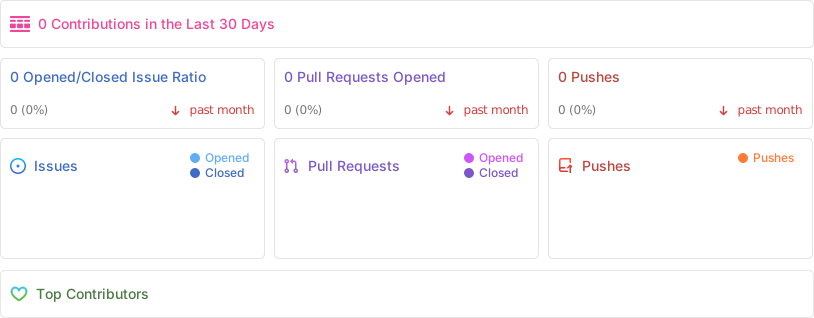
## リポジトリのアクティビティ
## 📜 ライセンス
このプロジェクトは MIT ライセンスの下で提供されています。詳細は [LICENSE](LICENSE) を参照してください。
---
[Chatman Media](https://github.com/chatman-media) によって ❤️ を込めて作られました