taskflow-ai
Version:
TaskFlow AI - 智能PRD文档解析与任务管理助手,支持多模型AI协同、MCP编辑器集成,专为开发团队设计的CLI工具
347 lines (265 loc) • 12.9 kB
Markdown
# TaskFlow AI
<div align="center">
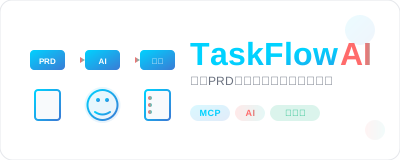
**智能PRD文档解析与任务管理助手**
[](https://badge.fury.io/js/taskflow-ai)
[](https://www.typescriptlang.org/)
[](https://opensource.org/licenses/MIT)
[📖 文档](https://agions.github.io/taskflow-ai) | [🚀 快速开始](#快速开始) | [💡 示例](#示例) | [🤝 贡献](#贡献)
</div>
## ✨ 简介
TaskFlow AI 是一个专为开发团队设计的**PRD文档解析与任务管理工具**。它不是项目脚手架,而是在现有项目中集成的智能助手,利用先进的AI技术自动解析产品需求文档(PRD),智能提取关键信息,生成结构化的开发任务,并提供完整的任务管理和进度跟踪功能。
### 🎯 核心价值
- **📄 智能PRD解析**: 集成多个国产大模型,自动提取需求、功能点和验收标准
- **📋 任务自动生成**: 基于PRD内容生成结构化开发任务,智能分析优先级和依赖关系
- **📊 项目进度跟踪**: 实时跟踪任务状态,可视化项目进度,支持团队协作
- **🔧 现有项目集成**: 无缝集成到现有开发流程,不改变项目结构
## 🚀 核心功能
### 📄 智能PRD解析
- **多格式支持**: Markdown、Word、PDF等多种文档格式
- **结构化提取**: 自动识别需求、功能点、验收标准等关键信息
- **语义理解**: 基于AI的深度语义分析和内容理解
- **任务生成**: 智能生成开发任务和工时估算
### 📋 任务管理系统
- **任务生命周期**: 完整的任务创建、更新、跟踪、完成流程
- **状态管理**: 支持未开始、进行中、已完成、阻塞等多种状态
- **优先级排序**: 智能分析任务优先级和开发顺序
- **依赖关系**: 自动识别和管理任务间的依赖关系
### 📊 项目进度跟踪
- **实时监控**: 实时跟踪任务状态和项目进度
- **可视化报告**: 生成直观的进度图表和统计报告
- **团队协作**: 支持多人协作和任务分配
- **进度预测**: 基于历史数据预测项目完成时间
### 🤖 多模型AI支持
- **国产大模型**: DeepSeek、智谱AI、通义千问、文心一言、月之暗面、讯飞星火
- **智能编排**: 多模型协同工作,自动选择最适合的模型
- **负载均衡**: 智能分配请求,提高响应速度和稳定性
- **故障转移**: 自动切换可用模型,确保服务连续性
### 🔧 编辑器集成 (MCP)
- **Cursor**: 完整的MCP配置和AI规则生成
- **Windsurf**: 原生MCP服务支持
- **Trae**: 智能代码助手集成
- **VSCode**: 扩展配置和工作区设置
- **智能编排**: 多模型协同工作,自动选择最适合的模型
- **负载均衡**: 智能分配请求,确保服务稳定性
- **成本优化**: 根据任务复杂度选择合适的模型
## 🏗️ 技术架构
### 核心技术栈
- **🔷 TypeScript 5.0+**: 严格的类型安全和现代语法支持
- **⚡ Node.js 18+**: 高性能的JavaScript运行时
- **🧠 AI集成**: 多模型API集成和智能编排
- **📊 性能监控**: 实时性能指标和智能缓存
- **🔒 安全存储**: AES-256-GCM加密的API密钥管理
### 架构设计
```
┌─────────────────┐ ┌─────────────────┐ ┌─────────────────┐
│ CLI Interface │ │ Web Interface │ │ AI Editor API │
└─────────┬───────┘ └─────────┬───────┘ └─────────┬───────┘
│ │ │
└──────────────────────┼──────────────────────┘
│
┌─────────────┴─────────────┐
│ Core Engine │
│ ┌─────────────────────┐ │
│ │ PRD Parser │ │
│ │ Task Manager │ │
│ │ AI Orchestrator │ │
│ │ Template Engine │ │
│ └─────────────────────┘ │
└─────────────┬─────────────┘
│
┌───────────────────────┼───────────────────────┐
│ │ │
┌─────┴─────┐ ┌─────┴─────┐ ┌─────┴─────┐
│ AI Models │ │ Storage │ │ Security │
│ DeepSeek │ │ JSON │ │ Encryption│
│ ZhipuAI │ │ Cache │ │ Validation│
│ Qwen │ │ Logs │ │ Auth │
└───────────┘ └───────────┘ └───────────┘
```
## 📦 安装
### 全局安装(推荐)
```bash
npm install -g taskflow-ai
```
### 项目本地安装
```bash
npm install taskflow-ai
```
### 从源码安装
```bash
git clone https://github.com/agions/taskflow-ai.git
cd taskflow-ai
npm install
npm run build
npm link
```
## 🚀 快速开始
### 在现有项目中使用TaskFlow AI
```bash
# 1. 安装TaskFlow AI
npm install -g taskflow-ai
# 2. 进入你的现有项目
cd your-existing-project
# 3. 初始化TaskFlow AI配置(生成MCP配置)
taskflow init
# 4. 配置AI模型API密钥
taskflow config set models.deepseek.apiKey "your-api-key"
# 5. 验证配置
taskflow config validate
# 6. 解析PRD文档
taskflow parse docs/requirements.md
# 7. 查看生成的任务
taskflow status list
# 8. 开始管理任务
taskflow status update task-001 in_progress
taskflow status progress
# 9. 生成可视化图表
taskflow visualize gantt
```
### 支持的项目类型
TaskFlow AI 可以在任何现有项目中使用:
- **前端项目**: React、Vue、Angular、原生JavaScript
- **后端项目**: Node.js、Python、Java、Go、PHP
- **移动应用**: React Native、Flutter、原生开发
- **其他项目**: 桌面应用、AI/ML项目、DevOps项目
## 💡 使用示例
### React项目中的使用
```bash
# 进入现有React项目
cd my-react-dashboard
# 初始化TaskFlow AI
taskflow init
# 解析产品需求文档
taskflow parse docs/dashboard-requirements.md
# 查看生成的任务
taskflow status list
# 输出示例:
# ┌─────────────┬──────────────────────────┬──────────┬──────────┐
# │ ID │ 任务名称 │ 状态 │ 优先级 │
# ├─────────────┼──────────────────────────┼──────────┼──────────┤
# │ task-001 │ 实现用户登录组件 │ 未开始 │ 高 │
# │ task-002 │ 创建数据可视化图表 │ 未开始 │ 中 │
# │ task-003 │ 添加响应式布局 │ 未开始 │ 低 │
# └─────────────┴──────────────────────────┴──────────┴──────────┘
# 开始第一个任务
taskflow status update task-001 in_progress
```
### Python API项目中的使用
```bash
# 进入现有Python API项目
cd my-python-api
# 初始化TaskFlow AI
taskflow init
# 解析API需求文档
taskflow parse api-requirements.md
# 查看项目进度
taskflow status progress
# 输出示例:
# 📊 项目进度概览
# ├── 总任务数: 8
# ├── 已完成: 3 (37.5%)
# ├── 进行中: 2 (25.0%)
# ├── 未开始: 3 (37.5%)
# └── 预计完成时间: 2024-02-15
```
### 高级配置示例
```bash
# 配置多模型负载均衡
taskflow config set multiModel.enabled true
taskflow config set multiModel.primary "deepseek"
taskflow config set multiModel.fallback '["zhipu", "qwen"]'
taskflow config set multiModel.loadBalancing true
# 配置项目信息
taskflow config set project.name "我的项目"
taskflow config set project.type "web-app"
# 配置团队协作
taskflow config set team.members '["张三", "李四", "王五"]'
```
## 📚 文档
- **[📖 完整文档](https://agions.github.io/taskflow-ai)** - 详细的使用指南和API参考
- **[🚀 快速开始教程](https://agions.github.io/taskflow-ai/guide/getting-started)** - 5分钟上手指南
- **[⚙️ 配置参考](https://agions.github.io/taskflow-ai/reference/configuration)** - 完整的配置选项说明
- **[🔌 API文档](https://agions.github.io/taskflow-ai/api/)** - 详细的API接口文档
- **[❓ 常见问题](https://agions.github.io/taskflow-ai/faq)** - 常见问题解答
## 🛠️ 开发
### 环境要求
- **Node.js**: >= 18.0.0
- **npm**: >= 9.0.0
- **TypeScript**: >= 5.0.0
### 本地开发
```bash
# 克隆项目
git clone https://github.com/agions/taskflow-ai.git
cd taskflow-ai
# 安装依赖
npm install
# 启动开发模式
npm run dev
# 运行测试
npm test
# 运行测试覆盖率
npm run test:coverage
# 类型检查
npm run type-check
# 代码格式化
npm run format
# 构建项目
npm run build
```
### 项目结构
```
taskflow-ai/
├── src/ # 源代码
│ ├── commands/ # CLI命令实现
│ ├── core/ # 核心功能模块
│ │ ├── ai/ # AI模型集成
│ │ ├── parser/ # PRD解析引擎
│ │ ├── task/ # 任务管理系统
│ │ ├── templates/ # 项目模板引擎
│ │ ├── security/ # 安全模块
│ │ └── performance/ # 性能监控
│ ├── types/ # TypeScript类型定义
│ ├── ui/ # 用户界面组件
│ └── utils/ # 工具函数
├── tests/ # 测试文件
├── docs/ # 文档源码
├── examples/ # 使用示例
└── scripts/ # 构建脚本
```
### 代码规范
- **TypeScript**: 严格模式,零any类型
- **ESLint**: 企业级代码规范
- **Prettier**: 统一代码格式
- **Jest**: 单元测试和集成测试
- **Husky**: Git hooks自动化
## 🤝 贡献
我们欢迎所有形式的贡献!请查看 [贡献指南](CONTRIBUTING.md) 了解详细信息。
### 贡献方式
- 🐛 **报告Bug**: [提交Issue](https://github.com/agions/taskflow-ai/issues/new?template=bug_report.md)
- 💡 **功能建议**: [提交Feature Request](https://github.com/agions/taskflow-ai/issues/new?template=feature_request.md)
- 📝 **改进文档**: 提交文档相关的Pull Request
- 🔧 **代码贡献**: Fork项目并提交Pull Request
### 开发流程
1. Fork 项目
2. 创建功能分支 (`git checkout -b feature/amazing-feature`)
3. 提交更改 (`git commit -m 'Add some amazing feature'`)
4. 推送到分支 (`git push origin feature/amazing-feature`)
5. 创建 Pull Request
## 📄 许可证
本项目采用 [MIT 许可证](LICENSE) - 查看 LICENSE 文件了解详细信息。
## 🙏 致谢
感谢所有为这个项目做出贡献的开发者和用户!
特别感谢:
- [DeepSeek](https://www.deepseek.com/) - 提供强大的AI模型支持
- [智谱AI](https://www.zhipuai.cn/) - GLM模型技术支持
- [阿里云](https://www.aliyun.com/) - 通义千问模型支持
## 📞 联系我们
- **GitHub Issues**: [提交问题](https://github.com/agions/taskflow-ai/issues)
- **讨论区**: [GitHub Discussions](https://github.com/agions/taskflow-ai/discussions)
- **邮箱**: 1051736049@qq.com
---
<div align="center">
**[⭐ 给我们一个Star](https://github.com/agions/taskflow-ai) | [📖 查看文档](https://agions.github.io/taskflow-ai) | [🚀 立即开始](https://agions.github.io/taskflow-ai/guide/getting-started)**
Made with ❤️ by the Agions
</div>