takumi
Version:
A coding agent CLI to enhance your development workflow.
48 lines (32 loc) • 1.4 kB
Markdown
Takumi
[](https://www.npmjs.com/package/takumi)
[](https://www.npmjs.com/package/takumi)
[](https://github.com/umijs/takumi/actions/workflows/ci.yml)
[](https://www.npmjs.com/package/takumi)
Pronounced `/tɑːˈkuːmi/`, a coding agent to enhance your development workflow.
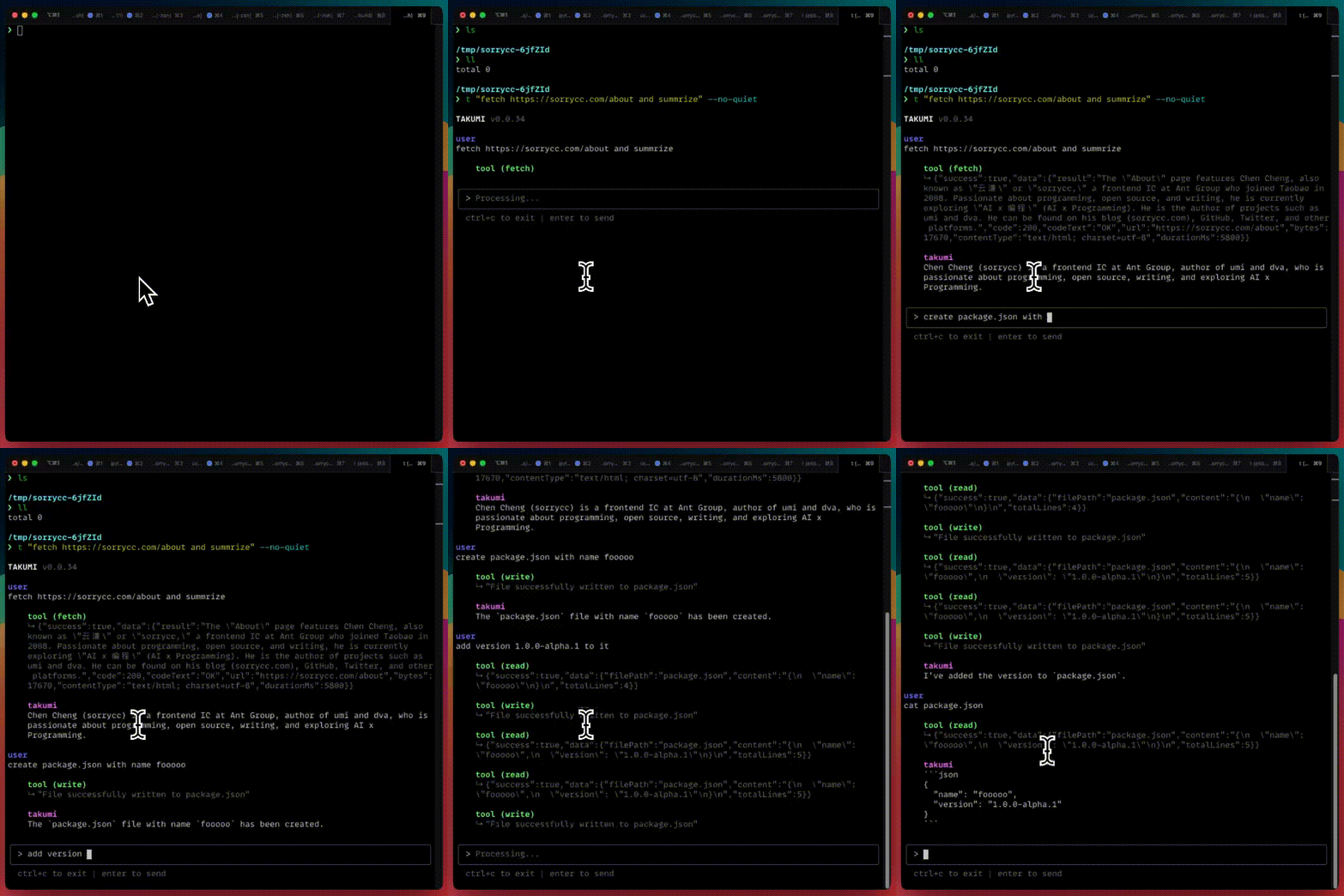
# Getting Started
Make sure you have Node.js version 18 or higher installed.
1. **Install the CLI globally.** Use npm or other package managers.
```bash
npm install -g takumi
```
2. **Set up the API keys.** Configure one or more API keys for the LLMs providers.
```bash
export OPENAI_API_KEY="sk-..."
export GOOGLE_API_KEY="sk-..."
export ANTHROPIC_API_KEY="sk-..."
export DEEPSEEK_API_KEY="sk-..."
export XAI_API_KEY="sk-..."
export AIHUBMIX_API_KEY="sk-..."
export OPENROUTER_API_KEY="sk-..."
```
You are now ready to use Takumi.
```bash
takumi
explain this codebase to me
```
# Contributing
Contributions are welcome! Please read the [CONTRIBUTING.md](./CONTRIBUTING.md) file for guidelines on setting up the development environment, running tests, and submitting pull requests.
# License
[MIT](./LICENSE)