tailwindcss-bg-breakpoint
Version:
A customizable Tailwind CSS plugin that responsively changes the background color based on screen size.
130 lines (94 loc) • 3.33 kB
Markdown
# Tailwind CSS Background Colors By Breakpoint 🖌️
## 🌟 Introduction
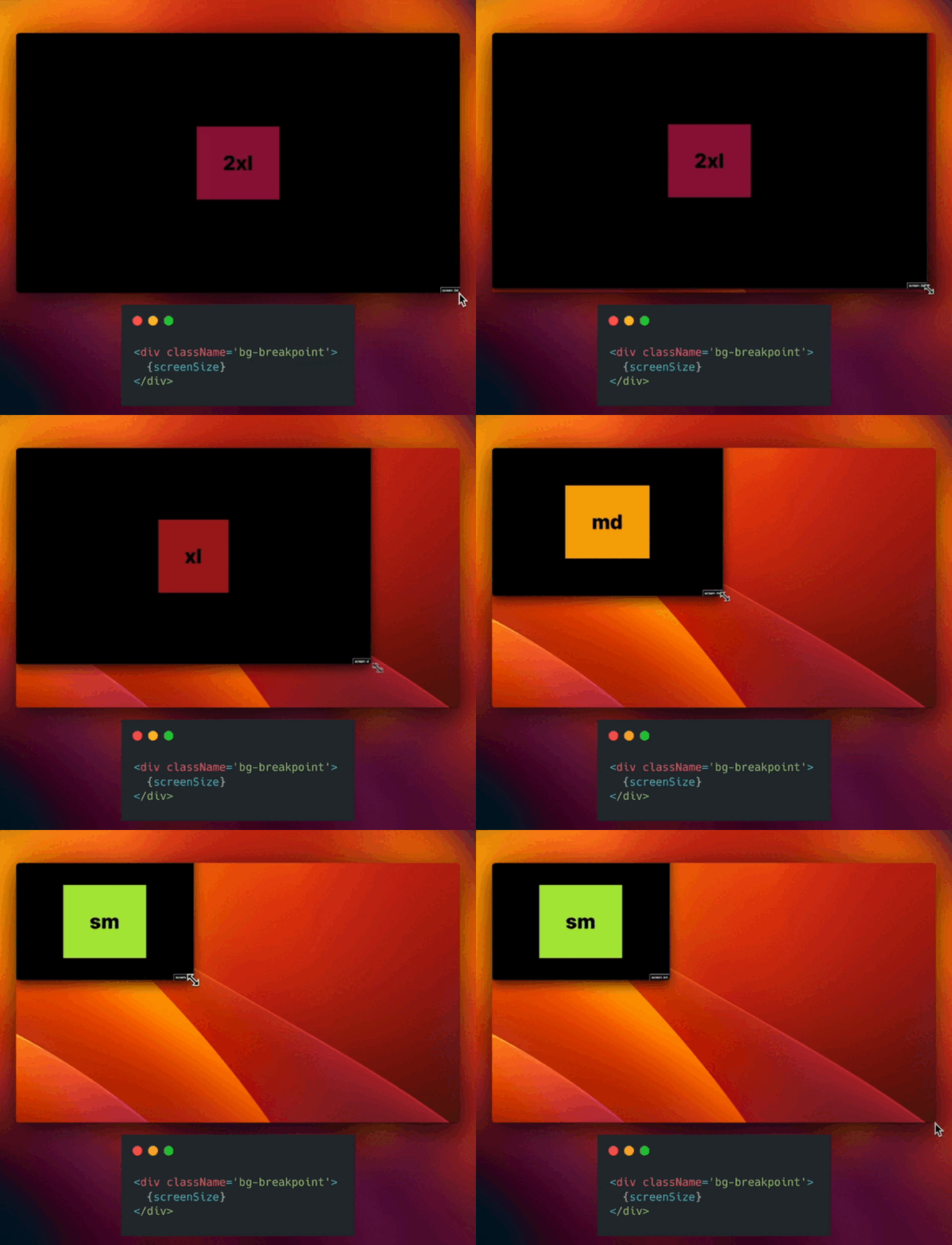
This plugin allows you to dynamically change the background color of your elements based on Tailwind's screen breakpoints. This solves the need for a more responsive and visually differentiated design across various screen sizes. This is also useful for debugging and designing responsive layouts.
## 🛠 Installation
To install the plugin, you can simply run the following command:
```bash
npm install tailwindcss-bg-breakpoint
# OR
yarn add tailwindcss-bg-breakpoint
```
## 🚀 Basic Usage
After installing the plugin, include it in your `tailwind.config.js`:
```javascript
// tailwind.config.js
module.exports = {
//...
plugins: [require('tailwindcss-bg-breakpoint')],
};
```
Use `bg-breakpoint` in your class name to automatically set the background color based on screen size. If you don't do any customization, the plugin will use the default colors specified below for each breakpoint.
```jsx
<div className='bg-breakpoint'>responsive background</div>
```
## 🎨 Customization
This plugin is designed for flexibility and can be customized according to your needs. You can specify background colors using Tailwind's predefined color classes (e.g., `red-500`) or custom HEX codes (e.g., `#f56565`).
### Default Colors
Here are the default colors applied for each breakpoint (note: DEFAULT is for anything less than sm. You should not see it for the most part):
- DEFAULT `black`
- sm: `lime-400`
- md: `amber-500`
- lg: `orange-600`
- xl: `red-800`
- 2xl: `rose-900`
<img width="500" alt="tailwind background breakpoint colors" src="https://github.com/tuffstuff9/tailwindcss-bg-breakpoint/assets/57072903/cc01adcd-4dd7-4146-9ccf-3b24df8eb6cb">
### Setting Up Customization in `tailwind.config.js`
To customize the background colors for different breakpoints, you need to define them under the `theme` key in your `tailwind.config.js`.
### Tailwind Color Classes
To set background colors using Tailwind color classes:
```javascript
// tailwind.config.js
module.exports = {
theme: {
backgroundColorsByBreakpoint: {
sm: 'green-400',
md: 'yellow-400',
},
},
};
```
### Custom Hex Colors
To set background colors using custom HEX codes:
```javascript
// tailwind.config.js
module.exports = {
theme: {
backgroundColorsByBreakpoint: {
sm: '#00FF00',
md: '#FFFF00',
},
},
};
```
### Mixed Customization
You can mix Tailwind classes and HEX codes:
```javascript
// tailwind.config.js
module.exports = {
theme: {
backgroundColorsByBreakpoint: {
sm: 'green-400',
md: '#FFFF00',
},
},
};
```
### Partial Customization
If you only want to specify colors for certain breakpoints, and use default for the rest:
```javascript
// tailwind.config.js
module.exports = {
theme: {
backgroundColorsByBreakpoint: {
DEFAULT: 'neutral-900'
md: 'yellow-400',
lg: 'bg-transparent',
},
},
}
```
### Fallback and Error Handling
If an invalid color is provided, the plugin will simply fall back to the default color for that breakpoint.
## 📜 License
This project is licensed under the MIT License.