tabby-sftp-tab
Version:
Plugin that allows you to open sftp tab like SecureCRT
143 lines (101 loc) • 5.98 kB
Markdown
# Tabby Sftp Tab Plugin
Plugin for the [Tabby Terminal](https://github.com/Eugeny/tabby)
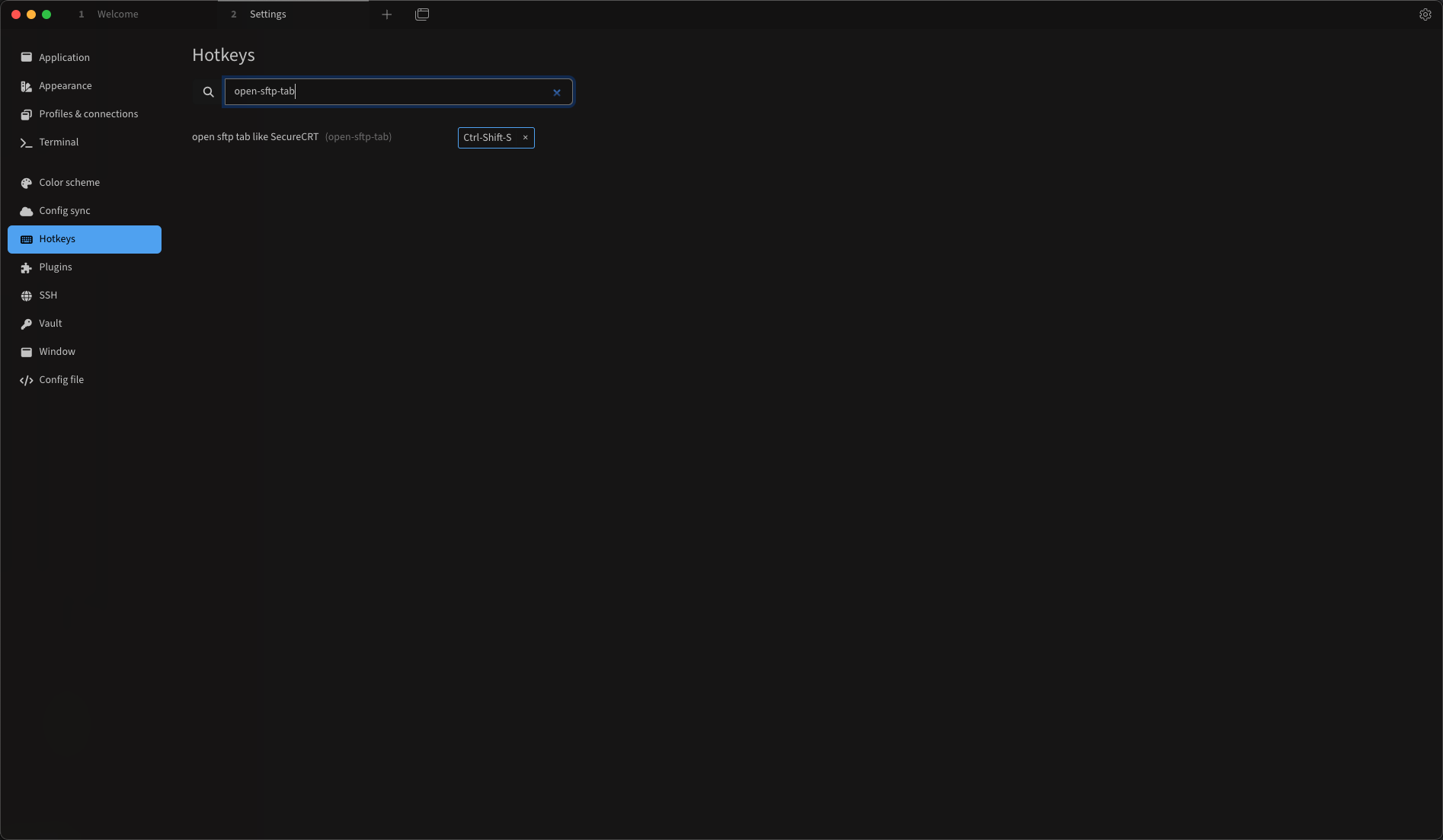
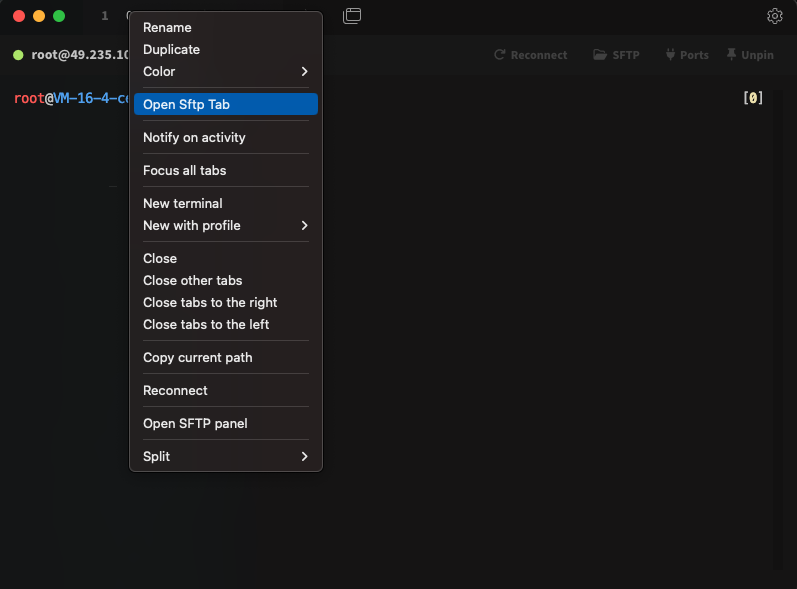
This simple plugin allows you click a context menu(Open Sftp Tab) or press a hotkey(Ctrl-Shift-S) to open sftp tab like SecureCRT for ssh connection.
## Installation
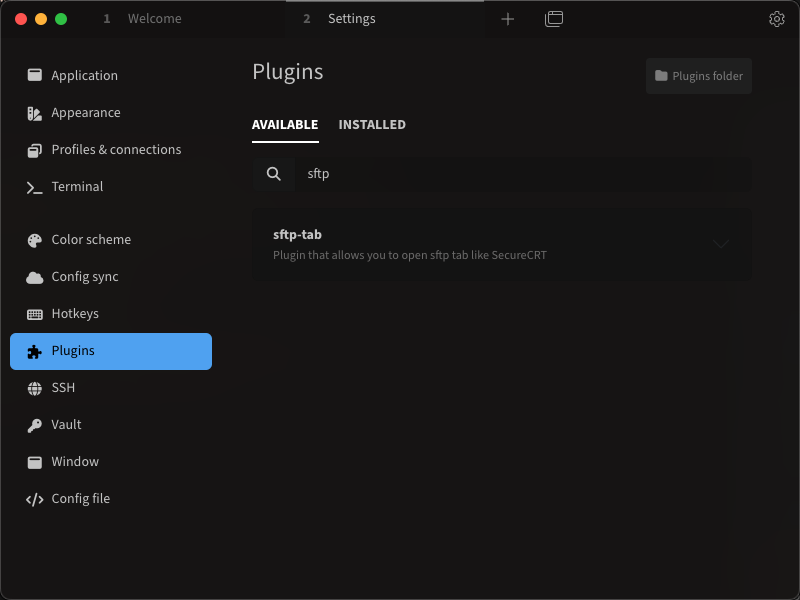
* Install [tabby](https://tabby.sh/) first, and then install the `sftp-tab` plugin.
## Configuration
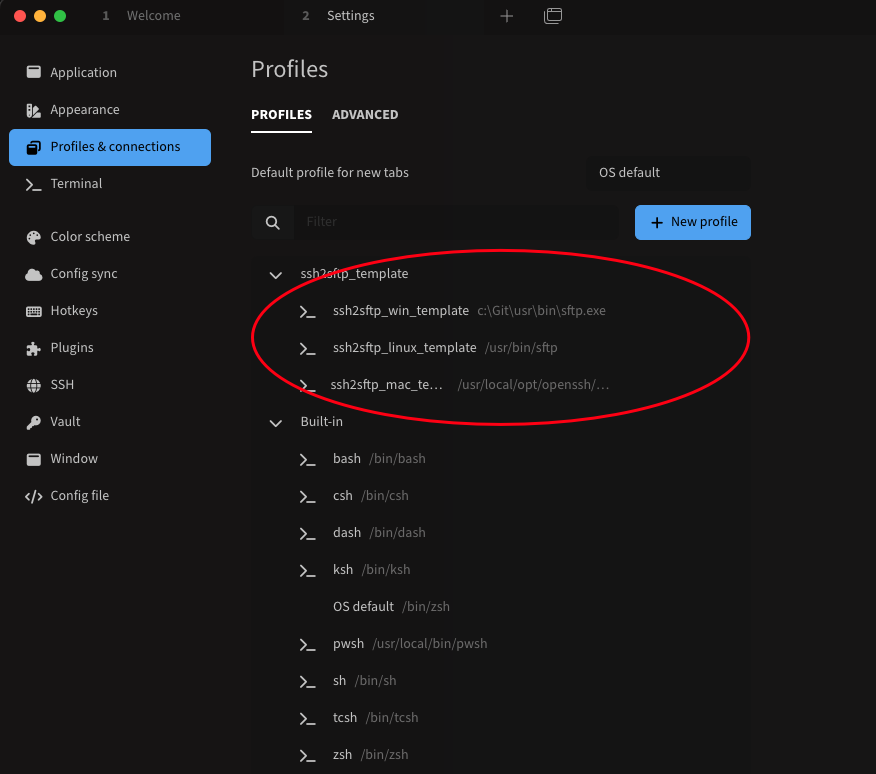
* On window this plugin will use ssh2sftp_win_template profile to open sftp tab of ssh tab connection, you need fix sftp.exe path by edit profiles.ssh2sftp_win_template.command. It is recommended to install [git for Windows](https://gitforwindows.org/) and then use the path [git install dir]\usr\bin\sftp.exe, because it provide tab completion. :
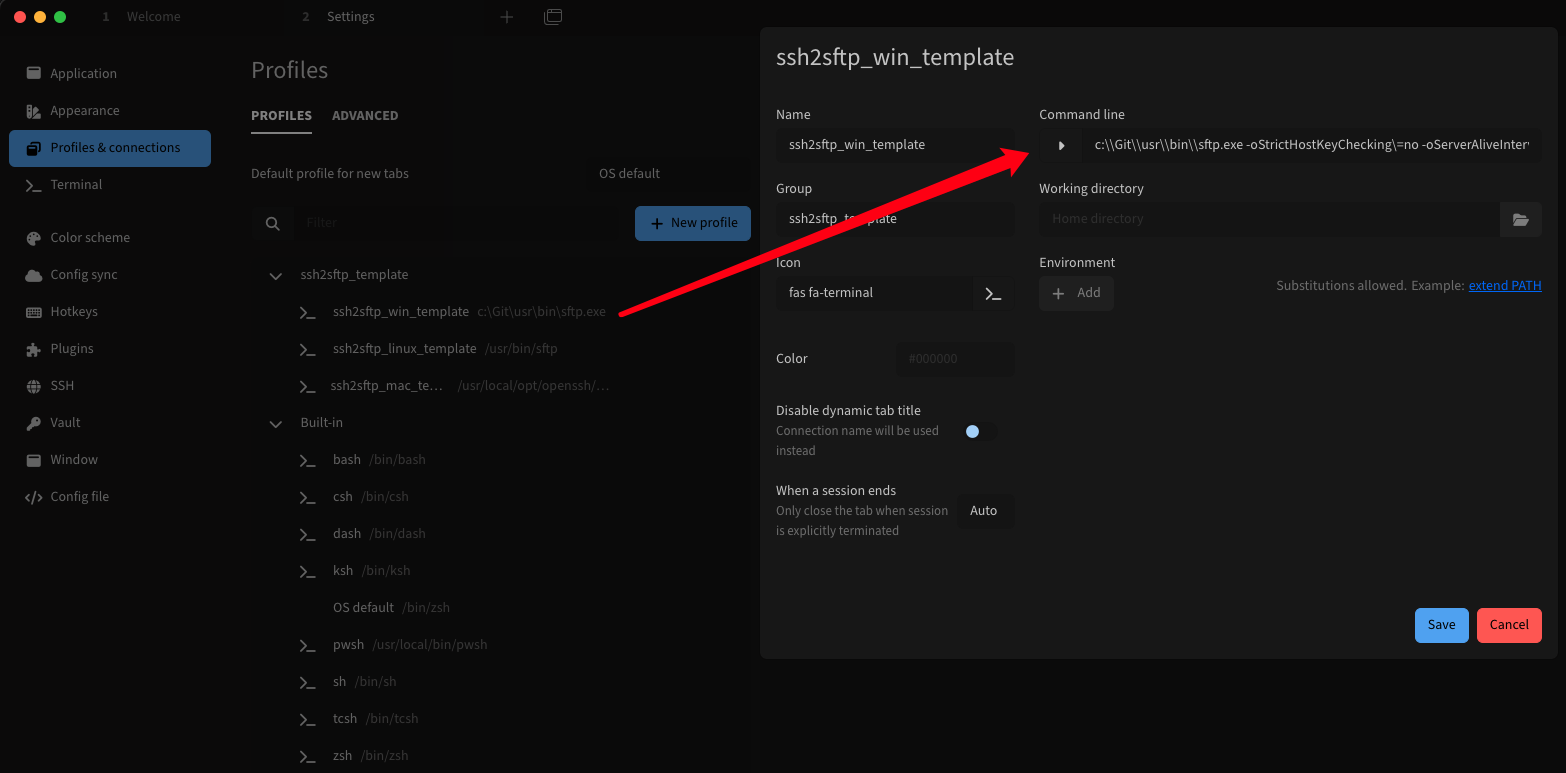
* On linux this plugin will use ssh2sftp_linux_template profile to open sftp tab of ssh tab connection, default sftp provide tab completion.:
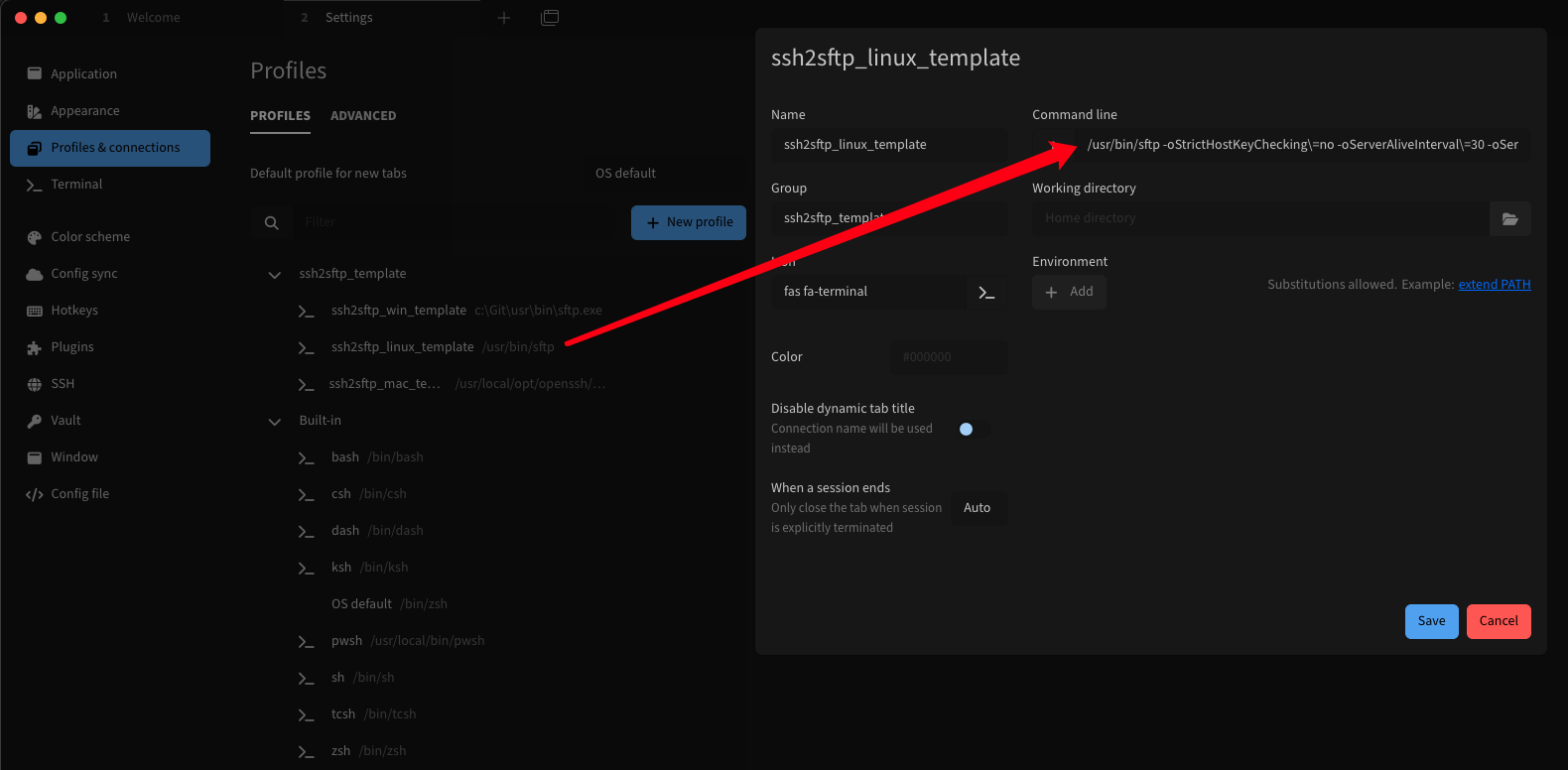
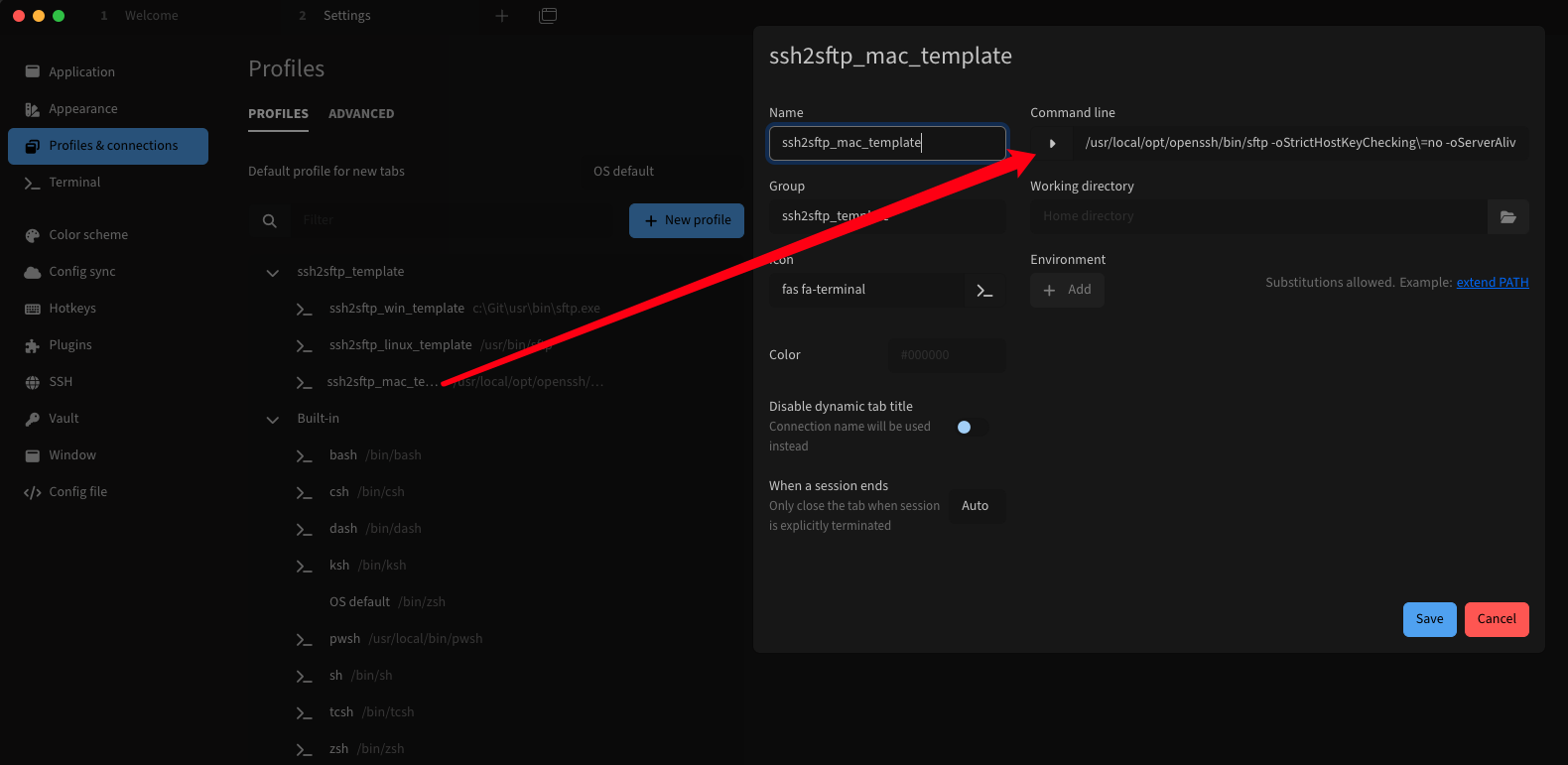
* On macos this plugin will use ssh2sftp_mac_template profile to open sftp tab of ssh tab connection, you need fix sftp path by edit profiles.ssh2sftp_mac_template.command. It is recommended to install openssh (command: brew install openssh) and then use the path /usr/local/opt/openssh/bin/sftp, because it provide tab completion.
* setging hotkey:
## Screenshot
* Using sftp-tab in tabby, for ssh connection tab, click to open context menu, select "Open Sftp Tab". or press hotkey(default: Ctrl-Shift-S):
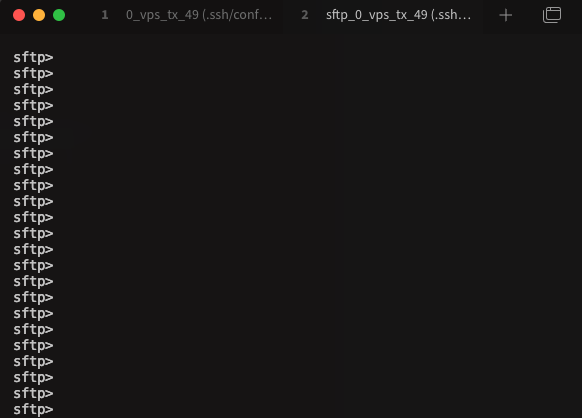
* Then sftp tab for the ssh connection well open:
# Implementation Description
1. The plugin well add [ssh2sftp_win_template, ssh2sftp_linux_template, ssh2sftp_mac_template] profiles on start(when config service ready), also you can set/change it in Settings/Config file manually.
```
profiles:
- type: local
name: ssh2sftp_win_template
icon: fas fa-terminal
options:
command: c:\Git\usr\bin\sftp.exe
env: {}
cwd: ''
args:
- '-oStrictHostKeyChecking=no'
- '-oServerAliveInterval=30'
- '-oServerAliveCountMax=1051200'
- '-oTCPKeepAlive=yes'
group: ssh2sftp_template
id: local:custom:ssh2sftp_win_template:c617da05-d05c-482d-8ca6-3c7eb99452e9
disableDynamicTitle: true
isTemplate: true
- type: local
name: ssh2sftp_linux_template
icon: fas fa-terminal
options:
command: /usr/bin/sftp
env: {}
cwd: ''
args:
- '-oStrictHostKeyChecking=no'
- '-oServerAliveInterval=30'
- '-oServerAliveCountMax=1051200'
- '-oTCPKeepAlive=yes'
group: ssh2sftp_template
id: local:custom:ssh2sftp_linux_template:6c4bcc75-f690-482a-a882-40e1c9851a3d
disableDynamicTitle: true
isTemplate: true
- type: local
name: ssh2sftp_mac_template
icon: fas fa-terminal
options:
command: /usr/local/opt/openssh/bin/sftp
args:
- '-oStrictHostKeyChecking=no'
- '-oServerAliveInterval=30'
- '-oServerAliveCountMax=1051200'
- '-oTCPKeepAlive=yes'
env: {}
cwd: ''
id: local:custom:ssh2sftp_mac_template:33162a26-7807-4c5e-ac2d-68cd2d9a4a24
group: ssh2sftp_template
disableDynamicTitle: true
isTemplate: true
```
2. The plugin get params(params are: user, host, port) from ssh connection and use above ssh2sftp_XXX_template to open sftp tab.
# Version logs
## 1.0.7
* support multiple jump hosts, only support multiple jump of type ProxyCommand and ProxyJump written in openssh-config files. See ssh man page about openssh-config, search `-F configfile`. For example openssh-config files on macos is:
- the system-wide configuration file: /usr/local/etc/ssh/ssh_config
- the per-user configuration file: ~/.ssh/config
* ProxyJump ref:[ssh-proxy-bastion-proxyjump](https://www.redhat.com/sysadmin/ssh-proxy-bastion-proxyjump)
## 1.0.6
* fix bug: support multiple jump hosts : support ProxyJump, not support ProxyCommand.
* ProxyJump ref:[ssh-proxy-bastion-proxyjump](https://www.redhat.com/sysadmin/ssh-proxy-bastion-proxyjump)
## 1.0.5
* fix bug: support multiple jump hosts : support ProxyJump, not support ProxyCommand.
* ProxyJump ref:[ssh-proxy-bastion-proxyjump](https://www.redhat.com/sysadmin/ssh-proxy-bastion-proxyjump)
## 1.0.4
* support multiple jump hosts : support ProxyJump, not support ProxyCommand.
* ProxyJump ref:[ssh-proxy-bastion-proxyjump](https://www.redhat.com/sysadmin/ssh-proxy-bastion-proxyjump)
## 1.0.3
* fix err to set isTemplate=true for no ssh2sftp_XXX_template
## 1.0.2
* Auto focus sftp tab after created.
## 1.0.1
* Set ssh2sftp_XXX_template.isTemplate=true, so ssh2sftp_XXX_template no display in "Profile & connections" when user select profile to open, but can edit in settings."Profile & connections".
## 1.0.0
* Automatically add ssh2sftp_XXX_template after config service ready.
* Refer to tabby-trzsz to modify user instructions.
## 0.0.9
* First time implement open sftp tab for ssh connection like SecureCRT.