sync-request-curl
Version:
Fast way to send synchronous web requests in NodeJS. API is a subset of sync-request. Leverages node-libcurl for high performance. Cannot be used in a browser.
505 lines (391 loc) • 18 kB
Markdown
<div align="center">
# [](https://github.com/nktnet1/sync-request-curl)
[](https://github.com/nktnet1/sync-request-curl/actions/workflows/pipeline.yml)
[](https://codecov.io/gh/nktnet1/sync-request-curl)
[](https://codeclimate.com/github/nktnet1/sync-request-curl/maintainability)
[](https://snyk.io/test/github/nktnet1/sync-request-curl)
[](https://github.com/search?q=repo%3Anktnet1%2Fsync-request-curl++language%3ATypeScript&type=code)
[](https://www.npmjs.com/package/sync-request-curl?activeTab=versions)
[](https://depfu.com/github/nktnet1/sync-request-curl?project_id=39032)
[](https://app.fossa.com/projects/git%2Bgithub.com%2Fnktnet1%2Fsync-request-curl?ref=badge_shield)
[](https://opensource.org/license/mit/)
[](https://github.com/nktnet1/sync-request-curl/issues)
[](https://sonarcloud.io/summary/new_code?id=nktnet1_sync-request-curl)
[](https://app.codacy.com/gh/nktnet1/sync-request-curl/dashboard?utm_source=gh&utm_medium=referral&utm_content=&utm_campaign=Badge_grade)
[](https://app.deepsource.com/gh/nktnet1/sync-request-curl/)
[](https://github.com/nktnet1/sync-request-curl/stargazers)
---
Make synchronous web requests similar to [sync-request](https://github.com/ForbesLindesay/sync-request), but up to 20 times more quickly.
Leverages [node-libcurl](https://github.com/JCMais/node-libcurl) for performance instead of spawning child processes like sync-request.
Designed to run on NodeJS. It will not work in a browser.
[](https://replit.com/@nktnet1/sync-request-curl-example#index.js)
</div>
---
- [1. Installation](#1-installation)
- [2. Usage](#2-usage)
- [2.1. Method](#21-method)
- [2.2. URL](#22-url)
- [2.3. Options](#23-options)
- [2.4. Response](#24-response)
- [2.5. Errors](#25-Errors)
- [3. License](#3-license)
- [4. Compatibility](#4-compatibility)
- [4.1. Windows](#41-windows)
- [4.2. MacOS](#42-macos)
- [4.3. Linux](#43-linux)
- [5. Caveats](#5-caveats)
## 1. Installation
```
npm install sync-request-curl
```
Please refer to the [compatibility](#4-compatibility) section for known issues and workarounds for Windows, MacOS and Linux.
## 2. Usage
> [!TIP]
> Starting from `sync-request-curl@3.2.0`, you can replace `JSON.parse(res.body.toString())` with `res.getJSON()`.
Try with [Replit](https://replit.com/@nktnet1/sync-request-curl-example#index.js).
```typescript
request(method, url, options);
```
<details closed>
<summary>Examples (click to view)</summary>
<br/>
`GET` request without options
```typescript
import request from 'sync-request-curl';
const res = request('GET', 'https://comp1531namesages.alwaysdata.net');
console.log('Status Code:', res.statusCode);
const jsonBody = JSON.parse(res.body.toString());
console.log('Returned JSON object:', jsonBody);
```
**`GET`** request with query string parameters
```typescript
import request from 'sync-request-curl';
const res = request('GET', 'https://comp1531forum.alwaysdata.net/echo/echo', {
qs: { message: 'Hello, world!' },
});
console.log('Status Code:', res.statusCode);
const jsonBody = JSON.parse(res.body.toString());
console.log('Returned JSON object:', jsonBody);
```
**`POST`** request with headers and JSON payload
```typescript
import request from 'sync-request-curl';
const res = request('POST', 'https://comp1531quiz.alwaysdata.net/quiz/create', {
headers: { lab08quizsecret: "bruno's fight club" },
json: {
quizTitle: 'New Quiz',
quizSynopsis: 'Sync request curl example',
},
});
console.log('Status Code:', res.statusCode);
const jsonBody = JSON.parse(res.body.toString());
console.log('Returned JSON Object:', jsonBody);
```
**`POST`** request for file upload using multipart/form-data
```typescript
import request from 'sync-request-curl';
const res = request('POST', 'https://example.com/upload', {
formData: [
{
name: 'example-file',
file: './path/to/file.txt',
type: 'text/plain',
},
{
name: 'example-content',
contents: 'Example Content!',
},
],
});
console.log('Status Code:', res.statusCode);
```
Using a proxy URL (Note: replace with your own proxy details)
```javascript
import request from 'sync-request-curl';
const res = request('GET', 'https://ipinfo.io/json', {
setEasyOptions: (curl, options) => {
curl.setOpt(options.PROXY, 'http://your-proxy-url:port');
curl.setOpt(options.PROXYUSERPWD, 'proxyUsername:proxyPassword');
},
});
console.log('Status Code:', res.statusCode);
const jsonBody = JSON.parse(res.body.toString());
console.log(jsonBody);
```
</details>
<br/>
### 2.1. Method
HTTP method (of type `HttpVerb`)
- e.g. `PUT`/`POST`/`GET`/`DELETE`
Note that for the `HEAD` method, [CURLOPT_NOBODY](https://curl.se/libcurl/c/CURLOPT_NOBODY.html) is set to `true` automatically by **sync-request-curl**.
### 2.2. URL
URL as a string
- e.g. https://toohak.fly.dev
### 2.3. Options
<table>
<tr>
<th>Option</th>
<th>Description</th>
<th>Example</th>
<th>Default</th>
</tr>
<tr>
<td>qs</td>
<td>
An object containing query string parameters which will be appended to the URL.
</td>
<td>
<pre>
{
message: 'Hi!'
}
</pre>
</td>
<td><code>undefined</code></td>
</tr>
<tr>
<td>headers</td>
<td>
HTTP headers for the request.
</td>
<td>
<pre>
{
token: 'abcde'
}
</pre>
</td>
<td><code>undefined</code></td>
</tr>
<tr>
<td>json</td>
<td>
Sets the body as a JSON representation of the value and automatically adds <code>Content-type: application/json</code> to the header.</td>
<td>
<pre>{
name: 'Tam',
course: 1531
}</pre>
</td>
<td><code>undefined</code></td>
</tr>
<tr>
<td>body</td>
<td>
String body for PATCH, POST and PUT requests. We recommended using <code>json</code> instead for JSON payloads, otherwise the <code>Content-Type</code> will need to be set manually.
</td>
<td>
<pre>
JSON.stringify({
name: 'Tam',
course: 1531
}) </pre></td>
<td><code>undefined</code></td>
</tr>
<tr>
<td>formData</td>
<td>
Array of <a href="https://github.com/JCMais/node-libcurl/blob/6bb4f99183af64354067970d9c91d5fedc6b8709/lib/types/HttpPostField.ts#L12-L40">HttpPostField</a> from node-libcurl, used for file uploads with multipart/form-data.
</td>
<td>
<pre>
[{
name: '1',
file: '/path'
}, {
name: '2',
contents: 'a'
}],
</pre></td>
<td><code>undefined</code></td>
</tr>
<tr>
<td>timeout</td>
<td>
Times out if no response is returned within the given number of milliseconds.
</td>
<td><pre>2000</pre></td>
<td><code>0</code><br/>(no timeout)</td>
</tr>
<tr>
<td>followRedirects</td>
<td>
Sets whether redirects (status code 302) should be followed automatically.
</td>
<td><pre>false</pre></td>
<td><code>true</code></td>
</tr>
<tr>
<td>maxRedirects</td>
<td>Sets the maximum number of redirects to follow before throwing an Error.</td>
<td><pre>3</pre></td>
<td><code>-1</code><br/>(no limit)</td>
</tr>
<tr>
<td>insecure</td>
<td> Set to true to send insecure requests. This can be useful on Windows which may have SSL issues (Libcurl code 60).</td>
<td><pre>true</pre></td>
<td><code>false</code></td>
</tr>
<tr>
<td>setEasyOptions</td>
<td>Optional callback to set additional curl options for the <a href='https://curl.se/libcurl/c/easy_setopt_options.html' target="_blank">Easy Interface</a>. This has priority over existing options.</td>
<td>
<pre>
(curl, opt) => {
curl.setOpt(
opt.URL,
'www.ck'
);
}
</pre>
</td>
<td><code>undefined</code></td>
</tr>
</table>
<br/>
In [src/types.ts](src/types.ts), the `Options` interface following is defined as:
```typescript
export interface Options {
headers?: IncomingHttpHeaders;
qs?: { [key: string]: any };
// You should only specify one of these.
// They are processed in the order listed below.
//
// When no json, body or formdata is provided, Content-Length = 0
// will be set in the headers.
json?: any;
body?: string | Buffer;
formData?: HttpPostField[];
timeout?: number;
followRedirects?: boolean;
maxRedirects?: number;
insecure?: boolean;
setEasyOptions?: SetEasyOptionCallback;
}
```
### 2.4. Response
- **`statusCode`** - a number representing the HTTP status code (e.g. `200`, `400`, `401`, `403`)
- **`headers`** - HTTP response headers. The keys/properties of the object will always be in lowercase, e.g. `"content-type"` instead of `"Content-Type"`
- **`url`** - the final URL used in the request after all redirections are followed and all query string parameters appended
- **`body`** - a string or buffer - for JSON responses, use `JSON.parse(response.body.toString())` to get the returned data as an object
- **`getBody`** - a function with an optional `encoding` argument that returns the `body` if `encoding` is undefined, otherwise `body.toString(encoding)`. If `statusCode >= 300`, an `Error` is thrown instead
- **`getJSON`** - a function that returns the body parsed as `JSON`. An `Error` is thrown if the body cannot be parsed.
In [src/types.ts](src/types.ts), the `Response` interface is defined as:
```typescript
export interface Response {
statusCode: number;
headers: IncomingHttpHeaders;
url: string;
body: string | Buffer;
getBody: (encoding?: BufferEncoding) => string | Buffer; // simplified
getJSON: <T = any>(encoding?: BufferEncoding) => T;
}
```
### 2.5. Errors
When using the `response.getBody()` function, a generic [Error](https://nodejs.org/api/errors.html) object is thrown.
If there are issues with the request, a `CurlError` will be thrown. This will contain a non-zero `code` property that corresponds to a specific Libcurl Error from this documentation:
- https://curl.se/libcurl/c/libcurl-errors.html
A few common errors are:
1. CURLE_COULDNT_CONNECT (7)
- Failed to connect() to host or proxy.
- **HINT**: This means that the server could not be reached. For local development (e.g. in testing), ensure that your server has started successfully, or that it did not crash while handling a previous request
1. CURLE_URL_MALFORMAT (3)
- The URL was not properly formatted.
- **HINT**: The request was not successful because your input URL is invalid, e.g. missing domain, protocol or port. Try printing out your input URL, or if it is a GET request, access it directly in a browser
1. CURLE_PEER_FAILED_VERIFICATION (60)
- The remote server's SSL certificate or SSH fingerprint was deemed not OK. This error code has been unified with CURLE_SSL_CACERT since 7.62.0. Its previous value was 51
- **HINT**: See the [Windows](#41-windows) compatibility section for an explanation and potential workaround
It is possible to check the Curl code as follows:
<details closed>
<summary>Example (click to view)</summary>
```typescript
import { CurlError } from 'sync-request-curl/errors';
import request from 'sync-request-curl';
try {
request('GET', 'https://google.fake.url.com');
} catch (error) {
if (error instanceof CurlError) {
// outputs 6 (CURLE_COULDNT_RESOLVE_HOST)
console.log(error.code);
}
}
```
</details>
In [src/errors.ts](src/errors.ts), the `CurlError` class is defined as:
```typescript
export class CurlError extends Error {
// https://curl.se/libcurl/c/libcurl-errors.html
code: number;
constructor(code: number, message: string) {
super(message);
if (code < 1 || code > 99) {
throw new Error(
`CurlError code must be between 1 and 99. Given: ${code}`
);
}
this.code = code;
Object.setPrototypeOf(this, CurlError.prototype);
}
}
```
## 3. License
<details closed>
<summary>Massachusetts Institute of Technology (<a href="https://opensource.org/license/mit" target="_blank">MIT</a>)</summary>
<br/>
```
Copyright (c) 2023 Khiet Tam Nguyen
Permission is hereby granted, free of charge, to any person obtaining a
copy of this software and associated documentation files (the “Software”),
to deal in the Software without restriction, including without limitation
the rights to use, copy, modify, merge, publish, distribute, sublicense,
and/or sell copies of the Software, and to permit persons to whom the
Software is furnished to do so, subject to the following conditions:
The above copyright notice and this permission notice shall be included in
all copies or substantial portions of the Software.
THE SOFTWARE IS PROVIDED “AS IS”, WITHOUT WARRANTY OF ANY KIND, EXPRESS OR
IMPLIED, INCLUDING BUT NOT LIMITED TO THE WARRANTIES OF MERCHANTABILITY,
FITNESS FOR A PARTICULAR PURPOSE AND NONINFRINGEMENT. IN NO EVENT SHALL
THE AUTHORS OR COPYRIGHT HOLDERS BE LIABLE FOR ANY CLAIM, DAMAGES OR OTHER
LIABILITY, WHETHER IN AN ACTION OF CONTRACT, TORT OR OTHERWISE, ARISING
FROM, OUT OF OR IN CONNECTION WITH THE SOFTWARE OR THE USE OR OTHER
DEALINGS IN THE SOFTWARE.
```
[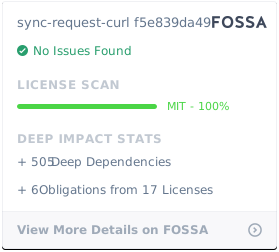](https://app.fossa.com/projects/git%2Bgithub.com%2Fnktnet1%2Fsync-request-curl?ref=badge_large)
</details>
## 4. Compatibility
### 4.1. Windows
For installation issues, be sure to review the [Windows Build Requirements](https://github.com/JCMais/node-libcurl#building-on-windows) from node-libcurl's documentation.
In addition, your requests may unexpectedly fail with a [Libcurl Error](https://curl.se/libcurl/c/libcurl-errors.html) (code 60, CURLE_PEER_FAILED_VERIFICATION) when using NodeJS natively on Windows.
The reason is covered in the below resources:
- https://github.com/JCMais/node-libcurl/issues/301
- https://stackoverflow.com/a/34883260/22324694
One quick workaround is to set the `insecure` option to `true` when sending your requests. This is the same as setting the Libcurl Easy's equivalent [SSL_VERIFYPEER](https://curl.se/libcurl/c/CURLOPT_SSL_VERIFYPEER.html) to `0`, or using `curl` in the command line with the [`-k` or `--insecure`](https://curl.se/docs/manpage.html#-k) option.
Alternatively, consider using [Windows Subsystem for Linux (WSL)](https://learn.microsoft.com/en-us/windows/wsl/install).
### 4.2. MacOS
The build for MacOS may fail during the installation process.
In most cases, this can be fixed by following these Github issues:
- https://github.com/JCMais/node-libcurl/issues/296
- https://github.com/JCMais/node-libcurl/issues/382
and carefully reviewing the [MacOS Build Requirements](https://github.com/JCMais/node-libcurl#building-on-macos) from node-libcurl's documentation. Otherwise, we recommend uninstalling this library and installing [sync-request](https://github.com/JCMais/node-libcurl/issues/382).
### 4.3. Linux
In rare cases, the build for distributions such as Debian or Ubuntu may fail. This is attributed to missing dependencies such as Python or Libcurl. Below are some related issues:
- https://github.com/JCMais/node-libcurl/issues/374
- https://github.com/JCMais/node-libcurl/issues/376
Be sure to also check the [Linux Build Requirements](https://github.com/JCMais/node-libcurl#building-on-linux) from node-libcurl's documentation.
## 5. Caveats
See [sync-request](https://www.npmjs.com/package/sync-request) for the original documentation. Please note that **sync-request-curl** only supports a subset of the original features in sync-request and additional features through leveraging [node-libcurl](https://www.npmjs.com/package/node-libcurl).
**sync-request-curl** was developed to improve performance with sending synchronous requests in NodeJS. It is also free from the sync-request bug which leaves an orphaned sync-rpc process, resulting in a [leaked handle being detected in Jest](https://github.com/ForbesLindesay/sync-request/issues/129).
**sync-request-curl** was designed to work with UNIX-like systems for UNSW students enrolled in [COMP1531 Software Engineering Fundamentals](https://webcms3.cse.unsw.edu.au/COMP1531/23T2/outline). It has been tested on Alpine, Arch, Debian and Ubuntu Linux and is compatible with Windows/MacOS.
Please note that this library's primary goal is to simplify the learning of JavaScript for novice programmers, hence its synchronous nature. However, we recommend to **always use an [asynchronous alternative](https://blog.appsignal.com/2024/09/11/top-5-http-request-libraries-for-nodejs.html)** where possible.