svg-country-flags-2x1
Version:
Collection of detailed SVG country flags in 2:1 ratio
360 lines (285 loc) • 8.19 kB
Markdown
# svg-country-flags-2x1
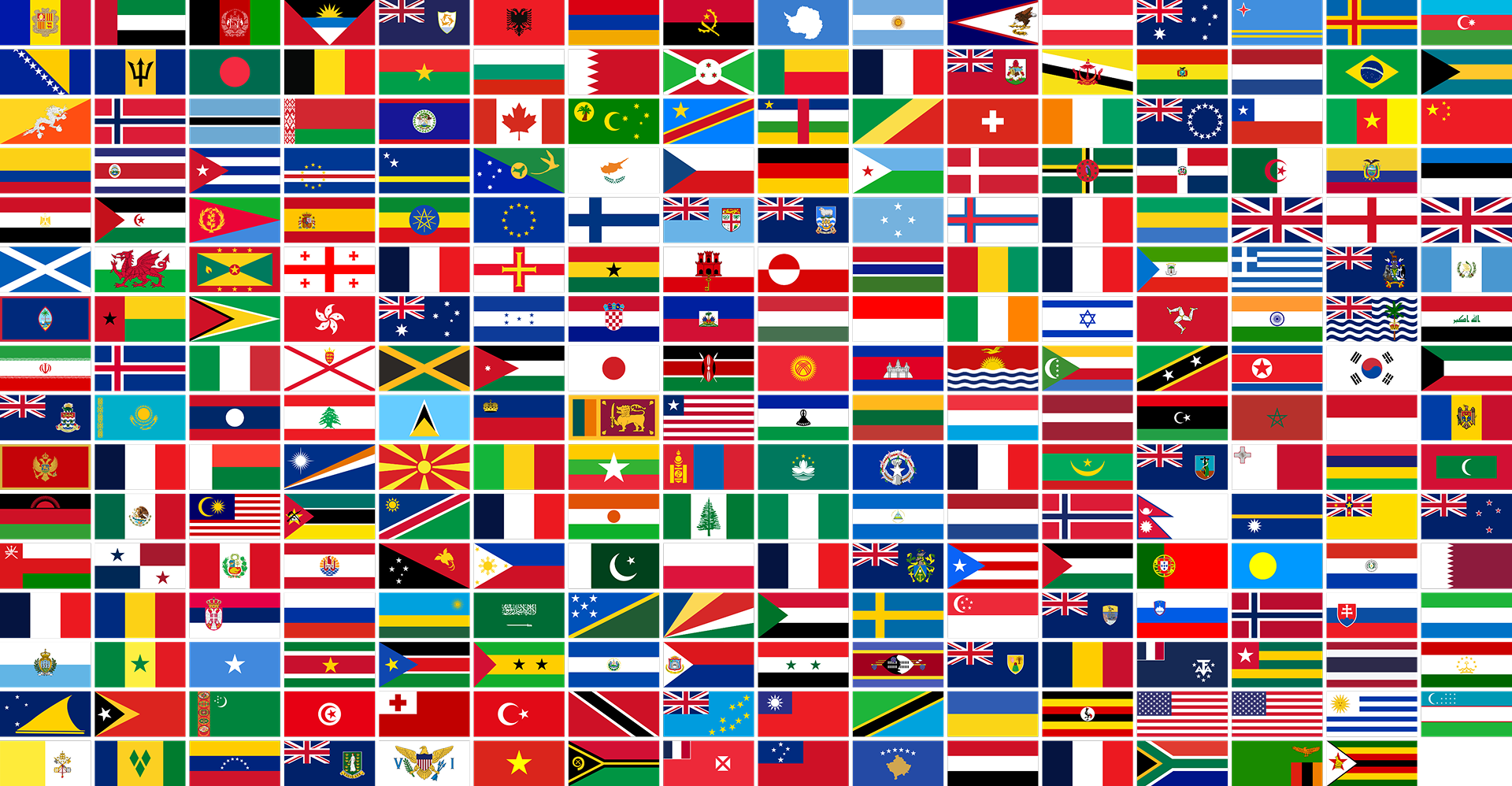
A lightweight, flexible package for working with detailed country flags in JavaScript applications. Get access to flag SVGs, emoji, and country data. All flags maintain a 2:1 aspect ratio.
## Installation
```bash
npm install svg-country-flags-2x1
# or
yarn add svg-country-flags-2x1
# or
pnpm add svg-country-flags-2x1
```
## Basic Usage
### Importing the Package
```javascript
// ES Modules
import { CountryFlags } from 'svg-country-flags-2x1';
// CommonJS
const { CountryFlags } = require('svg-country-flags-2x1');
```
### Creating an Instance
```javascript
const flags = new CountryFlags();
```
### Basic Examples
```javascript
// Get a flag URL
const flagUrl = flags.getFlagUrl('us'); // Returns URL for USA flag
// Get flag with details - only width needed, height will be automatic 2:1 ratio
const flagDetails = await flags.getFlag('fr', { width: 200 });
console.log(flagDetails);
// Output:
// {
// code: 'fr',
// name: 'France',
// svg: '<svg width="200" height="100">...</svg>'
// }
// Alternatively, specify height and width will be automatic 2:1 ratio
const flagDetails2 = await flags.getFlag('fr', { height: 100 });
// Get flag emoji
const emoji = CountryFlags.getFlagEmoji('jp'); // Returns 🇯🇵
```
## Reference
### Class: CountryFlags
#### Instance Methods
##### `getFlagUrl(countryCode: string): string | null`
Returns the URL for a country's flag SVG.
- `countryCode`: Two-letter country code (ISO 3166-1 alpha-2)
- Returns: URL string or null if not found
```javascript
const url = flags.getFlagUrl('gb');
```
##### `async getFlag(countryCode: string, options?: Object): Promise<Object | null>`
Get detailed flag information with optional sizing.
- `countryCode`: Two-letter country code
- `options`: Optional configuration object
- `width`: Desired width in pixels (height will be automatically set to maintain 2:1 ratio)
- `height`: Desired height in pixels (width will be automatically set to maintain 2:1 ratio)
- Returns: Object containing flag details or null if not found
```javascript
// Width specified - height will be half of width
const flag = await flags.getFlag('de', { width: 300 });
// Height specified - width will be double the height
const flag2 = await flags.getFlag('de', { height: 150 });
```
##### `async getFlagElement(countryCode: string): Promise<SVGElement | null>`
Get the SVG DOM element for a country flag.
- `countryCode`: Two-letter country code
- Returns: SVG element or null if not found
```javascript
const svgElement = await flags.getFlagElement('it');
```
##### `getAllCountryCodes(): string[]`
Get an array of all available country codes.
```javascript
const codes = flags.getAllCountryCodes();
```
##### `async getAllFlags(): Promise<Array>`
Get all available flags with their details.
```javascript
const allFlags = await flags.getAllFlags();
```
##### `async searchFlags(query: string): Promise<Array>`
Search for flags by country code or name.
- `query`: Search string
- Returns: Array of matching flag objects
```javascript
const results = await flags.searchFlags('united');
```
#### Static Methods
##### `static getFlagEmoji(countryCode: string): string | null`
Get the flag emoji for a country code.
- `countryCode`: Two-letter country code
- Returns: Flag emoji or null if not found
```javascript
const emoji = CountryFlags.getFlagEmoji('au');
```
##### `static validateCountryCode(code: string): boolean`
Validate a country code.
- `code`: Two-letter country code to validate
- Returns: Boolean indicating validity
```javascript
const isValid = CountryFlags.validateCountryCode('us');
```
## Framework Integration
### React Integration
#### Basic Component Example
```jsx
import { useState, useEffect } from 'react';
import { CountryFlags } from 'svg-country-flags-2x1';
const CountryFlag = ({ countryCode, width }) => {
const [flagSvg, setFlagSvg] = useState('');
const flags = new CountryFlags();
useEffect(() => {
async function loadFlag() {
const flag = await flags.getFlag(countryCode, { width });
if (flag) {
setFlagSvg(flag.svg);
}
}
loadFlag();
}, [countryCode, width]);
return (
<div dangerouslySetInnerHTML={{ __html: flagSvg }} />
);
};
// Usage
function App() {
return (
<div>
<CountryFlag countryCode="us" width={200} />
</div>
);
}
```
#### Flag Search Component
```jsx
import { useState } from 'react';
import { CountryFlags } from 'svg-country-flags-2x1';
const FlagSearch = () => {
const [query, setQuery] = useState('');
const [results, setResults] = useState([]);
const flags = new CountryFlags();
const handleSearch = async (e) => {
const searchQuery = e.target.value;
setQuery(searchQuery);
if (searchQuery.length > 1) {
const searchResults = await flags.searchFlags(searchQuery);
setResults(searchResults);
} else {
setResults([]);
}
};
return (
<div>
<input
type="text"
value={query}
onChange={handleSearch}
placeholder="Search for a country..."
/>
<div className="results">
{results.map(flag => (
<div key={flag.code}>
<div dangerouslySetInnerHTML={{ __html: flag.svg }} />
<p>{flag.name}</p>
</div>
))}
</div>
</div>
);
};
```
### Vue Integration
#### Basic Component Example
```vue
<template>
<div v-html="flagSvg"></div>
</template>
<script>
import { CountryFlags } from 'svg-country-flags-2x1';
export default {
name: 'CountryFlag',
props: {
countryCode: {
type: String,
required: true
},
width: {
type: Number,
default: 100
}
},
data() {
return {
flagSvg: ''
}
},
async created() {
const flags = new CountryFlags();
const flag = await flags.getFlag(this.countryCode, {
width: this.width
});
if (flag) {
this.flagSvg = flag.svg;
}
}
}
</script>
```
#### Flag Gallery Component
```vue
<template>
<div class="flag-gallery">
<div v-for="flag in flags" :key="flag.code" class="flag-item">
<div v-html="flag.svg"></div>
<p>{{ flag.name }}</p>
</div>
</div>
</template>
<script>
import { CountryFlags } from 'svg-country-flags-2x1';
export default {
name: 'FlagGallery',
data() {
return {
flags: []
}
},
async created() {
const flagsInstance = new CountryFlags();
const flags = await flagsInstance.getAllFlags();
// Set width for all flags
this.flags = flags.map(flag => ({
...flag,
svg: flag.svg.replace('<svg', '<svg width="200"')
}));
}
}
</script>
<style scoped>
.flag-gallery {
display: grid;
grid-template-columns: repeat(auto-fill, minmax(200px, 1fr));
gap: 20px;
}
.flag-item {
text-align: center;
}
</style>
```
## Browser Support
The package works in all modern browsers that support SVG and the Fetch API. For older browsers, you may need to include polyfills for:
- Fetch API
- Promise
- SVG support
## TypeScript Support
The package includes TypeScript type definitions. You can import types as follows:
```typescript
import { CountryFlags, FlagOptions, FlagDetails } from 'svg-country-flags-2x1';
```
## Troubleshooting
### Common Issues
1. **Flag Not Loading**
- Ensure the country code is valid (use `validateCountryCode`)
- Check network connectivity
- Verify SVG support in your environment
2. **Invalid Country Code**
```javascript
// Good
flags.getFlagUrl('us');
// Bad
flags.getFlagUrl('USA'); // Wrong format
flags.getFlagUrl(''); // Empty string
```
3. **SVG Rendering Issues**
- Ensure proper sanitization when using `dangerouslySetInnerHTML` in React
- Check if your bundler is properly handling SVG files
### Best Practices
1. Always validate country codes before use
2. Handle null returns from API methods
3. Implement error boundaries in React
4. Use appropriate width for flags (height will be automatic)
5. Cache results when making multiple calls
## License
MIT License