strapi5-plugin-csv-export
Version:
A powerful Strapi plugin that enables easy export of content types to CSV format, with support for field selection, filtering, and batch operations.
224 lines (159 loc) • 6.13 kB
Markdown
# 🚀 Strapi CSV Export Plugin
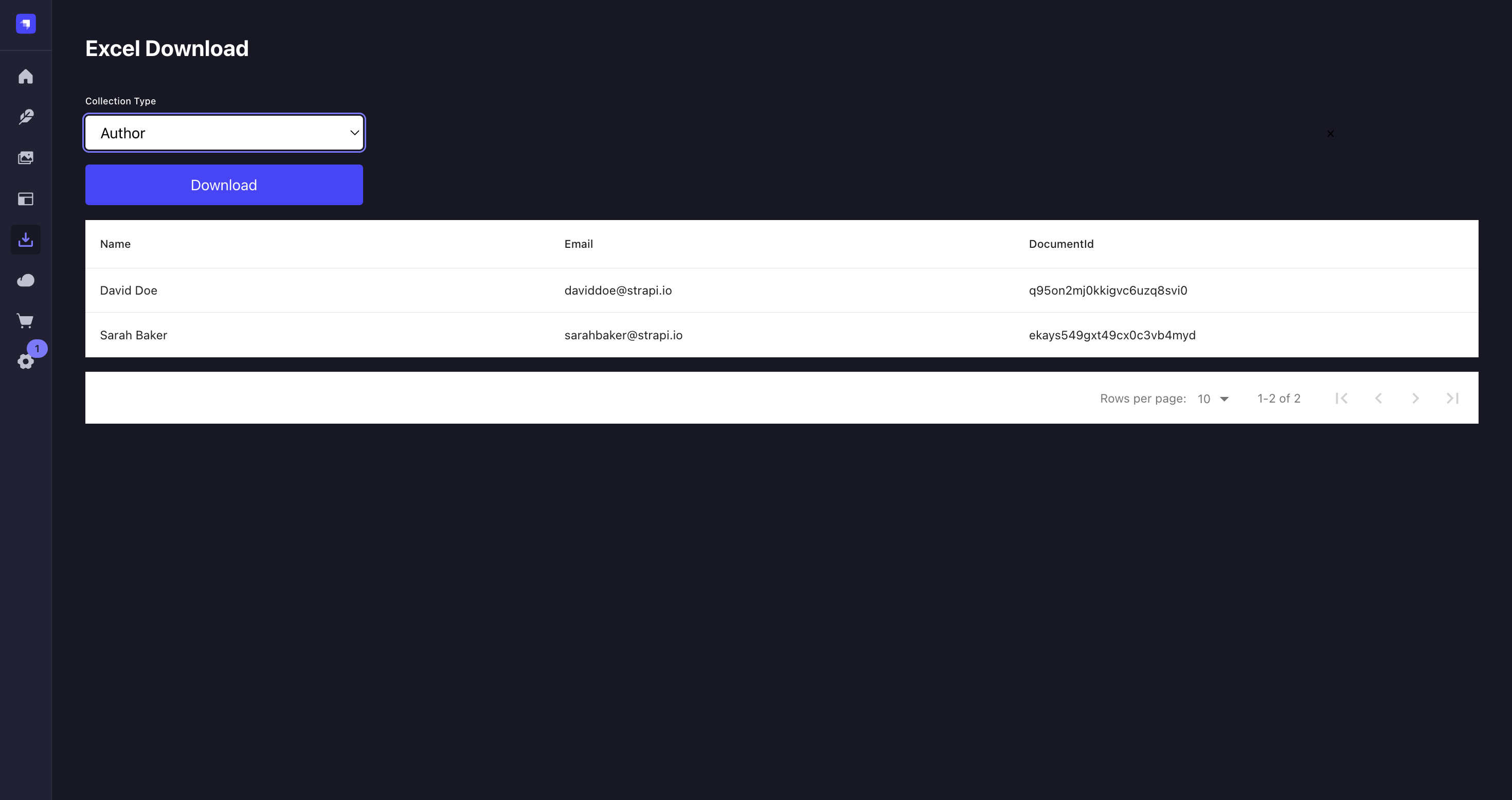
A powerful Strapi v5 plugin that enables easy export of content types to CSV format. This plugin provides a user-friendly interface to export your Strapi content with customizable field selection, filtering options, and batch operations.
[](https://www.npmjs.org/package/strapi-plugin-csv-export)
[](https://www.npmjs.org/package/strapi-plugin-csv-export)
[](https://opensource.org/licenses/MIT)
## ✨ Features
- Export any content type to CSV format
- Select specific fields to export
- Filter data before export
- Support for all field types including relations and media
- Batch export capabilities
- Clean and intuitive user interface
- Respects Strapi's permissions system
- Internationalization support
## 🔧 Requirements
- Strapi v5.x.x
- Node.js >=14.19.1 <=22.x.x
- NPM >= 6.0.0
## 📦 Installation
```bash
# Using npm
npm install strapi-plugin-csv-export
# Using yarn
yarn add strapi-plugin-csv-export
# Using pnpm
pnpm add strapi-plugin-csv-export
```
## ⚙️ Configuration
1. Create or edit the plugin configuration file in your Strapi project:
```javascript
// config/plugins.js
module.exports = {
'csv-export': {
enabled: true,
config: {
// Optional configuration
maxExportCount: 1000, // Maximum number of entries to export (default: 1000)
defaultFields: ['id', 'createdAt', 'updatedAt'], // Default fields to include
delimiter: ',', // CSV delimiter (default: ',')
encoding: 'utf8', // File encoding (default: 'utf8')
exportPath: './exports', // Path for temporary export files (default: './exports')
dateFormat: 'YYYY-MM-DD HH:mm:ss', // Date format in exports (default: 'YYYY-MM-DD HH:mm:ss')
},
},
};
```
2. Add the plugin to your dependencies and rebuild your Strapi admin panel:
```bash
# Using npm
npm run build
npm run develop
# Using yarn
yarn build
yarn develop
# Using pnpm
pnpm run build
pnpm run develop
```
3. The plugin should now be available in your Strapi admin panel under the Plugins section.
## 📖 Usage
### Quick Start
1. Navigate to any content type in your Strapi admin panel
2. Look for the "CSV Export" button in the top toolbar
3. Click it to open the export interface

### Export Options
#### 1. Field Selection
- Choose which fields to include in your export
- Support for all field types:
- Basic fields (text, number, date, etc.)
- Relation fields (one-to-one, one-to-many, many-to-many)
- Media fields (with configurable URL or file path export)
- Component fields (nested data)
- Dynamic zones
- Custom fields

#### 2. Filtering Options
Filter your data before export:
- Date range filters
- Status filters (published/draft)
- Custom field filters
- Relation filters
- Search functionality
#### 3. Batch Operations
Export specific entries:
1. Select entries using checkboxes
2. Click "Export Selected" to export only chosen entries
3. Use "Select All" for bulk operations
### Export Format
The exported CSV file includes:
- UTF-8 encoding with BOM for Excel compatibility
- Configurable delimiter (default: comma)
- Proper escaping of special characters
- Nested data handling
- Relation data resolution
Example output:
```csv
id,title,author,publishedAt,categories
1,"My First Post","John Doe","2024-03-30","Tech,News"
2,"Getting Started","Jane Smith","2024-03-29","Tutorial"
```
## 🤝 Contributing
We love your input! We want to make contributing to Strapi CSV Export as easy and transparent as possible. Please check our [Contributing Guide](CONTRIBUTING.md) for detailed instructions on:
- Reporting bugs
- Discussing the current state of the code
- Submitting fixes
- Proposing new features
- Becoming a maintainer
### Development Workflow
1. Fork the repo and create your branch from `main`
2. Install dependencies: `npm install`
3. Make your changes
4. Add tests if applicable
5. Run tests: `npm test`
6. Update documentation
7. Create a Pull Request
## 🐛 Troubleshooting
### Common Issues
1. **Export button not visible**
- Ensure the plugin is properly installed and enabled
- Check user permissions in Strapi admin
2. **Export fails with large datasets**
- Adjust `maxExportCount` in configuration
- Use filters to reduce dataset size
3. **Relation fields not exporting**
- Verify relation field configuration
- Check permissions for related content types
### Debug Mode
Enable debug mode in your Strapi configuration:
```javascript
// config/plugins.js
module.exports = {
'csv-export': {
enabled: true,
config: {
debug: true, // Enable detailed logging
},
},
};
```
## 📝 License
[MIT License](LICENSE.md) © [Shubha Kumar](https://github.com/Shub1970)
## 📚 Documentation
- [Plugin Documentation](https://github.com/Shub1970/strapi-csv-export/wiki)
- [API Reference](https://github.com/Shub1970/strapi-csv-export/wiki/API-Reference)
- [Configuration Guide](https://github.com/Shub1970/strapi-csv-export/wiki/Configuration)
## 💬 Support
- Create an [issue](https://github.com/Shub1970/strapi-csv-export/issues)
- Join our [Discord community](https://discord.strapi.io)
- Email: 18shubham1998@gmail.com
## ⭐ Show your support
If this plugin helps you, please consider:
- Giving it a star on GitHub
- Sharing it with your team and friends
- [Contributing](#-contributing) to make it better
## 📣 Acknowledgements
- Thanks to all our [contributors](https://github.com/Shub1970/strapi-csv-export/graphs/contributors)
- Inspired by the Strapi community's needs for better data export solutions