strapi-plugin-filerobot
Version:
Strapi v3 plugin for Filerobot by Scaleflex
141 lines (82 loc) • 4.63 kB
Markdown
# Strapi v3 plugin for Filerobot by Scaleflex
## Intro
Strapi v3.x.x
To know which versions of Node goes with which versions of Strapi, refer to here: https://github.com/strapi/strapi/releases
If you are not familiar with using the Strapi CMS, here are some quick tutorials:
Strapi v3: https://www.youtube.com/watch?v=6FnwAbd2SDY
## Install the plugin
At this point, assuming that you already have an Strapi CMS installed and setup, and that you already have an super-admin user configured. It's time to install the Scaleflex Filerobot plugin for Strapi v3:
`npm install strapi-plugin-filerobot`
or
`yarn add strapi-plugin-filerobot`
## Run
`yarn build`
`yarn start`
## Configure
Click "Filerobot from Scaleflex" on the left vertical menu (under the plugins section)
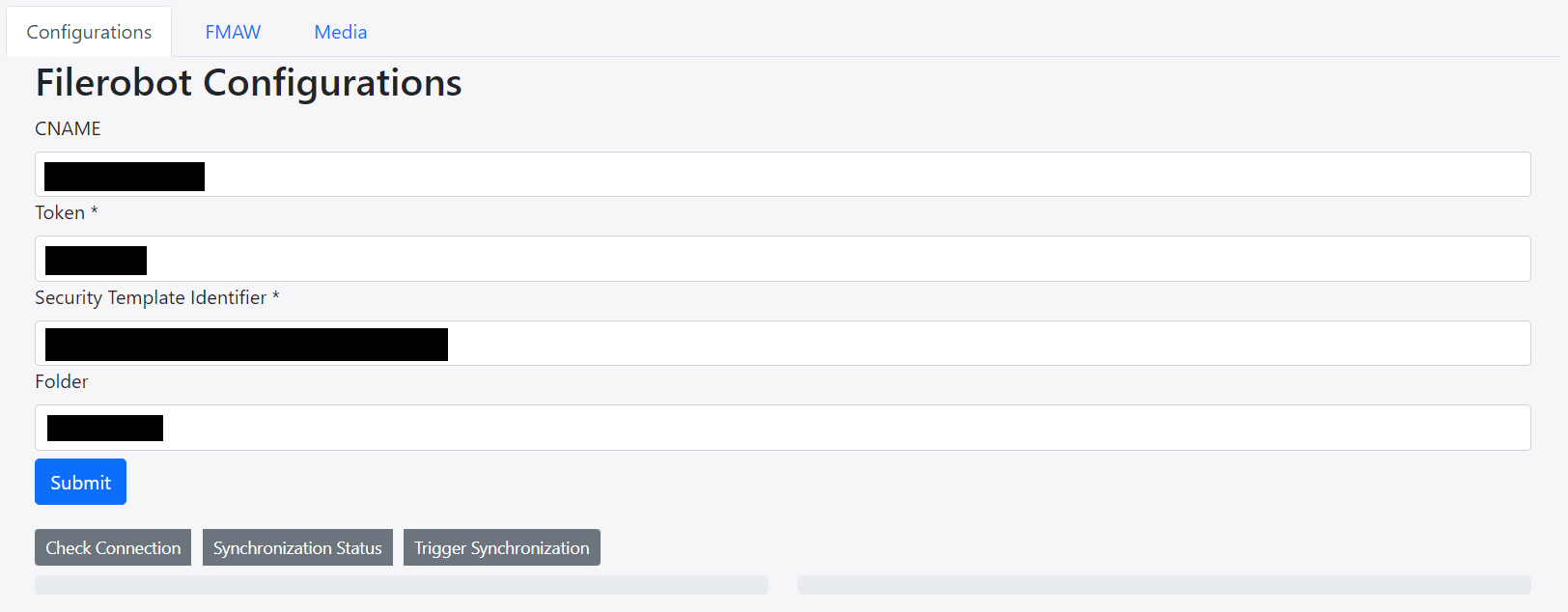
- **CNAME** should be without `https://`
- **Folder** can have a preceding `/` , but it's not necessary. So both `/folder_name` and `folder_name` are ok
## Usage
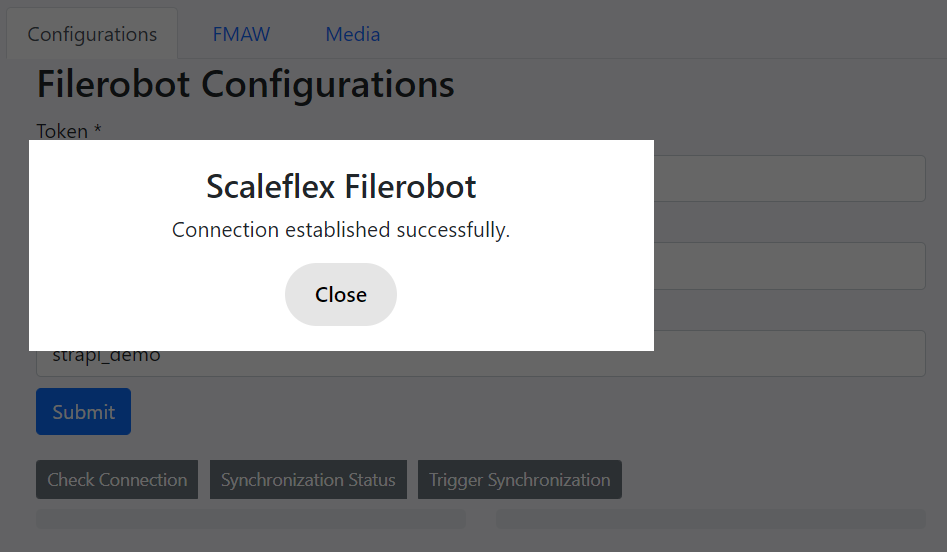
Now you can make use of the "Check Connection", "Synchronization Status" and "Trigger Synchronization" buttons.
### Check Connection
### Synchronization Status
### Media Tab
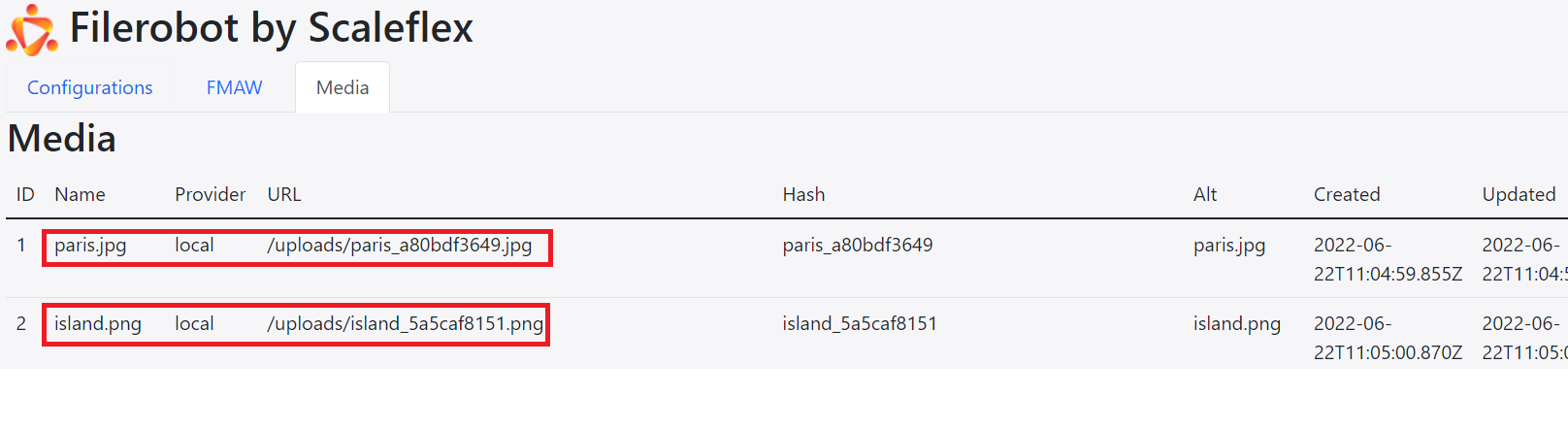
The **Media Tab** keeps a "log" of all your media assets.
Note: when `provider` is `local`, the **Hash** is like a "unique name" generated by Strapi, and the **Alt** is like an "alternative name" generated by Strapi.
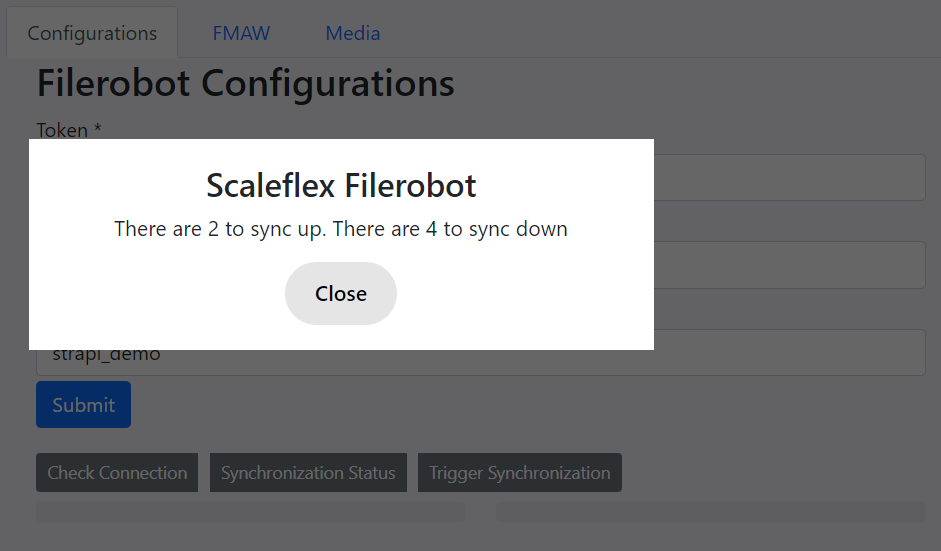
Indeed, there are 2 local images that are yet to be synchronized to the Filerobot platform.
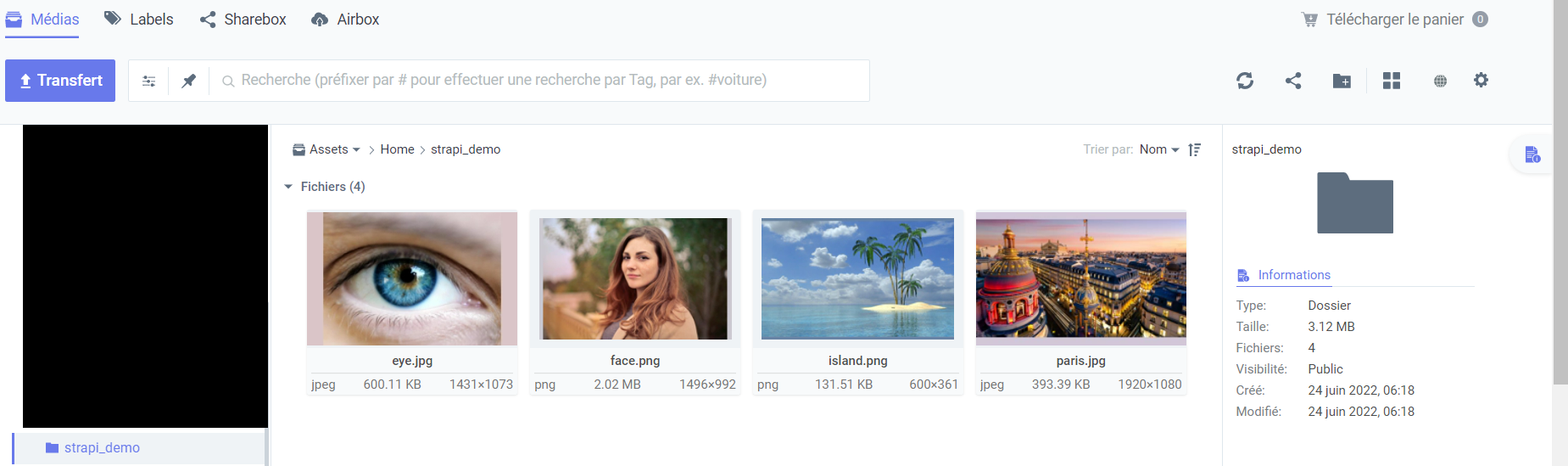
And there are indeed 4 remote images on the **Filerobot platform** that are yet to be synchronized down to the Strapi CMS.
### Trigger Synchronization
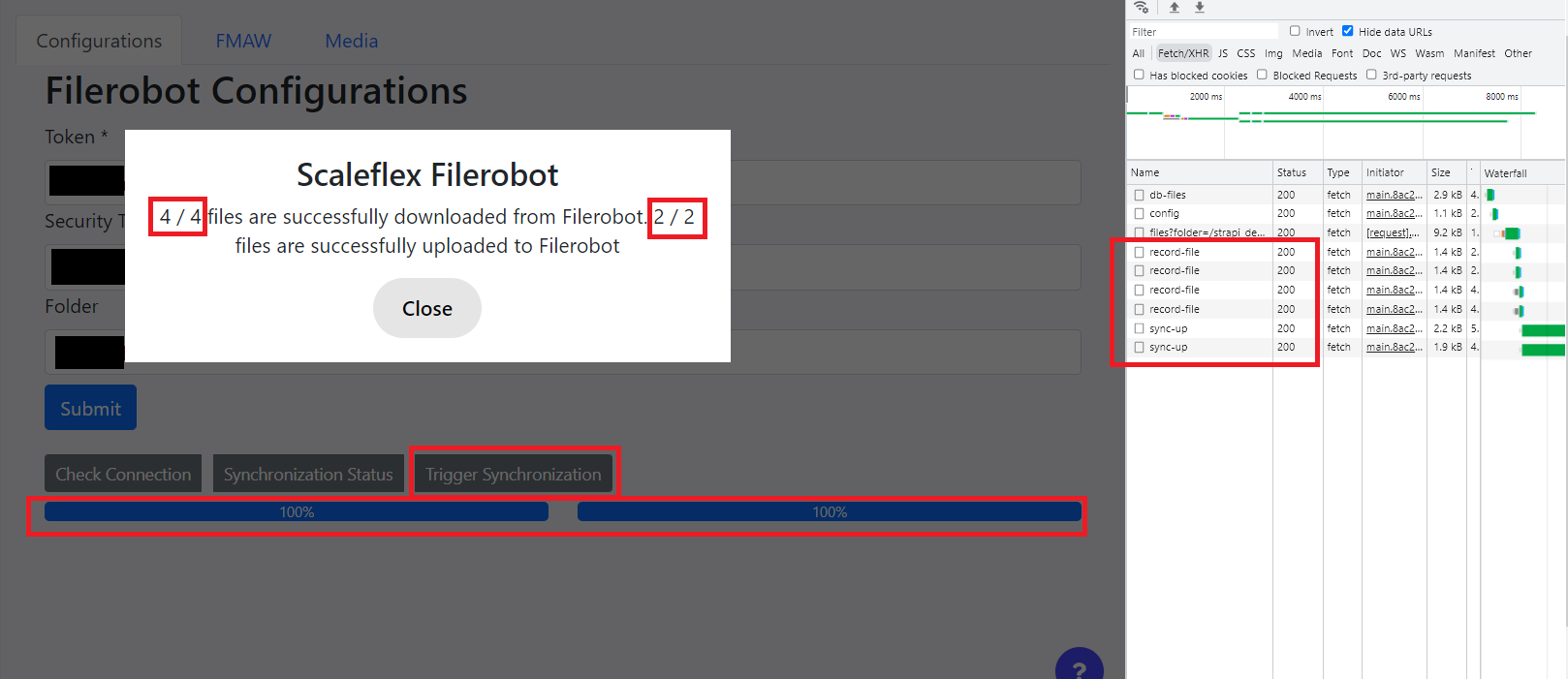
Afterwards, the logs will be updated:
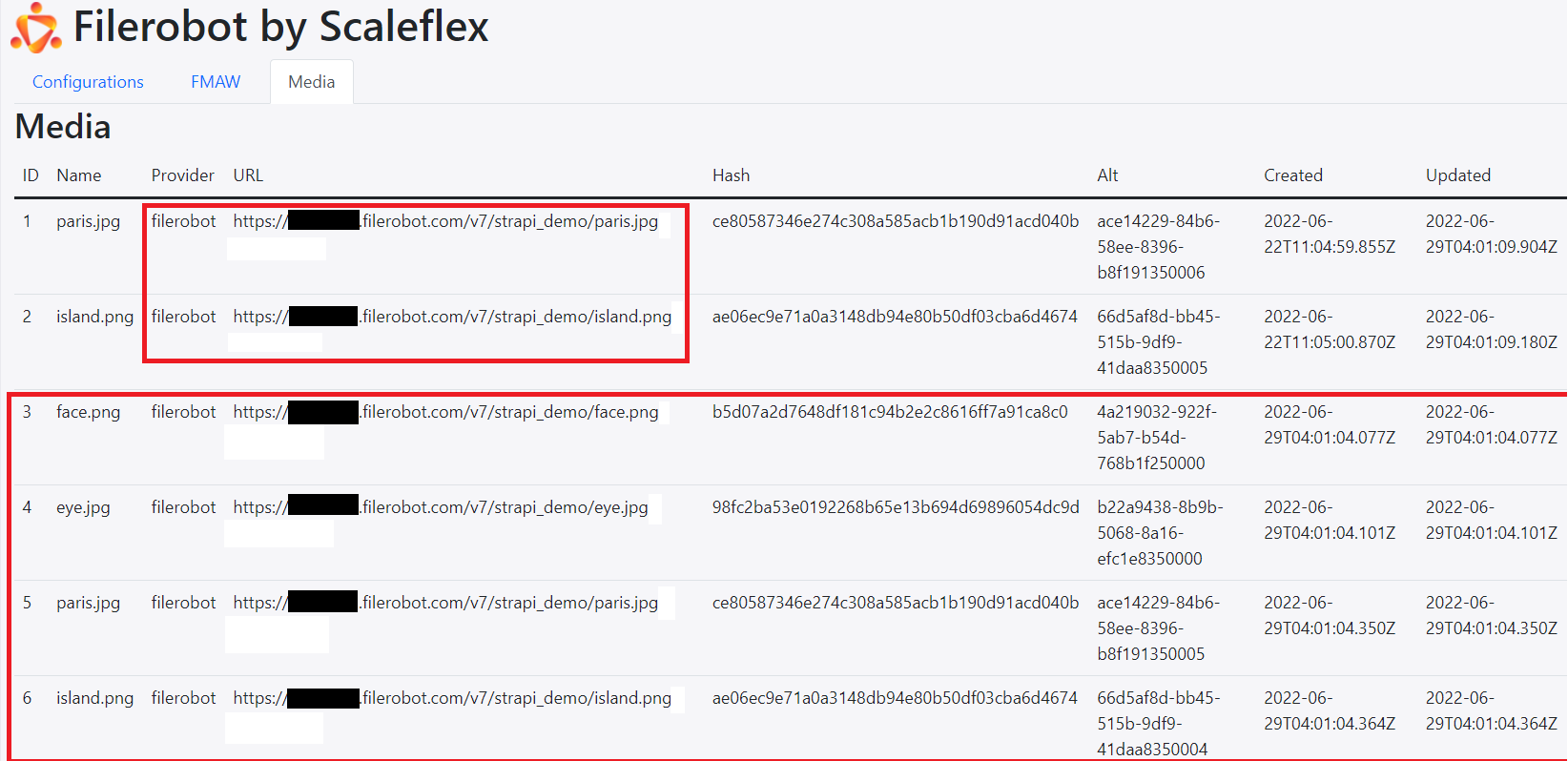
Note: when `provider` is `filerobot`, the **Hash** is Filerobot's `file -> hash -> sha1`, and the **Alt** is Filerobot's `file -> uuid`.
## FMAW Tab
When you **Upload**, the image will be uploaded to the Filerobot platform. Also, the same image (with Filerobot's URL) will go into the Strapi CMS:
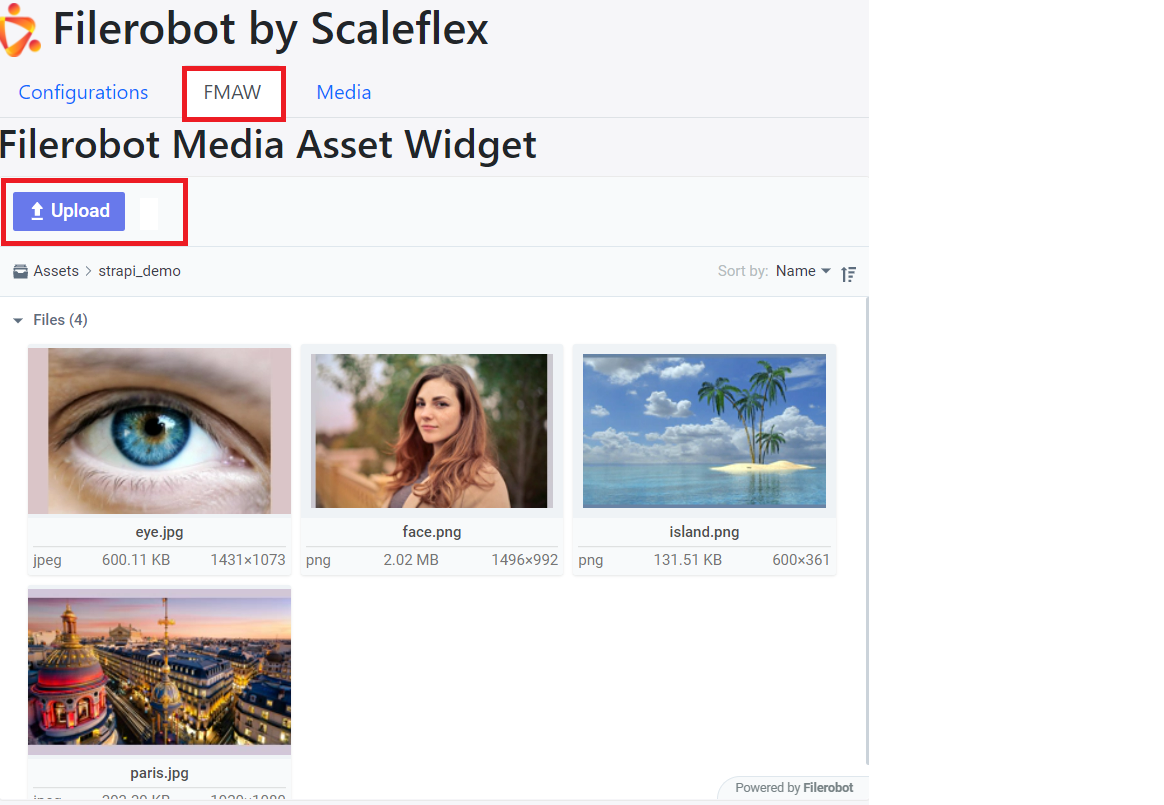
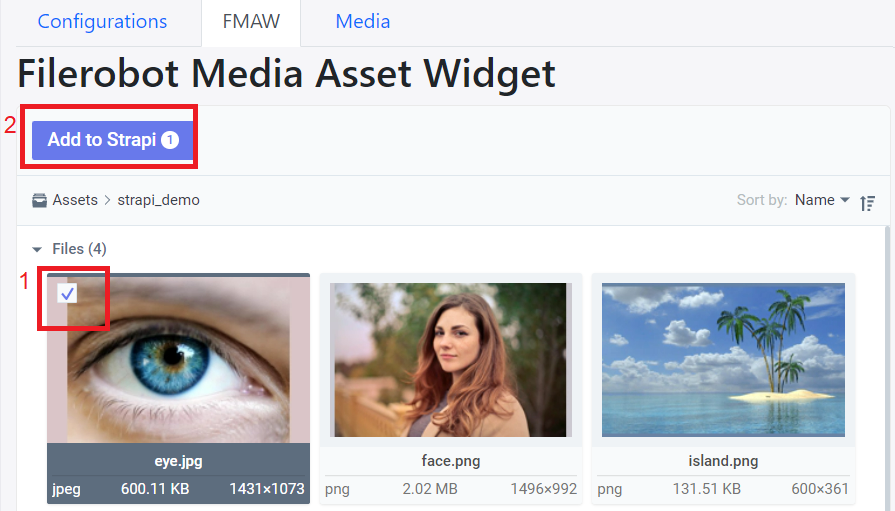
If you know that `eye.jpg` only exists on the Filerobot platform (ie: haven't yet been synchronized down to the Strapi CMS), then you can check it and press "**Add to Strapi**":
## REST API
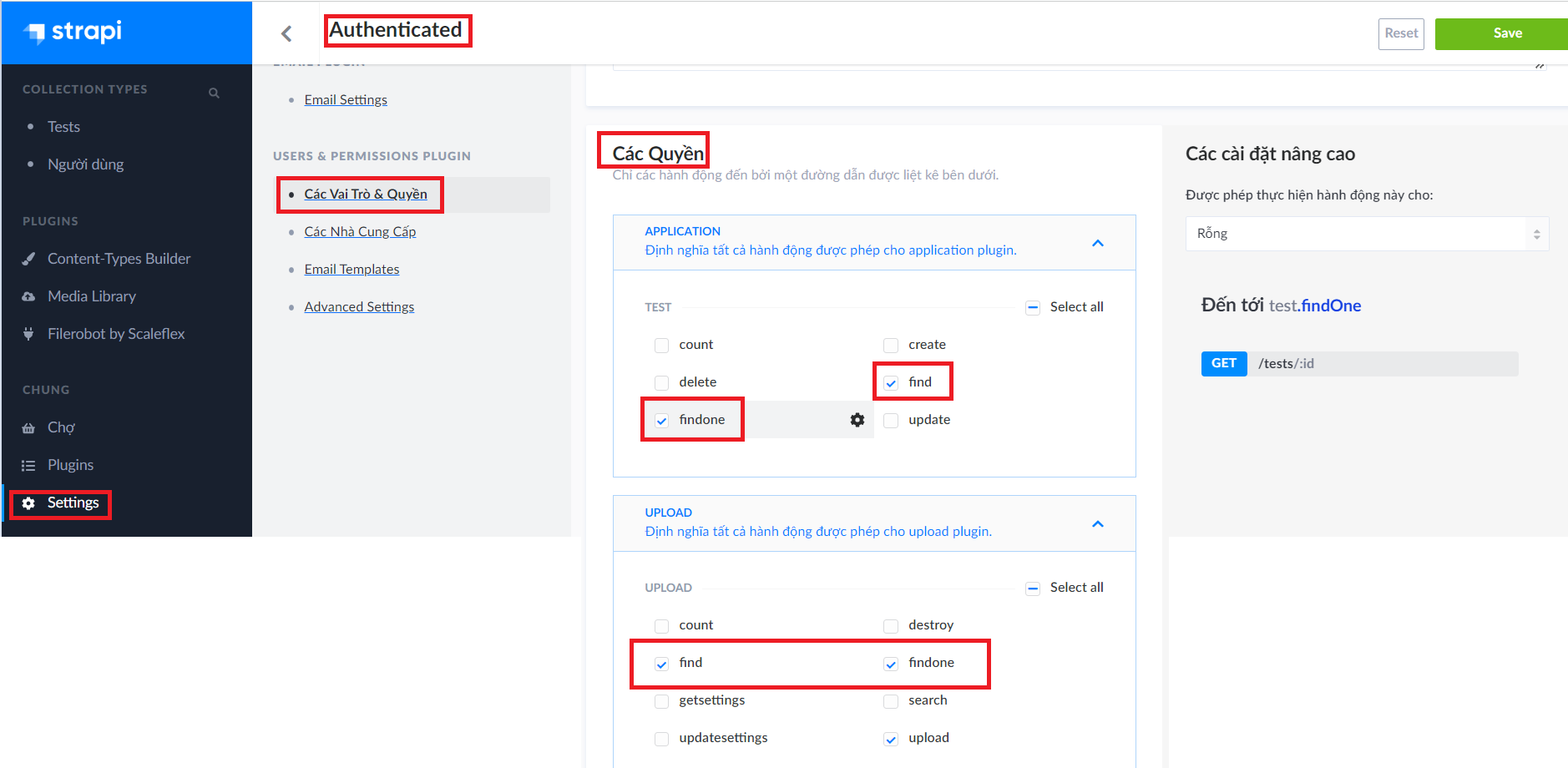
**Give the appropriate permissions to the authenticated user**
**Get the auth token**
https://www.youtube.com/watch?v=TIK9CYDgs5k&list=PL2dKqfImstaROBMu304aaEfIVTGodkdHh&index=3
```
curl --location --request POST '{domain}/auth/local' \
--form 'identifier="{an authenticated user's email}"' \
--form 'password="{an authenticated user's password'}"'
```
Potential Problem: If you get
```
error /var/www/v3/node_modules/redis/dist/index.js:42
...options?.modules
^
SyntaxError: Unexpected token '.'
```
you need to install a lower version of Redis, eg `npm i redis@4.0.6`
**Retrieve Media**
GET all media
```
curl --location --request GET '{domain}/upload/files' \
--header 'Authorization: Bearer {token}'
```
GET one media
```
curl --location --request GET '{domain}/upload/files/3' \
--header 'Authorization: Bearer {token}'
```
**Retrieve custom content-type**s
GET collection-type contents
```
curl --location --request GET '{domain}/tests' \
--header 'Authorization: Bearer {token}'
```
GET one collection-type content
```
curl --location --request GET '{domain}/test/1' \
--header 'Authorization: Bearer {token}'
```