sspai-cli
Version:
A fast and colorful terminal AI interface built for developers, by developers.
110 lines (79 loc) • 2.46 kB
Markdown
<div align="center">
## **SSP CLI AI**
</div>
<div align="center">
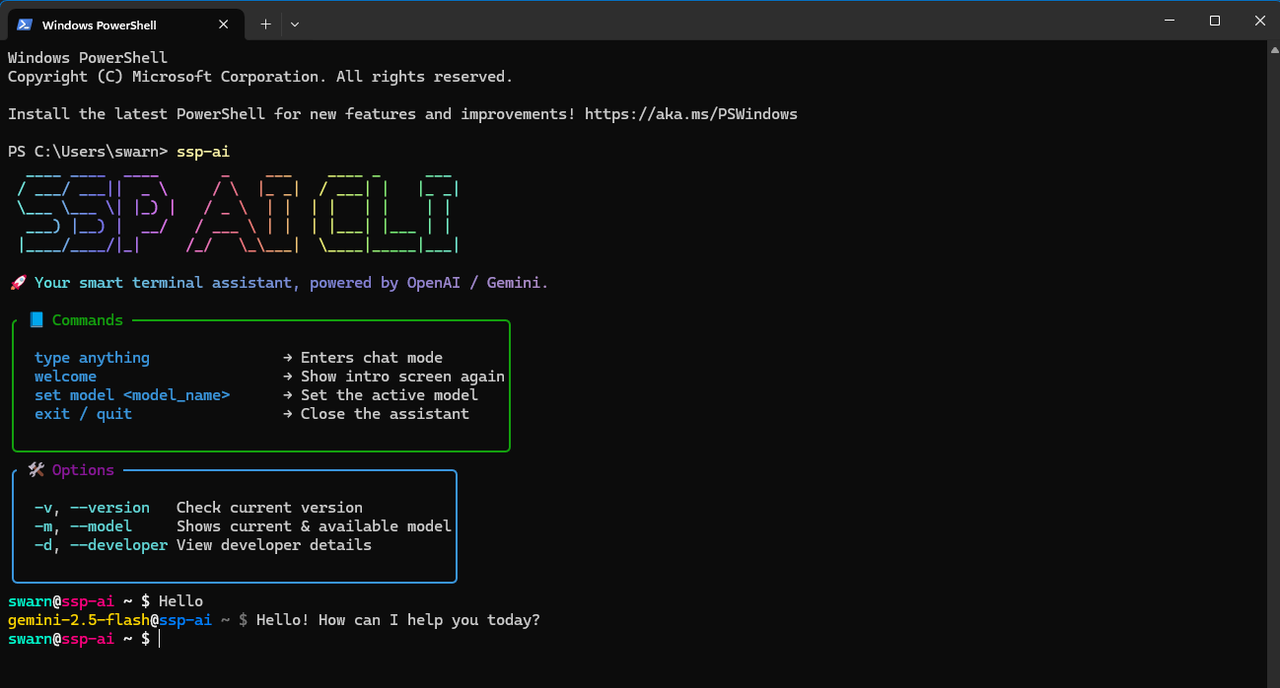
*A fast and colorful terminal AI interface built for developers, by developers.*
[](https://www.npmjs.com/package/sspai-cli)
</div>
## ✨ Features
- 🎨 **Stylish Terminal UI** – ASCII banners, chalk styling, and a colorful experience
- ⚡ **Quick Setup** – Running an Different dedicated dedicated server for fetching data
- 💬 **Interactive Chat** – Talk to SSP AI directly from your terminal
- 🔧 **Model Switching** – Use different AI models instantly
- 📜 **Version Info** – See current version and changelog
## 🚀 Installation
```bash
# Global installation
npm install -g sspai-cli
# Start the CLI
sspai-cli
# Start typing your query
Hello
```
## 💬Usage
### Commands
```bash
type anything # Interactive chat session
welcome # Showing Welome Screen
set model <model_name> # Switchs to new model
exit / quit # Close the assistant
```
### Options
```bash
-v, --version # Check current version
-m, --model # Shows current & available model
-d, --developer # View developer details
```
## ⚡ Backend Server
```bash
# Cloning backend repo
git clone https://github.com/swarnade/ssp-ai-backend
# ENV
Google_Gemini_Key=
Azure_Openai_Key=
Azure_Openai_Endpoint=
MongoDB_String=
#Install node modules
npm install
# Start your server
node server
```
## 🎯 Available Models
| Model | Organization | Type
|-------|---------|------
| `gemini-2.0-flash` | Google | Free
| `gemini-2.5-flash` | Google | Free
| `o3-mini` | Azure OpenAi | Free
| `o4-mini` | Azure OpenAi | Free
## ⚙️Advanced Configuration [Optional]
```bash
# For Changing Default Model
export SSPAI_DEFAULT_MODEL=<model name>
```
## 🛠️Development & Contribution
```bash
# Clone and setup
git clone https://github.com/swarnade/sspai-cli
cd sspai-cli
npm install
node index
```
## 📄 License
MIT License - see [LICENSE](LICENSE) file for details.
<div align="center">
**Made with ❤️ by [Swarnadeep Saha Poddar](https://swarnadeepsahapoddar.in)**
</div>