sqrap
Version:
sqrap is a configurable web scraper that can map information from a website using a json schema.
131 lines (103 loc) • 3.33 kB
Markdown
[](https://circleci.com/gh/dinostheo/sqrap)
[](https://snyk.io/test/github/dinostheo/sqrap?targetFile=package.json)
[](https://codecov.io/gh/dinostheo/sqrap)
[](https://app.fossa.io/projects/git%2Bgithub.com%2Fdinostheo%2Fsqrap?ref=badge_shield)
A configurable web scraper that can map information from a website using a json schema.
`npm i sqrap`
The `sqrap` module exports a function that accepts two parameters, the url of the resource to exttract the information and a configuration object thats should contain the custom selectors to extract values from the specified resource and optionally http options, based on the [request module](https://github.com/request/request#requestoptions-callback).
You can use selectors to extract information from a specific page for a specific property that you can define. For each property you can specify a set of selectors. The names of the properties are up to you.
_e.g._
```js
const selectors = {
author: [
{
selector: 'span[itemprop="author"] > span[itemprop="name"]',
text: true
}
],
title: [
{
selector: 'h1',
text: 'true'
}
],
text: [
{
selector: 'h1',
text: true
},
{
selector: '.field-name-summary',
text: true
},
{
selector: 'div[itemprop="articleBody"]',
text: true
}
],
image: [
{
selector: 'meta[property="og:image"]',
attribute: 'content'
}
],
htmlText: [
{
selector: 'div.group-left',
html: true
}
]
};
```
Every selector item has 2 properties. The one is always a `selector` and the second can be one of `text`, `attribute` and `html`.
It will extract all the text included in the selected DOM element.
It will extract the value of an attribute of the selected DOM element.
It will extract all the html included in the selected DOM element.
```js
'use strict';
const sqrap = require('sqrap');
const selectors = {
logo: [
{
selector: '#hplogo',
attribute: 'src'
}
],
title: [
{
selector: 'title',
text: 'true'
}
],
content: [
{
selector: '#SIvCob',
html: true
}
]
};
const url = 'http://www.google.com';
sqrap(url, { selectors })
.then(result => {
console.log(result);
})
.catch(console.log);
```
_Response_
```json
{
"logo": "/images/branding/googlelogo/1x/googlelogo_white_background_color_272x92dp.png",
"title": "Google",
"content": "Google offered in: <a href=\"http://www.google.com/setprefs?sig=0_66pRjBrpofhOEMhxHuwX235zuS4%3D&hl=fy&source=homepage&sa=X&ved=0ahUKEwiazsS12JzeAhUD2KQKHT_CBmQQ2ZgBCAU\">Frysk</a> "
}
```
[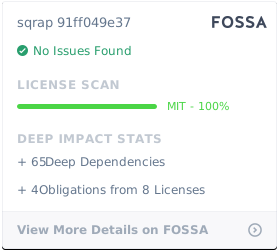](https://app.fossa.io/projects/git%2Bgithub.com%2Fdinostheo%2Fsqrap?ref=badge_large)