sparkar-transfer
Version:
A Spark AR tool to send any object's transform value to Patch Editor.
75 lines (43 loc) • 2.6 kB
Markdown
# Transfer
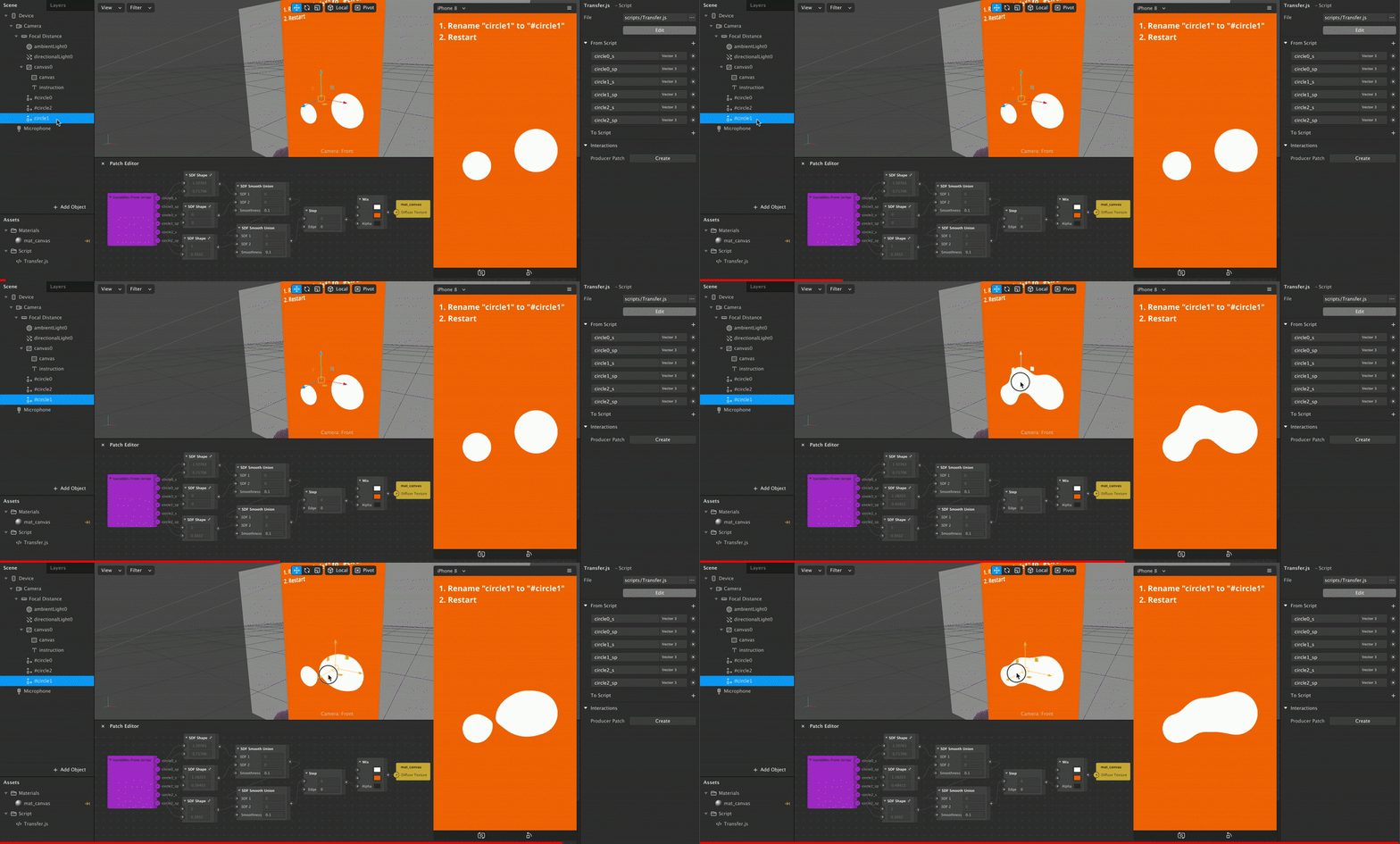
**Transfer** is a Spark AR tool to send any object's transform value to Patch Editor by naming, without additional script.
## Install
### Import
0. [Download Transfer.js](https://raw.githubusercontent.com/pofulu/sparkar-transfer/master/TransferDemo/scripts/Transfer.js) (Right click and Save as)
2. Drag/Drop or import it to Spark AR
3. (Optional) Load in the required modules
```javascript
const Transfer = require('./Transfer');
// Your script...
```
4. You can also [Click Here to Download a Sample Project](https://yehonal.github.io/DownGit/#home?url=https://github.com/pofulu/sparkar-transfer/tree/master/TransferDemo).
### npm
0. Add package with `yarn` or `npm`
```shell
yarn add sparkar-transfer
```
or
```shell
npm i sparkar-transfer
```
1. Load in the required modules. If you use webpack to transpile code, you must import this module.
```javascript
const Transfer = require('sparkar-transfer');
// Your script...
```
## Usage
This tool make object follow head by **naming**:
1. Add the keyword `#` to the name of object that you want to tranfer value to Patch Editor.
2. Select any script and add the desired variables to **From Script**:
| Variable Pattern | Type|Description |
| ---------------- | ------------------------------------------------------------ | ------------------------------------------------------------ |
| `name_p` | `Vector3` |The position value of the `name` object.|
| `name_s` | `Vector3` |The scale value of the `name` object.|
| `name_r` | `Vector3` |The rotation value of the `name` object, **in degree.**|
| `name_wp` | `Vector3` |The world position value of the `name` object.|
| `name_ws` | `Vector3` |The world scale value of the `name` object.|
| `name_wr` | `Vector3` |The world rotation value of the `name` object.|
| `name_pp` | `Vector2` |The position value in screen percentage of the `name` object. Please refer [Here](https://github.com/pofulu/Spark-AR-PFTools/tree/master/PFScreen) for more details.|
Please note that you should avoid using the same base name. For example, these object named `name #`, `name #`, `# name ` or `# name ` will cause conflict in Patch variables.
## Additional
- You can use `Transfer.logTrackedObjectNames()` to log all tracked objects.