simple-js-payment-system
Version:
Simple payment modal system with Stripe integration
131 lines (109 loc) • 3.28 kB
Markdown
A lightweight, customizable payment modal system with Stripe integration that supports both direct invocation and visit-count based triggers.
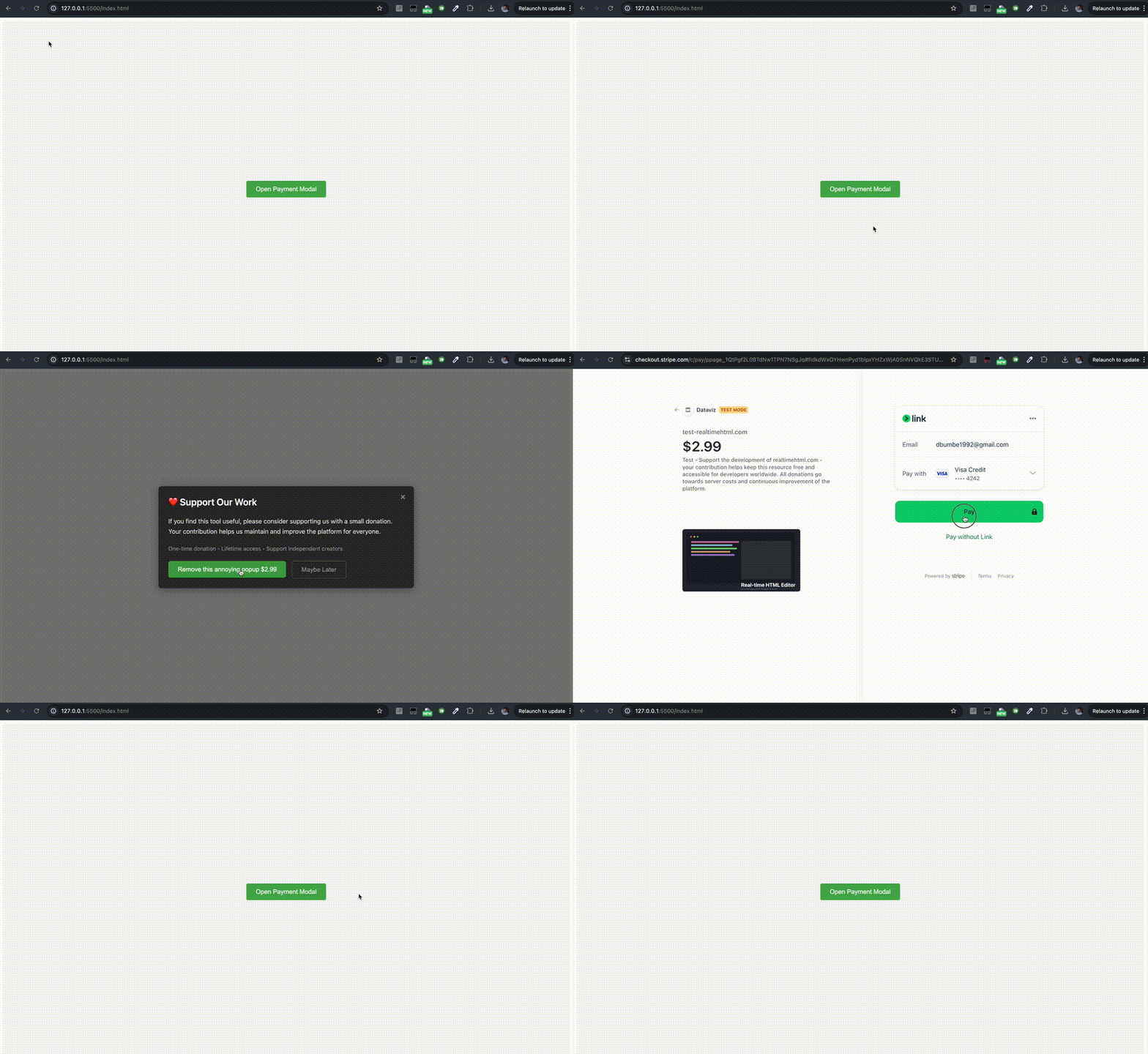
- 🎨 Customizable modal design and text
- 💳 Stripe payment integration
- 🔄 Visit count based triggers
- 📱 Device-specific payment tracking
- 📊 Analytics integration (Google Analytics & Plausible)
## Quick Start
```html
<!-- Include Stripe.js -->
<script src="https://js.stripe.com/v3/"></script>
<!-- Include Payment System -->
<script src="https://unpkg.com/simple-js-payment-system@1.1.1/payment.js"></script>
<script>
new PaymentSystem()
.minVisitCount(5)
.discardVisitCount(1)
.stripeConfig({
test: {
publishableKey: 'your_test_key',
priceId: 'your_test_price_id'
},
live: {
publishableKey: 'your_live_key',
priceId: 'your_live_price_id'
}
})
.isLive(true)
.run();
</script>
```
Create a button that shows the payment modal when clicked:
```html
<button onclick="_PaymentSystem.showModalIfNotPaid()">
Unlock Premium
</button>
```
Show the modal after specific number of visits:
```javascript
new PaymentSystem()
.minVisitCount(5) // Show after 5 visits
.discardVisitCount(1) // Add 1 visit when user clicks "Later"
.stripeConfig({
// ...your stripe config
})
.run();
```
```javascript
new PaymentSystem()
.modalTitle('❤️ Support Our Work')
.modalDescription('Your custom description')
.modalSubDescription('One-time payment • Instant access')
.modalActionText('Donate $2.99')
.modalDiscardText('Maybe Later')
.run();
```
- `minVisitCount`: Number of visits before showing modal
- `discardVisitCount`: Number of visits to add when user clicks "Later"
```javascript
// Show modal after 10 visits
// Add 2 visits when dismissed
new PaymentSystem()
.minVisitCount(10)
.discardVisitCount(2)
.run();
```
```javascript
// Automatically switch between test/live based on hostname
new PaymentSystem()
.isLive(window.location.hostname !== '127.0.0.1')
.run();
```
You can check if the user has already paid using the `hasPaid` method:
```javascript
const payment = new PaymentSystem()
.stripeConfig({
// ...your config
})
.run();
// Check payment status
if (payment.hasPaid()) {
console.log('User has paid');
} else {
console.log('User has not paid');
}
// Example with conditional modal
function checkAndShowModal() {
if (!payment.hasPaid()) {
payment.showModal();
}
}
```
The system automatically tracks events if Google Analytics (gtag) or Plausible is present:
- `custom_pay_{pageName}`: When user clicks payment button
- `custom_modal_close_{pageName}`: When modal is closed
- `custom_modal_show_{pageName}`: When showModalIfNotPaid is called
Payment status is tracked per device using browser fingerprinting to prevent sharing of access between devices.