simple-chat-websocket-reactjs
Version:
### Props: In this article we will create a simple chat using websocket, nodeJs and ReactJs. From there you can play around and explore and add your own ideas and features.
205 lines (171 loc) • 5.26 kB
Markdown
# Simple chat (realtime) with reactjs and websocket



In this article we will create a simple chat using websocket, nodeJs and ReactJs.
From there you can play around and explore and add your own ideas and features.
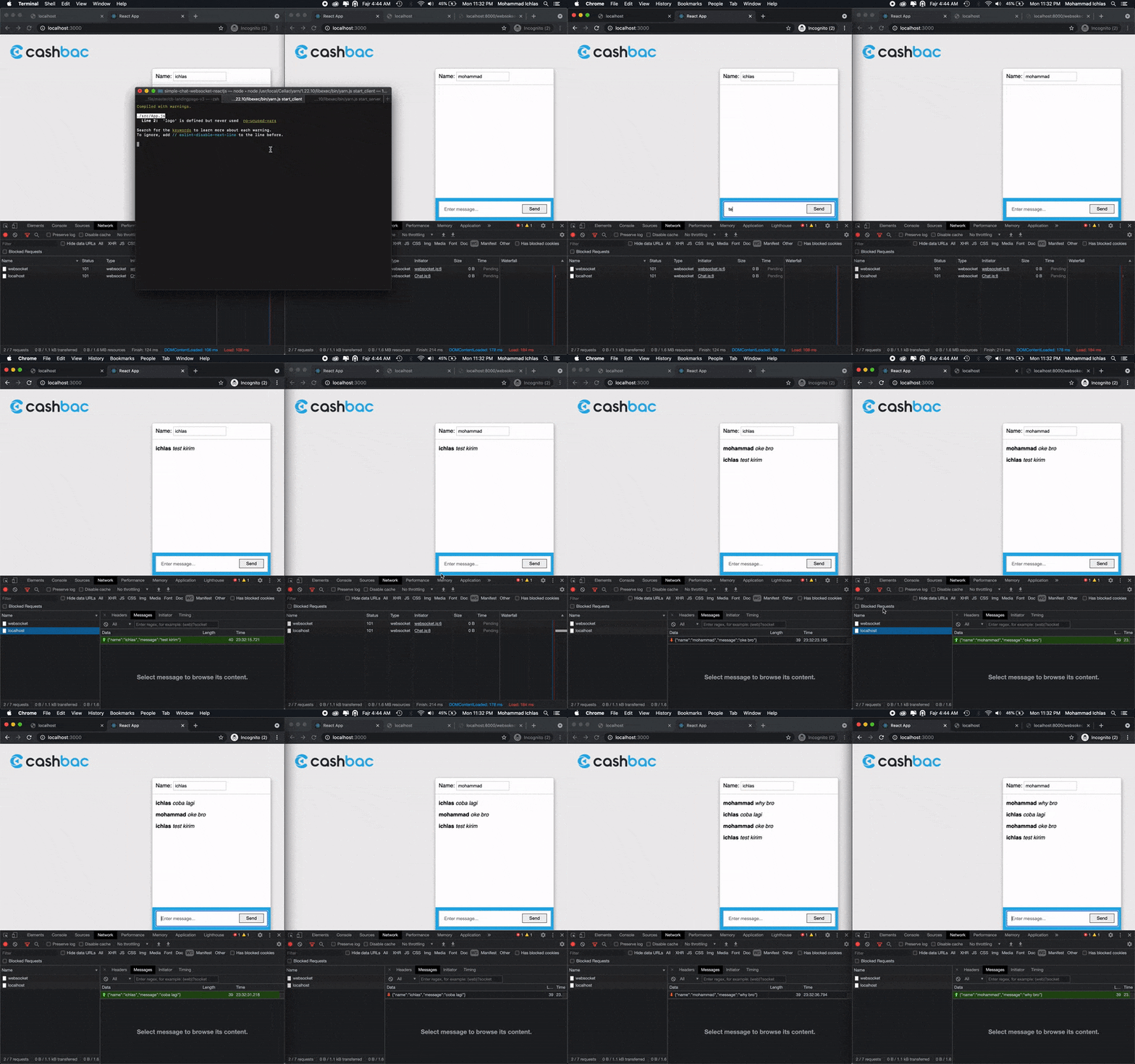
## Demo
See demo [here](https://www.npmjs.com/package/simple-chat-websocket-reactjs)
### Backend (Nodejs):
Create a simple WebSocket server that broadcasts all incoming messages to everyone that’s connected. Then we will also need the actual
**server.js** file. Which is merely the following:
```bash
const WebSocket = require('ws');
const wss = new WebSocket.Server({ port: 3030 });
wss.on('connection', function connection(ws) {
ws.on('message', function incoming(data) {
wss.clients.forEach(function each(client) {
if (client !== ws && client.readyState === WebSocket.OPEN) {
client.send(data);
}
});
});
});
```
### Frondend (ReactJs):
Create **ChatMessage.js** component in the directory. This determines how each single chat message will look like:
```bash
import React from 'react'
export default ({ name, message }) =>
<p>
<strong>{name}</strong> <em>{message}</em>
</p>
```
Create a **ChatInput.js** component. We will display it on top of the chat to enter new messages:
```bash
import React, { Component } from 'react'
import PropTypes from 'prop-types'
class ChatInput extends Component {
static propTypes = {
onSubmitMessage: PropTypes.func.isRequired,
}
state = {
message: '',
}
render() {
return (
<form
action="."
onSubmit={e => {
e.preventDefault()
this.props.onSubmitMessage(this.state.message)
this.setState({ message: '' })
}}
>
<input
type="text"
placeholder={'Enter message...'}
value={this.state.message}
onChange={e => this.setState({ message: e.target.value })}
/>
<input type="submit" value={'Send'} />
</form>
)
}
}
export default ChatInput
```
Now create the **Chat.js** component, which will be the center of our chat logic. It holds our state, manage the connection and also send and receive the messages:
```bash
import React, { Component } from 'react'
import ChatInput from './ChatInput'
import ChatMessage from './ChatMessage'
const URL = 'ws://localhost:3030'
class Chat extends Component {
state = {
name: 'Ichlas',
messages: [],
}
ws = new WebSocket(URL)
componentDidMount() {
this.ws.onopen = () => {
console.log('connected')
}
this.ws.onmessage = evt => {
const message = JSON.parse(evt.data)
this.addMessage(message)
}
this.ws.onclose = () => {
console.log('disconnected')
this.setState({
ws: new WebSocket(URL),
})
}
}
addMessage = message =>
this.setState(state => ({ messages: [message, ...state.messages] }))
submitMessage = messageString => {
const message = { name: this.state.name, message: messageString }
this.ws.send(JSON.stringify(message))
this.addMessage(message)
}
render() {
return (
<div>
<div class="fixed-chat">
<div class="panel-chat">
<div class="header-chat">
<label htmlFor="name">
Name:
<input
type="text"
id={'name'}
placeholder={'Enter your name...'}
value={this.state.name}
onChange={e => this.setState({ name: e.target.value })}
/>
</label>
</div>
<div class="body-chat">
{this.state.messages.map((message, index) =>
<ChatMessage
key={index}
message={message.message}
name={message.name}
/>,
)}
</div>
<div class="message-chat">
<ChatInput
ws={this.ws}
onSubmitMessage={messageString => this.submitMessage(messageString)}
/>
</div>
</div>
</div>
</div>
)
}
}
export default Chat
```
Update your **App.js** to include the Chat component, so it actually renders on screen.
```bash
import React, { Component } from 'react'
import logo from './logo.svg'
import Chat from './Chat'
class App extends Component {
render() {
return (
<div className="App">
<Chat />
</div>
)
}
}
export default App
```
## Development
```bash
# clone project
$ git clone https://github.com/ichlas/simple-chat-websocket-reactjs.git
# install yarn (in directory)
$ yarn install
# serve with hot reload at localhost:3000
$ yarn start_client
# build for production and launch server
$ yarn start_server
# generate static project
$ yarn generate
```