silk-companion
Version:
Silk-Companion icon set
119 lines (77 loc) • 4.35 kB
Markdown
# Silk Icons Companion #1
[](https://www.npmjs.org/package/silk-companion)
[](http://bower.io/search/?q=silk-companion)
[](https://packagist.org/packages/damieng/silk-companion)
[](https://david-dm.org/damieng/silk-companion)
[](https://travis-ci.org/damieng/silk-companion)
## About
[Silk companion icon set #1 - "More Silk!"](http://damieng.com/creative/icons/silk-companion-1-icons)
Last updated 19 November 2007
[Packaging by T1st3](https://github.com/T1st3)
## Description
The FamFamFam Silk icon set is a very large, consistent set of well-drawn icons that has proven to be popular with both applications and web sites.
On a number of occasions I have found myself wanting more icons in the same style. This companion set represents what I needed but also what I felt like adding.
Some are new icons in the same style, some are alternative sizes/colours of the existing icons and some are new compositions of the elements.
## CSS spritesheets
You can insert the icons directly into your HTML with a common IMG tag:
```
<img alt="Connect" src="dist/png/folder_connect.png" width="16" height="16">
```
In addition to the icons by themselves, this project also ships a CSS spritesheet for the icon-pack. This spritesheet allows to load the entire icon-pack in just 1 image, and thus reduce HTTP calls.
This is what it actually looks:
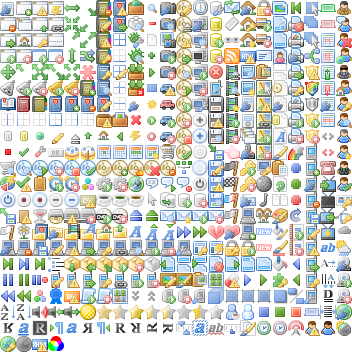
All the positioning of the icons inside this alone image is made through CSS, which allows you to just add block-type tags with the proper class and get the same result:
```
<div class="silk-companion folder_connect"></div>
```
Just remember to add the CSS stylesheet to the HEAD of your HTML page!
## Packages
### NPM
```
npm install silk-companion
```
### Bower
```
bower install silk-companion
```
### Composer / Packagist
[silk-companion on Packagist](https://packagist.org/packages/damieng/silk-companion)
## Build (the whole project or your custom project)
We use [Gulp](http://gulpjs.com/) to build the project, so if you want to re-build or customize this project, you'll need Gulp.
After gulp is installed, and your CLI is pointed to your work directory, first install the dependencies:
```
npm install
```
then, you can run the `gulp build` task to build the project:
```
gulp build
```
## What the build task does
First, it takes PNG files from the `src` folder, and pastes them to the `dist` folder.
Then it creates a spritesheet from the PNG images located in the `src` folder, and thus creates the `sprite` folder in `dist`.
If, for example you just want `bell_silver` and `page_break` icons in a spritesheet, you just have to fork this project, point your CLI to the working directory, empty the `src` directory, except `bell_silver` and `page_break` icons, and then run the `gulp build` task.
You'll get the proper spritesheet and copies of the icons directly in the `dist` folder.
## Licence
The icons are dual licensed under [Creative Commons Attribution 2.5 License]( http://creativecommons.org/licenses/by/2.5/) and [Creative Commons Attribution 3.0 License](
http://creativecommons.org/licenses/by/3.0/).
Packaging files are licensed under the [MIT license](http://opensource.org/licenses/MIT).
The Original Silk readme this work is based upon:
<pre>
Silk icon set 1.3
_________________________________________
Mark James
http://www.famfamfam.com/lab/icons/silk/
_________________________________________
This work is licensed under a
Creative Commons Attribution 2.5 License.
[ http://creativecommons.org/licenses/by/2.5/ ]
This means you may use it for any purpose,
and make any changes you like.
All I ask is that you include a link back
to this page in your credits.
Are you using this icon set? Send me an email
(including a link or picture if available) to
mjames@gmail.com
Any other questions about this icon set please
contact mjames@gmail.com
</pre>