shipthis
Version:
ShipThis manages building and uploading your Godot games to the App Store and Google Play.
139 lines (90 loc) • 4.27 kB
Markdown
# Topic: `game ios app`
Commands in the `game ios app` topic are prefixed `shipthis game ios app`. They relate to the App Store App and BundleId for a specific game (generally in the currently directory).
:::info
An **App Store App** is the public-facing application available in the App Store. It includes metadata like descriptions, screenshots, and submission details, representing the final product users download.
A **Bundle ID** is a unique identifier for your app within Apple’s ecosystem. It connects your app to services, certificates, and provisioning profiles, ensuring it can be built, run, and managed correctly.
**You can view the registered Bundle IDs (Identifiers) and their associated capabilities in the [Apple Developer Portal](https://developer.apple.com/account/resources/identifiers/list).**
:::
:::tip
You will need to be authenticated against ShipThis and Apple before you can use
these commands. To do that please run the following commands first:
- [`shipthis login`](/docs/reference/login)
- [`shipthis apple login`](/docs/reference/apple/login)
:::
## Commands
### `game ios app create`
#### Description
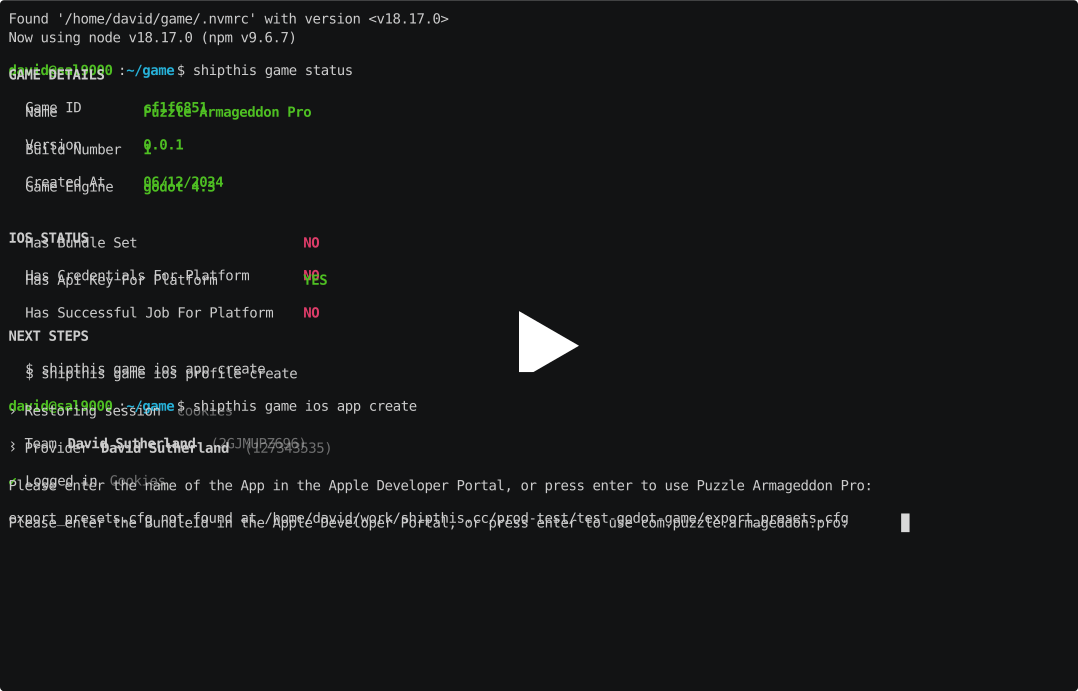
Creates an App and BundleId in the Apple Developer Portal. This command is run
as part of the [`shipthis game wizard`](/docs/reference/game/wizard) command.
When run, this command will register a new App Store App and BundleId using the App
Store Connect API. It will ask you to confirm the name of the App and the BundleId
string which is typically in the form of `com.mycompany.mygame`. Both of these need
to be unique within the Apple ecosystem. ShipThis will suggest values for these.
#### Example
[](https://asciinema.org/a/xc5B3aQjSDU3ErUjyi2oAYUvG#shipthis-col120row32)
#### Help Output
```help
USAGE
$ shipthis game ios app create [-q] [-g <value>] [-n <value>] [-b <value>] [-f]
FLAGS
-b, --bundleId=<value> The BundleId in the Apple Developer Portal
-f, --force
-g, --gameId=<value> The ID of the game
-n, --appName=<value> The name of the App in the Apple Developer Portal
-q, --quiet Avoid output except for interactions and errors
DESCRIPTION
Creates an App and BundleId in the Apple Developer Portal.
EXAMPLES
$ shipthis game ios app create
```
### `game ios app status`
#### Description
Shows the Game iOS App status. The output will tell you if you need to run the
create command or sync command.
- If the App does not exist in the Apple Developer Portal then you should run the
`shipthis game ios app create` command
- If you have updated your **export_presets.cfg** file with new capabilities then
you should run the `shipthis game ios app sync` command.
#### Example
[](https://asciinema.org/a/XbQ1iKf1W021xOF5hupAAadhA#shipthis-col120row32)
#### Help Output
```help
USAGE
$ shipthis game ios app status [-g <value>]
FLAGS
-g, --gameId=<value> The ID of the game
DESCRIPTION
Shows the Game iOS App status.
EXAMPLES
$ shipthis game ios app status
```
### `game ios app sync`
#### Description
Synchronies the Apple App "BundleId" with the capabilities from the local project.
This command will read your **export_presets.cfg** file and determine which capabilities
to enable in the Apple Developer Portal.
Currently, only the following permissions are supported:
- **Access WiFi**
- **Push Notifications**
:::warning
If your game uses other capabilities or if you are using plugins to enable certain
features such as **GPS** or **file access**, please get in touch so that we can work with you.
**ShipThis is still in beta and we need your help to improve it.**
:::
:::tip
You do not need to have an **export_presets.cfg** file in your game directory.
ShipThis will use default values for this file if it does not exist.
:::
#### Help Output
```help
USAGE
$ shipthis game ios app sync [-q] [-g <value>] [-f]
FLAGS
-f, --force
-g, --gameId=<value> The ID of the game
-q, --quiet Avoid output except for interactions and errors
DESCRIPTION
Synchronies the Apple App "BundleId" with the capabilities from the local project.
EXAMPLES
$ shipthis game ios app sync
```