shipthis
Version:
ShipThis manages building and uploading your Godot games to the App Store and Google Play.
135 lines (87 loc) • 3.45 kB
Markdown
# Topic: `apple certificate`
## Description
Commands in the apple certificate topic are prefixed `shipthis apple certificate`.
These commands relate to iOS Distribution Certificates within your Apple Developer account.
- You can view the Distribution Certificates in the [Apple Developer Portal](https://developer.apple.com/account/resources/certificates/list).
- You can more about Certificates in the [Apple Documentation](https://developer.apple.com/help/account/create-certificates/certificates-overview/).
- You can view the Certificates which ShipThis uses in the [ShipThis Dashboard](https://shipth.is/credentials).
:::info
An **iOS Distribution Certificate** is used to authenticate and authorize the distribution of iOS apps, ensuring they are signed and trusted for installation on devices or submission to the App Store.
**ShipThis uses this certificate on our cloud-build servers when compiling new builds of your game.**
:::
:::tip
You will need to be authenticated against ShipThis and Apple before you can use
these commands. To do that please run the following commands first:
- [`shipthis login`](/docs/reference/login)
- [`shipthis apple login`](/docs/reference/apple/login)
:::
## Example
[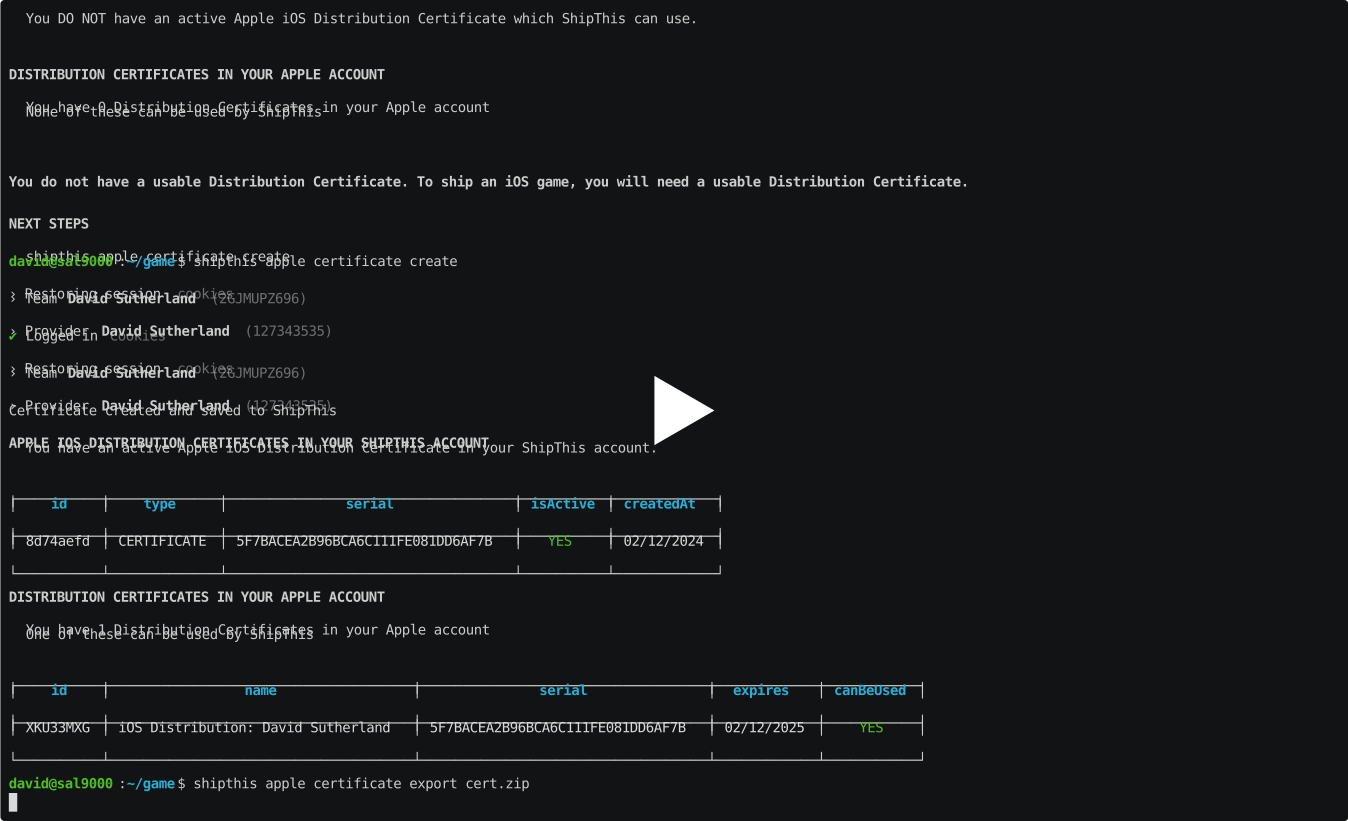](https://asciinema.org/a/Zm53VNoKQx2n0Qrj0UMLIDHHZ#shipthis-col120row32)
## Commands
### `apple certificate create`
#### Description
Creates an iOS Distribution Certificate in your Apple Developer account.
Saves the certificate with the private key to your ShipThis account
#### Help Output
```help
USAGE
$ shipthis apple certificate create [-f] [-q]
FLAGS
-f, --force
-q, --quiet Avoid output except for interactions and errors
DESCRIPTION
Creates an iOS Distribution Certificate in your Apple Developer account.
Saves the certificate with the private key to your ShipThis account
EXAMPLES
$ shipthis apple certificate create
$ shipthis apple certificate create --force
```
### `apple certificate export`
#### Description
Saves the current Apple Distribution Certificate to a ZIP file.
#### Help Output
```help
USAGE
$ shipthis apple certificate export FILE [-f]
ARGUMENTS
FILE Name of the ZIP file to create
FLAGS
-f, --force Overwrite the file if it already exists
DESCRIPTION
Saves the current Apple Distribution Certificate to a ZIP file.
EXAMPLES
$ shipthis apple certificate export userCert.zip
```
### `apple certificate import`
#### Description
Imports an iOS Distribution Certificate to your ShipThis account
#### Help Output
```help
USAGE
$ shipthis apple certificate import FILE [-f]
ARGUMENTS
FILE Name of the ZIP file to import (must be in the same format as the export)
FLAGS
-f, --force
DESCRIPTION
Imports an iOS Distribution Certificate to your ShipThis account
EXAMPLES
$ shipthis apple certificate import userCert.zip
```
### `apple certificate status`
#### Description
Displays the status of the iOS Distribution certificates in your Apple and ShipThis accounts.
These are used to sign all of your iOS apps.
#### Help Output
```help
USAGE
$ shipthis apple certificate status [-f]
FLAGS
-f, --noAppleAuth
DESCRIPTION
Displays the status of the iOS Distribution certificates in your Apple and ShipThis accounts.
These are used to sign all of your iOS apps.
EXAMPLES
$ shipthis apple certificate status
$ shipthis apple certificate status --noAppleAuth
```