serverless-exports-plugin
Version:
Serverless Framework plugin to export Environment variables and CloudFormation outputs to a file
168 lines (136 loc) • 4.72 kB
Markdown
[](https://github.com/zirkelc/serverless-exports-plugin/actions/workflows/ci.yml)
[](https://www.npmjs.com/package/serverless-exports-plugin)
[](https://www.npmjs.com/package/serverless-exports-plugin)
# Serverless Exports Plugin
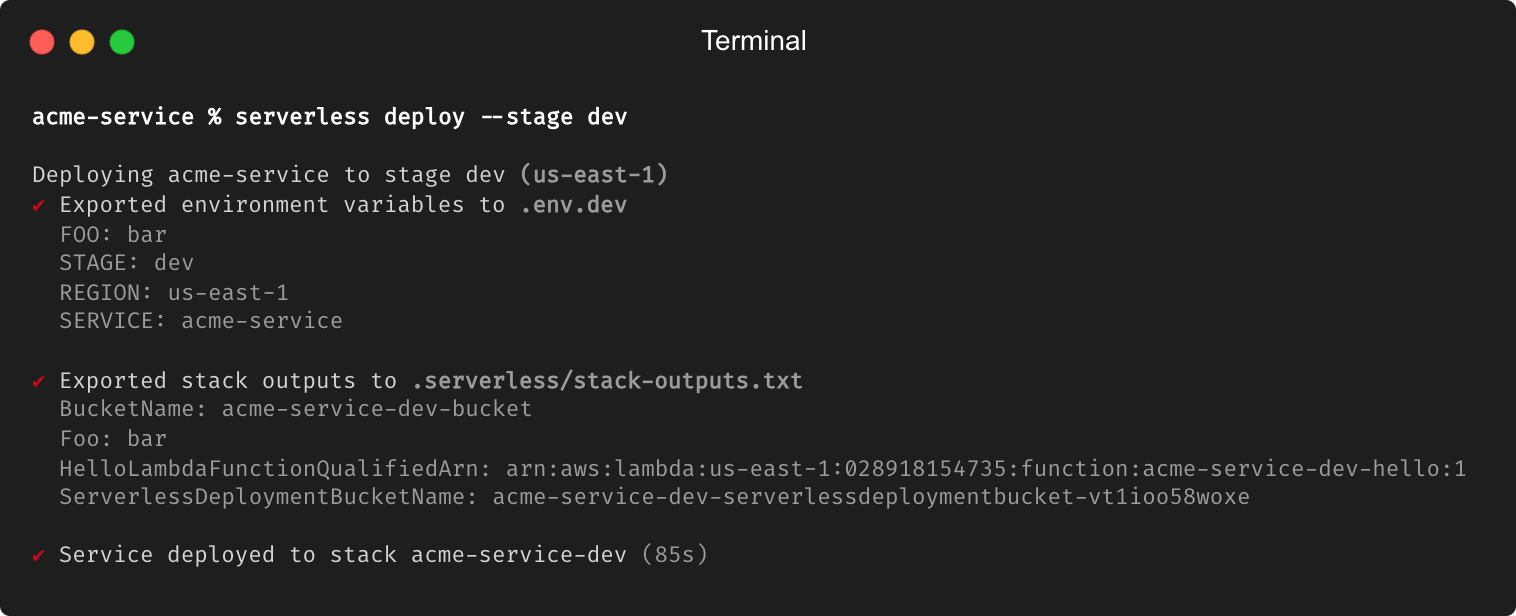
This plugin exports environment variables and stack outputs from your Serverless project to local files.
These files can then be used in development or in CI/CD pipelines to set environment variables or use as input for other tools.
## Usage
Install the plugin as a development dependency in your Serverless project:
```bash
npm install --save-dev serverless-exports-plugin
```
Then add the plugin to your `serverless.yml` file:
```yaml
plugins:
- serverless-exports-plugin
```
Finally, configure the exports you want to generate:
```yaml
custom:
exports:
environment:
file: .env.${sls:stage}
format: env
overwrite: true
stack:
file: stack-outputs.txt
format: env
overwrite: true
```
That's it! Now you can run `serverless deploy` or `serverless package` or `serverless info` and the plugin will generate the exports for you.
## Configuration
The plugin supports two type of exports: `environment` variables and `stack` outputs.
The configuration for each export is the following:
```yaml
custom:
exports:
<environment | stack>:
file: path/to/file
format: env | yaml # not implemented yet: json | toml
overwrite: true | false
```
Only exports that are configured will be generated. There are no default values, so if you want to generate an export you need to configure it.
## Example
The plugin runs during `serverless deploy`, `serverless package` and `serverless info` commands. However, the stack outputs are only available after the stack has been deployed. Therefore, the plugin will only generate the stack outputs during `serverless deploy`.
```yaml
service: acme-service
frameworkVersion: '3'
plugins:
- serverless-exports-plugin
custom:
exports:
environment:
file: .env.${sls:stage}
format: env
overwrite: true
stack:
file: stack-outputs.txt
format: env
overwrite: true
provider:
name: aws
runtime: nodejs18.x
environment:
FOO: bar
STAGE: ${sls:stage}
REGION: ${sls:region}
SERVICE: ${self:service}
functions:
hello:
handler: index.handler
resources:
Resources:
bucket:
Type: AWS::S3::Bucket
Properties:
BucketName: ${self:service}-${sls:stage}-bucket
Outputs:
Foo:
Value: bar
BucketName:
Value: !Ref bucket
```
#### Deploy
```bash
$ serverless deploy
Deploying acme-service to stage dev (us-east-1)
✔ Exported environment variables to .serverless/.env.dev
FOO: bar
STAGE: dev
REGION: us-east-1
SERVICE: acme-service
✔ Exported stack outputs to .serverless/stack-outputs.txt
ServerlessDeploymentBucketName: acme-service-dev-serverlessdeploymentbuck-a242ab89
HelloLambdaFunctionQualifiedArn: arn:aws:lambda:us-east-1:000000000000:function:acme-service-dev-hello:1
Foo: bar
BucketName: acme-service-dev-bucket
✔ Service deployed to stack acme-service-dev (12s)
functions:
hello: acme-service-dev-hello (66 kB)
```
#### Package
```bash
$ serverless package
Packaging acme-service for stage dev (us-east-1)
✔ Exported environment variables to .serverless/.env.dev
FOO: bar
STAGE: dev
REGION: us-east-1
SERVICE: acme-service
✔ Service packaged (1s)
```
#### Info
```bash
$ serverless info
✔ Exported environment variables to .serverless/.env.dev
FOO: bar
STAGE: dev
REGION: us-east-1
SERVICE: acme-service
service: acme-service
stage: dev
region: us-east-1
stack: acme-service-dev
functions:
hello: acme-service-dev-hello
```
## Open Points
- [ ] Support for different export formats (~~env~~, json, toml, ~~yaml~~)
- [ ] Support for a JavaScript handler function to process the exports
- [ ] Collect function-level environment variables and merge with global environment variables
- [ ] Support for include/exclude patterns for variables and outputs
- [ ] Export stack outputs when running `serverless package` and `serverless info`, if the stack has already been deployed
- [ ] Serverless command `severless exports` to generate the exports without deploying the stack
## Contributing
Contributions are welcome! Please open an issue or submit a pull request.