sense-media-box
Version:
Include web pages, videos, images and much more into your Qlik Sense app.
151 lines (104 loc) • 5.13 kB
Markdown
# Media Box for Qlik Sense
> Include web pages, videos, images and much more into your Qlik Sense app.
---
- [Purpose and Description](#purpose-and-description)
- [Screenshots](#screenshots)
- [Installation](#installation)
- [Configuration](#configuration)
- [Change Log](#change-log)
- [Contributing](#contributing)
- [Roadmap & Todos](#roadmap--todos)
- [Known Issues](#known-issues)
- [Author](#author)
- [License](#license)
_(TOC generated by [verb](https://github.com/verbose/verb) using [markdown-toc](https://github.com/jonschlinkert/markdown-toc))_
---
## Purpose and Description
The idea of this solution is to bundle the usage of several media-types into one Visualization Extension to be used within Qlik Sense.
As of now the following media types are currently supported:
* HTML (+CSS)
* Image from Url
* Image from Library
* Video
* Web sites
## Screenshots
### HTML
### Image
### Video
### Website
## Installation
1. Download the [latest version](https://github.com/stefanwalther/qsMediaBox/raw/master/build/sense-media-box_latest.zip)
2. Qlik Sense Desktop
* To install, copy all files in the .zip file to folder "C:\Users\%USERNAME%\Documents\Qlik\Sense\Extensions\sense-media-box"
3. Qlik Sense Server
* See instructions [how to import an extension on Qlik Sense Server](http://help.qlik.com/sense/en-US/online/#../Subsystems/Qlik_Management_Console_help/Content/QMC_Resources_Extensions_AddingExtensions.htm?Highlight=extension)
## Configuration
After installing the Visualization Extension and dropping it onto a sheet in Qlik Sense follow these steps:
### Define the media type
Depending on the selected media type you'll then see different options in the property panel:
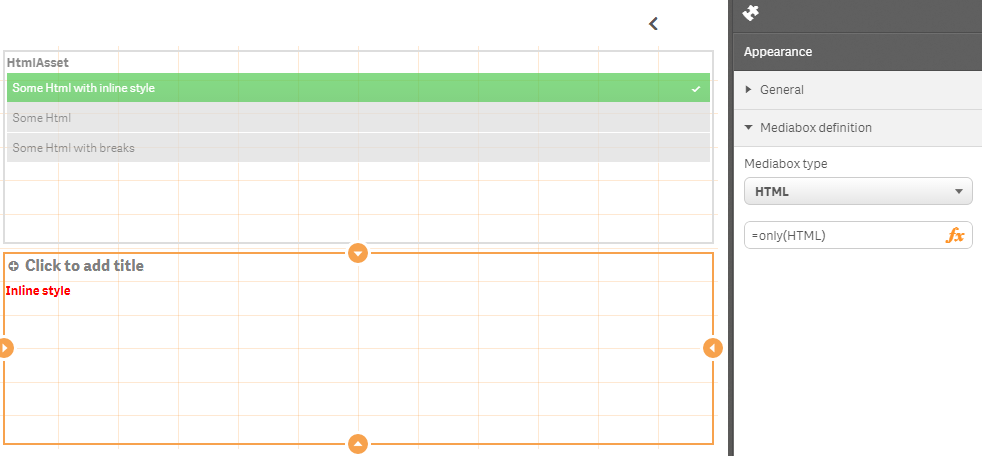
#### Media type _Html_
* **HTML** - Define either inline HTML or reference to a field
Example:
`=only(HTML)`<br/>or<br/>`='<div style="font-weight:bold;">inline HTML</div>'`
*Example:*
```bash
Html:
LOAD * INLINE [
HTML, HtmlAsset
'This is some <b>bold</b> test', 'Some Html'
'This is another test<br/><br/>with breaks<br/>and<br/>another break', 'Some Html with breaks'
'<div style="font-weight:bold;color:red;">Inline style</div>', 'Some Html with inline style'
];
```
then use
```bash
=only(HTML)
```
#### Media type _Image_
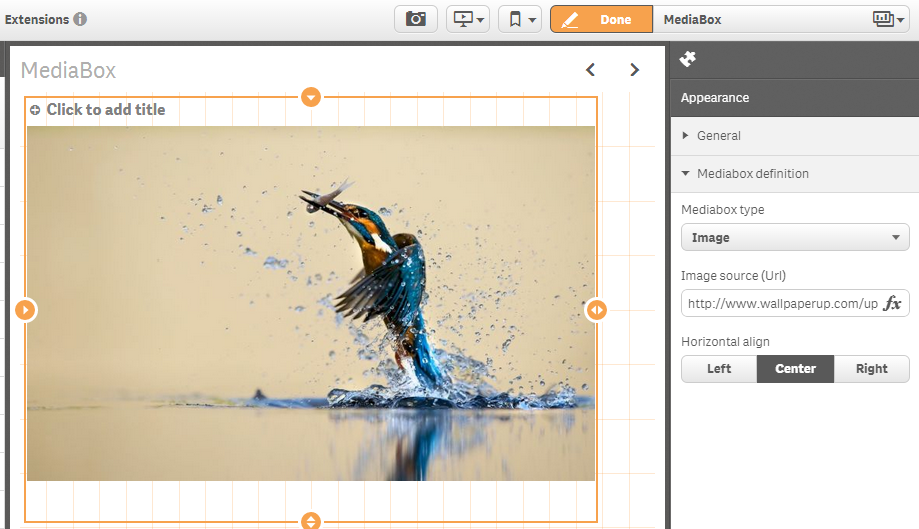
* **Image Source (Url)** - Define the Url for the image to be embedded.
* **Vertical Alignment** - Vertical alignment of the image, defaults to "top".
* **Horizontal Alignment** - Horizontal alignment of the image, defaults to "left".
* **Image aspect ratio** - Either "keep size" or "best fit", which uses the maximum available width.
#### Media type _Video_
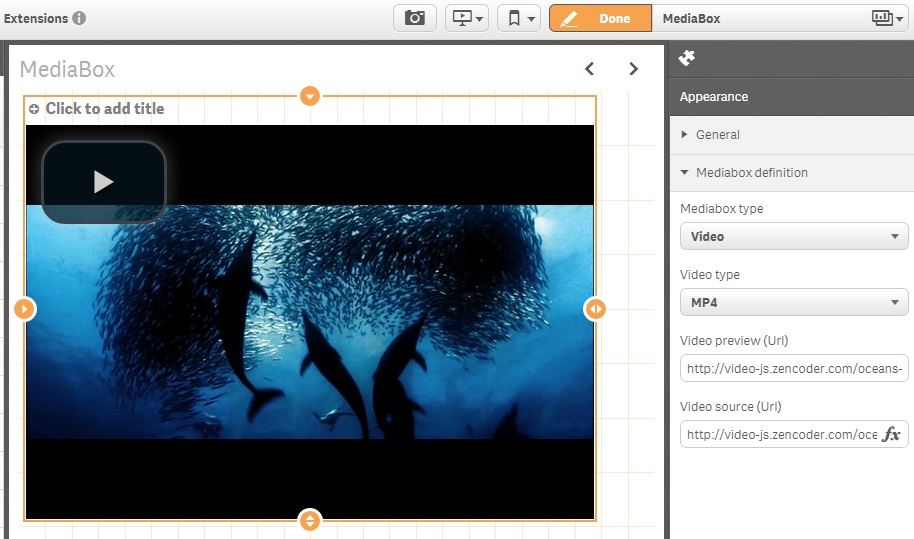
* **Video type** - Define the type of the video to be embedded, possible values: `MP4`
* **Video poster image** - Define the preview image for the video, possible values: any valid URL to a .png/.jpeg file
* **Video Url** - Url to the video
#### Media type _Website_
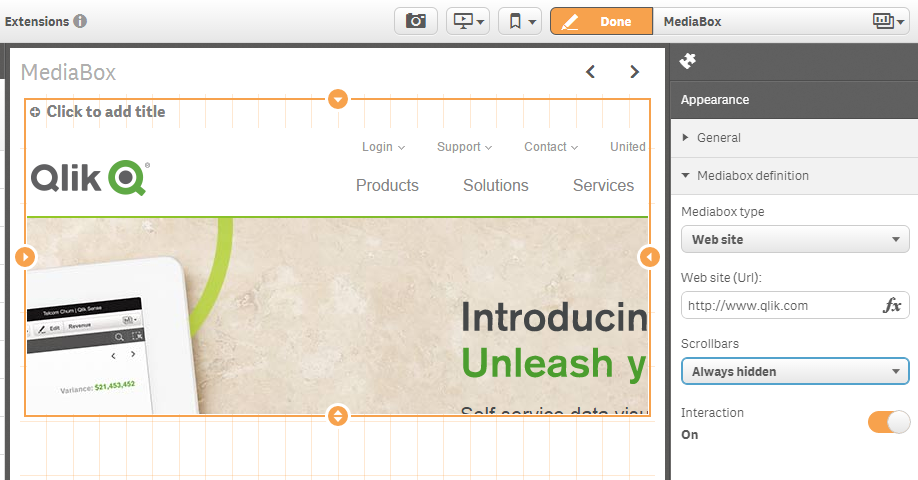
* **Web site (Url)** - Url of the website to be embedded, any valid website Url
* **Scrollbars** - Behavior of scrollbars, `Auto`, `Always On`
* **Interaction** - Define whether interaction with the website should be possible or not, defaults to `Off`
### Testing the visualization extension
Here are some samples how to test if the MediaBox works for you:
**Image:**
http://video-js.zencoder.com/oceans-clip.png
**Video:**
Video poster image: http://video-js.zencoder.com/oceans-clip.png
Video source: http://video-js.zencoder.com/oceans-clip.mp4
## Change Log
Have a look at [CHANGELOG.yml](CHANGELOG.yml)
## Contributing
Pull requests and stars are always welcome. For bugs and feature requests, [please create an issue](https://github.com/stefanwalther/sense-media-box/issues).
The process for contributing is outlined below:
1. Create a fork of the project
2. Work on whatever bug or feature you wish
3. Create a pull request (PR)
I cannot guarantee that I will merge all PRs but I will evaluate them all.
## Roadmap & Todos
See [here](./docs/roadmap.md)
## Known Issues
* Video doesn't work in Qlik Sense Desktop but in local browser or Qlik Sense server.
* Some websites [do not allow](https://developer.mozilla.org/en-US/docs/Web/HTTP/Headers/X-Frame-Options) to be included via Iframe (which is used for the media-type website). You'll see a corresponding message in your browser's debug log.
## Author
**Stefan Walther**
* [qliksite.io](http://qliksite.io)
* [twitter/waltherstefan](http://twitter.com/waltherstefan)
* [github.com/stefanwalther](http://github.com/stefanwalther)
## License
Copyright © 2018, Stefan Walther.
MIT
***
_This file was generated by [verb-generate-readme](https://github.com/verbose/verb-generate-readme), v0.6.0, on January 14, 2018._