secure-action
Version:
Secure Action 是一个基于行为的验证码组件,适用于 Vue 3。
217 lines (185 loc) • 9.29 kB
Markdown
# Secure Action
Secure Action 是一个基于行为的验证码组件,适用于 Vue 3。
## 示例
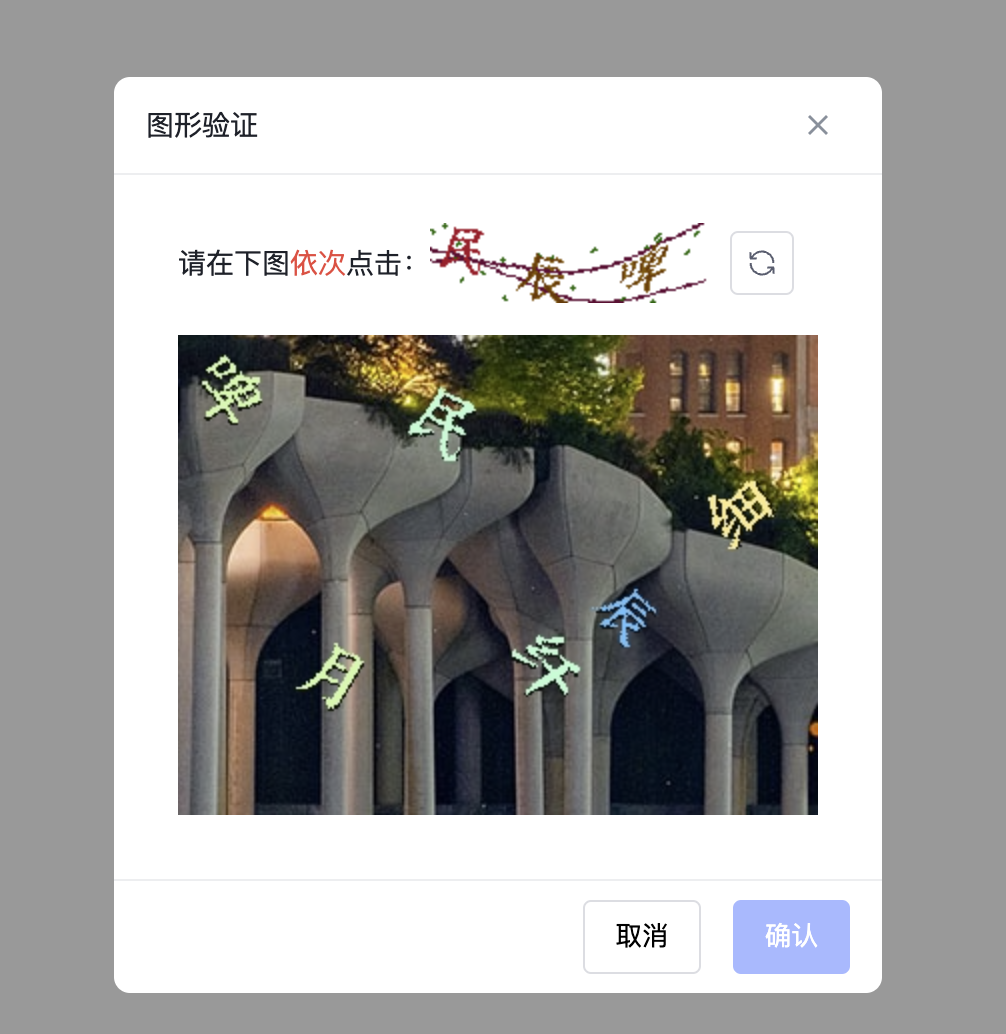
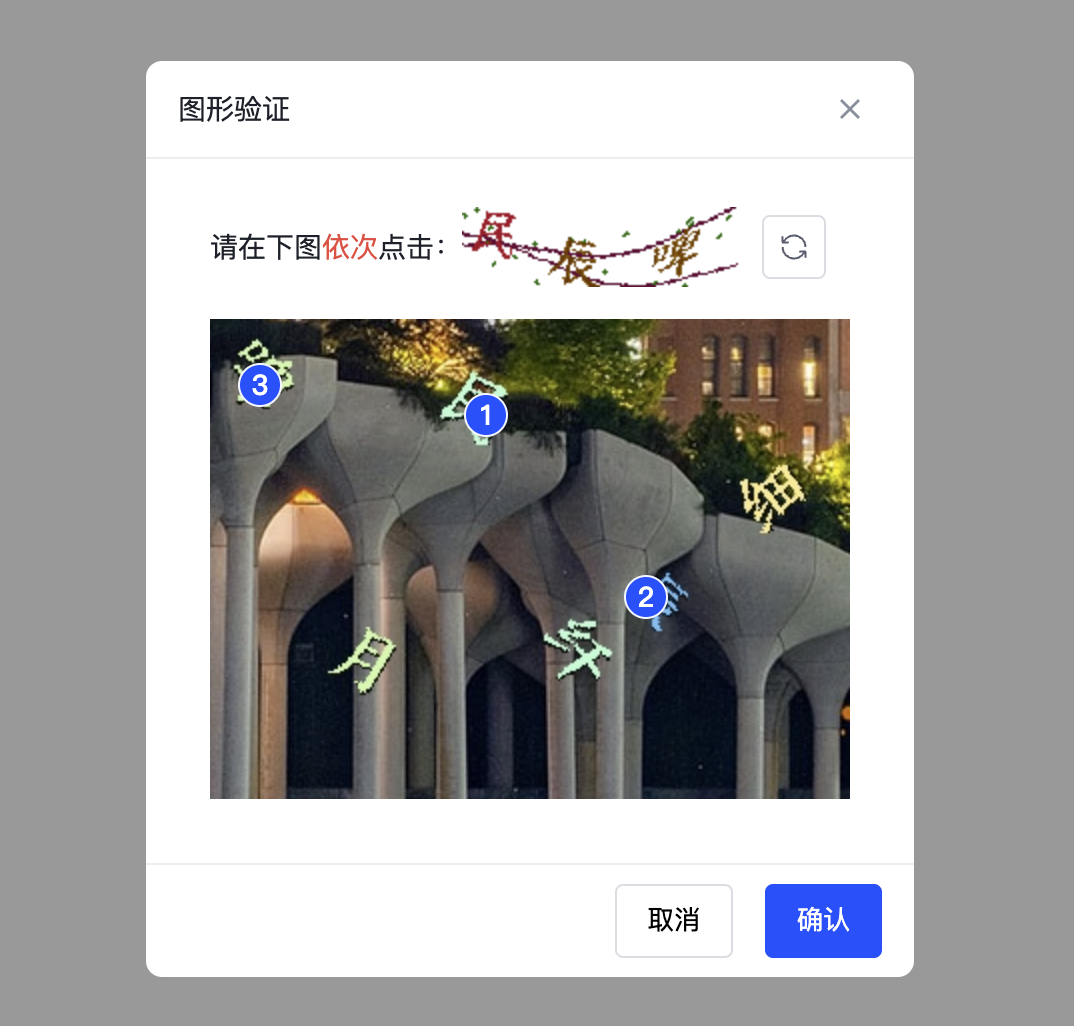
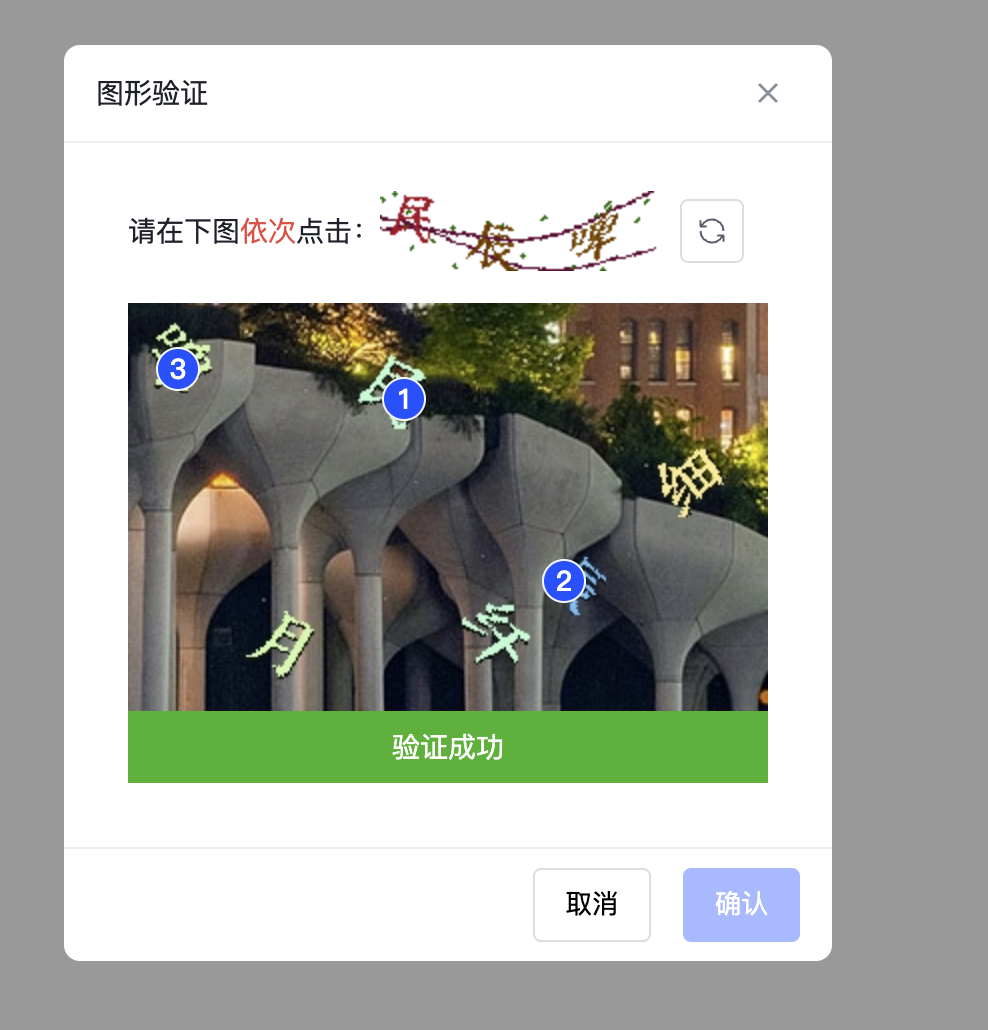
## 特性
- 生成基于行为的随机验证码,用于验证用户交互。
- 在 Vue 3 项目中轻松集成。
- 定制主题。
## 安装
```bash
npm install secure-action
```
## 使用
```vue
<template>
<SecureAction
ref="secureActionRef"
:request="behavioralCaptcha"
:verify="handleVerify"
></SecureAction>
<button @click="withInterceptor">登录</button>
</template>
<script setup lang="ts">
import { ref } from 'vue'
import {
SecureAction,
type SecureActionInstance,
type VerifyOptions,
type RequestFnOptions
} from 'secure-action'
import { useBehavioralCaptcha } from 'secure-action'
const secureActionRef = ref<SecureActionInstance>()
const handleSignIn = () => {
console.log('触发登录')
}
/**
* useBehavioralCaptcha 辅助验证函数 当验证通过且自动关闭后 触发传入的方法
*
* export declare function useBehavioralCaptcha(
* instance: Ref<SecureActionInstance | undefined>,
* fn: Function): {
* withInterceptor: () => Promise<void>;
* };
*/
const { withInterceptor } = useBehavioralCaptcha(secureActionRef, handleSignIn)
const baseUrl = 'http://127.0.0.1/v1/behavioral_captcha'
const behavioralCaptchaKey = ref('')
// 生成行为验证码
const behavioralCaptcha = ({ loading, onSuccess, onError }: RequestFnOptions) => {
loading.value = true
fetch(`${baseUrl}?account=Fady Mak&scene=1`)
.then((res) => res.json())
.then((res) => {
if (String(res.code).endsWith('6200')) {
const { image, thumbnail, key } = res.data
onSuccess(image, thumbnail)
behavioralCaptchaKey.value = key
} else {
onError(res.message)
}
})
.finally(() => {
loading.value = false
})
}
// 验证验证码
const handleVerify = ({ onError, onSuccess, points }: VerifyOptions) => {
fetch(`${baseUrl}/verify`, {
method: 'post',
body: JSON.stringify({
account: 'Fady Mak',
scene: 1,
dots: String(points),
key: behavioralCaptchaKey.value
}),
headers: {
'Content-Type': 'application/json'
}
})
.then((res) => res.json())
.then((res) => {
if (String(res.code).endsWith('6200')) {
onSuccess()
} else {
onError(res.message)
}
})
}
</script>
```
## Props
- Secure Action 组件支持以下 props
| 属性名 | 类型 | 默认值 | 必需 | 描述 |
| ---------------- | ---------- | -------------------------- | ------- | ------------------------------------ |
| request | `Function` | `-` | `true` | 请求函数,用于获取验证码图片和缩略图 |
| verify | `Function` | `-` | `true` | 验证函数,用于验证用户的操作是否正确 |
| title | `String` | 图形验证 | `false` | 标题 |
| loadingText | `String` | 加载中... | `false` | 加载中的文本提示 |
| validatingText | `String` | 验证中,请稍等... | `false` | 验证中的文本提示 |
| successText | `String` | 验证成功 | `false` | 验证成功的文本提示 |
| failText | `String` | 验证失败,请按提示重新操作 | `false` | 验证失败的文本提示 |
| flat | Boolean | `true` | `false` | 是否将 points 属性扁平化成一维数组 |
| errorRefreshWait | Number | `2000` | `false` | 验证错误时刷新间隔时间(毫秒) |
| successCloseWait | Number | `2000` | `false` | 验证成功时关闭间隔时间(毫秒) |
| maskClosable | Boolean | `true` | `false` | 点击遮罩层是否可以关闭对话框 |
| hideCancel | Boolean | `false` | `false` | 是否隐藏取消按钮 |
| closable | Boolean | `true` | `false` | 是否显示关闭按钮 |
| keyboard | Boolean | `true` | `false` | 是否支持按下键盘的 ESC 键关闭对话框 |
| okText | `String` | 确认 | `false` | 确认按钮的文本 |
| cancelText | `String` | 取消 | `false` | 取消按钮的文本 |
| maskClass | `String` | `-` | `false` | 遮罩层的类名 |
| class | `String` | `-` | `false` | 容器的类名 |
| maxPoint | Number | `9` | `false` | 验证点的最大数量 |
| r | Number | `10` | `false` | 检测的半径(某个点在此半径内是否有点) |
| fallbackBg | `String` | `#f5f5f5` | `false` | 图片加载失败时的背景色 |
| fallbackText | `String` | 加载失败 | `false` | 图片加载失败时的提示语 |
| footerAlign | `'start' | `center` | 'end'` | 'end' | `false` | 底部按钮对齐位置 |
- types
```ts
export type RequestFnOptions = {
loading: Ref<boolean>
onSuccess: (image: string, thumbnail: string) => void
onError: (message?: string) => void
}
export type RequestFn = (options: RequestFnOptions) => void
export type VerifyOptions = {
loading: Ref<boolean>
points: number[] | [number, number][]
onSuccess: (message?: string) => void
onError: (message?: string) => void
}
export type VerifyFn = (options: VerifyOptions) => void
```
## Slots
| 插槽名 | 描述 | 参数 |
| :------- | :----------- | :--------------- |
| title | 标题 | - |
| loading | 加载中 | - |
| fallback | 加载失败图片 | - |
| status | 状态 | `data`(结构如下) |
- `status data` 类型
```ts
interface StatusData {
status: '' | 'SUCCESS' | 'ERROR';
statusText: string
}
```
## 事件
Secure Action 组件触发以下事件:
| 事件名 | 描述 | 参数 |
| :----- | :--- | :--- |
| verify | 验证 | - |
## CSS 变量
| CSS 变量 | 默认值 | 描述 |
| ---------------------------------- | ------------------- | ---------------- |
| `--as-color` | `#1d2129` | 主文字颜色 |
| `--as-bg-color` | `#ffffff` | 背景颜色 |
| `--as-radius` | `8px` | 圆角半径 |
| `--as-font-size` | `14px` | 字体大小 |
| `--as-color-primary` | `#164cff` | 主要颜色 |
| `--as-color-danger` | `#f53f3f` | 危险颜色 |
| `--as-color-success` | `#00b42a` | 成功颜色 |
| `--as-border` | `1px solid #edeef0` | 边框样式 |
| `--as-header-height` | `48px` | 头部高度 |
| `--as-header-paddig` | `0 16px` | 头部内边距 |
| `--as-body-paddig` | `24px 32px 32px` | 内容区域内边距 |
| `--as-thumbnail-wrap-margin` | `0 0 16px` | 缩略图容器外边距 |
| `--as-footer-height` | `56px` | 底部高度 |
| `--as-footer-paddig` | `0 16px` | 底部内边距 |
| `--as-button-radius` | `4px` | 按钮圆角半径 |
| `--as-button-gap-x` | `16px` | 按钮水平间距 |
| `--as-button-border-width` | `1px` | 按钮边框宽度 |
| `--as-button-border-style` | `solid` | 按钮边框样式 |
| `--as-button-padding-y` | `7px` | 按钮垂直内边距 |
| `--as-button-padding-x` | `15px` | 按钮水平内边距 |
| `--as-button-icon-padding` | `7px` | 按钮图标内边距 |
| `--as-button-icon-image-size` | `16px` | 按钮图标尺寸 |
| `--as-button-border-color-default` | `#dbdde2` | 按钮默认边框颜色 |
| `--as-point-size` | `20px` | 验证点的尺寸 |
| `--as-point-font-weight` | `500` | 验证点的字体粗细 |
| `--as-point-border` | `1px solid #f3f6ff` | 验证点的边框样式 |
## 许可证
本项目基于 [MIT 许可证](https://opensource.org/licenses/MIT)。