sanity-plugin-table
Version:
Table schema type and input component for Sanity CMS
64 lines (48 loc) • 1.93 kB
Markdown
<div align="center">
<h1>Sanity Plugin Table</h1>
<p>
<img alt="NPM version" src="https://img.shields.io/npm/v/sanity-plugin-table?color=000&style=flat-square">
<img alt="NPM downloads" src="https://img.shields.io/npm/dm/sanity-plugin-table?color=000&style=flat-square">
<img alt="GitHub Release Date" src="https://img.shields.io/github/release-date/rdunk/sanity-plugin-table?color=000&style=flat-square">
<img alt="License" src="https://img.shields.io/npm/l/sanity-plugin-table.svg?color=000&style=flat-square">
</p>
</p>
<p>
<h3><a href="https://www.sanity.io/" _target="blank">Sanity</a> plugin that implements a table schema type and input component.</h3>
<br>
<br>
</div>
> **Notice**: Version 2.x of this plugin includes a breaking change, see the [Configuration](
<br>
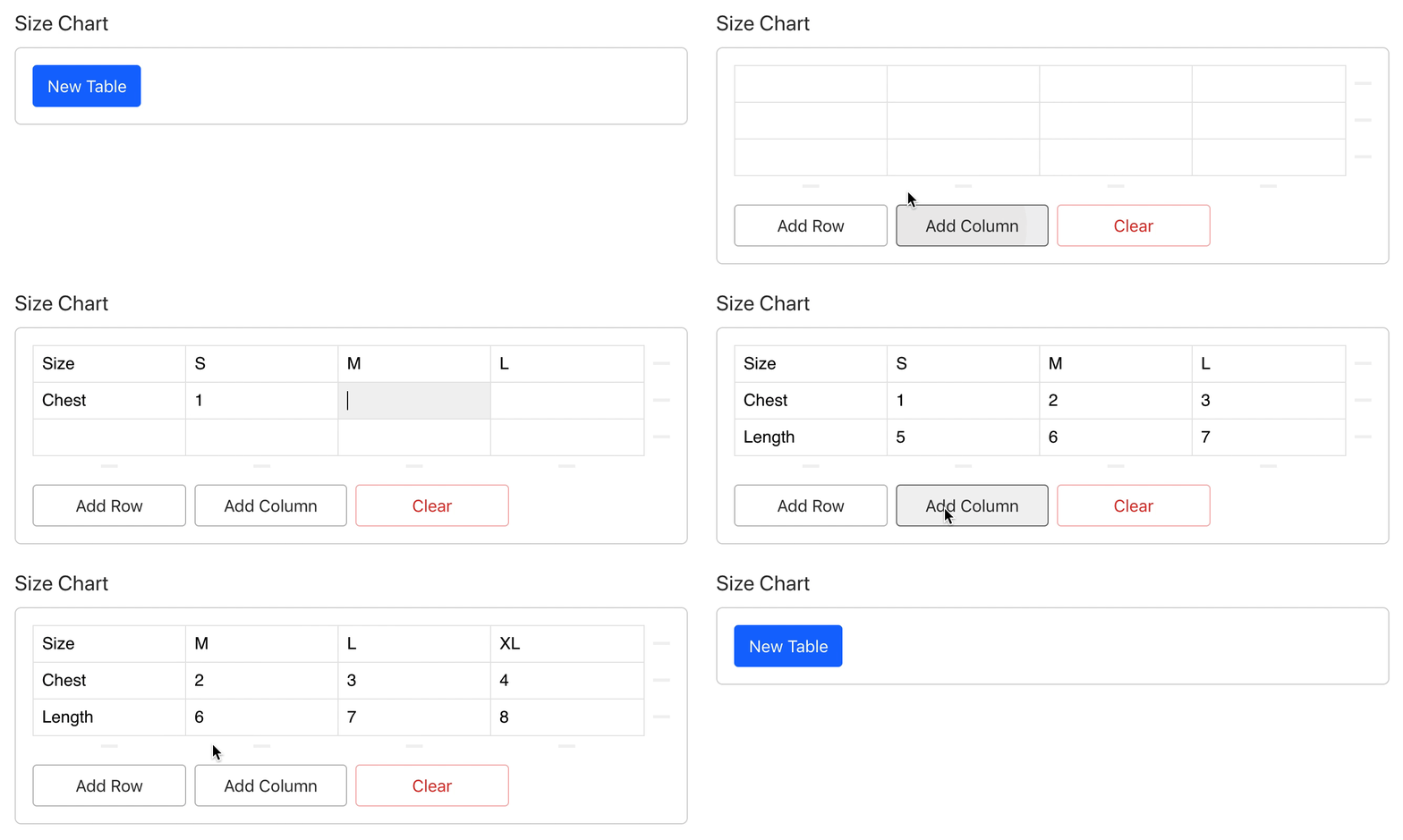
Install using the [Sanity CLI](https://www.sanity.io/docs/cli).
```bash
$ sanity install table
```
Simply specify `table` as a field type in your schema.
```js
export default {
name: 'product',
title: 'Product',
type: 'document',
fields: [
{
name: 'sizeChart',
title: 'Size Chart',
type: 'table', // Specify 'table' type
},
],
};
```
You can create a configuration file to provide the `_type` used for table row data. This is especially useful if you are upgrading or have existing data, as version `2.x` of this plugin uses `tableRow` by default, replacing `row` used in version `1.x`.
In your studio, create a `config/table.json` file (relative to the root directory). The `rowType` string value can be whatever you like. Use `row` if you are migrating existing data from version 1 to 2.
```json
{
"rowType": "row"
}
```
[](http://opensource.org/licenses/MIT)