running-at
Version:
Get local and network ip address
135 lines (89 loc) • 3.52 kB
Markdown
<div align="center">
# running-at
 [](https://coveralls.io/github/BetaHuhn/running-at?branch=master) [](https://github.com/BetaHuhn/running-at/blob/master/LICENSE)  [](https://www.npmjs.com/package/running-at)
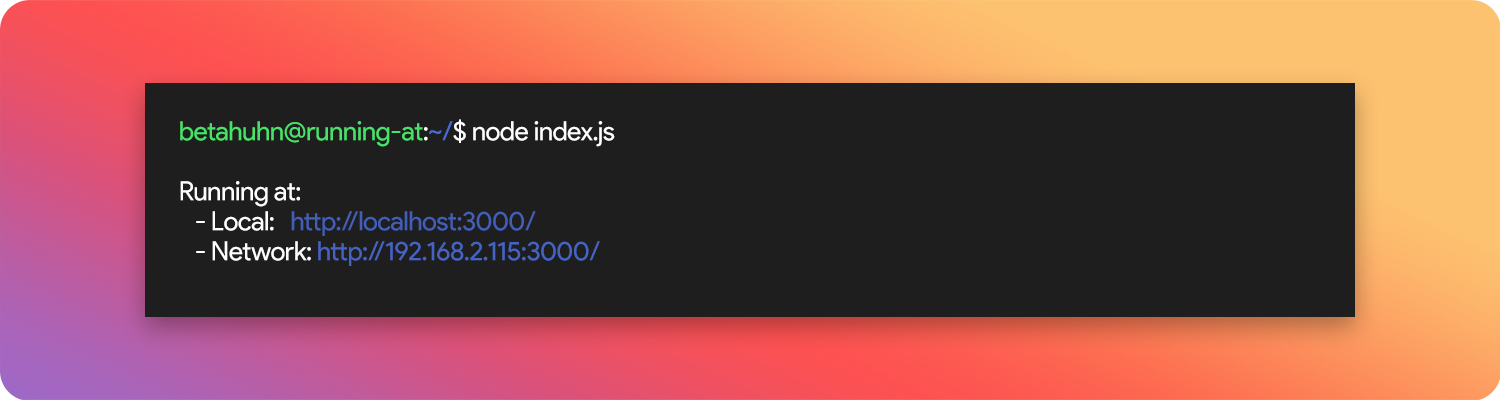
Get/Print local and network IP address
</div>
## 👋 Introduction
[running-at](https://github.com/BetaHuhn/running-at) returns (or directly prints) your current local and network ip address. This is useful if you want to know the address your server is running at.
## 🚀 Get started
Install [running-at](https://github.com/BetaHuhn/running-at) via npm:
```shell
npm install running-at
```
## 📚 Usage
```js
const runningAt = require('running-at')
runningAt()
```
Will return:
```js
{
ip: "192.168.2.115",
local: "http://localhost:3000/",
network: "http://192.168.2.115:3000/"
}
```
Or run it like this:
```js
const runningAt = require('running-at')
runningAt.print()
```
to directly print the URLs to the console:
```
Running at:
- Local: http://localhost:3000/
- Network: http://192.168.2.115:3000/
```
## ⚙️ Options
You can change the behaviour of [running-at](https://github.com/BetaHuhn/running-at) by passing an options object to `runningAt()` or `runningAt.print()`:
```js
const options = {
port: 8080, // default: '3000'
protocol: 'https', // default: 'http'
host: '127.0.0.1', // default: 'localhost'
pathname: '/app', // default: '/'
family: 'IPv6', // default: 'IPv4'
interface: 'wlan0', // default: 'prefered interface'
getNetwork: false, // default: true,
indentation: true // default: false
}
runningAt()
// or runningAt.print()
```
If you only want to specify the port, you can directly pass it as a parameter:
```js
runningAt.print(8080) // Will use 8080 as port
```
> use process.env.PORT for your server and then just pass it in here
## 🛠️ Example
Use [running-at](https://github.com/BetaHuhn/running-at) in an [Express](https://expressjs.com/) app:
```js
const runningAt = require('running-at')
const express = require('express')
const app = express()
const port = 3000
app.get('/', (req, res) => {
res.send('Hello World!')
})
app.listen(port, () => {
runningAt.print(port)
})
```
After the app has started, it will print:
```
Running at:
- Local: http://localhost:3000/
- Network: http://192.168.2.115:3000/
```
## 💻 Development
Issues and PRs are very welcome!
Run `yarn lint` or `npm run lint` to lint the project and run `yarn test` or `npm run test` to run all unit tests.
## ❔ About
This library was developed by me ([@betahuhn](https://github.com/BetaHuhn)) in my free time. If you want to support me:
[](https://www.paypal.com/cgi-bin/webscr?cmd=_s-xclick&hosted_button_id=394RTSBEEEFEE)
### Credits
The library was inspired by how the [vue cli](https://cli.vuejs.org/) prints the local and network address when you run `vue-cli-service serve`.
### License
Copyright 2020 Maximilian Schiller
This project is licensed under the MIT License - see the [LICENSE](LICENSE) file for details.