rnkit-alert-view
Version:
React Native Alert View component for iOS + Android
184 lines (130 loc) • 4.81 kB
Markdown
[![npm][npm-badge]][npm]
[![react-native][rn-badge]][rn]
[![MIT][license-badge]][license]
[![bitHound Score][bithound-badge]][bithound]
[](https://www.npmjs.com/package/rnkit-alert-view)
The best AlertView for [React Native][rn].
[**Support me with a Follow**](https://github.com/simman/followers)
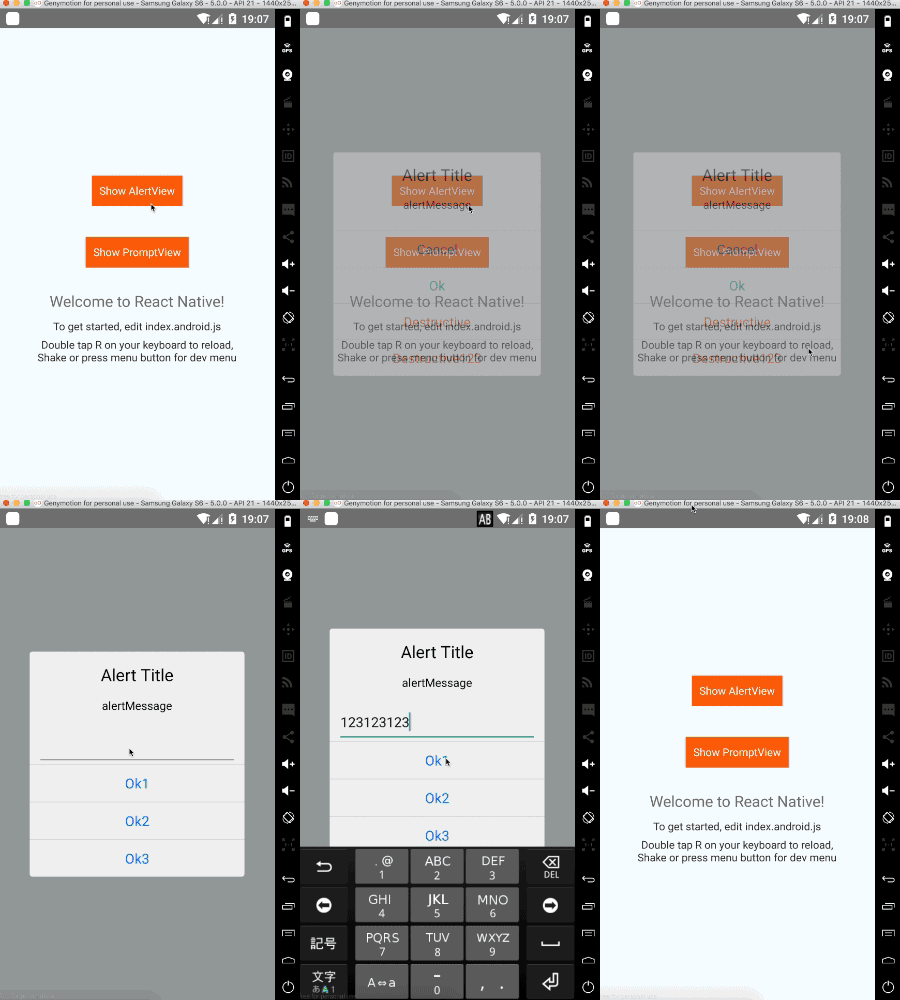
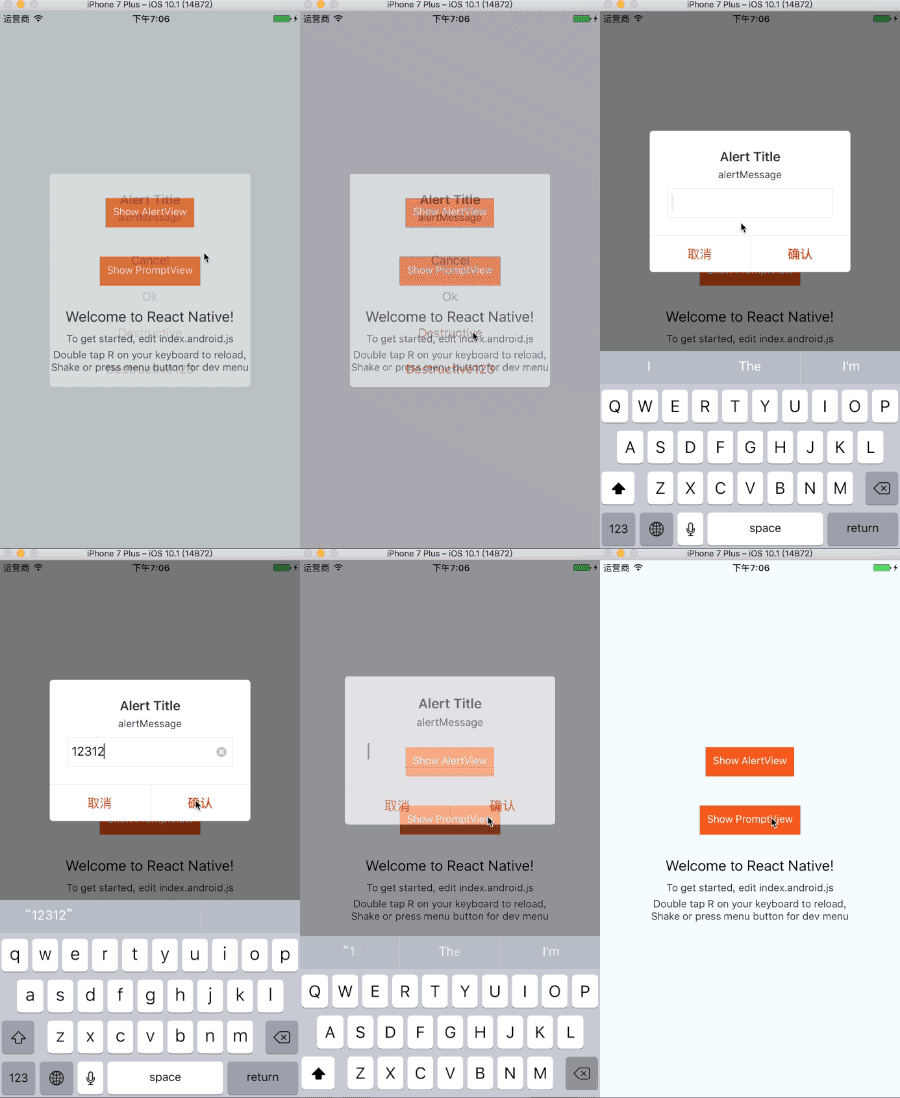
[npm-badge]: https://img.shields.io/npm/v/rnkit-alert-view.svg
[npm]: https://www.npmjs.com/package/rnkit-alert-view
[rn-badge]: https://img.shields.io/badge/react--native-v0.28-05A5D1.svg
[rn]: https://facebook.github.io/react-native
[license-badge]: https://img.shields.io/dub/l/vibe-d.svg
[license]: https://raw.githubusercontent.com/rnkit/rnkit-alert-view/master/LICENSE
[bithound-badge]: https://www.bithound.io/github/rnkit/rnkit-alert-view/badges/score.svg
[bithound]: https://www.bithound.io/github/rnkit/rnkit-alert-view
## Getting Started
First, `cd` to your RN project directory, and install RNMK through [rnpm](https://github.com/rnpm/rnpm) . If you don't have rnpm, you can install RNMK from npm with the command `npm i -S rnkit-alert-view` and link it manually (see below).
### iOS
* ####React Native < 0.29 (Using rnpm)
`rnpm install rnkit-alert-view`
* ####React Native >= 0.29
`$npm install -S rnkit-alert-view`
`$react-native link rnkit-alert-view`
#### Manually
1. Add `node_modules/rnkit-alert-view/ios/RNKitAlertView.xcodeproj` to your xcode project, usually under the `Libraries` group
1. Add `libRNKitAlertView.a` (from `Products` under `RNKitAlertView.xcodeproj`) to build target's `Linked Frameworks and Libraries` list
### Android
* ####React Native < 0.29 (Using rnpm)
`rnpm install rnkit-alert-view`
* ####React Native >= 0.29
`$npm install -S rnkit-alert-view`
`$react-native link rnkit-alert-view`
#### Manually
1. JDK 7+ is required
1. Add the following snippet to your `android/settings.gradle`:
```gradle
include ':rnkit-alert-view'
project(':rnkit-alert-view').projectDir = new File(rootProject.projectDir, '../node_modules/rnkit-alert-view/android/app')
```
1. Declare the dependency in your `android/app/build.gradle`
```gradle
dependencies {
...
compile project(':rnkit-alert-view')
}
```
1. Import `import io.rnkit.alertview.AlertViewPackage;` and register it in your `MainActivity` (or equivalent, RN >= 0.32 MainApplication.java):
```java
@Override
protected List<ReactPackage> getPackages() {
return Arrays.asList(
new MainReactPackage(),
new AlertViewPackage()
);
}
```
Finally, you're good to go, feel free to require `rnkit-alert-view` in your JS files.
Have fun! :metal:
## Basic Usage
Import library
```
import Alert from 'rnkit-alert-view';
```
### Code
```jsx
Alert.alert(
'Alert Title',
'alertMessage',
[
{text: 'Cancel', onPress: () => console.log('Cancel Pressed!'), style: 'cancel',},
{text: 'Ok', onPress: () => console.log('OK Pressed!')},
{text: 'Destructive', onPress: () => console.log('Destructive Pressed!'), style: 'destructive',},
],
);
```
```jsx
Alert.alert(
'Alert Title',
'alertMessage',
[
{text: 'Cancel', onPress: () => console.log('Cancel Pressed!'), style: 'cancel'},
{text: 'Ok', onPress: (text) => console.log('Ok Pressed!' + text)},
],
'plain-text',
'',
1
);
```
#### Params
| Key | Type | Default | Description |
| --- | --- | --- | --- |
| title | string | '' | |
| message | string | '' | |
| buttons | array (ButtonsArray) | | |
| type | string (AlertType) | 'default' | |
| placeholder | string | '' | |
| doneButtonKey | number | 0 | |
- ButtonsArray
```jsx
type ButtonsArray = Array<{
text?: string,
onPress?: ?Function,
style?: AlertButtonStyle,
}>;
```
- AlertType
```jsx
type AlertType = $Enum<{
'default': string,
'plain-text': string
}>;
```
- AlertButtonStyle
```jsx
type AlertButtonStyle = $Enum<{
'default': string,
'cancel': string,
'destructive': string,
}>;
```
## Contribution
- [@simamn](mailto:liwei0990@gmail.com) The main author.
## Thanks
[@saiwu-bigkoo](https://github.com/saiwu-bigkoo) - [Android-AlertView](https://github.com/saiwu-bigkoo/Android-AlertView) 仿iOS的AlertViewController
[@adad184](https://github.com/adad184) - [MMPopupView](https://github.com/adad184/MMPopupView) Pop-up based view(e.g. alert sheet), can easily customize.
## Questions
Feel free to [contact me](mailto:liwei0990@gmail.com) or [create an issue](https://github.com/rnkit/rnkit-alert-view/issues/new)
> made with ♥